What Does Fluig AI Do?
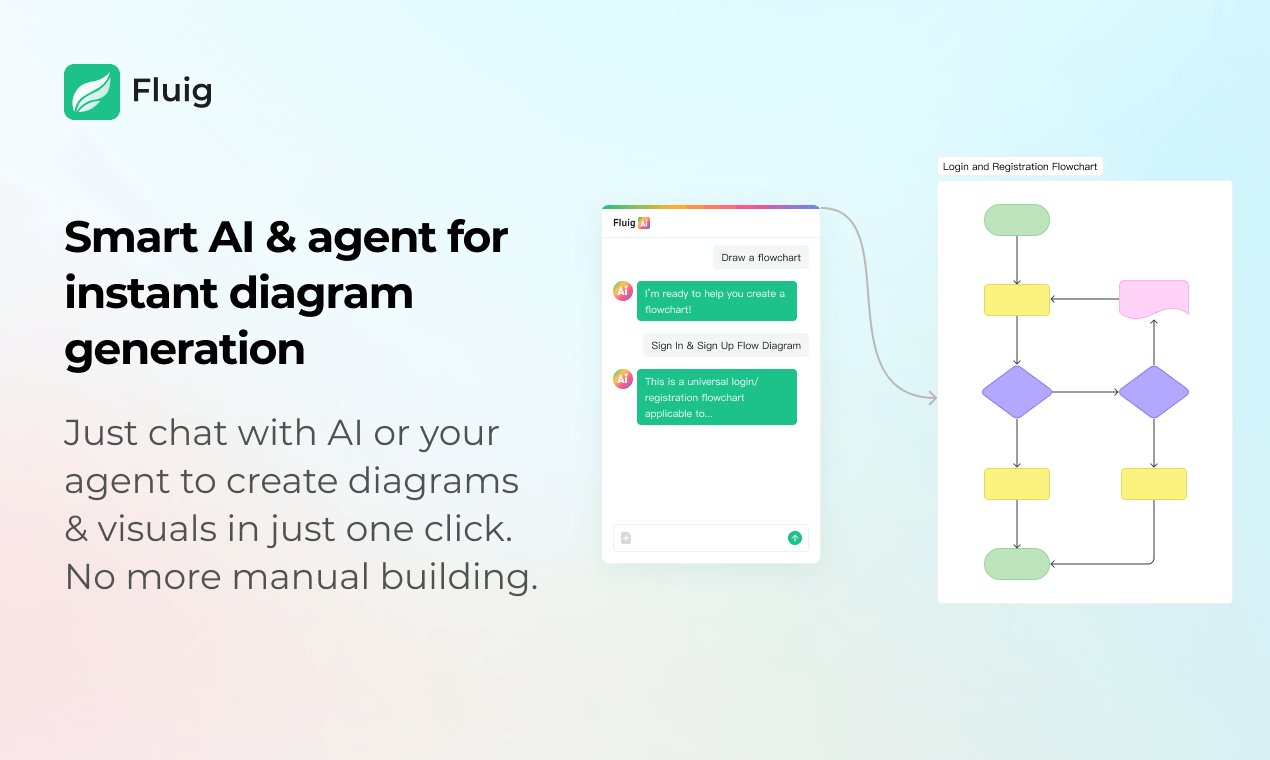
Fluig is an AI-powered diagramming platform designed to automate the creation of professional visuals through natural language processing. By leveraging generative AI, the service transforms ideas, structured documents, or raw code into organized formats such as flowcharts, mind maps, Kanban boards, and architecture diagrams in seconds.
The software distinguishes itself from traditional manual design tools through its multimodal input capabilities. Users can generate visuals by chatting with the AI or by providing external files, images, and URLs. This functionality allows for rapid data visualization and the conversion of complex technical documentation into accessible fishbone diagrams or timelines without the need for manual building.
Key features of the platform include:
- Live Team Collaboration: A shared workspace that supports real-time editing and collective building.
- Flexible Conversion: The ability to generate multiple diagram types from a single prompt and switch between formats seamlessly.
- AI Mind Mapping: Tools for organizing brainstormed thoughts into clean, structured hierarchies.
- Export and Sharing: Options to save diagrams as images, PDFs, or editable files, or to share them via a single link.
By streamlining the transition from conceptual text to visual output, Fluig serves as a specialized utility for project management, software development, and organizational workflow planning.
Top 5 Reasons To Download Fluig AI
- Instant AI-Powered Visualization: Transform complex thoughts into professional diagrams in seconds using natural language chat.
- Unmatched Multimodal Input: Go beyond text by feeding the AI code, documents, images, and URLs to generate instant visuals.
- All-In-One Versatility: Replace multiple tools with a single platform that handles mind maps, flowcharts, Kanban boards, Gantt charts, and architecture diagrams.
- Seamless Live Collaboration: Work in a shared "genius" space where your team can edit, brainstorm, and refine visuals in real-time.
- Effortless Format Conversion and Exporting: Instantly switch between diagram types and export your work into high-quality, professional formats with one click.
In the fast-paced world of technology and project management, we have all been there: staring at a blank canvas in a traditional diagramming tool, dreading the next three hours of dragging boxes, snapping lines, and formatting text. Whether you are a developer trying to map out a complex system architecture, a manager plotting a workflow, or a student organizing a massive research project, the manual labor of diagramming has always been a bottleneck to creativity. We have had tools like Miro and Lucidchart for years, and while they were great for their time, they still require you to do the heavy lifting. That era is officially over. Enter Fluig.
Fluig isn't just another incremental update to the diagramming category; it is a fundamental shift in how we visualize information. By leveraging cutting-edge AI, Fluig acts as a digital architect that understands your intent. You don't "build" diagrams anymore; you describe them. After spending extensive time testing this software, I am convinced it is the most significant productivity booster currently available for anyone who needs to turn data into visual clarity. Here is a deep dive into why you need to download this giveaway immediately and how it will transform your workflow.
1. Instant AI-Powered Visualization: From Thought to Finished Product
The core "magic" of Fluig lies in its AI-driven diagramming engine. For decades, the barrier to a good flowchart was the user's patience and design skill. If you weren't good at alignment or didn't know the specific symbols for a process map, your diagram ended up looking amateurish. Fluig removes this barrier entirely. By using a simple, natural language chat interface, you can simply tell the AI, "Create a flowchart for an e-commerce checkout process including edge cases for failed payments," and boom—the diagram appears in seconds.
This isn't just about speed; it is about cognitive offloading. When you are in the middle of a brainstorming session, you want to focus on the logic and the strategy, not the hex code of a rectangle or whether a line is perfectly straight. Fluig's AI understands context. It knows that a "mind map" needs a central node with radiating branches, and it knows that a "fishbone diagram" needs to be structured for root-cause analysis. Because it is powered by advanced AI, the more detail you give it, the more sophisticated the output becomes. It feels less like using a tool and more like talking to a genius assistant who is also a master graphic designer. This feature alone saves hours of manual labor every week, making it a must-have for anyone who values their time.
2. Unmatched Multimodal Input: The End of Manual Data Entry
Most diagramming tools require you to manually type in every single node. If you have a 50-page document or a complex block of Python code, you would normally have to read through it, summarize it, and then manually create the visual representation. Fluig changes the game with its multimodal input options. This is the feature that really sets it apart from legacy competitors. You are no longer limited to just typing prompts; you can feed the AI raw materials directly.
Imagine you are a software engineer. You have a massive class structure in your code, and you need to present it to the stakeholders. Instead of drawing it out, you can simply paste your code into Fluig. The AI analyzes the logic, identifies the relationships between classes, and generates a professional class diagram or architecture diagram instantly. If you are a project manager with a long PDF brief, you can upload the document, and Fluig will extract the key milestones to create a timeline or a Kanban board. You can even use URLs or images. The ability to take a screenshot of a messy whiteboard drawing and have Fluig turn it into a clean, digital flowchart is nothing short of revolutionary. It bridges the gap between raw data and visual insight better than any tool I’ve ever reviewed.
3. All-In-One Versatility: The Swiss Army Knife of Visuals
One of the biggest frustrations in tech is "app fatigue"—having one app for mind maps, another for flowcharts, another for Kanban, and yet another for documentation. Fluig solves this by being an all-encompassing visual workspace. The sheer variety of what you can create within a single chat window is staggering. Whether you need a Fishbone Diagram for a post-mortem meeting, a Gantt Chart for a product launch, or a structured table for data comparison, Fluig handles it all with the same level of precision.
Because the AI is so flexible, you can use it for creative brainstorming one minute and technical documentation the next. Need to write an article? Fluig can generate the text and then provide a mind map to summarize it. Organizing a team project? Generate a Kanban board based on your meeting notes. This versatility makes it an essential download for teams that need to stay agile. You don't have to learn five different interfaces or pay for five different subscriptions. Fluig’s ability to generate everything from architecture diagrams to articles ensures that no matter what your role is—marketing, engineering, sales, or education—there is a high-value use case waiting for you. It simplifies your tech stack while simultaneously increasing your output quality.
4. Seamless Live Collaboration: A Shared Space for Genius
Diagramming is rarely a solo sport. Usually, it involves a team of people trying to align on a vision. Traditional tools often struggle with this; either the version control is a nightmare, or the "live" editing is laggy and confusing. Fluig was built with a collaboration-first mindset. It provides a shared space where team members can gather in real-time to build and refine diagrams together.
When you are in a Fluig workspace, the AI acts as a facilitator. You can chat with your team and the AI simultaneously. One team member might say, "Let's add a step for secondary approval," and the AI updates the flowchart for everyone to see. This creates a "live" brainstorming environment that is far more productive than a standard Zoom call or a static whiteboard session. It eliminates the "can you see my screen?" friction and replaces it with a fluid, interactive experience. Whether your team is in the same room or spread across the globe, the shared space in Fluig ensures everyone is literally and figuratively on the same page. It turns collaborative work into a seamless experience where ideas are visualized as quickly as they are spoken.
5. Effortless Format Conversion and Exporting: Professionalism at Scale
One of the most impressive "party tricks" Fluig performs is its ability to convert between formats on the fly. Have you ever spent an hour making a beautiful mind map, only to realize that your boss really wanted a flowchart? In any other software, you’d be starting from scratch. In Fluig, you just tell the AI to "convert this mind map into a flowchart," and the transition happens instantly. The AI maintains the logic and the data points but reorganizes them into the new visual framework. This level of flexibility is a literal lifesaver for professionals who work in fast-changing environments.
Furthermore, once your masterpiece is finished, Fluig makes it incredibly easy to get your work where it needs to go. The easy export and sharing options are top-tier. You can export your diagrams as high-resolution images for presentations, PDFs for formal reports, or even editable files if you need to make manual tweaks later. If you don't want to deal with files, you can share your work via a single link, allowing stakeholders to view or even collaborate on the live version. It removes all the technical hurdles that usually come with sharing complex visuals. With Fluig, your work doesn't just stay in the app—it moves with you into your emails, your slide decks, and your client meetings, looking professional and polished every single time.
The Tech Reviewer’s Verdict: Why You Should Act Now
In my years of reviewing software, I’ve seen many "AI-powered" tools that are really just gimmicks—thin wrappers over basic chat bots that don't add real value. Fluig is different. It is a robust, purpose-built platform that solves a real, universal pain point: the difficulty of visualizing complex information quickly. It takes the power of a genius-level architect and puts it inside a simple chat box.
If you are still using tools like Miro or Lucidchart, you are essentially using a typewriter in the age of word processors. Yes, they work, but they are slowing you down. Fluig's ability to take raw documents, code, and messy ideas and turn them into professional-grade diagrams in seconds is a competitive advantage you cannot afford to ignore. Whether you are looking to streamline your internal processes, impress clients with better visuals, or simply organize your own thoughts more effectively, Fluig is the solution.
This is more than just a "diagram generator." It is a thinking tool. It allows you to see the big picture without getting lost in the weeds of formatting and design. By downloading this giveaway, you are giving yourself and your team the gift of time and clarity. You are moving from a world where you "work on diagrams" to a world where "diagrams work for you." The speed, the multimodal capabilities, the live collaboration, and the sheer versatility of the output make Fluig an absolute powerhouse in the productivity space.
Don’t wait until you have another three-hour flowcharting session on your calendar to wish you had this tool. Download Fluig now, embrace the power of AI-driven visualization, and start working like a genius. Your brain—and your team—will thank you.
Conclusion
The transition from manual to AI-driven workflows is the defining tech trend of this decade. Fluig is leading that charge in the world of data visualization and diagramming. With its unique ability to handle multimodal inputs, its live team collaboration features, and its instant conversion capabilities, it stands head and shoulders above traditional competitors. It is fast, it is smart, and it is incredibly easy to use. If you want to transform your ideas into professional visuals without the headache of manual design, Fluig is the answer. Get it today and see the difference for yourself.

Reviews for Fluig AI
Click Here to Read Reviews for Fluig AI >> Click Here to Submit Reviews for Fluig AI >>