What Does Net Monitor for Employees Professional for Mac Do?
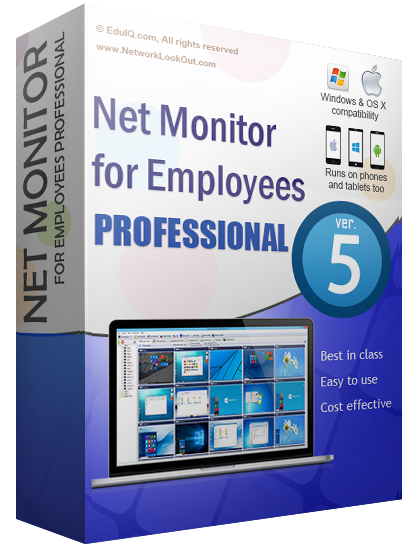
Net Monitor for Employees Professional is a cross-platform monitoring and management suite designed for administrators to oversee remote workstations from a central console. The software provides real-time visibility into employee or student activity by displaying remote computer screens as a series of customizable thumbnails. This allows for simultaneous tracking of multiple PCs, Macs, or mobile devices running Android, iOS, and Windows Phone.
The application offers a range of control features beyond simple observation. Administrators can:
- Take direct control of a remote computer’s mouse and keyboard.
- Block access to specific applications or the entire internet to maintain productivity.
- Log visited websites and record desktop activity directly to MPEG4 files via a built-in scheduler.
- Execute commands on multiple remote computers with a single click.
For collaborative environments, the software facilitates presentations by allowing the host to broadcast their screen to all connected clients or share a specific user's screen with the group. In educational settings, these tools enable teachers to manage classroom behavior by restricting harmful content and monitoring student progress. The setup process is designed for rapid deployment, requiring no registration and approximately five minutes for full installation. The interface is built for efficiency, ensuring all primary monitoring functions are accessible within a few clicks.
Top 5 Reasons To Download Net Monitor for Employees Professional for Mac
1. Crystal-Clear Real-Time Monitoring: Gain a live, bird’s-eye view of every workstation in your network through a customizable thumbnail grid.
2. Absolute Administrative Control: Take the reins of any remote computer’s mouse and keyboard or block distracting applications and websites with a single click.
3. Powerful Evidence and Analytics: Record desktop activity to high-quality MPEG4 files and log every website visited to ensure total accountability.
4. Streamlined Collaboration and Education: Share your screen with employees for instant demos or broadcast one student’s work to the entire group effortlessly.
5. Rapid Deployment and Multi-Platform Support: Get up and running in under five minutes with no registration required, and monitor your team from Windows, Mac, or mobile devices.
In the modern digital workspace, the biggest challenge isn't just managing people; it is managing focus. We live in an era of constant distraction, where a single "quick check" of a social media notification can spiral into an hour of lost productivity. For business owners, IT managers, and educators, the "invisible drain" on time is a real threat to the bottom line and educational outcomes. This is where Net Monitor for Employees Professional steps in as a game-changer. It isn't just a monitoring tool; it is a comprehensive command center for your digital environment. If you have been looking for a way to bridge the gap between your desk and your team’s output, this giveaway is exactly what you need. Let’s dive deep into why this software is a must-download for anyone serious about efficiency.
1. Crystal-Clear Real-Time Monitoring
The most immediate and striking feature of Net Monitor for Employees Professional is its ability to provide a live window into every active workstation under your purview. Imagine sitting at your desk and being able to see exactly what is happening on twenty, fifty, or even a hundred screens simultaneously. This software organizes remote screens into a clean, customizable table of thumbnails. You aren't looking at static screenshots taken every few minutes; you are looking at a live picture of the remote computer screens. This level of visibility is unprecedented for most managers.
From a reviewer’s perspective, the "live" aspect is what sets this apart. You can instantly see if a team member is struggling with a complex task, if a student is off-task, or if a critical process has stalled. You can customize the number of rows and the size of the thumbnails to suit your monitoring style. If you see something that catches your eye, you can zoom in on a specific screen to get a full-screen view in real-time. This isn’t about being "Big Brother"; it is about having the information you need to lead effectively. When employees or students know that their screen is visible, it creates a psychological "halo effect" that naturally encourages them to stay on task. It removes the temptation of digital wandering without you ever having to say a word.
Furthermore, the software allows you to monitor all the PCs or Macs in your company remotely. In a hybrid or large-scale office environment, walking from cubicle to cubicle is a waste of your time. This tool brings the entire office to your monitor. Whether you are managing a call center, a graphic design firm, or a computer lab, the ability to see everyone’s progress at a glance is the ultimate productivity hack.
2. Absolute Administrative Control
Monitoring is only half the battle; the real power lies in the ability to intervene when necessary. Net Monitor for Employees Professional gives you the keys to every computer in your network. One of the standout features I love as a tech reviewer is the remote control functionality. With just a few clicks, you can take over the mouse and keyboard of a remote computer. This is incredibly useful for IT support—instead of trying to talk an employee through a complex software setting over the phone, you can simply do it for them in seconds.
But the control doesn't stop at remote assistance. You have the power to proactively manage the digital environment. Are your employees spending too much time on social media during a "crunch" period? Use the software to block specific websites or entire categories of internet access. Is a particular game or non-work application causing a distraction? You can block applications with a single click. This isn't just about restriction; it's about optimization. You can even execute several actions on all remote computers at once, such as restarting them, locking them, or putting them to sleep. This "one-click" efficiency is a massive time-saver for anyone managing a fleet of devices.
For educators, this feature is a lifesaver. You can block harmful websites or distracting apps during a lesson, ensuring that every student is focused on the curriculum. If a student is stuck, you can remotely take control of their PC to show them the correct path, or you can lock their screen to get their undivided attention during an announcement. It turns a chaotic computer lab into a structured, controlled learning environment.
3. Powerful Evidence and Analytics
While live monitoring is great for immediate management, sometimes you need to look back at what happened when you weren't watching. Net Monitor for Employees Professional excels in this area by providing robust logging and recording features. You can schedule remote computers to record their desktops into MPEG4 files. These aren't just low-quality logs; they are high-quality video files that show exactly what was happening on the screen over a specific period. This is essential for compliance, security audits, or performance reviews.
In addition to video recording, the software logs visited websites, providing you with a clear paper trail of how the internet is being used within your organization. This data is invaluable. It allows you to identify patterns—perhaps there is a specific time of day when productivity dips, or maybe certain departments are spending an inordinate amount of time on "research" that isn't producing results. By having these logs at your fingertips, you can make data-driven decisions about staffing, training, and resource allocation.
As a reviewer, I always look for software that offers "proof of work." If there is ever a dispute about an employee’s activity or a student’s behavior, you don't have to rely on "he said, she said." You have the MPEG4 recordings and the website logs to provide an objective account of the facts. This protects the employer, but it also protects the diligent employee by providing clear evidence of their hard work and focus.
4. Streamlined Collaboration and Education
One of the most underrated features of this software is its ability to facilitate communication and training. It’s not just about "watching" others; it's about "showing" them. The software includes a feature that allows you to share your screen with your employees or students. This makes presentations, demos, and training sessions incredibly easy. Instead of having everyone huddle around a single projector or trying to sync up a laggy video call, you can broadcast your live screen directly to every workstation in the room or on the network.
This "Presenter Mode" is a game-changer for software training. You can show your team exactly how to use a new tool, and they can follow along on their own screens in real-time. Net Monitor for Employees Professional even allows you to present one employee's screen to others. If a team member has come up with a brilliant solution or a great design, you can share their screen with the rest of the team for a peer-to-peer learning session. This fosters a collaborative environment where knowledge is shared instantly.
In a classroom setting, this is the ultimate teaching tool. You can display a student's work on everyone else's monitor to highlight a job well done or to use as a teaching example. The ability to push your screen out to everyone ensures that no one is looking at the wrong thing during a lecture. It bridges the gap between the teacher's podium and the student's desk, creating an interactive and immersive educational experience that traditional methods simply cannot match.
5. Rapid Deployment and Multi-Platform Support
We have all dealt with enterprise software that takes weeks to configure and requires a degree in systems administration to understand. Net Monitor for Employees Professional is the exact opposite. One of the biggest selling points is the "5-minute installation." The setup process is guided by an easy step-by-step wizard, and perhaps most importantly, no registration is needed to get started. You can download it, install it, and start monitoring your team's productivity today. The user interface is designed with simplicity in mind—all major functions are accessible with just a few mouse clicks, meaning there is almost no learning curve.
Moreover, the software's versatility is impressive. It runs on Windows and Mac, but it also extends its reach to mobile platforms. The application now runs on Android, iOS, and Windows Phone. This means you aren't tethered to your desk. You can monitor your office or classroom from your smartphone or tablet while you are in a meeting, at a coffee shop, or even traveling. This level of mobility is essential for the modern, "on-the-go" manager.
The fact that this tool is so lightweight yet so powerful is a testament to its design. It doesn't bog down your network or your system resources. It simply sits in the background and does its job. For anyone who has been hesitant to try employee monitoring software because they fear the complexity, this is the solution you’ve been waiting for. It is accessible for small business owners with five employees, yet robust enough for large institutions with hundreds of machines.
Conclusion: Why You Need To Download This Today
If you have read this far, you likely realize that the traditional way of managing a digital workforce is outdated. You cannot manage what you cannot see, and you cannot optimize what you cannot measure. Net Monitor for Employees Professional provides the visibility, the control, and the data you need to take your organization to the next level. This giveaway represents a unique opportunity to gain a professional-grade tool that usually comes with a significant price tag.
Think about the value of your time. Think about the value of the hours lost to aimless browsing or inefficient workflows. By downloading this software, you aren't just getting an "app"; you are getting a productivity powerhouse. You are getting the ability to keep your team focused, the tools to provide better support, and the data to make smarter business decisions. Whether you are a teacher looking to regain control of your classroom or a business owner looking to maximize your ROI, this tool is the answer.
Don’t let this opportunity pass you by. The installation is fast, the interface is intuitive, and the benefits are immediate. Take control of your digital workspace today. Improve your company’s productivity, enhance your students' learning, and give yourself the peace of mind that comes with knowing exactly what is happening in your organization. Download Net Monitor for Employees Professional now and see the difference for yourself.

Reviews for Net Monitor for Employees Professional for Mac
Click Here to Read Reviews for Net Monitor for Employees Professional for Mac >> Click Here to Submit Reviews for Net Monitor for Employees Professional for Mac >>