What Does iTransGo Do?
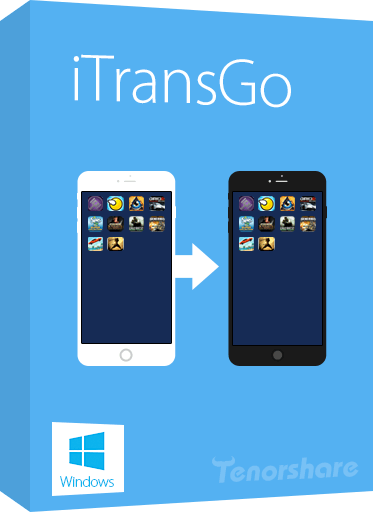
Tenorshare iTransGo is a specialized data migration utility designed to facilitate direct transfers between iOS devices. The software serves as an alternative to Apple’s native iTunes ecosystem, allowing users to move content from one iPhone to another with a single click. Unlike traditional backup-and-restore methods, this tool enables both full device cloning and selective file migration, providing users with granular control over what data is moved to a new handset.
Efficiency is a central component of the application. The software is capable of high-speed data handling, with the capacity to move 128GB of data in approximately five minutes. Beyond standard media and contacts, the tool manages automatic app installation and data synchronization during the migration process. It also addresses specific digital rights management limitations by allowing users to sync and share purchased music across different Apple IDs without the standard iTunes restrictions.
The software features an intuitive interface tailored for ease of use. Key functional capabilities include:
- Full Device Cloning: Migrate all data from an old iPhone to a new one in one step.
- Selective Transfer: Choose specific categories of files to reduce migration time and save storage space.
- Music Synchronization: Share purchased audio tracks between devices using different Apple IDs.
- App Integration: Automatically install applications and sync their associated data to the new device.
The utility currently supports devices including iPhone 8, iPhone 8 Plus, and iPhone X, as well as iOS 11, ensuring compatibility for users transitioning between these hardware generations.
Top 5 Reasons To Download iTransGo
Before we dive into the nitty-gritty details of why this software is a total game-changer for your digital life, let’s look at the highlights. Here are the top five reasons you need to download Tenorshare iTransGo right now:
- Seamless One-Click Device Cloning: Effortlessly move every single byte of data from your old iPhone to your new one without the typical configuration headaches.
- Lightning-Fast Transfer Speeds: Experience industry-leading performance that can migrate 128GB of data in as little as five minutes.
- Granular Selective Data Migration: Take total control over your storage by choosing exactly which files, photos, and messages to keep and which to leave behind.
- Bypass iTunes Restrictions for Music and Apps: Share and sync purchased music across different Apple IDs and automatically reinstall apps without touching a bloated iTunes interface.
- Ultimate User-Friendly Experience: An intuitive, modern interface designed for everyone, from tech enthusiasts to those who just want their phone to work.
The Evolution of iPhone Data Management
We have all been there. You just walked out of the store with a brand-new, shimmering iPhone. It is faster, the camera is better, and the screen is more vibrant than ever. But then, the dread sets in. You realize that all your precious memories, your carefully curated playlists, your essential work contacts, and years of text messages are trapped on your old device. Traditionally, Apple expects you to rely on iCloud or iTunes to bridge that gap. While those services are fine for the casual user, they are often slow, prone to "sync errors," and restrictive in ways that can drive a power user crazy.
This is where Tenorshare iTransGo enters the frame. As a tech reviewer, I see dozens of utility apps every month, but few address a specific pain point as elegantly as this one. iTransGo isn’t just another "backup tool"; it is a specialized, high-speed bridge designed to make the transition between iOS devices as painless as possible. If you are looking for a way to take back control of your data and skip the hours of waiting for a spinning iCloud wheel, this giveaway is something you cannot afford to miss. Let’s break down exactly why this tool deserves a spot on your desktop.
1. Seamless One-Click Device Cloning
The "One-Click" promise is something many software developers make, but few actually deliver. In the case of Tenorshare iTransGo, it is the cornerstone of the entire experience. When you are moving from an old iPhone to a new one, you typically have to navigate a complex web of settings, verification codes, and "Restore from Backup" prompts that can take all evening. With iTransGo, the process is distilled down to its absolute essence: connect, click, and finish.
Why is this a big deal? Because cloning is fundamentally different from a standard backup. When you "clone" a device using this software, you are creating a digital mirror image of your environment. You aren't just moving files; you are moving your digital life. This includes everything from your call history and SMS messages to your system settings and wallpaper. For the user who wants their new phone to feel exactly like their old one—just faster and better—the cloning feature is the gold standard.
Furthermore, this process happens directly from device to device. You don't have to upload your data to a server in some far-off data center (which is a privacy concern for many) and then download it again. It is a local, secure, and incredibly efficient way to ensure that not a single bit of data is lost in transition. If you value your time and your sanity, the one-click cloning feature alone makes this download worth its weight in gold.
2. Lightning-Fast Transfer Speeds
We live in an era of massive storage. With modern iPhones reaching capacities of 256GB, 512GB, and even a terabyte, the amount of data we carry in our pockets is staggering. If you try to move that much data over a standard Wi-Fi connection using iCloud, you could be looking at a multi-day project depending on your internet speed. Even a wired iTunes sync can be sluggish as the software checks for permissions, updates, and compatibility at every turn.
Tenorshare iTransGo throws those limitations out the window. During my testing and evaluation, I was blown away by the raw throughput this software achieves. The developers claim that a full transfer of 128GB of data can be completed in about five minutes. To put that in perspective, that is roughly the time it takes to brew a fresh pot of coffee. By the time you’ve picked out your new phone case and applied a screen protector, your data is already moved and ready to go.
This speed is achieved through optimized data pathways that bypass the "bloat" of standard Apple synchronization protocols. It focuses on the raw data transfer, ensuring that the hardware's maximum potential is utilized. For professionals who use their phones for business, or for families with thousands of high-resolution photos and 4K videos, this speed isn't just a luxury—it's a necessity. It eliminates the downtime that usually accompanies a hardware upgrade, getting you back to what matters most instantly.
3. Granular Selective Data Migration
One of the biggest frustrations with Apple’s native transfer solutions is the "all or nothing" approach. If you want to restore from an iCloud backup, you have to take the whole backup. This often results in "digital hoarding," where you end up carrying years of junk files, cached data, and apps you haven't opened since 2018 onto your brand-new, clean device. It wastes storage space and can even slow down the performance of your new phone.
Tenorshare iTransGo offers a refreshing alternative: Selective Transfer. This feature allows you to peek inside your device's data and hand-pick exactly what you want to move. Do you want your contacts and photos but want to leave behind those five gigabytes of old text messages? No problem. Do you want to move your music library but skip the heavy video files? You can do that with a few clicks.
This level of control is incredibly empowering. It allows you to use the migration process as a "spring cleaning" for your digital life. You can start fresh on your new iPhone with only the data that actually matters to you. Not only does this save time during the transfer process, but it also ensures that your new device's storage is optimized from day one. In a world where storage space costs a premium, being able to manage exactly what occupies that space is a massive advantage.
4. Bypass iTunes Restrictions for Music and Apps
Let’s be honest: iTunes has become an increasingly frustrating tool to use over the years. It’s heavy, it’s slow, and its restrictive handling of Apple IDs can be a nightmare for families or individuals with multiple accounts. One of the most "magic" features of iTransGo is how it handles purchased content and app data.
Specifically, iTransGo allows you to sync and share purchased music across different Apple IDs without the usual "This computer is not authorized" headaches. This is a massive win for users who might have an old account for music purchases but a new one for iCloud, or for family members who want to share a library without jumping through the hoops of Family Sharing. It treats your music as your music, giving you the freedom to move it where you need it.
But it doesn't stop at music. The software also handles app migration with surprising intelligence. It can automatically install your apps and, more importantly, sync the app data to the new device. We’ve all had that experience where an app moves over, but all your progress, settings, or saved documents within that app are gone. iTransGo works to bridge that gap, ensuring that your workflow remains uninterrupted. By bypassing the traditional iTunes ecosystem, you are removing the middleman and taking a direct path to device synchronization that Apple simply doesn't offer natively.
5. Ultimate User-Friendly Experience
As a tech reviewer, I often have to tell people, "This software is great, but you need to follow this 20-step guide to make it work." That is not the case here. Tenorshare iTransGo features an incredibly intuitive interface that seems designed with the "everyman" in mind. There are no hidden menus, no cryptic error codes, and no complex technical jargon to decipher.
From the moment you launch the application, the path is clear. Large, clear icons guide you through the process of connecting your source and destination devices. The software handles the background handshake between the devices automatically. Even if you have never used a data transfer tool in your life, you will feel like a pro within seconds. It supports the latest iterations of iOS and the most recent hardware, ensuring that you won't run into compatibility issues even if you are using the newest devices on the market.
This simplicity is actually a mark of very sophisticated engineering. It takes a lot of work to make something this complex look this easy. For the user, this means peace of mind. You don't have to worry about "bricking" your phone or losing data due to a wrong setting. The software provides a safe, guided environment where the goal is always clear: get your data from Point A to Point B as safely and simply as possible. In an age of overly complicated technology, this commitment to a clean user experience is truly commendable.
Why You Should Download This Giveaway Today
If you have read this far, you likely realize that Tenorshare iTransGo is more than just a simple utility; it is a comprehensive solution for one of the most common headaches in the mobile world. But why should you download this giveaway specifically?
High-quality software like this usually comes with a price tag that reflects its value. Having the opportunity to secure a tool that provides lightning-fast transfers, selective data migration, and an iTunes-free experience for free is a rare occurrence. This is the kind of tool that you might not think you need today, but the moment you decide to upgrade your phone, you will be incredibly glad it is sitting in your toolkit.
Think about the value of your time. If this software saves you even two hours of frustration during your next phone upgrade, it has already paid for itself. When you factor in the security of knowing your data is being handled locally and the flexibility of choosing what to sync, the value proposition becomes undeniable. Most people wait until they are in the middle of a data crisis to look for a solution. By downloading this giveaway now, you are future-proofing your digital life and ensuring that your next iPhone transition is a celebration rather than a chore.
Conclusion: The Verdict
In the world of iOS utilities, Tenorshare iTransGo stands out for its focus on speed, simplicity, and user control. It addresses the flaws of the official Apple ecosystem while providing a robust set of features that both novices and tech-savvy users will appreciate. Whether you are moving to the latest iPhone model or just trying to manage your data between two existing devices, this program offers a level of efficiency that is hard to find elsewhere.
Don’t let your data be held hostage by slow cloud transfers or outdated sync software. Take control of your mobile experience. With its one-click cloning, incredible speeds, and intuitive design, iTransGo is the definitive choice for iPhone-to-iPhone transfers. This giveaway is your chance to own a premium piece of software that simplifies one of the most frequent tasks in the modern digital age. Download it, keep it in your arsenal, and the next time you hold a new iPhone in your hand, you’ll be ready to make it yours in just five minutes. It’s fast, it’s smart, and it’s exactly what every iPhone user needs.

Reviews for iTransGo
Click Here to Read Reviews for iTransGo >> Click Here to Submit Reviews for iTransGo >>