What Does LightPDF Editor VIP [with OCR] Do?
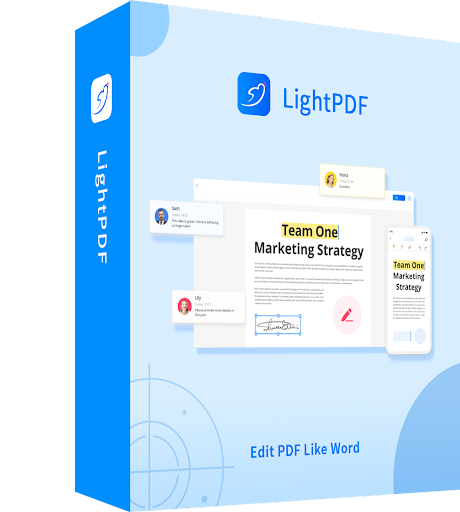
LightPDF is a comprehensive document management suite designed to facilitate a wide range of PDF-related tasks through a centralized interface. The application serves as a multi-functional utility for reading, editing, and managing digital documents across both local and cloud environments.
The software’s primary capabilities include the following features:
- Document Editing and Conversion: Users can modify existing text and images within PDFs or convert files into various formats such as Word, Excel, PowerPoint, and HTML.
- Form Management: The tool allows for the creation and editing of fillable forms, as well as the application of digital signatures for document authentication.
- File Optimization: Users can merge multiple documents into a single file, reduce storage requirements through file compression, and manage watermarks.
- Security: The suite includes administrative options to encrypt sensitive documents with passwords or unlock restricted PDF files.
- Advanced OCR: Integrated Optical Character Recognition (OCR) technology enables the extraction of text from scanned documents while preserving the original formatting and layout.
Additionally, the service supports cloud synchronization, allowing users to store files remotely and collaborate via real-time annotations and comments. By combining these administrative and creative tools, the software provides a streamlined workflow for handling complex document requirements without the need for multiple standalone applications.
Top 5 Reasons To Download LightPDF Editor VIP [with OCR]
1. Professional-Grade Editing and Form Creation: Transform static documents into dynamic files by editing text, images, and building interactive fillable forms from scratch.
2. High-Precision OCR and Multi-Format Conversion: Use Optical Character Recognition to turn scanned images into editable text and convert PDFs to Word, Excel, PowerPoint, and more with perfect formatting.
3. Seamless Cloud Synchronization and Collaboration: Move beyond your desktop by syncing files to the cloud, allowing you to access, edit, and share your documents from any location or device.
4. Robust Security and Digital Signatures: Protect sensitive information with high-level encryption, custom watermarks, and the ability to add legally binding digital signatures in seconds.
5. Comprehensive File Optimization and Management: Simplify your workflow by merging multiple documents, reducing file sizes for email, and organizing pages with a few clicks.
Introduction: Why Your Digital Toolkit Needs a Better PDF Solution
We have all been there. You receive an urgent PDF document that needs a quick change—perhaps a typo in a contract, an outdated figure in a report, or a form that refuses to let you type into its fields. For years, the PDF format has been both a blessing and a curse. It is the gold standard for document sharing because it preserves formatting across all devices, but it has traditionally been notoriously difficult to modify without expensive, bloated software. Most users settle for free online tools that compromise their privacy or basic readers that offer nothing more than a "view-only" experience. However, the modern digital landscape demands more. We need agility, security, and power.
Enter LightPDF. As a tech reviewer who has tested dozens of document management suites, I can tell you that finding a balance between advanced features and a lightweight footprint is rare. LightPDF manages to bridge that gap, offering a professional-grade suite that doesn't require a degree in computer science to navigate. This giveaway isn't just another piece of "freeware" to clutter your hard drive; it is a full-featured productivity powerhouse that challenges the industry giants. Whether you are a student, a freelancer, or a corporate executive, here is an in-depth look at why you need to download this software today.
1. Professional-Grade Editing and Form Creation
The core of any great PDF software is its editing engine, and this is where LightPDF truly shines. Most "editors" on the market are actually just annotators—they let you draw boxes over text or add sticky notes, but they don't let you change the underlying content. LightPDF, however, treats a PDF like a Word document. You can click on any line of text and change the wording, font, size, and color. You can move images, resize graphics, and adjust layouts without breaking the document's flow.
But the editing power goes much deeper than just fixing typos. One of the standout features is the fillable form creator. In a world where remote work and digital bureaucracy are the norms, the ability to create professional forms is a game-changer. With LightPDF, you can:
- Insert text fields for names and addresses.
- Add checkboxes for multiple-choice selections.
- Create dropdown menus for clean, standardized data entry.
- Designate radio buttons for "either/or" options.
This functionality is essential for anyone running a small business or managing administrative tasks. Instead of sending a flat document that your clients have to print, sign, and scan back, you can provide an interactive experience that shows you are a modern, tech-savvy professional. The interface for building these forms is incredibly intuitive, utilizing a drag-and-drop system that takes the headache out of document design.
2. High-Precision OCR and Multi-Format Conversion
We’ve all experienced the frustration of "image-only" PDFs—those documents created by scanners that are essentially just pictures of text. You can’t search them, you can’t highlight them, and you certainly can’t edit them. LightPDF solves this using advanced OCR (Optical Character Recognition) technology. This feature analyzes the pixels in an image and reconstructs them into actual, editable characters. What makes this version particularly impressive is its ability to maintain the original formatting. It doesn't just give you a wall of unformatted text; it attempts to keep the headers, columns, and images exactly where they belong.
Complementing the OCR is a robust conversion engine. While PDF is great for distribution, it isn't always the best format for data analysis or heavy drafting. LightPDF allows you to pivot your data into several other formats, including:
- Microsoft Word: For heavy-duty rewriting and formatting.
- Microsoft Excel: Perfect for extracting tables and financial data into a format where you can actually run formulas.
- Microsoft PowerPoint: Turn your static reports into dynamic presentations.
- Image Formats (JPG, PNG): For easy sharing on social media or integration into web design.
- TXT and HTML: For developers and writers who need clean code or plain text.
The conversion process is lightning fast and, in my testing, remarkably accurate. It handles complex layouts and multi-column newsletters with a level of precision that you usually only see in software costing hundreds of dollars a year.
3. Seamless Cloud Synchronization and Collaboration
The days of being tethered to a single desktop computer are over. Modern productivity happens on the train, in coffee shops, and in home offices. LightPDF understands this shift, which is why its Cloud Sync feature is one of its most compelling selling points. When you download this software, you aren't just getting a local tool; you are getting access to a cloud-enabled ecosystem.
By syncing your files to the cloud, you eliminate the "Which version is the latest?" headache. You can start an edit on your office desktop, save it to the LightPDF cloud, and then pull it up on your laptop or mobile device later that evening to give it a final look. This is also a massive win for collaboration. You can share links to your documents stored in the cloud, allowing team members to view or edit them without the clunky process of sending large email attachments back and forth.
Collaboration is more than just sharing; it’s about communication. LightPDF includes a suite of annotation and commenting tools that allow you to leave feedback directly on the page. You can highlight text in various colors, cross out outdated information, and leave "sticky notes" for your colleagues. It turns the PDF from a static end-product into a living document that facilitates teamwork.
4. Robust Security and Digital Signatures
In an era of increasing data breaches and identity theft, the security of your documents is non-negotiable. If you are handling contracts, medical records, or financial statements, you cannot afford to use subpar tools. LightPDF provides a multi-layered approach to document protection. First, you can encrypt your files with strong passwords. You can set permissions so that others can view the file but cannot print it, copy the text, or make any modifications.
Furthermore, the watermarking feature is incredibly useful for protecting your intellectual property. You can easily overlay "Confidential," "Draft," or your company’s logo across every page, ensuring that your work isn't misused or claimed by others. These watermarks can be customized for transparency, position, and angle, giving you full control over the aesthetic of your protected documents.
Perhaps most importantly, LightPDF includes a dedicated digital signature module. In the modern business world, "wet signatures" (ink on paper) are becoming obsolete. They are slow, environmentally unfriendly, and difficult to track. With LightPDF, you can create and apply digital signatures that are professional and legally binding in many jurisdictions. You can draw your signature, upload an image of your handwritten autograph, or use a typed certificate-based signature. This feature alone saves hours of time, allowing you to close deals and finalize agreements in minutes rather than days.
5. Comprehensive File Optimization and Management
Sometimes, the most important features are the ones that simply help you get organized. We often find ourselves with a dozen different PDF files that should be one single report, or a file that is too large to send via email because it’s full of high-resolution images. LightPDF acts as a Swiss Army Knife for these common annoyances.
The Merge and Split features are incredibly straightforward. You can take five different PDFs—even if they have different orientations and page sizes—and combine them into one cohesive document. Conversely, if you have a massive 500-page manual and you only need the third chapter, you can split that section out into its own file in seconds. You can also reorder pages by dragging and dropping thumbnails, or delete unnecessary pages that are just taking up space.
Speaking of space, the PDF Compressor is a lifesaver. It uses advanced algorithms to reduce the file size of your documents while maintaining as much visual quality as possible. This is essential for students submitting assignments to online portals with file-size limits, or for professionals sending decks to clients. When you combine this with the ability to unlock protected PDFs (provided you have the right to do so) and extract specific elements, it becomes clear that LightPDF is designed to remove every friction point in the PDF workflow.
The Tech Reviewer’s Verdict: Why You Should Download This Now
In the tech world, we often talk about "frictionless" software. Friction is anything that slows you down—a confusing menu, a slow loading bar, or a feature that's hidden behind a paywall. LightPDF is one of the most frictionless experiences I have encountered in the document management space. The user interface is clean and modern, borrowing the best elements of the "ribbon" design popularized by Microsoft Office, which means you already know where everything is before you even start using it.
Many users are hesitant to download new software because they fear it will be "bloatware"—programs that take up too much RAM and slow down their entire system. LightPDF is remarkably efficient. It opens quickly, even with large, multi-hundred-page documents, and the cloud integration is handled in the background so it never interrupts your workflow. It is rare to find a tool that offers OCR, digital signatures, and cloud sync all in one package without charging a massive monthly subscription fee.
This giveaway represents a unique opportunity to upgrade your digital office for free. Think about the time you’ve wasted trying to copy text out of a locked PDF or the frustration of trying to fill out a form that wasn't designed to be interactive. Those moments of "tech-rage" are entirely preventable. By downloading LightPDF, you are giving yourself a professional advantage. You are choosing a tool that respects your time, secures your data, and empowers you to work from anywhere.
The combination of powerful editing, accurate conversion, secure signing, and cloud flexibility makes this a "must-have" download. Whether you're trying to polish a resume, manage a fleet of invoices, or simply organize your digital tax records, LightPDF provides the tools you need in a package that is a joy to use. Don't wait until you're in a document-induced panic to look for a solution. Download this giveaway today, explore the features, and see for yourself how much smoother your workday can be. This is a top-tier piece of software that truly earns its place on your taskbar.
Summary of What You Get
- An Unrivaled Editor: Modify text and images as easily as you would in a word processor.
- A Form Builder: Create interactive, fillable PDFs to streamline data collection.
- A Conversion Specialist: Move between PDF, Word, Excel, and PPT without losing your layout.
- An OCR Powerhouse: Make scanned documents searchable and editable.
- A Security Guard: Encrypt files, add watermarks, and sign documents digitally.
- A Space Saver: Compress files and merge documents to keep your digital life organized.
Ultimately, LightPDF isn't just about managing files; it's about managing your time. In an age where information is our most valuable currency, having a tool that allows you to manipulate, protect, and share that information efficiently is priceless. This giveaway is your ticket to a more productive, less stressful digital life. Make sure you grab it while it's available!

Reviews for LightPDF Editor VIP [with OCR]
Click Here to Read Reviews for LightPDF Editor VIP [with OCR] >> Click Here to Submit Reviews for LightPDF Editor VIP [with OCR] >>