What Does PixTeller PRO Do?
PixTeller is a browser-based graphic design tool engineered to streamline visual content creation for marketers, bloggers, and business owners. The platform functions as a simplified editor that allows users to modify images, shapes, text, and colors within a centralized interface. By utilizing a library of over 7,000 pre-made templates, users can generate social media covers, banners, and print graphics without requiring professional design training.
The software features a massive repository of assets, including more than 1,000,000 embedded photos and 100,000 graphic elements accessible directly through the editor. Technical capabilities include a smart resize function for multi-platform adaptation, custom font support, and advanced typography controls. For more complex visuals, the tool offers gradient tools, multipage attributes, and professional cropping techniques such as masking and clipping.
Efficiency is prioritized through a workflow that supports the rapid personalization of public designs. Users can export their finished projects in PNG, JPEG, or PDF formats, ensuring compatibility across digital and physical mediums. Because it operates entirely within modern web browsers, the service provides a flexible workspace that does not require local software installation, facilitating design iteration for both personal and commercial use.
Top 5 Reasons To Download PixTeller PRO
1. A Massive Library of Over 1,000,000 Assets: Gain instant access to a staggering collection of photos, shapes, and templates that eliminate the need for expensive stock subscriptions.
2. Revolutionary Smart Resize Technology: Save hours of manual work by automatically converting a single design into multiple formats for various social media platforms with just one click.
3. Professional-Grade Design Tools for Non-Designers: Utilize advanced features like masking, clipping, and custom gradients through an intuitive interface that requires zero prior design experience.
4. Seamless Multi-Page and Multi-Format Exports: Create cohesive brand identities or complex documents with multipage attributes and export them in high-quality PNG, JPEG, or PDF formats.
5. Complete Browser-Based Flexibility: Break free from hardware limitations with a powerful editor that runs smoothly on any modern browser, allowing you to design from anywhere at any time.
The Ultimate Design Revolution: Why PixTeller is a Game-Changer
In the modern digital landscape, the demand for high-quality visual content has reached an all-time high. Whether you are a solo blogger trying to make your mark, a digital marketer juggling five different social media accounts, or a business owner looking to create professional-grade marketing materials without the "professional designer" price tag, the struggle is real. We have all been there: staring at a blank canvas, feeling the frustration of a clunky interface, or spending hours trying to resize an image for three different platforms. This is exactly why the PixTeller giveaway is something you simply cannot afford to pass up. As a tech reviewer who has seen hundreds of design tools come and go, I can confidently say that PixTeller isn't just another "me-too" app. It is a comprehensive design ecosystem built to empower the non-designer while providing the depth needed for professional results.
The beauty of this tool lies in its simplicity and its power. It bridges the gap between basic photo editors and complex, expensive software suites like Adobe Creative Cloud. By downloading this giveaway, you are essentially putting a professional design studio into your pocket—or rather, your browser. Let’s dive deep into the specific reasons why this tool is going to transform your workflow and why you need to grab it right now.
1. A Massive Library of Over 1,000,000 Assets
The biggest hurdle in any design project is often the starting point. Where do you get the images? Where do you find the right icons? Usually, this involves scouring the internet for royalty-free images, checking licenses, and downloading files, only to find they don't quite fit your vision. PixTeller solves this problem by integrating a massive library directly into the editor. We are talking about over 1,000,000 embedded photos and over 100,000 embedded shapes.
Think about the cost savings alone. Most high-quality stock photo sites charge a premium monthly fee for just a handful of downloads. With PixTeller, you have a literal universe of visual elements at your fingertips. Whether you need a crisp landscape for a blog header, a specific geometric shape for a tech logo, or a vibrant background for an Instagram post, it is all right there. But it isn't just about quantity; it is about accessibility. These assets are searchable and can be dropped into your project instantly. This allows you to stay in the "flow state," experimenting with different visuals without ever leaving the tab.
Beyond the raw assets, you also get access to over 7,000 pre-made templates. These aren't just generic layouts; they are professional designs that follow modern aesthetic trends. For a marketer or blogger, these templates act as a springboard. You can take a public design that looks great, swap out the text, change the background photo from the embedded library, and have a personalized, high-end graphic ready in under sixty seconds. It is about moving from "blank screen" to "finished product" faster than ever before.
2. Revolutionary Smart Resize Technology
If you have ever tried to manage a multi-channel social media presence, you know the "Resize Nightmare." An image that looks perfect on a Facebook post will be awkwardly cropped on Instagram, and it will look completely lost on a Pinterest board. Traditionally, this meant creating three, four, or five separate files, manually moving elements around, and trying to keep the branding consistent across all of them. It is tedious, boring, and a massive waste of creative energy.
PixTeller’s Smart Resize feature is, quite frankly, a life-saver. This technology allows you to take a completed design and instantly adapt it to various dimensions. The software is intelligent enough to understand how elements should be rearranged to fit new aspect ratios while maintaining the integrity of the design. This means you can create your main campaign graphic once and, within seconds, have the Twitter version, the YouTube thumbnail version, and the LinkedIn banner version ready to go.
This feature alone justifies the download. For digital marketers, it turns an hour of busywork into ten seconds of automation. It ensures that your branding remains consistent across every touchpoint of your digital presence. In an era where "content is king," being able to produce that content in multiple formats with zero extra effort is the ultimate competitive advantage. You are not just downloading a design tool; you are downloading a productivity hack that buys you back your time.
3. Professional-Grade Design Tools for Non-Designers
Many "easy" design tools are limited. They give you a few fonts, some basic filters, and call it a day. If you want to do anything advanced, you are usually out of luck. PixTeller takes a different approach. It provides professional-level features—the kind you would expect in high-end software—but presents them in a way that is incredibly easy to use. I am talking about features like masking and clipping crop techniques, gradient colors, and unique text properties.
Let’s talk about masking and clipping. These are techniques where you "hide" parts of an image inside a shape or text. It’s how you get those cool effects where a photo is seen through the letters of a word or inside a custom circle. In professional software, this requires layers, paths, and a lot of clicking. In PixTeller, it’s a streamlined process that anyone can master in minutes. This allows you to create designs that look "expensive"—the kind of graphics that people assume you hired an agency to produce.
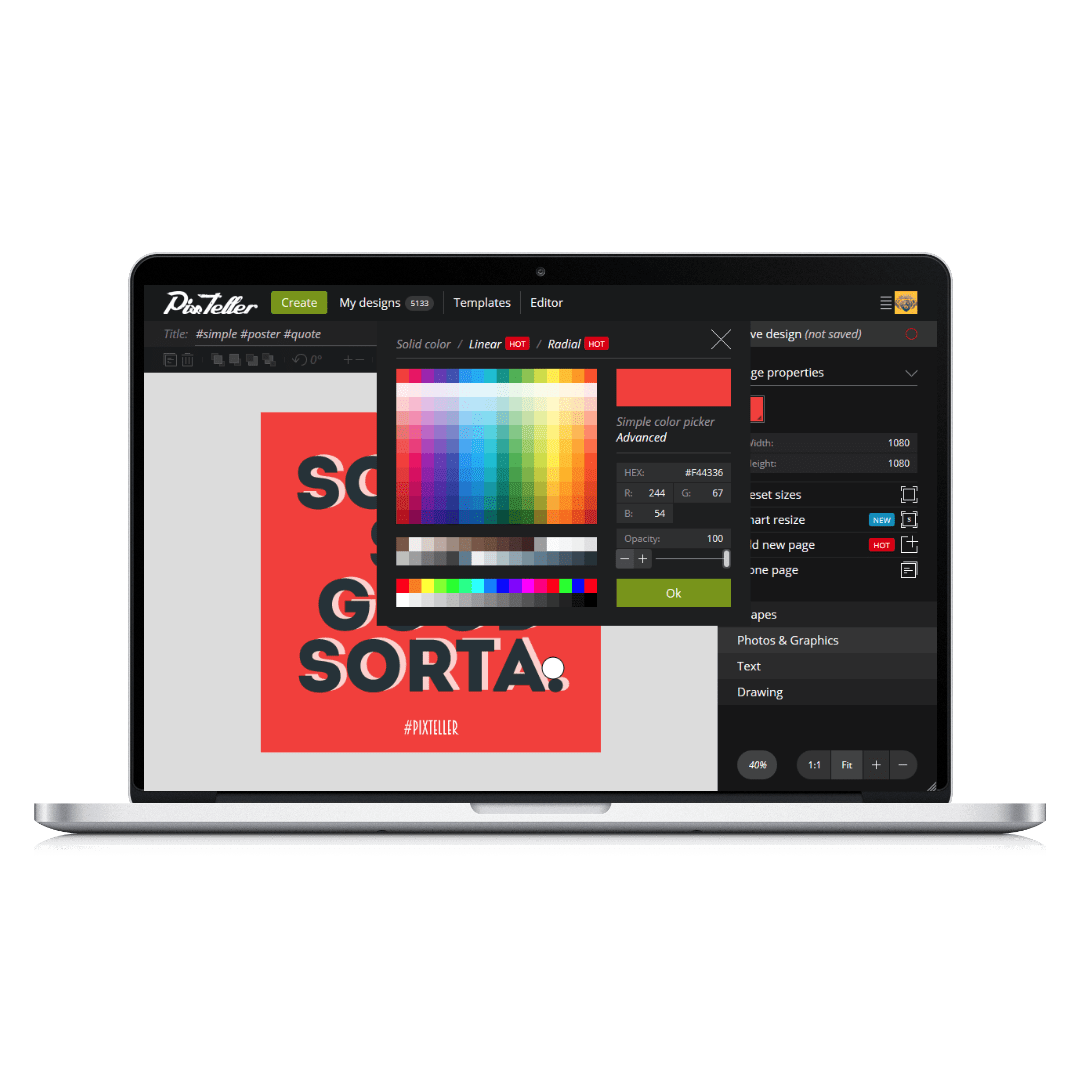
Then there is the color control. PixTeller offers advanced gradient color options, allowing you to move beyond flat, boring backgrounds. You can create depth, mood, and vibrancy that simple solid colors just can't match. Combined with their unique text properties, you can manipulate typography in ways that make your headlines pop off the screen. You aren't just typing; you are designing with type. This level of control ensures that your work doesn't look like a "template"—it looks like a unique piece of art tailored to your specific brand identity.
4. Seamless Multi-Page and Multi-Format Exports
One of the most overlooked features in web-based design tools is the ability to handle multiple pages. Most apps treat every design as a single, isolated image. But what if you are creating a presentation, a multi-slide Instagram story, or a brochure for print? PixTeller’s multipage attributes allow you to manage complex projects within a single file. This keeps your design elements consistent across all pages and makes the entire creation process much more organized.
Consistency is the hallmark of professional branding. By using the multipage features, you can ensure that the same color palette, fonts, and style are applied across a whole series of graphics. This is a massive boon for business owners who need to create cohesive marketing materials for a product launch or a seasonal sale. You can design the whole campaign in one place, ensuring every piece of the puzzle fits together perfectly.
Once your design is finished, the export options are exactly what you need. Whether you need a high-quality PNG for your website, a compressed JPEG for social media, or a PDF for printing or professional documentation, PixTeller has you covered. The ability to export to PDF is particularly important. It means you can use PixTeller to design flyers, business cards, or even eBooks, and send them straight to a professional printer with confidence that the quality will be there. You are not limited to the digital world; PixTeller bridges the gap into physical media seamlessly.
5. Complete Browser-Based Flexibility
We live in a world where we are constantly on the move. The old way of designing required a powerful desktop computer with expensive hardware and specific software installations. If you weren't at your desk, you weren't designing. PixTeller changes the game by being entirely browser-based. This means you can access, edit, and download your designs from any modern browser on any computer, anywhere in the world.
This "cloud-first" approach is essential for modern workflows. You can start a design on your office iMac, make a quick tweak on your laptop at a coffee shop, and then download the final version from a client's computer during a meeting. There is nothing to install, no updates to manage, and no hardware compatibility issues to worry about. As long as you have an internet connection, you have your entire design studio with you.
Furthermore, the editor is optimized for performance. It is smooth, responsive, and doesn't hog system resources like many desktop design applications do. This accessibility makes it the perfect tool for collaborative environments where different team members might be using different operating systems. It levels the playing field, ensuring that the only thing that matters is your creativity, not the specs of your computer. This giveaway gives you the freedom to create whenever inspiration strikes, without being tethered to a specific machine.
Final Thoughts: Don't Miss Out on This Creative Powerhouse
In conclusion, PixTeller is a rare find in the saturated world of design apps. It strikes the perfect balance between ease of use and professional functionality. Whether you are leveraging the 1,000,000+ photo library to find the perfect image, using the Smart Resize tool to dominate social media, or utilizing advanced masking techniques to create stunning visuals, this software delivers on every front. It is a tool designed for the way we work today: fast, flexible, and visually-driven.
As a reviewer, I see a lot of tools that promise to "make design easy," but PixTeller actually follows through. It removes the technical barriers that prevent people from expressing their ideas visually. It turns "I'm not a designer" into "I can design that in seconds." This giveaway is an incredible opportunity to upgrade your digital toolkit with a piece of software that will pay for itself in saved time and improved results almost immediately.
If you want to elevate your blog, grow your business, or simply create better graphics for your personal projects, downloading PixTeller is a no-brainer. It is powerful, it is versatile, and it is ready to help you create something amazing. Don't let this opportunity pass you by—the world of professional design is now just a click away.
Make sure to take advantage of this offer while it lasts and start transforming your creative ideas into professional realities today!

Reviews for PixTeller PRO
Click Here to Read Reviews for PixTeller PRO >> Click Here to Submit Reviews for PixTeller PRO >>