What Does MyDraw Do?
MyDraw is an advanced diagramming software and vector graphics tool developed by Nevron Software. Designed as a cross-platform solution for Windows and macOS, it features a user interface inspired by Microsoft Office and supports multiple languages, including English, German, and Chinese.
The application serves as a functional alternative to Microsoft Visio, providing compatibility for opening, editing, and saving files in VSDX and VSSX formats. Users can generate a variety of complex visual documents, such as flowcharts, floor plans, mind maps, and network diagrams. The software utilizes smart shape technology, allowing for the visual modification of geometry through specific control points.
Core features of MyDraw include:
- Automatic Layouts: Algorithms to quickly arrange diagrams imported from external data sources.
- Rich Text Support: Advanced character formatting, table support, and integrated spell checking.
- Data Integration: The capability to import ESRI maps, GEDCOM family tree data, and Excel spreadsheets for automated chart generation.
- Vector Tools: A suite for creating custom lines, curves, and polygons.
For professional output, the software supports export to high-resolution raster images, SVG, and AutoCAD DXF formats. Recent updates have integrated OpenGL hardware acceleration for improved rendering speeds, shape hyperlinks, and over 300 new libraries containing thousands of predefined shapes.
Top 5 Reasons To Download MyDraw
- Seamless Microsoft Visio Compatibility: MyDraw offers unparalleled support for Visio formats, making it the ultimate cross-platform alternative for professionals who need to open, edit, and save VSDX files without losing data integrity.
- Professional-Grade Vector Drawing and Smart Shapes: Beyond simple flowcharts, it functions as a robust vector graphics tool equipped with "Smart Shapes" that utilize control points for advanced geometric manipulation.
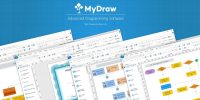
- Intuitive, Office-Inspired User Interface: With a familiar ribbon-style UI, users can skip the steep learning curve and start creating complex diagrams immediately on both Windows and macOS.
- Powerful Data Import and Automation: Whether it is generating organization charts from Excel, importing ESRI maps, or processing GEDCOM family tree files, MyDraw automates the most tedious parts of diagramming.
- High-Performance Engine and Export Options: Featuring OpenGL hardware acceleration for smooth rendering and a wide array of export formats including PDF, SVG, and high-resolution raster images, it is built for professional output.
In the world of productivity software, there is a constant search for the "Goldilocks" solution—a tool that is powerful enough for the enterprise professional but intuitive enough for the casual user. For years, Microsoft Visio has been the undisputed king of diagramming, but its high price tag and lack of a native, feature-complete Mac version have left a massive gap in the market. Enter MyDraw. Developed by Nevron Software, a company that has been at the forefront of data visualization since 1998, MyDraw is not just another flowchart app. It is a comprehensive powerhouse that bridges the gap between technical diagramming and creative vector design. If you have been looking for a reason to upgrade your digital toolkit, this is it. Here is a deep dive into why you need to download this software today.
1. Seamless Microsoft Visio Compatibility
For many professionals, the biggest hurdle to switching software is the fear of losing years of legacy work. If your hard drive is filled with .VSD, .VDX, or .VSDX files, you probably feel locked into the Microsoft ecosystem. This is where MyDraw truly shines and why it is consistently ranked as the best Visio alternative on the market. It doesn't just "read" Visio files; it understands them. You can open, edit, and save Microsoft Visio drawings and stencils with a level of accuracy that is frankly startling for a third-party application.
What makes this even more impressive is the cross-platform nature of the software. While Microsoft has traditionally kept Visio users tethered to Windows, MyDraw provides a nearly 100% identical experience on macOS. This means you can start a complex network diagram on your Windows workstation at the office and finish it on your MacBook at home without a single hiccup in formatting or shape logic. The support extends to Visio stencils as well (VSX, VSS, and VSSX), ensuring that your specialized shape libraries are always at your fingertips. For anyone working in a collaborative environment where Visio is the standard, this software is an essential bridge that provides freedom of choice without sacrificing productivity.
2. Professional-Grade Vector Drawing and Smart Shapes
Most diagramming tools are "click-and-drop" utilities. You grab a square, you grab a line, and you hope they stay together. MyDraw operates on a different level. It is built as a true vector graphics drawing tool. This means every line, curve, and polygon you create is mathematically defined, allowing for infinite scaling without loss of quality. Whether you are designing a simple invoice or a complex infographic, the precision of the vector engine ensures that your work looks sharp on everything from a smartphone screen to a massive billboard.
However, the real "secret sauce" lies in the Smart Shapes technology. If you have ever used Visio, you know how powerful smart shapes can be. MyDraw adopts a similar philosophy. Many of the shapes included in the software feature specialized control points. These aren't just resize handles; they are logical anchors that allow you to modify the specific geometry of a shape. For example, a "smart" arrow might have a control point to change the thickness of the tail independently of the head, or a specialized callout bubble might allow you to move the pointer without moving the text box. This version of the software also introduces thousands of new shapes and over 300 new libraries, giving you a virtually limitless palette for your projects. From electrical schematics to emergency planning diagrams, the shapes aren't just icons—they are intelligent components designed to behave exactly how you expect them to.
3. Intuitive, Office-Inspired User Interface
We have all had the frustrating experience of downloading a powerful new piece of software only to realize we need a 400-page manual just to find the "Save" button. MyDraw avoids this trap by leaning into familiarity. The user interface is heavily inspired by the Microsoft Office ribbon system. If you know how to use Word or Excel, you already know about 70% of how to navigate MyDraw. The tabs are logically organized, the tools are right where your muscle memory expects them to be, and the property inspectors are clean and unobtrusive.
This "Friendly User Interface" is consistent across both Windows and macOS, which is a rare feat in the software world. Often, Mac ports of Windows software feel clunky or "alien." MyDraw, however, feels native to both. Furthermore, the software is built for a global audience, supporting a wide range of languages including English, Spanish, German, Portuguese, Chinese, Bulgarian, Russian, and Turkish. This makes it an ideal choice for international teams who need a standardized tool that speaks everyone's language. The inclusion of a rich text formatting engine—complete with spell checking, bulleted lists, and table support—means that your diagrams don't just look good; they are also professional documents that can hold complex information within the shapes themselves.
4. Powerful Data Import and Automation
In the modern era, a diagram is often just a visual representation of raw data. Manually drawing an organization chart for a 500-person company is a nightmare that no professional should have to endure. MyDraw understands this and provides some of the most advanced data import features I have seen in this price bracket. You can take an Excel spreadsheet and, with a few clicks, transform those rows of data into a fully formatted flowchart or org chart. The software handles the hierarchy and the connections automatically, saving you hours of manual labor.
But it goes much deeper than just Excel. MyDraw features advanced ESRI map import capabilities, allowing you to work with geographic data for specialized mapping projects. Are you a genealogy enthusiast? MyDraw supports the GEDCOM format, the industry standard for family tree data. You can import your entire family history and have the software generate a beautiful, navigable family tree diagram instantly. Additionally, the software includes a robust "Automatic Layout" engine. If you have a messy, tangled web of connections—perhaps from a network scan or a complex database schema—you can apply an automatic layout (like Circular, Hierarchical, or Orthogonal) to instantly reorganize the diagram into a clean, readable format. This combination of data-driven diagramming and automated layout tools makes MyDraw a true "smart" assistant for your visualization needs.
5. High-Performance Engine and Export Options
As a tech reviewer, I see many apps that look great on paper but crawl to a halt when you actually start working with large files. MyDraw addresses this through significant technical optimization. The latest version introduces OpenGL hardware-accelerated drawing. By offloading the rendering tasks to your computer's GPU (Graphics Processing Unit), the software remains fluid and responsive even when you are handling diagrams with thousands of shapes and complex gradients. The startup time has also been drastically improved, meaning you can go from an idea to a canvas in seconds.
Once your masterpiece is finished, MyDraw gives you an incredible amount of flexibility in how you share it. The printing support is world-class, featuring a "What You See Is What You Get" (WYSIWYG) preview and the ability to see page breaks directly on your drawing canvas—essential for large-scale floor plans or technical blueprints. When it comes to digital sharing, you aren't limited to just a basic PDF. You can export to high-resolution raster formats like PNG, JPG, and TIFF for web use, or vector formats like SVG and DXF. The DXF support is particularly noteworthy, as it allows you to move your designs into AutoCAD, bridging the gap between general diagramming and industrial CAD design. It even supports the generation of 1D and 2D barcodes (like QR codes) directly within your shapes, making it a perfect tool for creating smart labels, invoices, or asset tracking sheets.
In conclusion, MyDraw is a rare breed of software that manages to be both a specialized professional tool and a versatile creative suite. It solves the "Visio problem" for Mac users, provides high-end vector tools for designers, and offers automation features that will make any data analyst's life easier. Backed by the long-standing expertise of Nevron Software, it is a stable, high-performance application that belongs on every professional's machine. Whether you are mapping out a new business process, designing your dream home's floor plan, or tracing your family's lineage, MyDraw provides the precision and the power to do it right. Do not miss out on this opportunity to add a truly elite piece of software to your arsenal.
The combination of a familiar interface, deep Visio integration, and the ability to handle everything from barcodes to ESRI maps makes this an easy recommendation. It is fast, it is powerful, and it is ready to handle whatever complex visual task you throw at it. Download it today and experience the difference that professional-grade diagramming software can make in your workflow.


Reviews for MyDraw
Click Here to Read Reviews for MyDraw >> Click Here to Submit Reviews for MyDraw >>