What Does PhotoInsight PRO Do?
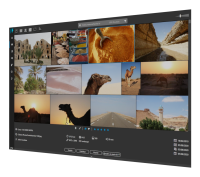
PhotoInsight is a Digital Asset Management (DAM) application designed to streamline the workflow for photographers and digital artists handling extensive image libraries. The software focuses on efficiency, providing a high-speed photo wall interface that allows users to navigate through thousands of files without significant performance lag. Its core utility lies in its ability to categorize and locate specific assets using a robust search engine and specialized organizational tools.
Users can manage their collections through several integrated features:
- Smart and Static Collections: Automatically group images based on specific metadata or manually curate specific sets for individual projects.
- Advanced Metadata Management: Rate, review, and tag images to maintain a searchable and structured archive.
- Batch Processing: Rename large groups of files simultaneously to ensure consistent naming conventions across a library.
- External Integration: Directly launch selected images into preferred third-party editing software for further processing.
The application is built to handle a wide variety of formats and provides a centralized hub for viewing detailed image properties. By centralizing these management tasks, PhotoInsight aims to reduce the time spent on administrative file handling. This allows users to maintain a highly structured environment for their visual assets while ensuring quick retrieval during the production phases of their creative projects.
Top 5 Reasons To Download PhotoInsight PRO
Before we dive into the nitty-gritty of what makes this software a must-have for any digital creator, let’s look at the core strengths that set it apart from the competition. If you are tired of losing your best shots in a sea of folders, here are the top 5 reasons you need to download PhotoInsight today:
- Blazing Fast Performance: Experience a high-speed "Photo Wall" that handles thousands of high-resolution images without a stutter.
- Precision Search and Metadata Mastery: Locate any image in seconds using a powerful search engine that leverages EXIF, IPTC, and custom tags.
- Intelligent Organization with Smart Collections: Automate your workflow with dynamic folders that update themselves based on your specific criteria.
- Seamless Creative Integration: Use PhotoInsight as the central hub of your workflow, launching images directly into your favorite editors like Photoshop or Lightroom.
- Modern, Minimalist User Experience: Enjoy a clutter-free interface designed for the modern era, focusing on aesthetics and ease of use.
As a tech reviewer who has spent countless hours navigating the labyrinth of digital file management, I have seen plenty of applications that promise the world but deliver a clunky, sluggish experience. We live in an era of digital abundance. Between high-speed burst modes on our mirrorless cameras and the endless stream of assets we download for design projects, our hard drives have become digital junk drawers. This is where a dedicated Digital Asset Management (DAM) tool becomes less of a luxury and more of a necessity. PhotoInsight enters the arena not just as another gallery viewer, but as a sophisticated, high-performance engine designed to give you back your most precious resource: time. Let’s break down exactly why this software deserves a permanent spot on your workstation.
1. Blazing Fast Performance: The Power of the Photo Wall
The single biggest frustration with traditional file explorers or outdated photo viewers is "lag." We have all experienced that agonizing wait as a folder of five hundred RAW files attempts to generate thumbnails. You scroll down, the screen stays white for three seconds, and then the images pop in one by one. It breaks your creative flow and makes finding a specific image feel like a chore. PhotoInsight tackles this head-on with its optimized "Photo Wall" architecture.
When we talk about speed in the context of PhotoInsight, we aren't just talking about how fast the app opens. We are talking about the fluidity of navigation. The developers have clearly prioritized the rendering engine, ensuring that even if you are managing tens of thousands of images across multiple drives, the experience remains buttery smooth. This is the fastest way to visually scan your library. The Photo Wall allows you to zoom in and out of your grid effortlessly, giving you a bird's-eye view of your entire portfolio or a close-up look at individual details without the typical "loading" hiccups.
For a professional photographer or a high-volume digital artist, this speed is transformative. Imagine being able to fly through a month's worth of shoots in minutes rather than hours. The software pre-caches and optimizes the way it handles data, meaning the "Photo Wall" is always ready when you are. In the world of tech, we often prioritize features over performance, but PhotoInsight realizes that performance is the most important feature. If an app isn't fast, you won't use it. This app is fast enough to keep up with the quickest creative minds.
2. Precision Search and Metadata Mastery
Have you ever spent twenty minutes looking for "that one photo" you took three years ago on a rainy afternoon in Seattle? You remember the lighting, you remember the lens you used, but you have no idea what the file name was or which obscure sub-folder it ended up in. This is where PhotoInsight shines. It isn't just a viewer; it is a massive, searchable database of your visual history.
The search engine built into this application is nothing short of surgical. It goes far beyond simple file names. It catalogs the deep metadata embedded in your files—the EXIF and IPTC data. This means you can search for images based on the camera model, the specific lens used, the aperture, the ISO, or the date taken. But it goes further than that. You can layer these searches. Want to find every photo taken with a 50mm lens at f/1.8 in the year 2022? PhotoInsight will pull them up instantly.
Beyond the technical data, the software allows you to implement your own rating and reviewing system. By using stars, colors, or custom tags, you are building a personalized map of your library. When you combine these user-defined tags with the raw technical metadata, you have a search capability that rivals professional enterprise-level software. It turns your massive pile of data into a library where every single item is indexed and reachable within a few keystrokes. This is how you stop "searching" and start "finding."
3. Intelligent Organization with Smart Collections
Manual organization is the death of creativity. No one wants to spend their Sunday afternoon dragging and dropping files into folders named "Best Landscapes 2023" or "Portraits with High ISO." It is tedious, and as soon as you take a new photo, your manual folders are out of date. PhotoInsight solves this with the brilliance of Smart Collections.
Think of a Smart Collection as a "saved search" that lives in your sidebar. Instead of you moving files, you tell the software the rules for what belongs in a collection. For example, you can create a Smart Collection for "High Rated Nature Shots." You set the criteria: Category must be 'Nature' and Rating must be '5 Stars.' From that moment on, every time you tag a nature photo with five stars, it automatically appears in that collection. You don't move the file; the software simply understands it belongs there.
This allows for a non-destructive way to view your media. A single image can "live" in five different Smart Collections simultaneously without taking up extra disk space. It could be in "2024 Favorites," "Black and White Mastery," and "Client Alpha Selection" all at once. This level of dynamic organization ensures that your portfolio stays organized as it grows, without you ever having to lift a finger for file management after the initial setup. For anyone dealing with a "huge number of photos," as this app is designed for, Smart Collections are the secret weapon for maintaining sanity.
4. Seamless Creative Integration
A Digital Asset Management tool shouldn't be an island. If you have to close your organizer to open your editor, and then manually find the file again in your editor’s "Open" dialog, the workflow is broken. PhotoInsight is designed to be the "Command Center" of your creative process. It acts as the bridge between your storage and your creative output.
One of the most practical features of PhotoInsight is the ability to open images directly into your favorite external editors. Whether you use Photoshop, Affinity Photo, Lightroom, or even niche AI-upscaling tools, you can configure PhotoInsight to launch these applications with a single click or keyboard shortcut. This turns the app into a high-speed launcher. You find the image using the powerful search or the Photo Wall, and then you "teleport" it into your editing suite.
Furthermore, the app handles administrative tasks like batch renaming and reviewing with ease. If you’ve just imported a thousand images from a wedding, you can use PhotoInsight to quickly cull the "rejects," rate the "keepers," and rename the entire batch to a standardized format before you even begin the editing process. This integration ensures that your workflow is a straight line rather than a zig-zag. It respects the fact that you have a preferred toolset and seeks to enhance that toolset, not replace it.
5. Modern, Minimalist User Experience
Let’s be honest: many professional-grade photo organizers look like they were designed in the late 90s. They are cluttered with tiny icons, confusing nested menus, and a grey-on-grey color scheme that makes your eyes bleed after an hour. PhotoInsight is a breath of fresh air because it embraces modern design principles. It is sleek, it is dark, and it is intuitive.
The "modern" aspect of this application isn't just about looking pretty—it's about "Information Architecture." The UI is designed to get out of your way. Your photos are the stars of the show, occupying the majority of the screen real estate, while the powerful tools and filters stay tucked away until you need them. The interface is responsive and adapts to how you work, making it feel more like a native part of a high-end operating system rather than a clunky third-party add-on.
As a reviewer, I place a high value on "Time to Value." How long does it take for a new user to download the app and feel like an expert? With PhotoInsight, that time is remarkably short. You don't need a 200-page manual to understand how to browse or search. The icons are clear, the layout is logical, and the experience is focused. In a world where software is becoming increasingly bloated with "feature creep," PhotoInsight remains lean, mean, and visually stunning. It is the kind of app you actually want to look at all day.
Conclusion: Why You Shouldn't Pass This Up
We are currently living in a "Golden Age" of digital photography, but we are also living in a "Dark Age" of file organization. Most people have more photos than they know what to do with, and the sheer volume of data is causing us to "lose" our memories and our best work. PhotoInsight is the solution to this digital clutter. It provides the speed you need to navigate, the intelligence you need to organize, and the integration you need to stay productive.
When you consider the value of a high-end DAM (Digital Asset Management) system, you are really looking at the value of your own time. How much is an hour of your life worth? If PhotoInsight saves you just ten minutes a day—finding files faster, automating your collections, and streamlining your launches into editors—that adds up to over sixty hours a year. That is a full work week given back to you, simply by using a better tool.
This giveaway is an incredible opportunity to professionalize your workflow. Whether you are a hobbyist who wants to finally organize the 50,000 photos of your kids and pets, or a professional looking for a faster way to cull client shoots, PhotoInsight is built for you. It handles the "heavy lifting" of data management so that you can focus on the "creative lifting" of making beautiful images. Do yourself a favor: stop fighting with your folders and start enjoying your library again. Download this giveaway, set up your first Smart Collection, and feel the relief of finally having your digital assets under control. You won't regret it.
Final Thought: In the fast-paced world of tech, tools come and go, but performance and organization are timeless. PhotoInsight delivers both in a package that is as beautiful as the images it organizes. It is a rare example of software that understands exactly what the user needs and delivers it without unnecessary fluff. Don't let your best work stay hidden in the shadows of a messy hard drive. Bring it into the light with PhotoInsight.


Reviews for PhotoInsight PRO
Click Here to Read Reviews for PhotoInsight PRO >> Click Here to Submit Reviews for PhotoInsight PRO >>