What Does PassFab Screen Recorder Do?
PassFab Screen Recorder is a dedicated utility for high-definition screen and video capture on the Windows platform. Designed to balance advanced functionality with a streamlined user interface, the software allows users to record their computer desktop without the common constraints found in standard capture tools, such as invasive advertisements or duration limits.
The application facilitates two primary recording modes: full-screen capture and specific regional selection. This flexibility ensures that users can focus on particular windows or document their entire desktop workflow. Despite its high-performance output, the interface is built to accommodate beginners, requiring minimal configuration to initiate a recording session. This makes it a viable tool for creating software tutorials, documenting virtual meetings, or capturing live streams for archival purposes.
Key technical features of the software include:
- Unlimited recording time for extended video sessions.
- High-definition output quality suitable for professional playback.
- An ad-free environment that prevents interruptions during the capture process.
- The capability to record an unlimited number of separate video files.
By providing a clean workspace and removing traditional trial restrictions, PassFab Screen Recorder functions as a comprehensive solution for users requiring reliable screen capture software with a low barrier to entry and premium-grade performance.
Top 5 Reasons To Download PassFab Screen Recorder
- Crystal Clear High-Definition Quality Without Limits: Record everything in stunning HD with no time restrictions or intrusive watermarks.
- Versatile Recording Modes for Every Professional Need: Whether it is full screen, a specific window, or picture-in-picture webcam overlays, this tool handles it all.
- An Intuitive, User-First Interface: Skip the steep learning curve found in complex editing software with a layout designed for both beginners and pros.
- A Completely Ad-Free and Distraction-Free Experience: Enjoy a premium, clean environment that focuses entirely on your productivity and content creation.
- Seamless Audio and Video Integration: Capture system sounds, microphone input, and high-frame-rate video simultaneously for a perfect sync every time.
If you have ever spent more than five minutes searching for a reliable way to capture your screen, you know exactly how frustrating the market can be. Most "free" tools out there are riddled with problems. You either get hit with a massive watermark that ruins your presentation, or the recording stops abruptly after ten minutes because you haven't paid for the "Pro" version. This is why, as a tech reviewer who has tested dozens of these applications, I am telling you right now: the PassFab Screen Recorder giveaway is something you absolutely cannot afford to miss. This is not just another utility; it is a comprehensive solution for Windows users who value quality, speed, and simplicity.
In today's digital landscape, screen recording has become a fundamental skill. Whether you are a teacher creating tutorials for students, a gamer wanting to share an epic victory, or a corporate professional needing to document a software bug, the quality of your recording reflects the quality of your work. PassFab Screen Recorder stands out because it treats the user with respect, offering high-end features that are usually locked behind a steep monthly subscription. Let’s dive deep into why this software deserves a permanent spot on your desktop.
1. Crystal Clear High-Definition Quality Without Limits
The most important aspect of any screen recorder is the output. There is nothing worse than recording a detailed technical walkthrough only to realize later that the text is blurry and the movement is choppy. PassFab Screen Recorder eliminates this worry by providing true High-Definition recording. It captures every pixel with precision, ensuring that your videos look professional whether they are viewed on a smartphone or a 4K monitor.
But the real kicker here is the lack of time limitations. Most free software caps your recording at a few minutes, which is barely enough to introduce a topic. With this giveaway, you get the freedom to record for hours. This is an absolute game-changer for streamers and educators. You can record a full two-hour lecture or a marathon gaming session without ever worrying about a "Trial Expired" notification popping up and ruining your flow. Furthermore, having no watermarks means you own your content entirely. Your videos remain yours, clean and professional, ready for upload to any platform without any unwanted branding plastered over your hard work.
In my experience, the "HD" label is often thrown around loosely by developers, but here it is backed by performance. The software utilizes hardware acceleration to ensure that while it is recording in high resolution, it isn't hogging all your CPU resources. This means your computer stays fast, and your video stays smooth. If you want your viewers to see exactly what you see, this level of clarity is non-negotiable.
2. Versatile Recording Modes for Every Professional Need
A screen recorder that only records the full screen is a dinosaur in the modern era. We need flexibility, and PassFab Screen Recorder delivers that in spades. It offers three distinct modes that cover almost every conceivable scenario. First, you have the standard Full Screen mode, which is perfect for general demonstrations. But the real magic happens when you look at the Area Recording and Webcam Integration.
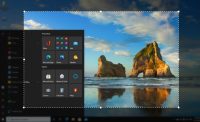
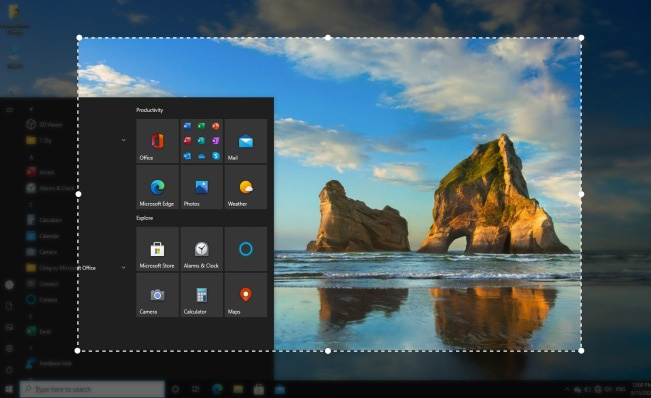
The ability to select a specific region of your screen is vital for privacy and focus. Maybe you don’t want people to see your cluttered desktop icons or your taskbar with personal notifications popping up. You can simply drag the frame to cover exactly what you want to show, and nothing more. This level of control is what separates an amateur video from a professional production.
Then there is the Picture-in-Picture (PiP) mode. If you are a YouTuber or an online instructor, you know that showing your face while you explain a concept builds a much stronger connection with your audience. PassFab allows you to record your screen and your webcam simultaneously. You can adjust the size and position of your camera feed, making it easy to create engaging, "reaction-style" videos or detailed instructional content. This multi-purpose tool replaces the need for separate recording and merging software, saving you hours in the editing suite.
3. An Intuitive, User-First Interface
Let’s be honest: some tech tools are built by engineers for engineers. They are cluttered with buttons, sliders, and confusing jargon that makes you want to give up before you’ve even hit "Record." This is where PassFab Screen Recorder truly shines. The developers have clearly prioritized user experience (UX) above all else. When you open the application, you aren't greeted by a cockpit of confusing dials; you are given a clean, modern, and highly intuitive dashboard.
Everything you need is just one or two clicks away. The icons are self-explanatory, and the settings are laid out logically. This makes it the perfect tool for beginners who might be intimidated by more complex software like OBS. You don't need to spend hours watching YouTube tutorials just to learn how to capture a video. You download it, you open it, and you are ready to go.
Being highly intuitive doesn't mean it lacks depth, though. For the power users, the advanced settings are tucked away where they won't distract you but are easily accessible when you want to tweak frame rates or hotkeys. This balance of simplicity and power is a rare find in the Windows software market. It is a tool that grows with you; as you become more comfortable with recording, you will find it has the "chops" to handle more demanding tasks without ever feeling overwhelming.
4. A Completely Ad-Free and Distraction-Free Experience
We live in an age of "ad-ware." Many free utilities are essentially delivery vehicles for advertisements, constantly pestering you to buy an upgrade or clicking through to third-party sites. This not only slows down your computer but also creates a fragmented, annoying workflow. One of the standout reasons to jump on this PassFab giveaway is the clean, ad-free environment.
When you are in the middle of a creative project, the last thing you want is a pop-up ad for a VPN or a "system cleaner" interrupting your concentration. PassFab Screen Recorder offers a premium feel precisely because it stays out of your way. It is a focused tool designed for a specific job, and it does that job without trying to sell you something else every five minutes.
This lack of ads also translates to better system performance. Software that isn't constantly communicating with ad servers or loading banners is inherently lighter on your system's RAM. For Windows users, especially those on laptops or older desktops, this efficiency is crucial. You want your system's power going toward the recording, not toward rendering advertisements. This "premium tool" feel is exactly what makes this giveaway so valuable; you are getting the luxury experience without the luxury price tag.
5. Seamless Audio and Video Integration
A great video is nothing without great audio. One of the most common complaints people have with screen recorders is that they struggle to capture both the system audio (what your computer is playing) and the microphone audio (your voice) at the same time without lag or sync issues. PassFab Screen Recorder has solved this problem with a robust audio engine that ensures your voice and your visuals are always in perfect harmony.
Whether you are recording a video call on Zoom, a tutorial with voiceover, or a gameplay clip with in-game sound effects, this software handles the mix beautifully. You have the option to toggle specific audio sources on or off with a single click. Want to record just the screen and the system music? Easy. Want to record a silent walkthrough with just your voice? Also easy. The flexibility here is immense.
Furthermore, the software supports high frame rates, which is essential for capturing fast-moving content like video games or high-speed scrolling. When you combine high-quality audio with smooth, 60FPS video, the result is a professional-grade file that is ready for the big screen. It is this attention to the technical "under-the-hood" details that makes PassFab Screen Recorder the best screen recorder HD option available today. It isn't just about capturing pixels; it is about capturing the experience of using your computer in real-time.
Why You Need To Act Now
As a tech reviewer, I see "deals" come and go every day. Most of them aren't worth the bandwidth it takes to download them. But every once in a while, a piece of software comes along that actually simplifies your life. PassFab Screen Recorder is that software. It takes a task that used to be complicated and makes it effortless.
Think about the time you will save. Think about the frustration you will avoid by not having to deal with watermarks and time limits. Whether you are using it for work, education, or just for fun, having a reliable HD screen recorder is an essential part of a modern Windows toolkit. This giveaway is your chance to upgrade your digital arsenal with a tool that usually costs a premium, for absolutely nothing.
The simplicity of the interface, the power of the recording engine, and the professional quality of the output make this a "must-download." Don't wait until you need to record something important only to realize you're stuck with a subpar tool. Get ahead of the curve, download this giveaway, and see for yourself why PassFab is leading the charge in screen recording technology. It’s simple, it’s powerful, and most importantly, it just works.
In conclusion, if you want a recorder that captures unlimited videos, offers HD clarity, provides versatile modes, and maintains a clean user interface without the headache of ads, this is the one. PassFab Screen Recorder has earned its place at the top of our list for a reason. Grab it while the giveaway lasts and start creating high-quality content today. You’ll wonder how you ever managed without it.

Reviews for PassFab Screen Recorder
Click Here to Read Reviews for PassFab Screen Recorder >> Click Here to Submit Reviews for PassFab Screen Recorder >>