What Does AceThinker Mobile Mirror Do?
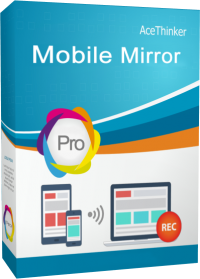
AceThinker Mobile Mirror is a screen mirroring and recording utility designed for Windows and Mac environments. It facilitates a wireless connection between mobile devices and desktop computers, allowing users to project their iOS or Android screens onto a larger display in real-time. This software eliminates the need for physical cables by using local network protocols to establish a link between devices.
The application supports the streaming of various media formats, including high-definition video, audio, photos, and documents. This functionality makes it a tool for professional presentations, educational demonstrations, and media consumption. Beyond basic mirroring, the software includes a built-in screen recording feature, enabling users to capture mobile activities directly from their computer's interface. This is particularly useful for creating app tutorials or recording mobile gameplay at high resolutions.
Key technical capabilities of this tool include:
- Wireless streaming of media files from mobile devices to desktop monitors.
- Real-time screen mirroring for mobile gaming and live presentations.
- Full compatibility with both Windows and macOS operating systems.
- Integrated screen capturing and video recording of the mirrored interface.
By centralizing the mobile experience on a desktop monitor, AceThinker Mobile Mirror provides a unified workspace for multitasking. The software is designed to maintain visual integrity across different aspect ratios, ensuring that mirrored content remains clear and responsive on larger screens.
Top 5 Reasons To Download AceThinker Mobile Mirror
In the modern digital landscape, the line between our mobile devices and our desktop computers is becoming increasingly blurred. We spend our days hopping between a five-inch smartphone screen and a twenty-seven-inch monitor, often wishing the two could communicate more effectively. Whether you are a content creator, a professional presenter, or a hardcore mobile gamer, the struggle of the "small screen" is real. That is where AceThinker Mobile Mirror steps in to bridge the gap. This software is not just a utility; it is a fundamental upgrade to your digital lifestyle. If you have been looking for a way to bring your mobile world into your desktop environment with zero friction, this giveaway is the opportunity you have been waiting for. Here are the top five reasons why you need to download this software right now:
- Seamless High-Definition Wireless Mirroring: Experience your phone's screen on your monitor without the clutter of cables.
- Professional-Grade Screen Recording and Capturing: Record your mobile gameplay or app tutorials with high-quality audio and video.
- Enhanced Mobile Gaming on a Bigger Display: Enjoy your favorite mobile titles with better visibility and immersion on a PC or Mac.
- All-in-One Presentation and Media Powerhouse: Stream photos, videos, and documents for business meetings or family gatherings effortlessly.
- Universal Cross-Platform Compatibility: Works perfectly with both iOS and Android devices across Windows and Mac operating systems.
1. Seamless High-Definition Wireless Mirroring
The first and perhaps most vital reason to grab this software is the sheer quality of its wireless mirroring capabilities. We have all tried those "free" mirroring apps that produce a pixelated, laggy mess that makes you want to throw your phone across the room. AceThinker Mobile Mirror is a completely different beast. It utilizes advanced streaming protocols to ensure that what you see on your phone is exactly what you see on your computer screen, in real-time, and in stunning high definition.
The beauty of this feature lies in its wireless nature. In a world where we are already drowning in USB cables, charging bricks, and dongles, the ability to connect your iPhone or Android device to your Mac or PC via the local Wi-Fi network is a breath of fresh air. Once you are on the same network, the connection is established almost instantly. This means you can walk around the room with your phone in hand while your computer displays every swipe, tap, and scroll for everyone to see. The latency is remarkably low, which is crucial for tasks that require precision. Whether you are scrolling through high-resolution photography or demonstrating a complex app interface, the smooth frame rates ensure that the experience is fluid and professional.
Furthermore, the visual fidelity is unmatched. Many mirroring solutions compress the video stream so much that you lose the crispness of the mobile display. This software maintains the integrity of the pixels, allowing you to appreciate the sharp text and vibrant colors of your mobile UI on a much larger canvas. For tech reviewers or UI/UX designers, this is an essential tool for inspecting details that might be missed on a smaller handheld screen. It transforms your desktop monitor into a giant, high-definition extension of your smartphone.
2. Professional-Grade Screen Recording and Capturing
If you have ever tried to record your mobile screen using the built-in tools on your phone, you know the limitations. Often, you are stuck with awkward UI overlays, limited audio control, and files that are difficult to transfer to your computer for editing. This software changes the game by putting the recording power on your desktop. Because you are mirroring your screen to your PC or Mac, you can record the mobile screen directly onto your computer’s hard drive. This eliminates the "storage full" warnings on your phone and puts the files exactly where you need them for your next project.
The recording features are tailored for those who demand professional results. You aren't just capturing video; you are capturing a high-quality stream that includes system audio and, if you choose, microphone input from your computer. This makes it the ultimate tool for creating app tutorials, "how-to" videos, or bug reports. Imagine trying to explain a complex mobile app setting to a client or a viewer. Instead of filming your phone with a shaky external camera, you can record a clean, direct digital feed of the screen while providing a voiceover through your professional desktop microphone. The result is a polished, high-production-value video that looks like it was made in a professional studio.
Additionally, the software includes a quick screenshot feature. Sometimes you don't need a full video; you just need a perfect capture of a specific moment. With a single click, you can save a high-resolution image of your mobile screen to your desktop. This is incredibly useful for developers who need to document bugs, or for social media managers who want to capture high-quality assets from mobile-only platforms. The convenience of having these files land directly on your computer, ready for Photoshop or your video editor of choice, cannot be overstated. It saves time, reduces frustration, and elevates the quality of your content.
3. Enhanced Mobile Gaming on a Bigger Display
Mobile gaming has evolved from simple puzzles to massive, graphically intensive open-world epics. However, no matter how good your phone’s screen is, it is still a small screen. Playing a competitive shooter or a detailed RPG on a five-inch display can be straining for the eyes and limiting for the gameplay. By using AceThinker Mobile Mirror, you can take those mobile games and project them onto your 24, 27, or even 32-inch desktop monitor. This isn't just about making the image bigger; it's about making the experience better.
When you move your game to a larger screen, you gain a significant competitive advantage. In games like PUBG Mobile or Call of Duty: Mobile, being able to spot an enemy in the distance is much easier on a large monitor than on a handheld screen. You can see the fine details of the environment, navigate menus more easily, and enjoy the cinematic art style of modern mobile games the way the developers intended. The immersive quality of playing on a desktop setup completely changes your relationship with mobile gaming. You are no longer hunched over your phone with your thumbs blocking half the screen; you are sitting comfortably at your desk, taking in the full view.
Furthermore, for the aspiring streamers out there, this software is your gateway to Twitch or YouTube. Since your gameplay is being mirrored directly to your computer, you can easily pull that window into broadcasting software like OBS. This allows you to stream your mobile games with all the bells and whistles of a professional PC stream, including overlays, face cams, and high-quality audio mixing. This giveaway provides you with the foundational tool needed to start your mobile gaming channel without needing expensive hardware capture cards. It is a must-have for anyone who takes their mobile gaming seriously.
4. All-in-One Presentation and Media Powerhouse
In a professional or educational setting, the ability to share information quickly and clearly is paramount. We often have our most important documents, latest photos, and key presentation notes stored on our phones. Trying to pass a phone around a meeting table is unprofessional and inefficient. This software transforms your mobile device into a powerful presentation remote. By mirroring your screen to a computer connected to a projector or a large TV, you can lead a room with ease.
Think about the last time you wanted to show a PDF, a PowerPoint deck, or a series of project photos to a group. With this tool, you can open those files on your phone and they appear instantly on the big screen. You can use your phone’s touch interface to zoom in on specific details, swipe through pages, and highlight points of interest. This "touch-to-project" workflow is much more intuitive and dynamic than using a mouse and keyboard at a lectern. It allows you to move freely around the room, engaging with your audience while still having full control over the visual aids. It is perfect for teachers, business executives, and creative professionals who need to pitch ideas on the fly.
Beyond the boardroom, this software is a media powerhouse for the home. We all have thousands of photos and videos of our families, travels, and pets stored on our mobile devices. Watching these together on a small phone screen is a cramped experience. By mirroring to a computer, you can host a "digital slideshow" for friends and family on a comfortable screen. You can play back videos recorded in 4K on your phone and hear the audio through your computer's superior speakers. It turns your mobile media library into a shared experience, making it easier than ever to relive your favorite memories with the people who matter most.
5. Universal Cross-Platform Compatibility
One of the biggest headaches in the tech world is the "ecosystem wall." Apple devices like to talk to Apple devices, and Android devices are often left out in the cold when it comes to seamless integration with Windows. AceThinker Mobile Mirror smashes these walls down by offering universal compatibility. It doesn't matter if you are an iPhone user with a Windows PC or an Android enthusiast with a Mac; this software is designed to work for you. This flexibility is rare and highly valuable in a world where our hardware choices are often dictated by brand silos.
The setup process is remarkably simple for both platforms. For iOS users, it leverages the built-in AirPlay technology, making the connection as simple as a few taps in the Control Center. For Android users, the software provides multiple ways to connect, ensuring that even older devices or different manufacturer skins (like Samsung or Xiaomi) can participate in the mirroring experience. This inclusivity means that in a household or office with multiple types of devices, one single piece of software can serve everyone’s needs. You don't need to download different apps for different phones; this is the definitive, all-in-one solution.
Finally, the user interface on the desktop side is clean, modern, and incredibly intuitive. You don't need to be a "tech genius" to figure out how to get your screen mirrored or your recording started. Everything is laid out logically, with clear icons and helpful prompts. The software is lightweight and doesn't hog your computer's resources, which means you can run it in the background while you have other apps open. This ease of use, combined with its powerful features and broad compatibility, makes it one of the most practical tools you can add to your digital toolkit. Don't miss out on this giveaway—it is time to unlock the full potential of your mobile and desktop devices working together in perfect harmony.
In conclusion, the AceThinker Mobile Mirror is more than just a simple screen sharing app; it is a versatile utility that enhances how you work, play, and share content. From the crisp high-definition wireless stream to the robust recording features and its ability to bridge the gap between different operating systems, it offers something for everyone. Whether you're trying to win more matches in your favorite mobile game, deliver a high-stakes business presentation, or simply share family memories on a bigger screen, this software delivers with reliability and style. This giveaway is your chance to get a premium tool that will instantly become a staple in your daily workflow. Download it today and experience the freedom of a truly connected digital environment.


Reviews for AceThinker Mobile Mirror
Click Here to Read Reviews for AceThinker Mobile Mirror >> Click Here to Submit Reviews for AceThinker Mobile Mirror >>