What Does PDNob PDF Editor [with AI] Do?
Tenorshare PDnob PDF Editor is a cross-platform utility for Windows and macOS designed for comprehensive document management and modification. Positioned as a lightweight alternative to industry-standard suites, the software integrates text editing, annotation, and file conversion tools within a streamlined interface.
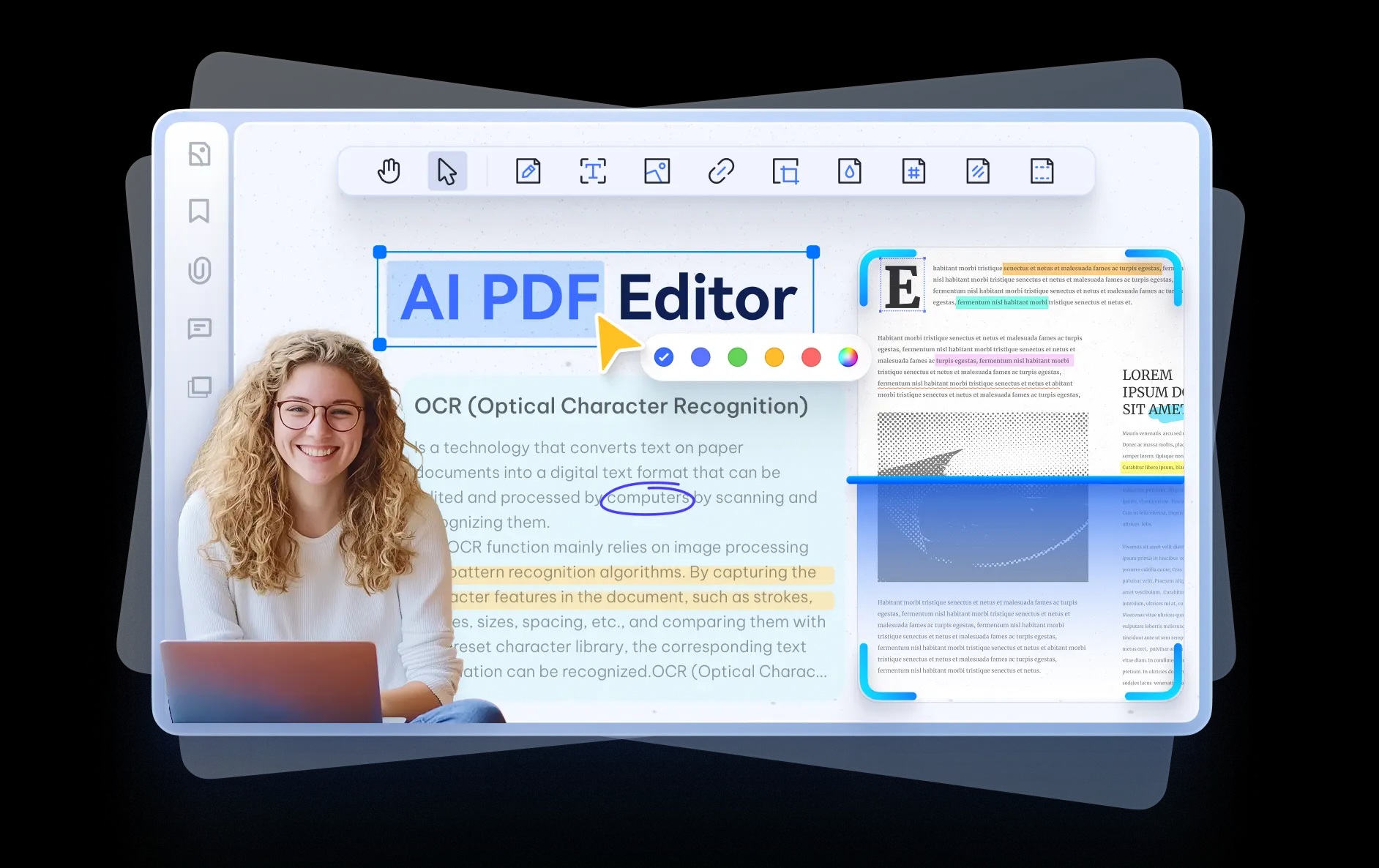
The application features an AI-powered OCR engine capable of converting scanned documents into searchable, editable text across multiple languages, including Arabic and Japanese. Users can manipulate PDF content similar to a word processor, with options to adjust text, images, links, backgrounds, and watermarks. For collaborative workflows, the toolkit includes highlighting, commenting, and the addition of shapes, stickers, or stamps.
Beyond basic editing, PDnob provides batch conversion capabilities, supporting over 30 file formats such as Word, Excel, PPT, and EPUB. The developer cites conversion speeds up to 30% faster than standard utilities. Security protocols are also available for document protection. Notably, the software incorporates AI-driven features to summarize, translate, and explain complex PDF content. Designed for stability and resource efficiency, the program is optimized to run on low-specification hardware without lag or system crashes.
Top 5 Reasons To Download PDNob PDF Editor [with AI]
Before we dive into the nitty-gritty details of why this software is a must-have for your digital toolkit, let’s look at the standout features that make Tenorshare PDnob PDF Editor a total game-changer for anyone dealing with documents. Here are the top five reasons you need to download this giveaway today:
- Industry-Leading AI OCR Technology: Effortlessly convert scanned documents and images into fully editable and searchable text, with world-class support for complex languages like Arabic and Japanese.
- Seamless, Word-Like Editing Experience: Stop struggling with clunky interfaces; edit text, images, links, and backgrounds as easily as you would in a Microsoft Word document.
- Comprehensive Annotation and Markup Tools: Perfect for collaboration, allowing you to highlight, comment, add shapes, and use custom stamps to streamline your review process.
- High-Speed Batch Conversion: Save hours of manual work by converting multiple PDFs into over 30 different formats, including Word, Excel, and PPT, at speeds 30% faster than the competition.
- Ultra-Lightweight and Stable Performance: Enjoy a professional-grade PDF suite that runs smoothly on any hardware without the lag, crashes, or heavy system resource drain associated with traditional software.
Why You Need Tenorshare PDnob PDF Editor in Your Workflow
Let’s be honest: we all have a love-hate relationship with PDF files. On one hand, they are the universal standard for document sharing, ensuring that your formatting stays exactly as intended no matter who opens the file. On the other hand, they are notoriously difficult to work with. How many times have you received a PDF and realized you needed to change a single sentence, only to find yourself hunting for a converter or, worse, retyping the whole thing from scratch? We have all been there, and it is a massive drain on productivity.
For years, the industry was dominated by expensive, bloated software that required a steep monthly subscription just to perform basic tasks. But the tide is shifting. Tenorshare PDnob PDF Editor is at the forefront of this revolution, offering a sleek, powerful, and incredibly efficient alternative that doesn’t just match the "big names" in the industry—it often surpasses them. As a tech reviewer who has seen dozens of PDF tools come and go, I can confidently say that this software is something you want on your hard drive. Here is a deep dive into why this giveaway is an opportunity you cannot afford to miss.
1. World-Class AI-Powered OCR Technology
The "Original Sin" of the digital office is the scanned PDF. You know the ones—documents that are essentially just pictures of text, where you can’t highlight anything, search for keywords, or copy-paste information. Normally, these files are a dead end. However, Tenorshare PDnob PDF Editor utilizes advanced AI-powered Optical Character Recognition (OCR) to breathe life into these static images.
What sets this apart from basic OCR tools is its incredible accuracy and language support. While many editors struggle with non-Latin scripts, PDnob handles Arabic, Japanese, and Chinese with surprising precision. This is a massive win for international business professionals, students, and researchers who deal with global documentation. By converting a scanned image into an editable format, you aren't just looking at a document; you are interacting with it. You can correct typos in a scanned contract, extract data from a printed report into a spreadsheet, and make your entire archive searchable in seconds. It is, quite simply, the best OCR engine I have tested in this price bracket.
2. Editing That Feels Like Microsoft Word
One of the biggest complaints users have with PDF editors is the "clunk factor." In many programs, trying to edit a line of text causes the whole page layout to explode. Images jump around, fonts don't match, and the result looks amateurish. Tenorshare has clearly spent a lot of time refining the user interface of PDnob to ensure that the editing experience is as fluid as possible.
When you open a file in PDnob, the Edit like Word philosophy becomes immediately apparent. You can click on any text block and start typing. The software intelligently manages the flow of text, font matching, and spacing. Beyond just text, you have total control over the visual elements. You can resize and rotate images, add or remove watermarks for branding, and manage hyperlinks with ease. If you need to change the background of a document for a presentation or add a specific header/footer to a multi-page report, the tools are right there, intuitive and responsive. It removes the technical barrier between your ideas and the final document.
3. Collaboration Made Simple with Annotations
In today's remote-first world, the ability to collaborate on documents is non-negotiable. We are no longer printing out papers and marking them up with red pens. We need digital tools that mimic that physical experience while adding the benefits of digital organization. PDnob PDF Editor excels as a collaborative hub. Whether you are a student peer-reviewing a thesis or a project manager checking off a checklist, the annotation suite is robust and versatile.
You can use highlights, underlines, and strikethroughs to draw attention to specific areas. But it goes further than that. The software includes a library of shapes, stickers, and stamps (like "Approved" or "Confidential") that help clarify the status of a document instantly. The comment system allows for threaded feedback, making it easy to keep track of revisions. Instead of sending five different versions of a file back and forth via email, you can mark up a single document, ensuring everyone is on the same page. This level of detail in the markup tools turns a simple viewer into a powerful workstation.
4. Efficiency at Scale: Batch Conversion and Speed
Time is the most valuable resource we have, and "busy work" is the primary enemy of time. If you have fifty PDF invoices that need to be converted into Excel spreadsheets, doing them one by one is a nightmare. This is where PDnob’s Batch Convert feature shines. It allows you to load up a massive queue of files and convert them all simultaneously with a single click.
The software supports over 30 formats, covering everything from the standard Office suite (Word, Excel, PowerPoint) to more specialized formats like EPUB for e-readers or PDF/A for long-term archiving. What impressed me most during my testing was the speed. Tenorshare claims it is 30% faster than standard converters, and in real-world usage, that difference is palpable. Large, image-heavy files that usually cause other programs to hang are processed quickly and efficiently. If your job involves high-volume document management, this feature alone justifies the download. It transforms a task that would take an entire afternoon into something that happens in the background while you grab a coffee.
5. A Lightweight Powerhouse: Performance Without the Bloat
Perhaps the most underrated reason to switch to Tenorshare PDnob PDF Editor is the sheer optimization of the software. We live in an era of "bloatware," where even simple apps require gigabytes of RAM and the latest processors to run without stuttering. Many of the leading PDF suites have become so heavy that they take thirty seconds just to launch, and they frequently "Not Respond" when dealing with files over 50MB.
PDnob is different. It has been engineered to be lightweight and reliable. It starts up almost instantaneously. Even on older laptops or low-spec office PCs, the scrolling is smooth, and the transitions between tools are seamless. I didn't experience a single crash during heavy editing sessions. This stability is crucial when you are working on important documents under a deadline. You need a tool that works as hard as you do, not one that you have to babysit. By focusing on a clean code base and efficient resource management, Tenorshare has created a professional tool that doesn't demand a workstation-grade computer to function perfectly.
Bonus AI Features: The Future of Document Interaction
While we focused on the top five reasons, it would be a disservice not to mention the integrated AI features that Tenorshare has baked into this editor. We are moving into an era where we don't just read documents; we interact with them. PDnob includes AI-driven tools that can summarize long reports into bite-sized bullet points, translate entire pages on the fly, and even explain complex technical jargon or legalise.
Imagine receiving a 50-page legal contract. Instead of spending three hours reading every line, you can ask the integrated AI to highlight the key obligations and potential risks. This is the kind of "smart work" that separates productive professionals from the rest. These AI features, combined with the security options like password protection and sensitive data redaction, make PDnob a complete 360-degree solution for modern document needs.
Final Verdict: Don't Miss Out
In the world of tech, we often see software that tries to do everything and ends up doing nothing well. Tenorshare PDnob PDF Editor is the exception to that rule. It manages to pack a heavy-duty feature set—ranging from high-end OCR to lightning-fast batch conversion—into a user-friendly package that feels light and snappy. It removes the frustration of PDF management and replaces it with an efficient, Word-like workflow that anyone can master in minutes.
Whether you are a student looking to organize your study notes, a freelancer needing to sign and send contracts, or a corporate professional managing a mountain of data, this software is designed to make your life easier. It is a lightweight, reliable, and incredibly powerful alternative to the expensive subscriptions you are likely tired of paying for. This giveaway is the perfect opportunity to upgrade your digital office without the overhead. Download it, test out the OCR, run a batch conversion, and experience the speed for yourself. You won’t look back.
Summary of What You Get:
- Full editing control over text and media.
- AI-powered tools for summarizing and translating.
- The ability to turn any image into editable text.
- Fast, reliable performance on both Windows and Mac.
- A secure environment for your most sensitive documents.
The PDF is the backbone of modern communication, but it shouldn't be a source of stress. With Tenorshare PDnob PDF Editor, you take back control. Make sure to take advantage of this giveaway and see why it is quickly becoming the preferred choice for tech-savvy users worldwide.

Reviews for PDNob PDF Editor [with AI]
Click Here to Read Reviews for PDNob PDF Editor [with AI] >> Click Here to Submit Reviews for PDNob PDF Editor [with AI] >>