What Does Ashampoo Sharpen #5 Do?
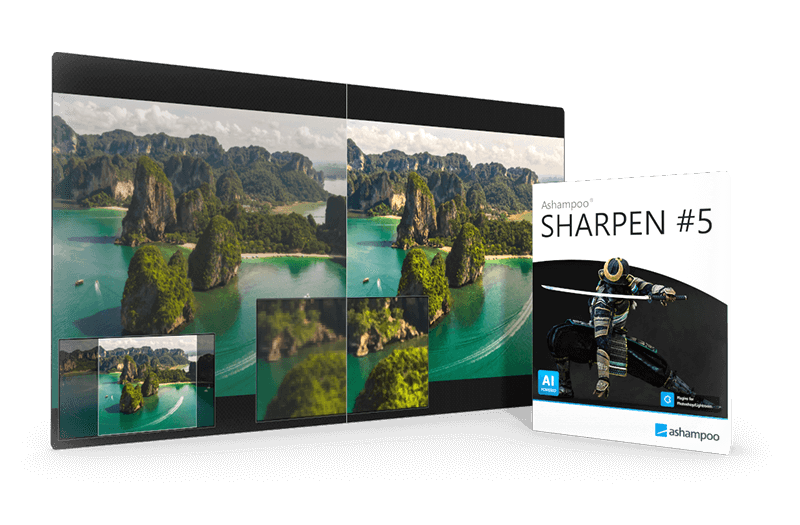
Ashampoo SHARPEN #5 is a specialized image editing utility engineered to rectify motion blur and focus issues through artificial intelligence. The software performs per-image analysis to clarify contours and enhance textures while maintaining the integrity of smooth surfaces. Its core engine utilizes multi-directional sharpening to refine details without introducing the artificial artifacts frequently found in traditional sharpening filters.
The application offers a comprehensive suite of tools for both amateur and professional photographers, including:
- A dedicated RAW development module for processing high-fidelity source files.
- Automatic sky masking for localized environmental adjustments.
- Haze and fog correction to improve atmospheric clarity.
- Super-sampling capabilities for high-resolution output generation.
- Watermarking tools for digital asset protection.
For workflow efficiency, the software supports batch processing, enabling the simultaneous optimization of entire photo libraries. It also integrates with professional pipelines via Adobe Photoshop plugins. With 47 distinct presets and an intuitive interface, the tool balances manual granular control with automated AI routines to deliver precise image corrections across various photographic styles.
Top 5 Reasons To Download Ashampoo Sharpen #5
- AI-Powered Multi-Directional Sharpening: Advanced artificial intelligence that analyzes each photo individually to correct blur with surgical precision without creating artificial artifacts.
- Professional RAW Module and Plugin Support: Seamless integration for enthusiasts and pros with support for over 1,200 camera models and direct compatibility with Adobe Photoshop and Lightroom.
- Intelligent Sky Masking and Haze Removal: Specialized tools that automatically detect horizons and clear up atmospheric interference, ensuring landscape shots are crisp and vibrant.
- High-Efficiency Batch Processing: The ability to apply professional-grade sharpening and watermarking to entire folders of images simultaneously, saving hours of manual labor.
- The Perfect Synergy of Presets and Expert Control: A dual-layered interface offering 45 distinct presets for instant results and a deep "Expert Mode" for those who want to fine-tune every pixel.
Let’s be honest: we have all been there. You spend hours planning a shoot, you wait for the perfect light, you nail the composition, and you finally click the shutter. But when you get home and pull that image up on a high-resolution monitor, the heartbreak sets in. The focus is just a fraction off. Maybe it was a slight hand shake, a shutter speed that was a hair too slow, or perhaps your lens just didn’t resolve the fine detail quite like you hoped. In the past, that photo would have been headed straight for the recycle bin. But today, we live in the era of computational photography, and Ashampoo SHARPEN #5 is the tool that is changing the rules of the game. If you have the chance to download this software, you need to grab it immediately. This isn’t just another sharpening filter; it is a comprehensive restoration suite. Here is why this software deserves a permanent spot on your hard drive.
1. AI-Powered Multi-Directional Sharpening
Traditional sharpening tools often do more harm than good. If you’ve ever used a basic "Unsharp Mask" in a generic photo editor, you know exactly what I am talking about. It looks for edges and increases contrast, which often results in ugly white "halos" around objects, increased digital noise, and a grainy texture that makes the photo look "over-processed." Ashampoo SHARPEN #5 tosses that old-school methodology out the window in favor of sophisticated Artificial Intelligence.
The standout feature here is the multi-directional sharpening. Instead of applying a uniform "crunch" to the entire image, the AI analyzes the specific direction of the blur. Whether it’s motion blur from a moving subject or camera shake, the software understands the geometry of the distortion and works to reverse it. It looks at contours and structures, identifying what should be a sharp edge and what should be a smooth gradient. This means that while your subject’s eyes or the texture of a stone wall become razor-sharp, the soft bokeh of the background or the smooth skin of a portrait remains natural and undisturbed.
Furthermore, the inclusion of super-sampling technology allows the software to fill in the gaps where data might be missing. It’s like having a digital magnifying glass that doesn't just make things bigger, but actually makes them clearer. For anyone shooting in low-light conditions where focus hunting is common, this AI engine is a total lifesaver. It transforms "usable" photos into "professional" photos by restoring the micro-contrast that makes an image pop off the screen.
2. Professional RAW Module and Plugin Support
One of the biggest mistakes a developer can make is assuming their users only work with JPEGs. Serious photographers shoot in RAW because they want every ounce of data the sensor can provide. Ashampoo understands this, which is why SHARPEN #5 Professional includes a dedicated, high-end RAW module. This module isn't just a basic importer; it’s a full-featured engine that supports 1,216 different camera models. Whether you are shooting on the latest mirrorless beast or an older DSLR, this software can handle your files.
But the real kicker for professional workflows is the plugin support. Most of us already have a preferred workflow, likely centered around Adobe Photoshop or Lightroom. You don’t want to have to export your file, open a different program, save it, and then bring it back. Ashampoo has solved this by allowing SHARPEN #5 to function as a plugin. You can stay within your familiar environment, call up the power of Ashampoo’s sharpening engine, apply your fixes, and continue your edit without missing a beat. This level of integration is usually reserved for very expensive boutique software, but here it is, included and ready to go.
The RAW module also allows for essential adjustments before the sharpening even begins. You can tweak your white balance, exposure, and color profiles within the software, ensuring that the sharpening engine is working on the best possible version of your data. This holistic approach to image quality is what separates a "utility" from a "professional tool."
3. Intelligent Sky Masking and Haze Removal
Landscape photographers, listen up: this feature alone is worth the download. One of the most difficult things to sharpen is a landscape because you often have to deal with atmospheric perspective. Fog, mist, and general haze can dull the colors and soften the edges of distant mountains or cityscapes. In traditional editors, trying to sharpen these areas usually just results in a mess of artifacts and weird color shifts.
Ashampoo SHARPEN #5 introduces an automatic sky masking module. It uses intelligent edge detection to distinguish between the sky and the terrestrial elements of your photo. Why does this matter? Because you rarely want to sharpen a clear blue sky or a soft cloud—doing so only introduces noise. By masking the sky automatically, the software focuses its power on the trees, buildings, and landmasses where detail actually matters. This creates a much more realistic and pleasing result.
Paired with this is the haze and fog correction tool. We’ve all taken those shots where the distance looks "washed out." This tool acts like a physical de-haze filter for your lens, but after the fact. It reaches into those flat, gray areas and restores the black levels and contrast, bringing out details that were previously hidden by the atmosphere. When you combine haze removal with AI sharpening, the result is an image with incredible depth and clarity. It’s like someone finally wiped the smudge off the lens of your camera.
4. Massive Time Savings with Batch Processing
Let’s talk about the most valuable resource any creator has: time. It is one thing to spend twenty minutes perfectly sharpening a single "hero" shot for your portfolio. It is quite another when you come home from a wedding, a sports event, or a long vacation with 500 images that all need a bit of love. If you had to process each one individually, you’d never get anything done.
The batch processing capabilities in this software are a powerhouse for productivity. You can define your sharpening parameters, set up your preferred AI intensity, and even add a custom watermark to protect your work—all in one go. You simply select your folder, hit start, and let the software do the heavy lifting. Because the AI is designed to analyze photos individually even during batch runs, you aren't just applying a "dumb" filter to every shot. The software adjusts its approach based on the content of each specific image, ensuring that every photo in the batch gets the exact treatment it needs.
This efficiency is a game-changer for anyone running a photography business or even just a busy hobbyist. The ability to churn through hundreds of high-resolution files while maintaining professional standards means you spend less time behind a computer screen and more time out in the world taking more photos. It’s the kind of feature that pays for itself in reclaimed time within the first week of use.
5. A Perfect Balance of Automation and Expert Control
One of the most intimidating things about "Professional" software is the learning curve. Many high-end tools look like the cockpit of a fighter jet, with hundreds of sliders and no clear starting point. Ashampoo has taken a different approach by designing an interface that grows with the user. If you are a beginner or just in a hurry, you have access to 45 different sharpening presets. These aren't just random settings; they are finely tuned configurations designed for specific scenarios like "Portrait," "Landscape," or "High Detail." You can click through them and see a real-time preview of how they affect your image, making it incredibly easy to get a great result in seconds.
However, once you are ready to take the training wheels off, the Expert Mode is where the real magic happens. In this mode, you get granular control over every aspect of the sharpening process. You can adjust the "graininess," the "search radius" for the AI, and even the "luminance" of the sharpening effect. This allows you to tailor the output to the specific medium you are targeting, whether it is a high-gloss print, a compressed social media post, or a large-scale canvas.
The user interface is intuitive and clean, avoiding the clutter that plagues many competitors. Everything is where you expect it to be, and the performance is snappy, even when dealing with large 16-bit files. This balance of "one-click" simplicity and "deep-dive" complexity makes SHARPEN #5 a versatile tool that remains useful as your skills as a photographer and editor evolve. It’s an investment in your creative future that provides immediate gratification today.
In conclusion, if you care about the quality of your visual work, downloading this giveaway is a no-brainer. Ashampoo SHARPEN #5 represents the cutting edge of image restoration technology. It bridges the gap between what your camera captured and what your eyes actually saw. Between the revolutionary AI engine, the professional-grade workflow features, and the intelligent masking tools, it provides a level of polish that is usually impossible to achieve without years of editing experience. Don’t let your best memories stay blurry—give them the clarity they deserve and see just how much detail you've been missing.

Reviews for Ashampoo Sharpen #5
Click Here to Read Reviews for Ashampoo Sharpen #5 >> Click Here to Submit Reviews for Ashampoo Sharpen #5 >>