
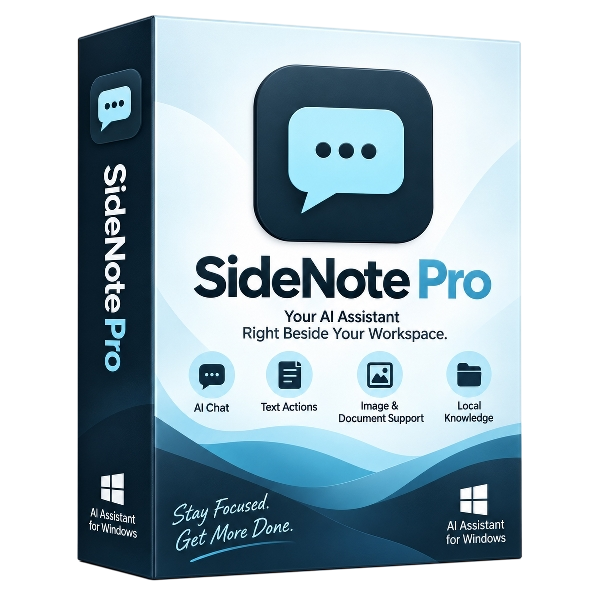
SideNote Pro is a native Windows 11 AI assistant designed to stay beside your work instead of forcing you to switch browser tabs whenever you need AI help. It can remain docked at the edge of the screen, float above other applications, or retract into a slim side handle when not in use. You can ask normal questions, summarize, rewrite, explain or translate selected text from other Windows applications, attach PDF and DOCX documents, capture screenshots and images, and index a local folder for contextual questions. Conversation history and settings stay on your device. SideNote Pro uses a bring-your-own-provider approach. You can connect your own OpenAI-compatible AI service or use a local model through tools such as Ollama or LM Studio. There is no bundled AI subscription, allowing you to choose the model and provider that best fits your needs.
Official Product Description
Overview
What Does SideNote Pro Do?
SideNote Pro is a native Windows 11 AI assistant built to operate alongside active workflows. The application functions as a persistent sidebar that can dock at the screen edge, float over other windows, or minimize into a slim side handle. This design eliminates the need to switch between browser tabs or separate windows to interact with an AI model while working in other desktop programs.
The software enables users to summarize, rewrite, explain, or translate text selected directly from other Windows applications. Its feature set includes support for PDF and DOCX file attachments, screenshot capture for image-based queries, and the ability to index local folders for contextual data retrieval. All conversation history and application settings are stored locally on the user's hardware to maintain data privacy.
SideNote Pro utilizes a bring-your-own-provider framework. It does not require a bundled subscription; instead, users connect their own OpenAI-compatible API keys or run local models through platforms like Ollama or LM Studio. This architecture allows for flexibility in choosing specific AI models and managing individual operational costs without being tied to a single service provider.
Top 5 Reasons To Download SideNote Pro
If you are anything like me, your daily computer routine has become inextricably linked to artificial intelligence. Whether you are drafting client emails, parsing through dense research papers, writing code, or simply looking for a quick explanation of an obscure technical concept, AI has transformed from an experimental novelty into an indispensable utility. Yet, the way we currently interact with these tools is fundamentally broken. We are constantly forced to juggle browser tabs, copy and paste text back and forth, wait for bloated web apps to load, and pay costly monthly subscriptions for features we barely touch.
SideNote Pro changes the dynamic entirely. Built from the ground up as a native Windows 11 application, it embeds intelligent computing directly into the fabric of your desktop environment. Rather than existing as another isolated destination on the web, it lives beside your active tasks as a docking, floating, or retractable edge companion. Before diving into the deep architectural analysis, here are the primary reasons why grabbing this giveaway is an absolute game-changer for your workflow:
- True Desktop Integration That Eradicates Browser Tab Fatigue: Operates as an omnipresent, edge-docked, floating, or retractable native Windows 11 companion that keeps you focused without endless alt-tabbing.
- Absolute Model Freedom and No Mandatory Subscriptions: Employs a bring-your-own-provider approach supporting any OpenAI-compatible API or completely offline, free local models through Ollama and LM Studio.
- Uncompromised Privacy and On-Device Data Sovereignty: Stores all conversation histories, indexes, and custom configuration settings directly on your local hardware rather than third-party cloud servers.
- Seamless Cross-Application Productivity and Multimodal Input: Instantly summarizes, rewrites, explains, or translates selected text from any open Windows program, alongside native support for screenshots, PDFs, and DOCX files.
- Instant Local Knowledge Retrieval via Folder Indexing: Turns your personal file directories into interactive knowledge bases using contextual retrieval without uploading your sensitive data to external networks.
Let us thoroughly unpack each of these reasons so you can see why this application deserves a permanent spot on your primary monitor.
1. True Desktop Integration That Eradicates Browser Tab Fatigue
Every tech worker, writer, student, and programmer knows the pain of cognitive switching. You are deeply focused on a project in your word processor or code editor, you hit a mental roadblock or need a quick edit, and suddenly you have to leave your canvas, open a browser window, locate your AI service of choice, wait for the interface to render, paste your content, formulate your prompt, wait for the generation, and copy it back into your primary workspace. This constant friction may only steal twenty seconds at a time, but twenty seconds repeated dozens of times a day completely shatters your creative focus.
SideNote Pro attacks this friction at the root level. Because it is engineered natively for Windows 11, it behaves like an organic extension of the operating system rather than a cumbersome web app wrapped in an inefficient shell. You can lock it securely to the screen edge where it unobtrusively shares real estate with your main application. If you prefer a more dynamic setup, you can set it to float over your active windows so it is always within your line of sight, or configure it to retract into a slim, discreet side handle that sits patiently at the perimeter of your monitor until summoned.
The ergonomic benefit of having an AI companion that retracts and expands with a single gesture cannot be overstated. When you are writing a report, you do not want your artificial intelligence taking over half your screen permanently, nor do you want to hunt for minimized windows. SideNote Pro gives you immediate access to artificial intelligence in your peripheral vision, allowing you to quickly reference facts, generate ideas, or refine your prose while keeping your primary project front and center. It restores fluidity to Windows multitasking, proving that user experience design is just as vital as raw algorithmic capability.
2. Absolute Model Freedom and No Mandatory Subscriptions
The contemporary AI ecosystem is currently plagued by subscription fatigue. Every major tech company wants to lock you into a recurring monthly fee of twenty dollars or more. If you want high-tier reasoning, you pay one company; if you want rapid-fire coding, you pay another; if you want offline reliability, you are often left stranded. Even worse, many commercial desktop tools bundle their own heavily marked-up AI tiers, forcing you to pay an ongoing surcharge on top of the software license just to keep the lights on.
SideNote Pro completely rejects this anti-consumer model by utilizing a pure bring-your-own-provider framework. When you claim this giveaway, you are receiving the functional command center, leaving you entirely in control of how much or how little you spend on AI computation. If you already have access to an OpenAI-compatible API key—whether through commercial providers or third-party gateways—you simply plug in your credentials and pay purely for the raw tokens you consume. For most regular users, raw API usage translates to pennies per month compared to bloated flat-rate monthly subscriptions.
Even more compelling is the seamless support for local inference engines such as Ollama and LM Studio. If your PC possesses a capable modern processor and a decent graphics card, you can download open-weight models like Llama, Mistral, Gemma, or DeepSeek and run them entirely on your local silicon. SideNote Pro connects directly to these local endpoints with zero hassle. This means you can achieve lightning-fast, highly intelligent, and wholly autonomous desktop assistance without ever paying a single cent to a cloud AI corporation. You are never handcuffed to a single vendor's pricing whims, terms of service revisions, or system outages; you pick the exact intelligence engine that meets your current task requirements.
3. Uncompromised Privacy and On-Device Data Sovereignty
In an era where massive cloud corporations treat user data as raw fuel for future model training, privacy has become the primary battleground of desktop software. Every time you paste confidential work documentation, internal financial numbers, personal journal entries, or proprietary source code into a standard cloud-based chatbot interface, you risk exposing sensitive information to external servers, logging mechanisms, and potentially human review teams.
SideNote Pro is architected with a strict privacy-first ethos. The software keeps your conversation logs, prompt templates, workspace states, and application preferences locked safely inside your local machine. Nothing is routed through a secondary proprietary tracking server owned by the developer. The software acts as a direct bridge between your desktop environment and whatever backend endpoint you explicitly designate.
When you pair this architecture with a local model running through Ollama or LM Studio, you achieve the gold standard of modern computing: air-gapped, zero-leak artificial intelligence. You can feed confidential client contracts, intellectual property, proprietary data, and sensitive medical or legal paperwork into the prompt window without a single byte of telemetry leaving your computer's local network. For professionals who operate under non-disclosure agreements, enterprise compliance requirements, or strict medical and legal privacy mandates, this architectural decision is not just a nice feature—it is the difference between being able to utilize modern desktop AI safely or being barred from using it altogether.
4. Seamless Cross-Application Productivity and Multimodal Input
A native desktop assistant should not expect you to manually copy and paste everything you encounter. True utility emerges when an application can intelligently interact with the content already active on your screen. SideNote Pro excels here by acting as an omnipresent context companion that bridges the gap between disparate Windows programs.
Imagine reading a complex technical analysis in an academic journal, a dense PDF document in your reader, or a messy financial breakdown in an enterprise spreadsheet. With SideNote Pro positioned comfortably on your display, you can rapidly take highlighted text from external applications and direct the assistant to process it instantaneously. The software comes ready to perform critical natural-language workflows right out of the box:
- Instant Explanations: Break down convoluted jargon, dense legal terminology, or advanced mathematical concepts in seconds without losing your place in your reading material.
- Stylistic Rewriting: Transform casual bullet points into formal corporate memoranda, or compress verbose drafts into concise summaries with zero unnecessary steps.
- Cross-Language Translation: Translate foreign-language documentation directly alongside your active workspace, preserving contextual nuance.
- Comprehensive File Attachments: Drag and drop PDF manuals and Microsoft Word (DOCX) files straight into the prompt box for instant extraction, structural analysis, and question-answering.
- Native Screen Captures: Utilize built-in screen clipping to visually show the assistant what you are seeing, whether that involves troubleshooting a user interface bug, understanding an infograph, or converting an image-based chart into structured data.
Because these capabilities reside inside a unified, persistent interface, you never experience the jarring friction of switching between multiple single-purpose productivity utilities. You do not need a separate PDF reader plugin, a separate screen capture translation app, and a separate browser bookmark. SideNote Pro consolidates your daily interpretive and generative tasks into one streamlined surface.
5. Instant Local Knowledge Retrieval via Folder Indexing
Most AI assistants suffer from severe short-term memory limitations. Once a conversation ends or exceeds a certain token threshold, the model forgets your past nuances. More frustratingly, standard models possess zero awareness of the specific files, research folders, and archives stored on your hard drive. If you want an AI to analyze your notes, you typically have to manually paste chunks of text over and over again, exhausting your patience and clogging your context window.
SideNote Pro solves this through built-in local folder indexing. This feature brings Retrieval-Augmented Generation (RAG) technology out of the realm of specialized developer tools and places it directly into the hands of everyday computer users. You can simply point SideNote Pro at a folder on your Windows storage drive containing research notes, meeting minutes, code repositories, study guides, or technical manuals, and the software builds a fast, local contextual index.
Once indexed, you can converse with your own directory. You can ask specific, nuanced questions like "What were the key takeaways from the Q3 architectural planning notes?" or "Find the sections in our employee handbook that deal with hardware expense reimbursements." The assistant intelligently locates the most relevant sections within your local files and uses them to construct an accurate, grounded response. Best of all, because the indexing logic operates on your device alongside your chosen model infrastructure, your proprietary knowledge base remains completely under your personal control. It effectively turns your computer's file system into a responsive, living library.
Why You Should Secure This Giveaway Today
We are currently living through a major platform transition. In the early days of personal computing, software was fragmented, heavy, and complicated. In the cloud era, everything moved to remote web servers, sacrificing user control, privacy, and desktop cohesion in exchange for accessibility. SideNote Pro represents the next logical phase of desktop software: modern, native, extraordinarily responsive client-side architecture powered by the flexible intelligence of your choosing.
It is exceptionally rare to find an AI tool that gives the user total sovereignty. Most software vendors want to gatekeep the technology behind continuous subscription fees, obfuscated prompts, and closed cloud ecosystems. SideNote Pro does the exact opposite. It gives you the refined, polished Windows 11 user interface you want, while leaving the keys to the intelligence engine completely in your hands. Whether you want to route complex coding questions through state-of-the-art cloud engines or run entirely offline, private queries via local open-source models, this tool accommodates your personal technical philosophy without friction.
When you tally up the benefits—the elimination of browser-tab multitasking fatigue, the eradication of forced monthly software subscriptions, absolute security for your private files, fluid cross-application workflow shortcuts, and local folder indexing—the conclusion is self-evident. SideNote Pro is the exact bridge Windows 11 users have been waiting for to modernize their daily productivity. Make sure you take advantage of this giveaway, install the software, connect your preferred model backend, and discover how productive your desktop experience can truly be.
Reviews for SideNote Pro
Click Here to Read Reviews for SideNote Pro >> Click Here to Submit Reviews for SideNote Pro >>