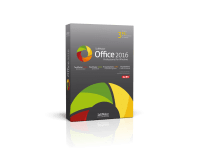
With this fast, powerful and compatible office suite, you’ll complete your writing, designing and calculating in less time:
- Word processor: TextMaker
- Spreadsheet program: PlanMaker
- Presentation graphics: Presentations

With this fast, powerful and compatible office suite, you’ll complete your writing, designing and calculating in less time:
This software package provides a comprehensive office suite designed to function as a high-performance alternative to established productivity standards. The suite is engineered for speed and broad hardware compatibility, focusing on streamlining document creation, data management, and visual communication through three specialized applications: TextMaker, PlanMaker, and Presentations.
TextMaker serves as the primary word processor, facilitating the production of documents ranging from basic correspondence to intricate professional layouts. It includes various formatting tools and design options intended to reduce the time required for complex writing projects while maintaining structural integrity and high visual quality.
Data analysis and calculation are managed by PlanMaker. This spreadsheet program is built to process large datasets and execute complex mathematical functions. Users can generate detailed charts and tables to visualize trends, ensuring that quantitative data is presented clearly and accurately within a responsive interface.
The final component, Presentations, is a dedicated tool for creating multimedia slideshows. It offers a range of transition effects and design templates that remain compatible with other industry-standard presentation formats. Collectively, these applications offer an integrated environment for writing, calculating, and designing, emphasizing cross-platform fidelity and optimized system performance for professional workflows.
If you are tired of monthly subscriptions, bloated software that slows down your system, and the constant struggle of file incompatibility, then you have come to the right place. Today, I am looking at a powerhouse of a productivity suite that manages to be fast, lightweight, and incredibly compatible with the industry standards we all use every day. Before we dive into the nitty-gritty details of why this office suite belongs on your hard drive, here are the top five reasons why you should download this giveaway right now:
Let’s be honest: the world runs on Microsoft Office formats. Whether you are a student, a freelancer, or a corporate professional, you are going to encounter .docx, .xlsx, and .pptx files. The biggest fear anyone has when switching to a different office suite is "format breakage." We have all been there—you open a carefully crafted document in a third-party app, and suddenly the fonts are wrong, the tables are overlapping, and the images have migrated to the wrong page. It is a nightmare.
This is where this software truly shines. The developers have gone to great lengths to ensure that TextMaker, PlanMaker, and Presentations use the Microsoft formats as their native file types. This means when you save a document in TextMaker, it is saved as a .docx by default. There is no "exporting" or "converting" that might mangle your data. When you send that file back to a colleague who is using Microsoft Word, they won't even know you used a different program. Everything from headers and footers to complex tracking of changes remains intact.
The compatibility extends beyond just the text. In PlanMaker, the spreadsheet program, even complex Excel formulas and conditional formatting carry over perfectly. For Presentations, the slide transitions and animations remain fluid and consistent with what you would expect from PowerPoint. This level of "plug-and-play" compatibility is the holy grail of office productivity, and this giveaway delivers it in spades. You get all the power of the industry standard without the industry-standard price tag or the weight of the original software.
We live in an era of "software bloat." Modern applications seem to get heavier and slower with every update, requiring more RAM and faster processors just to perform basic tasks. I have seen modern office suites take fifteen to twenty seconds just to show a splash screen on a decent laptop. That is lost productivity, and frankly, it’s frustrating. One of the most refreshing aspects of this office suite is how lean and efficient it is.
During my testing, I was blown away by the launch speeds. TextMaker opens almost instantaneously. Even when dealing with massive spreadsheets in PlanMaker that contain thousands of rows and complex calculations, the software remains responsive. It doesn't hog system resources, which is a massive win for anyone who likes to multi-task. You can have your office suite, your web browser with twenty tabs open, and your music streaming service running simultaneously without your computer sounding like a jet engine taking off.
This efficiency makes it the perfect choice for users with older hardware or budget laptops. If you have an older machine that struggles to run the latest version of "Big Office," this suite will make that computer feel brand new again. But don't mistake "lightweight" for "underpowered." The speed comes from optimized code and a focus on performance, not from cutting features. It proves that you can have a professional, feature-rich experience without the bloat that plagues the rest of the industry.
One of the most divisive topics in the world of productivity software is the User Interface (UI). Some people love the "Ribbon" interface introduced years ago—it’s visual, it’s modern, and it puts common tools front and center. Others absolutely loathe it, preferring the "Classic" menus and toolbars that they have spent decades mastering. Usually, you are forced to pick a side based on the software you choose. Not here.
This office suite offers an incredible level of flexibility. When you first launch the apps, you can choose between a modern ribbon or a classic menu-based interface. If you are a veteran who knows exactly where "Page Setup" is in a drop-down menu, you can have that. If you prefer the tabbed, icon-heavy look of modern software, you can have that too. It even offers a "Dark Mode" that is easy on the eyes during those late-night sessions, and it supports touch-mode if you are using a tablet or a 2-in-1 laptop.
What I find most impressive is how customizable these interfaces are. You aren't just stuck with the defaults. You can rearrange toolbars, add your most-used functions to a quick-access area, and truly make the workspace your own. A comfortable user is a productive user, and by giving you total control over how the software looks and feels, this giveaway ensures that you can work the way you want to work, rather than the way a software designer thinks you should.
Many "free" or "alternative" office suites are just basic tools that lack the depth required for professional work. This is not one of them. Each of the three main components—TextMaker, PlanMaker, and Presentations—is packed with high-end features that rival and sometimes exceed the competition.
Take TextMaker, for example. It isn't just a word processor; it doubles as a powerful desktop publishing (DTP) tool. You can use its "Object Mode" to place graphics, text frames, and drawings anywhere on the page with pinpoint precision. It features a built-in spell checker in 75 languages and a high-quality synonym dictionary. For researchers and academics, its ability to handle bibliographies and footnotes is second to none.
PlanMaker is equally impressive. With over 430 calculation functions and the ability to handle over a million rows per worksheet, it is a data scientist’s playground. It includes advanced features like pivot tables, data grouping, and an array of 80 different types of 3D and 2D charts. Whether you are doing simple home budgeting or complex financial modeling, it has the tools to get the job done accurately and quickly.
Finally, Presentations allows you to create stunning visual stories. It uses DirectX/OpenGL graphics acceleration to provide smooth, high-end transitions and animations. You can embed movies, sounds, and even create interactive presentations that keep your audience engaged. The fact that all of this is available in a single, fast package is a testament to the engineering behind the suite. You aren't just getting a "lite" version of an office suite; you are getting a professional toolkit.
In recent years, the software industry has pushed everything into "the cloud." While cloud storage has its benefits, it also comes with significant downsides: forced subscriptions, constant data tracking, and the requirement of an internet connection to access your own files. Many of us are starting to feel "subscription fatigue." We want to own our software and we want to know that our private documents aren't being scanned or stored on a server in another country.
This giveaway represents a return to software autonomy. Once you download and install this suite, it lives on your machine. You can work in a cabin in the woods without a Wi-Fi signal, and your productivity won't skip a beat. Your documents remain local, ensuring your privacy and security. In an age where data breaches are common and privacy is increasingly hard to find, having a powerful, offline-capable office suite is a major advantage.
Furthermore, you aren't tied to a "Software as a Service" (SaaS) model. You don't have to worry about losing access to your files because a credit card expired or a subscription price jumped up. This is software that respects the user. It puts the power back in your hands, giving you a reliable, permanent solution for all your writing, calculating, and designing needs. For those of us who value our digital independence, this is perhaps the most compelling reason of all to make the switch.
As a tech reviewer, I see a lot of software come and go. Most of it is "fine," but very few applications actually change the way I work. This office suite is one of those rare gems. It manages to balance power with simplicity, and compatibility with performance. It respects your time by being fast, and it respects your wallet by being part of this incredible giveaway.
Whether you are a professional looking for a reliable alternative to expensive subscriptions, a student who needs a fast and compatible tool for papers, or a home user who just wants a clean and easy way to manage spreadsheets and letters, this suite is a "must-download." You get TextMaker for your writing, PlanMaker for your data, and Presentations for your visual ideas. It is a complete, well-rounded, and highly polished package.
Stop settling for slow software and expensive monthly bills. Take advantage of this giveaway and experience what a truly optimized office suite feels like. Your computer—and your productivity—will thank you. This is a rare opportunity to snag a pro-level tool for zero cost, and in the world of tech, it doesn't get much better than that. Download it, install it, and get back to work with a suite that actually helps you get things done.
You are allowed to use this product only within the laws of your country/region. SharewareOnSale and its staff are not responsible for any illegal activity. We did not develop this product; if you have an issue with this product, contact the developer. This product is offered "as is" without express or implied or any other type of warranty. The description and overview of this product on this page are not a recommendation, endorsement, or review; they are for marketing purposes. The quality and performance of this product is without guarantee. Download or use at your own risk. If you don't feel comfortable with this product, then don't download or use it.
Reviews for SoftMaker FreeOffice
Click Here to Read Reviews for SoftMaker FreeOffice >> Click Here to Submit Reviews for SoftMaker FreeOffice >>