What Does PhotoStitcher Do?
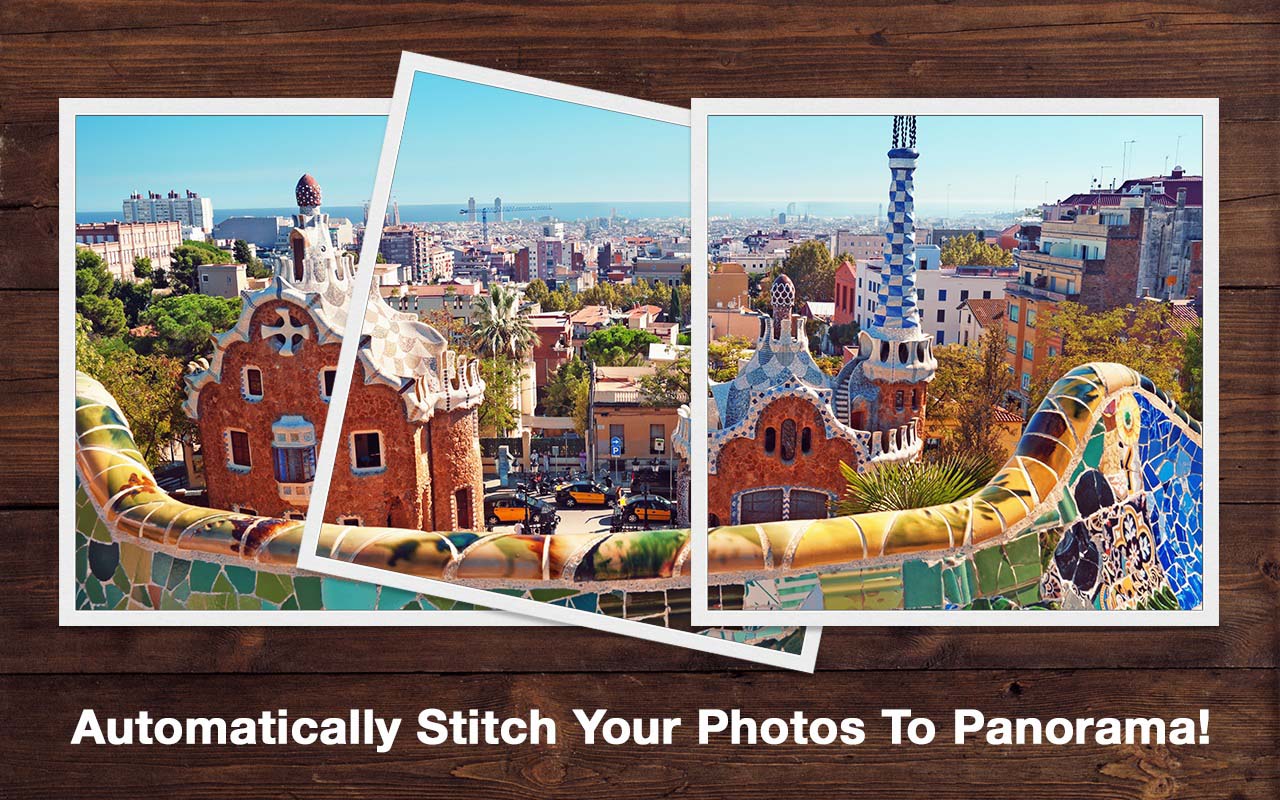
PhotoStitcher is an automated utility designed to merge multiple overlapping photographs into a single panoramic image. The software targets users who lack professional wide-angle lenses, allowing them to capture expansive scenes by taking several individual shots and processing them into a single, seamless view.
The application handles various alignment challenges automatically. It can stitch images with differing resolutions, shooting angles, and perspectives, provided there is a 30% to 50% overlap between adjacent frames. Beyond standard landscape photography, the tool supports both 1D horizontal and vertical panoramas, as well as 2D stitching for complex arrangements like microscope imagery or Google Earth satellite captures.
Operation is centered on a simplified workflow. Users select their source files and initiate the process with a single command. The software then aligns the images and utilizes an automatic cropping feature to finalize the output. This eliminates the need for manual positioning or advanced photo-editing skills. Key capabilities include:
- Automated 1D and 2D stitching for horizontal and vertical arrangements.
- Correction for varying zoom levels and perspectives between source photos.
- Support for specialized data, including microscopic and satellite imagery.
- One-click processing with integrated edge cropping.
- Simplified interface that requires no technical photography background.
Top 5 Reasons To Download PhotoStitcher
In the world of digital photography, we have all encountered that one moment where the view is simply too big for the camera. You stand at the edge of the Grand Canyon, or at the foot of a massive, historical cathedral, and your smartphone or DSLR just cannot squeeze the majesty of the scene into a single frame. Usually, this leaves you with two bad choices: back up until you are too far away to see the detail, or take a series of disjointed photos that sit in your gallery, never quite capturing the "feel" of the location. This is exactly where PhotoStitcher enters the frame. As a tech reviewer who has tested dozens of image processing tools, I can tell you that finding a balance between professional-grade power and "it-just-works" simplicity is rare. PhotoStitcher strikes that balance perfectly. If you have been looking for a way to turn your scattered vacation photos into professional-grade panoramas without spending hours in a complex editing suite, this giveaway is your golden ticket.
Before we dive into the nitty-gritty details of why this software is a game-changer for your digital workflow, let’s look at the core benefits. Here are the top five reasons you need to download PhotoStitcher right now:
- Full Automation: You simply select your overlapping images and click "Stitch," letting the algorithm do the heavy lifting.
- Perspective and Angle Correction: It smoothly merges photos taken at different angles, zooms, and perspectives into one cohesive image.
- 2D Multi-Row Stitching: Unlike standard "sweep" panorama tools, it can stitch photos both horizontally and vertically simultaneously.
- Automatic Precision Cropping: The software identifies the "meat" of your panorama and removes messy edges automatically for a clean finish.
- Specialized Professional Applications: It is powerful enough to handle specialized tasks like merging microscope images or Google Earth satellite captures.
1. The Power of Full Automation for Every Skill Level
The most common barrier to entry for high-end photography is the steep learning curve of post-processing software. Many of us have tried to use professional tools only to be met with "layers," "anchor points," and "blending modes" that require a college degree to understand. PhotoStitcher throws all of that out the window. The primary reason this software is a must-download is its completely non-technical interface. It is designed for the user who wants professional results without the professional headache.
The "One-Click" philosophy is not just marketing speak here; it is the core of the user experience. When you open the application, you aren't greeted by a daunting array of toolbars. Instead, the process is intuitive: import your photos, and hit the "Stitch" button. The software’s engine analyzes the pixels across your images, identifies matching patterns, and aligns them in the background. This level of automation means that whether you are a grandmother wanting to preserve a family reunion photo or a tech-savvy traveler, you can achieve the same high-quality output. It is the ultimate tool for someone who values their time as much as their memories.
Furthermore, because the software is fully automatic, it eliminates the human error often associated with manual alignment. In manual editors, you might accidentally leave a slight seam or a ghosted edge where two images meet. PhotoStitcher’s algorithm is fine-tuned to ensure that these transitions are invisible, creating a seamless flow that looks like it was captured by a specialized panoramic camera lens worth thousands of dollars.
2. Intelligent Handling of Perspective and Angles
One of the biggest frustrations with manual photo stitching is that we aren't robots. When we take a series of overlapping photos, our hands shake, our tilt changes slightly, and we might even accidentally zoom in or out a tiny bit between shots. In most basic stitching programs, these minor inconsistencies result in a "stair-step" effect or a distorted image that looks like a funhouse mirror. PhotoStitcher is specifically engineered to handle varying shooting angles and different perspectives.
Think about the last time you tried to take a photo of a tall building. You probably stood at the base and tilted your camera upward for the top, then leveled it for the middle. This change in perspective creates a "keystone" effect where the lines of the building seem to vanish toward a point. PhotoStitcher’s intelligent engine recognizes these shifts. It doesn't just slap the photos side-by-side; it warps and aligns them so that the architectural lines remain true and the perspective looks natural to the human eye.
This capability also applies to photos taken with different focal lengths or "scattered" images. If you didn't have a tripod and just "winged it" by snapping several photos of a landscape, the software can still find the commonalities. As long as you follow the golden rule of 30-50% overlap, the software can reconstruct the scene perfectly. This flexibility means you don't need to be a "pro" with a tripod to get "pro" results; you just need to be a person with a camera and this software.
3. Beyond the Horizontal: 2D and Vertical Stitching
Most people think of a panorama as a wide, horizontal strip—a "letterbox" view of a beach or a mountain range. However, some of the most impressive sights in the world are vertical or require a massive grid of photos to capture. PhotoStitcher stands out because it supports both 1D and 2D stitching. This means you can create vertical panoramas (perfect for waterfalls, skyscrapers, or giant redwood trees) and complex 2D grids.
Imagine you are looking at a massive mural or a detailed historical map that is too large to capture in one go. With 2D stitching, you can take a series of photos—moving left to right, then dropping down a row and moving right to left again—and PhotoStitcher will assemble them into one massive, high-resolution "super-image." This is a feature often reserved for very expensive industrial software, but here it is made accessible for the everyday user.
This "grid" capability is also what allows the software to work with Satellite Google Earth images. If you want to create a high-resolution poster of a specific geographic area from Google Earth, you can take multiple screenshots of the map and let PhotoStitcher fuse them together. The same applies to microscope images. Scientists and hobbyists alike can merge multiple high-magnification snapshots into a single, comprehensive view of a specimen. The versatility here is unmatched in the "free giveaway" category, making it an essential tool for both creative and technical projects.
4. Professional Finishing with Automatic Cropping
When you stitch multiple photos together, the resulting raw image is almost never a perfect rectangle. Because of the way photos are warped and aligned to match perspective, the "edges" of a stitched panorama usually look jagged or uneven. In a traditional workflow, you would have to export this "messy" image into another photo editor, use a crop tool, and try to eyeball where the edges should be without cutting out the best parts of the photo. PhotoStitcher simplifies this with its automatic cropping feature.
The software is smart enough to look at the completed stitch and determine the largest possible rectangular area that contains only valid image data. With one click, it trims away the "empty" space left by the alignment process. This leaves you with a clean, professional, and ready-to-print panoramic photograph. It sounds like a small feature, but in practice, it is a massive time-saver. It ensures that your final output is polished and "frame-ready" the moment the stitching process finishes.
This focus on the final result is what makes PhotoStitcher feel like a complete solution rather than just a utility. You aren't just getting a "stitcher"; you are getting a finishing tool. It respects the resolution of your original photos, ensuring that the final panorama is a high-definition masterpiece rather than a compressed, blurry mess. Whether you're planning to share the image on social media or print it on a large canvas for your living room, the output quality remains top-tier.
5. Effortless Accessibility and System Efficiency
Finally, we have to talk about the "weight" of the software. Many modern image processing tools are "bloated"—they take up gigabytes of space, require a high-end graphics card to run, and take several minutes just to boot up. PhotoStitcher is the exact opposite. It is a lightweight, efficient, and incredibly fast application. It doesn't require you to have a liquid-cooled gaming PC to stitch a few photos together. It is optimized to run smoothly on standard hardware, making it accessible to everyone.
The simple and intuitive interface is the icing on the cake. You won't find yourself digging through nested menus or looking up YouTube tutorials just to get started. The workflow is linear: Load Images -> Stitch -> Save. This simplicity is a breath of fresh air in an era where software often feels over-engineered. It is the perfect tool for the "casual creator" who wants to get in, get the job done, and get back to enjoying their photos.
Because it is so easy to use and get started, it encourages you to be more creative with your photography. When you know that stitching is a "zero-effort" task, you start looking at landscapes differently. You start seeing the potential for a panorama everywhere, knowing that you can just snap a few overlapping frames on your phone and have a masterpiece ready by the time you get home. It changes the way you interact with the world through your lens, removing the technical "fear" and replacing it with creative freedom.
Final Thoughts for the Tech-Savvy User
If you have ever looked at a breathtaking view and felt frustrated that your camera couldn't capture the "whole story," PhotoStitcher is the answer. It bridges the gap between what our eyes see and what our cameras can record. By automating the most difficult parts of the process—alignment, perspective correction, and cropping—it allows you to focus on the art of photography rather than the frustration of editing.
This giveaway is an incredible opportunity to add a high-value tool to your digital arsenal. Whether you are stitching together breath-taking landscapes, monumental churches, or skyscraping mountains, PhotoStitcher delivers results that look like they came from a professional studio. Don't let your memories stay "scattered" in individual frames. Download this software, take those overlapping shots, and start seeing the big picture today. It is fast, it is powerful, and most importantly, it makes the complex world of panoramic photography accessible to everyone with just a single click.
Remember to ensure that each photo has about 30-50% overlap with adjacent photographs for the best results. Once you have those shots, just sit back and let PhotoStitcher do the magic!


Reviews for PhotoStitcher
Click Here to Read Reviews for PhotoStitcher >> Click Here to Submit Reviews for PhotoStitcher >>