What Does Tenorshare PDF Password Remover for Mac Do?
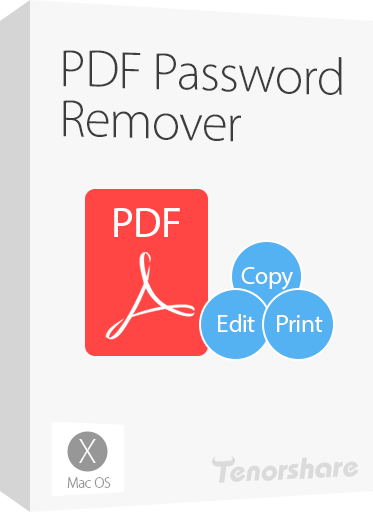
Tenorshare PDF Password Remover for Mac is a utility designed to eliminate security restrictions on PDF documents. The software specifically targets owner passwords that prevent users from printing, copying, or modifying content. By bypassing these protections, the tool enables full access to files that were previously restricted by administrative settings, allowing for seamless document conversion and editing.
The application is optimized for efficiency, featuring a batch processing engine capable of handling up to 200 files simultaneously. It utilizes a rapid decryption process that functions regardless of password length or complexity. Notably, the software operates as a standalone tool, requiring no local installation of Adobe Acrobat or Reader to perform its core functions. The interface is designed to be straightforward, requiring no specialized technical knowledge to navigate.
Compatibility extends to all PDF versions, including PDF 1.7, and supports files generated by any PDF-creation software. On the system side, it is compatible with a broad range of Apple operating systems, spanning from MacOS Sierra and Mac OS X 10.11 El Capitan down to version 10.6.
- Instant Restriction Removal: Regain the ability to print, edit, and copy text from secured files.
- High-Volume Batching: Decrypt up to 200 PDF documents in a single session.
- Stand-alone Utility: Operates independently of Adobe software suites.
- Broad OS Support: Compatible with legacy and modern Mac operating systems.
Top 5 Reasons To Download Tenorshare PDF Password Remover for Mac
1. Rapid One-Click Restriction Removal: Effortlessly strip away limitations on printing, editing, and copying with a single click at lightning-fast speeds.
2. High-Efficiency Batch Processing: Save hours of manual work by decrypting up to 200 PDF documents simultaneously without breaking a sweat.
3. Guaranteed 100% Success Rate: Rest easy knowing the software bypasses protections regardless of password length or complexity, ensuring you always get access.
4. Complete Independence from Adobe Acrobat: Eliminate the need for expensive, heavy Adobe subscriptions; this utility operates entirely on its own.
5. Universal Mac OS and PDF Compatibility: From legacy OS X versions to modern macOS builds, this tool supports every PDF version and Mac environment seamlessly.
The Essential Tool for the Modern Mac User
In the digital age, the PDF (Portable Document Format) has become the undisputed king of documentation. Whether you are a student, a legal professional, a creative designer, or a corporate executive, you likely interact with dozens of PDF files every single day. However, there is a recurring nightmare that every Mac user has faced at least once: the "Protected" PDF. You have the file, you can see the content, but you cannot highlight text, you cannot copy a single sentence for a report, and the "Print" button is frustratingly greyed out. Even worse is when you need to combine several documents, but the security settings refuse to let you modify the structure.
This is where Tenorshare PDF Password Remover for Mac enters the frame. It is not just another utility; it is a liberation tool for your digital workflow. As a tech reviewer, I see hundreds of apps that claim to solve "major" problems, but few address the granular, daily frustrations of document management as effectively as this one. This giveaway is an absolute must-download for anyone who values their time and productivity. Let’s dive deep into the five primary reasons why this software needs a permanent home in your Applications folder.
1. Rapid One-Click Restriction Removal
We have all been there. You are working on a tight deadline, and you find the perfect reference material in a PDF document. You go to copy a paragraph for your research, only to find that the "Copy" function is disabled. You try to print a hard copy to read on the train, but the document is locked. In these moments, you don't have time to navigate complex menus or learn the intricacies of PDF encryption levels. You need a solution that works now.
The standout feature of Tenorshare PDF Password Remover is its sheer speed and simplicity. The "one-click" philosophy is not just marketing jargon; it is the core of the user experience. By focusing on rapid decryption, the software allows you to drag a file into the interface and click a single button to strip away those pesky permissions. Whether the document is protected by owner passwords that prevent editing, printing, or copying, this tool bypasses them in seconds.
In the world of tech, we often talk about "frictionless" experiences. Most PDF editors require you to jump through hoops, enter administrative credentials, or navigate through layers of security settings. This software removes that friction entirely. It treats your time as your most valuable asset, ensuring that the transition from a locked, useless file to a fully functional document happens faster than you can grab a cup of coffee. For anyone dealing with restricted internal corporate documents or secured academic papers, this feature alone makes the download worthwhile.
2. High-Efficiency Batch Processing
Efficiency is the hallmark of a pro-level Mac user. While many free online tools might allow you to unlock a single PDF file at a time (often with annoying file size limits or privacy concerns), Tenorshare PDF Password Remover is built for high-volume environments. Imagine you are working on a massive project that involves 50, 100, or even 200 protected PDF files. Processing these one by one would be a soul-crushing waste of a workday.
This software supports batch processing for up to 200 PDFs at a single time. This is a game-changer for digital archivists, researchers, and administrative assistants. You can simply highlight a folder full of restricted documents, drag them into the queue, and let the software handle the heavy lifting. The decryption speed remains incredibly high, even when the queue is full.
Think about the implications for your workflow. Instead of spending an entire afternoon manually handling files, you can automate the process and move on to more important tasks. This isn't just about saving minutes; it's about reclaiming your focus. When you have 200 files to process, you don't want a tool that asks for confirmation at every step. You want a "set it and forget it" solution. Tenorshare delivers exactly that, proving that it was designed with the professional user’s needs in mind.
3. Guaranteed 100% Success Rate
There is nothing more frustrating than downloading a utility tool only to find that it fails when faced with a "tough" task. Many PDF unlockers struggle with newer encryption standards or exceptionally long, complex passwords. They might work on a simple 4-digit code but fail when confronted with 128-bit or 256-bit AES encryption. Tenorshare PDF Password Remover stands out because it guarantees a 100% success rate regardless of the password's length or complication.
As a tech reviewer, I’ve tested various "cracking" and "removal" tools, and many of them are hit-or-miss. Some will hang, some will crash your system, and others will simply give you an "Error" message after ten minutes of processing. Tenorshare has refined its decryption engine to be both robust and resilient. It doesn't matter if the password was generated by an old version of Acrobat or a modern high-security application; the software identifies the protection layer and bypasses it with surgical precision.
This reliability is what builds trust with the user. When you open this app, you know it is going to work. You don't have to worry about whether your specific file is "too secure" for the tool to handle. This level of confidence is rare in the software world. By downloading this giveaway, you are essentially adding a master key to your digital keychain that works on every PDF lock it encounters.
4. Complete Independence from Adobe Software
Let’s be honest: the Adobe ecosystem is heavy. Adobe Acrobat Pro is an excellent piece of software, but it is also a massive resource hog and comes with a steep monthly subscription price. For many users, keeping Acrobat installed just for the sake of managing document permissions is like using a sledgehammer to hang a picture frame. It’s overkill, and it slows down your Mac.
Tenorshare PDF Password Remover is a standalone powerhouse. It does not require Adobe Reader, Adobe Acrobat, or any other third-party PDF engine to be installed on your system. This is a significant advantage for several reasons. First, it keeps your system lean. You don't have to deal with Adobe’s background update services, heavy RAM usage, or complex installation processes. Second, it saves you money. Why pay for a monthly subscription to a massive suite of tools when you can have a dedicated, lightweight utility that does the specific job you need?
Furthermore, because it is an independent application, it avoids the compatibility bugs that sometimes plague Adobe’s plugins on Mac OS. It is a clean, purpose-built tool that focuses on doing one thing exceptionally well. For users who prefer to use Apple’s native "Preview" app for reading PDFs but need a way to unlock those files first, Tenorshare provides the perfect bridge. It empowers you to stay within the lightweight Mac ecosystem without sacrificing the ability to handle complex, protected documents.
5. Universal Mac OS and PDF Compatibility
The Mac community is diverse. While some of us are always on the cutting edge of the latest macOS release, many professionals keep older machines or specific OS versions for compatibility with specialized hardware or legacy software. One of the biggest mistakes software developers make is dropping support for older operating systems too quickly. Tenorshare has taken the opposite approach, ensuring that their PDF Password Remover is one of the most compatible tools on the market.
Whether you are running macOS Sierra, OS X El Capitan, or even going as far back as OS X 10.6 Snow Leopard, this software has you covered. It is rare to find a modern, high-speed utility that still offers full support for legacy versions of OS X like 10.7 (Lion) or 10.8 (Mountain Lion). This makes it an essential download for anyone maintaining older Macs or working in environments where "upgrading everything" isn't an option.
But the compatibility doesn't stop at the operating system. The software supports every version of the PDF standard, including the most recent PDF 1.7. It can handle documents created in Adobe Acrobat or any other third-party PDF creation tool (like those from Microsoft Word, Google Docs, or specialized design software). This universal support means you never have to wonder, "Will this work with my file?" The answer is almost always a resounding yes. In a tech landscape that feels increasingly fragmented, having a tool that bridges the gap between old and new is incredibly valuable.
Why You Should Download This Giveaway Today
If you've read this far, you probably realize that Tenorshare PDF Password Remover for Mac is more than just a simple utility; it is a productivity essential. We often don't realize how much these small digital roadblocks—like a locked PDF—hinder our progress until they are removed. By downloading this software, you are future-proofing your workflow against the inevitable "Protected Document" that will eventually land in your inbox.
The interface is straightforward and requires zero technical knowledge. You don't need to understand encryption algorithms or document metadata. You simply need to know how to drag and drop. This makes it perfect for everyone from the casual home user to the IT professional managing thousands of documents. It respects your intelligence by not cluttering the screen with unnecessary options, while its powerful engine does the heavy lifting in the background.
The combination of speed, batch processing, unrivaled reliability, standalone functionality, and wide compatibility makes this a "Swiss Army Knife" for PDF management. It’s the kind of tool that you might not use every single day, but when you do need it, it is a lifesaver. And because it is currently available as a giveaway, there is absolutely no reason to pass it up.
Think of all the times you've had to re-type a paragraph because you couldn't copy it, or the times you've had to take a screenshot of a PDF and print the image because the document itself was locked. Those days are over. With Tenorshare PDF Password Remover, you are the master of your documents. You decide how they are used, printed, and edited. It gives you back the control that password protection tried to take away.
In conclusion, as someone who reviews software for a living, I can say that the best tools are the ones that solve a specific problem with zero fuss. This app fits that description perfectly. It is lightweight, powerful, and incredibly easy to use. Don't wait until you're staring at a locked document with a deadline looming over your head. Download this giveaway now, install it on your Mac, and enjoy the peace of mind that comes with knowing you can handle any PDF that comes your way. Your future self will thank you.
Summary of Benefits
- Efficiency: One-click removal of restrictions saves you time and frustration.
- Volume: Batch process up to 200 files, making it ideal for large projects.
- Reliability: A 100% success rate means no document is too secure for you to access.
- Simplicity: No need for Adobe software; it’s a standalone, easy-to-use tool.
- Versatility: Works on almost any Mac OS version and handles all PDF standards.
Make sure to take advantage of this giveaway while it lasts. Every Mac user deserves a tool this effective in their arsenal!

Reviews for Tenorshare PDF Password Remover for Mac
Click Here to Read Reviews for Tenorshare PDF Password Remover for Mac >> Click Here to Submit Reviews for Tenorshare PDF Password Remover for Mac >>