What Does iBoysoft Data Recovery Professional Do?
iBoysoft Data Recovery is a utility designed to retrieve lost information across a wide range of storage scenarios. The software targets data loss originating from deleted files, even after the Recycle Bin has been emptied, and addresses more complex disk issues. Users can leverage the tool to restore data from RAW drives, formatted volumes, and inaccessible or corrupted partitions.
The application supports numerous file formats to ensure comprehensive recovery. This includes:
- Documents and emails
- Photos and images
- Music and audio files
- Video content
Its scanning capabilities extend to various hardware configurations. Once installed, the software can perform data recovery on internal hard drives as well as external peripherals such as USB flash drives, pen drives, and memory cards. iBoysoft Data Recovery is also built to handle instances where partitions have been entirely deleted or lost, providing a path to recover files from drives that the operating system no longer recognizes.
This software provides a centralized interface for scanning both local and removable storage media. It functions as a recovery solution for standard accidental deletions and more severe file system failures, such as drive corruption or accidental formatting. By automating the scanning process, it identifies recoverable assets across multiple storage architectures.
Top 5 Reasons To Download iBoysoft Data Recovery Professional
Before we dive into the deep end of why you absolutely need this software in your digital toolkit, let’s look at the highlights. If you have ever felt that cold chill down your spine after accidentally hitting "Shift + Delete," these are the reasons why iBoysoft Data Recovery is the ultimate safety net you should be downloading right now:
- Unrivaled Versatility in File Recovery: It can recover virtually any file type, from critical work documents to priceless family photos and high-definition videos.
- Rescue Mission for "Unrecoverable" Drives: It excels where standard tools fail, successfully pulling data from RAW, formatted, corrupted, and inaccessible partitions.
- Universal Hardware Compatibility: Whether it is an internal SSD, a dusty old external hard drive, a tiny microSD card, or a standard USB thumb drive, this software talks to all of them.
- The "Safe-Scan" Technology: It uses a non-destructive, read-only scanning process that ensures your lost data is never overwritten or damaged during the recovery attempt.
- Effortless User Experience: Designed with a clean, intuitive interface that allows even the least tech-savvy users to perform professional-grade data recovery in just three simple steps.
Now, let’s break down exactly why these features make iBoysoft Data Recovery a must-have application for your computer.
Reason 1: Unrivaled Versatility in File Recovery
In the world of tech, we deal with a dizzying array of file formats. On any given day, you might be handling .docx files for work, .jpg or .raw files from your camera, .mp4 files from your latest vacation, and .pst files for your emails. When data loss strikes, many tools are "specialists"—they might be great at finding photos but terrible at finding archives or system files. This is where iBoysoft Data Recovery stands out from the crowd as a true generalist.
The software is engineered to recognize and reconstruct over a thousand different file types. This isn't just about the common stuff. It includes sophisticated document formats, various compressed archives like .zip and .rar, and even obscure audio formats. As a tech reviewer, I have seen too many people lose "half" their data because their recovery tool didn't recognize the specific file extension they used. With this software, that is a non-issue. It treats your wedding photos with the same level of care as it treats your tax returns or your carefully curated music library.
Furthermore, it handles the "Recycle Bin" problem with surgical precision. Most people believe that once the Recycle Bin is emptied, the data is gone forever. However, the data actually remains on the physical disk; the operating system just marks the space as "available." iBoysoft finds these "ghost" files before they are overwritten by new data, giving you a second chance at a first impression.
Reason 2: Rescue Mission for "Unrecoverable" Drives
There is a specific kind of panic that sets in when you plug in a drive and your computer says, "The disk is not formatted. Do you want to format it now?" Or worse, when the drive shows up as "RAW" in your disk management settings. Most standard data recovery attempts end right there because the file system is broken. But for iBoysoft Data Recovery, this is where the software really flexes its muscles.
The software is designed to bypass the logical errors of an operating system. When a drive becomes "RAW," it means the partition table or the file system (like NTFS, FAT32, or exFAT) has been damaged. iBoysoft doesn't need a functioning file system to find your data. It performs a deep sector-by-sector scan of the physical disk, looking for file headers and signatures that indicate where a file begins and ends. This capability is usually reserved for expensive forensic tools used by data recovery labs, but here it is packaged in a way that anyone can use at home.
This also applies to formatted partitions. We have all been there—you think you’re formatting an empty USB stick, but you accidentally wipe your external backup drive instead. Because iBoysoft can reconstruct the directory structure even after a format, it can often bring back your entire folder hierarchy exactly as it was. It is like having a time machine for your hardware.
Reason 3: Universal Hardware Compatibility
One of the biggest frustrations in tech is compatibility. You buy a software tool, and then you find out it doesn’t support your specific type of connection or your specific brand of memory card. iBoysoft has clearly worked hard to eliminate this barrier. It doesn't matter if your data is sitting on a high-speed NVMe SSD, a traditional spinning mechanical hard drive, or a cheap pen drive you found in a drawer—the software sees it all.
Think about the sheer number of devices we use that store data. There are the internal drives in our laptops and desktops. There are the external HDDs we use for backups. There are the SD cards and microSD cards we use in our cameras, drones, and Nintendo Switches. There are the USB flash drives we use to move files between offices. iBoysoft Data Recovery acts as a "one-stop shop" for all of these. If the computer can detect the hardware, iBoysoft can likely scan it.
As a reviewer, I particularly appreciate the support for various memory card formats. Photographers and videographers are often at the highest risk for data loss due to card corruption or accidental deletion in-camera. Having a tool that can reliably read a microSD card through a USB adapter and pull off those 4K video files is a lifesaver. This level of broad hardware support makes the software an essential part of any digital emergency kit.
Reason 4: The "Safe-Scan" Technology
When you are in the middle of a data loss crisis, the first rule is "do no harm." Many people don't realize that by installing new software or trying to fix a drive using standard system tools, they might actually be overwriting the very data they are trying to save. iBoysoft Data Recovery is built with a "safety-first" philosophy that is vital for successful recovery.
The software utilizes a non-destructive, read-only scanning mechanism. What does this mean for the average user? It means that when the software scans your corrupted or formatted drive, it never writes any data back to that drive. It only "reads" the bits and bytes to figure out what is there. This is a critical distinction. Some lower-quality tools might try to "repair" the file system on the fly, which can lead to permanent data loss if the repair goes wrong. iBoysoft keeps your original data untouched, ensuring that you have the best possible chance of a successful recovery.
Additionally, the software provides a robust preview feature. Before you even click the "Recover" button, you can see the files the software has found. You can open photos, read text documents, and verify that the files are intact. This saves you the frustration of recovering a bunch of "junk" data or corrupted fragments. You only spend your time and disk space on the files that actually matter. This transparency is a hallmark of high-quality software and builds immense trust with the user.
Reason 5: Effortless User Experience
The most powerful tool in the world is useless if it is too complicated to operate. I have seen data recovery software that looks like something out of a 1980s terminal, requiring users to type in hex codes and memory addresses. iBoysoft takes the opposite approach. They have distilled a very complex technical process into a user-friendly wizard that anyone can navigate.
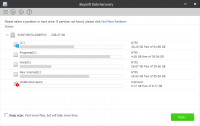
The workflow is remarkably straightforward: Select the drive, scan for lost data, and recover. That’s it. The interface is clean, modern, and free of the "bloat" that plagues so many other utilities. It guides you through the process, providing clear feedback on the scan progress and organizing the found files into logical categories. You can filter the results by file type or search for specific file names, which is a massive time-saver when you are looking for that one specific spreadsheet in a sea of thousands of recovered files.
For a tech reviewer, this is often the "killer feature." We want tools that we can recommend to our parents, our friends, and our colleagues without having to spend three hours on the phone explaining how to use it. iBoysoft Data Recovery achieves that rare balance of professional-level power and consumer-level ease of use. It turns a high-stress situation—losing your data—into a manageable task that you can handle yourself, without having to pay a professional hundreds of dollars for a service you can perform at your own desk.
In conclusion, the combination of deep-scanning power, broad file and hardware support, and a focus on user safety and simplicity makes iBoysoft Data Recovery a top-tier recommendation. We live in an age where our memories, our work, and our identities are stored on digital media. Having a reliable "reset button" for when things go wrong isn't just a luxury; it is a necessity. This giveaway is the perfect opportunity to secure your digital life with a tool that has proven its worth time and time again. Don't wait until you've lost your data to start looking for a solution—be proactive and get this essential utility on your machine today. You’ll thank yourself the next time you accidentally hit that delete button.
Final Review Verdict: iBoysoft Data Recovery is a robust, reliable, and remarkably simple solution to one of the most stressful problems in modern computing. It earns my highest recommendation for its ability to turn digital disasters into mere minor inconveniences. Download it, keep it handy, and rest easy knowing your data is protected by one of the best in the business.
Whether you are dealing with a simple case of an emptied Recycle Bin or a complex scenario involving a corrupted external SSD, this software provides the tools you need to get your files back. It is fast, it is safe, and most importantly, it works. In the world of tech, those are the three things that matter most.
Summary of Key Features:
- Full support for deleted file recovery even after the Recycle Bin is emptied.
- Advanced algorithms for recovering data from RAW or inaccessible partitions.
- Complete document, photo, video, and audio recovery across all formats.
- Support for a vast range of storage devices including USB, SD cards, and HDDs.
- A streamlined, intuitive interface that makes recovery accessible to everyone.
Remember, the sooner you attempt a recovery after data loss occurs, the higher your chances of success. By downloading this software now, you are ensuring that you are prepared the moment disaster strikes. Don't let your valuable data disappear into the digital void—take control with iBoysoft Data Recovery.


Reviews for iBoysoft Data Recovery Professional
Click Here to Read Reviews for iBoysoft Data Recovery Professional >> Click Here to Submit Reviews for iBoysoft Data Recovery Professional >>