What Does Ant Download Manager PRO Do?
Ant Download Manager (AntDM) is a performance-focused utility designed to accelerate file transfers and manage diverse media downloads. The software employs multiple download streams to increase speed and features a robust resume capability to recover from interrupted tasks caused by network failures, server delays, or unexpected system power outages.
The application supports a broad spectrum of protocols, including HTTP, HTTPS, FTP, FTPS, and BitTorrent. For media management, it captures streaming content from sources using M3U8, MPEG-DASH, and VIMEO-STREAM protocols. Users can also extract audio from video files, converting tracks to MP3 format while appending basic metadata. Integration is available for major browsers like Chrome, Firefox, and Edge, though the tool can also function autonomously through drag-and-drop or manual link entry.
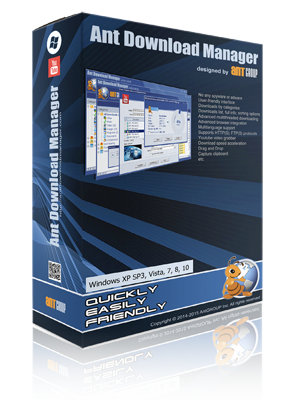
AntDM features a dual-screen interface that provides both standard file management and a dedicated video preview mode for tracking media downloads. Additional technical features include:
- Full support for Premium Link Generators (Debrids).
- A task scheduler for managing download queues and timing.
- Automated virus protection protocols upon download completion.
- Configurable speed limits and priority settings for individual tasks.
- Proxy-server and firewall compatibility with cookie and authorization processing.
By organizing downloads into categories and maintaining detailed logs, AntDM serves as a centralized hub for managing large-scale data transfers and streaming media archives.
Top 5 Reasons To Download Ant Download Manager PRO
If you have ever spent hours waiting for a massive file to download only for your browser to crash at 99 percent, you know the pure frustration of modern web browsing. We live in an era of 4K video, massive software installers, and lossless audio, yet most of us are still relying on the basic, bare-bones download tools built into our web browsers. It is time to upgrade your toolkit. Today, I am looking at a piece of software that fundamentally changes how you interact with the internet: Ant Download Manager & Video Downloader. This is not just another utility; it is a full-scale overhaul of your downloading experience.
Before we dive into the nitty-gritty details of why this software is a must-have, let’s look at the highlights. Here are the top five reasons why you need to grab this giveaway right now.
- Blazing Fast Multi-Stream Speeds and Rock-Solid Reliability: Accelerate your downloads by splitting files into multiple threads and enjoy a "resume" feature that actually works after a crash or power outage.
- A Universal Media Capturing Powerhouse: Easily grab video and audio from almost any streaming site, including support for complex protocols like M3U8 and MPEG-DASH.
- Full BitTorrent and P2P Integration: Stop switching between different apps; AntDM handles both direct HTTP downloads and high-speed torrenting in a single interface.
- Deep Browser Integration with Standalone Flexibility: Whether you use Chrome, Firefox, Edge, or niche browsers like Brave and Vivaldi, this tool fits perfectly into your workflow or works as a powerful standalone app.
- Pro-Level Features for Power Users: From Premium Link Generator support (Debrids) to automated task scheduling and built-in MP3 conversion, it offers tools that most downloaders charge a premium for.
1. Blazing Fast Multi-Stream Speeds and Rock-Solid Reliability
Let’s talk about speed. Most people assume their download speed is capped strictly by their internet service provider. While your bandwidth is the ultimate ceiling, your browser is often the bottleneck. Standard browsers typically download a file in one single stream. If that stream gets congested or the server limits its speed, you are stuck in the slow lane. Ant Download Manager (AntDM) changes the game by using multi-stream downloading. It effectively "hacks" the download process by splitting a single file into several segments and downloading them all simultaneously. This can increase your speeds significantly, often reaching the absolute limit of what your connection can handle.
But speed is nothing without reliability. We have all experienced the heartbreak of a failed download. Maybe your Wi-Fi flickered, your computer went into sleep mode, or the server simply timed out. In a standard browser, this often means starting over from zero. AntDM is built to be resilient. It features advanced error handling that automatically processes download errors and recovers from temporary network hiccups. If your connection drops, it doesn't just give up; it keeps trying to reconnect until the job is done. The "Resume" capability is a lifesaver for anyone who downloads large games, ISO files, or high-definition video. Whether it is an unexpected power outage or a forced Windows update, you can pick up exactly where you left off without losing a single byte of data.
This reliability extends to how it handles server delays. If a server is being sluggish or unresponsive, AntDM has the intelligence to wait, retry, and manage the connection in the background. You no longer have to babysit your downloads. You can start a massive queue of files, go to bed, and trust that the software will navigate through any network turbulence while you sleep. For anyone working with large datasets or media collections, this peace of mind is worth the download alone.
2. A Universal Media Capturing Powerhouse
We live in the age of streaming, but sometimes you need that content offline. Whether you are a creator needing B-roll, a student saving a lecture, or just someone who wants to watch their favorite videos during a flight, the built-in video downloader in AntDM is a revelation. It is not just a simple "save as" button; it is a sophisticated media grabber that can identify and capture video and audio streams that other software misses.
One of the biggest hurdles in video downloading today is the use of complex protocols like M3U8 and MPEG-DASH. These protocols break video into hundreds of tiny fragments to prevent easy downloading. AntDM is designed to handle these protocols natively. It can "stitch" these fragments back together into a single, high-quality file on your hard drive automatically. It also supports VIMEO-STREAM and other major audio-visual content platforms. When you navigate to a page with a video, AntDM’s browser extension usually pops up a discreet icon, allowing you to select the resolution and format you want. It is incredibly intuitive.
Beyond just video, this tool is an excellent audio extractor. If you find a music video or a podcast hosted on a video site, you don't have to download the entire video file just to get the sound. AntDM allows you to extract the audio track directly, converting it into the popular MP3 format on the fly. It even adds basic accompanying information to the files, keeping your library organized. This "one-click" conversion process saves you from having to use secondary conversion software, keeping your workflow lean and efficient. For media junkies, the "video preview" screen in the interface makes it easy to track multiple video downloads visually, ensuring you are grabbing the right content every time.
3. Deep Browser Integration with Standalone Flexibility
A download manager is only useful if it is easy to use, and AntDM excels here by living exactly where you do: in your web browser. It offers seamless integration with virtually every major browser on the market. While everyone expects support for Google Chrome, Mozilla Firefox, and Microsoft Edge, AntDM goes the extra mile by supporting the "clones" and alternative browsers that many power users prefer. Whether you are using Brave for privacy, Vivaldi for customization, or Opera, UC Browser, or Waterfox, AntDM has an extension ready for you.
This integration allows for "automatic capture." You don't have to copy and paste links. You just click a download button on a website, and AntDM intercepts the request, offering its superior speed and management features instead of the browser's basic tools. However, I know that many users prefer to keep their browsers "clean" or want to use the software autonomously. AntDM is perfectly happy to run as a standalone app. You can simply drag and drop links from your browser into the AntDM window, or you can copy a list of links from a text file and use the "batch mode" to download dozens of files at once.
The user interface is designed with a "two-screen" philosophy that I find very refreshing. The first screen is a classic, clean list of all your downloads—perfect for managing software, zip files, and documents. The second screen is dedicated to video, providing thumbnails and previews so you can manage your media library with a glance. It strikes the perfect balance between being a "standard" piece of software that is easy to navigate and a specialized tool for media enthusiasts. It doesn't clutter your screen with useless widgets; it just gives you the tools you need in a logical layout.
4. Full-Featured BitTorrent and P2P Support
In the past, if you wanted to download a direct file and a torrent, you needed two different programs. You’d have your download manager for HTTP files and a separate client like uTorrent or qBittorrent for P2P files. Ant Download Manager eliminates this redundancy by building BitTorrent support directly into the core application. This is a massive win for anyone who wants to declutter their system and simplify their software library.
The P2P implementation in AntDM is robust. It handles torrent files and magnet links with ease, allowing you to manage your P2P downloads alongside your standard web downloads. This means you can use the same scheduling, prioritization, and categorization features for your torrents that you use for your direct downloads. Having a single dashboard to view all incoming data—regardless of the protocol—is a huge productivity boost. You can see your total bandwidth usage in one place and adjust priorities across different types of downloads.
Supporting P2P also means AntDM is ready for the future of file sharing. Many large software projects, Linux distributions, and community-driven media projects rely on torrenting to distribute large files without overwhelming their servers. By having a P2P-capable downloader, you are ensuring that you can access any type of content on the web without ever needing to install additional, often ad-heavy, third-party torrent clients. It is clean, it is integrated, and it just works.
5. Pro-Level Features for Power Users
What truly sets Ant Download Manager apart from the competition are the "pro" features that cater to people who do serious downloading. First and foremost is the support for Premium Link Generators, often called "Debrids." If you use services like Real-Debrid, Alldebrid, or Premiumize, you know how life-changing they are for accessing high-speed links from file hosts. AntDM has native support for these services, allowing you to input your credentials and have the manager automatically handle the "unrestricting" of links. This makes the process of downloading from premium hosts as seamless as downloading from a local server.
Then there is the Task Scheduler. This is an essential feature for anyone with a "nightly" data cap or those who want to save their bandwidth for gaming or Zoom calls during the day. You can set AntDM to start your download queue at 2:00 AM and shut down your computer when the tasks are finished. You can even set specific schedules for different days of the week. This level of automation turns your computer into a dedicated download station that works while you sleep.
Finally, the "extra" features show the developers really thought about the user experience. You get built-in virus protection that can trigger your antivirus to scan a file the moment it finishes downloading. You get categorized downloads, so your music goes to one folder, your videos to another, and your documents to a third automatically based on file extension. You even have the ability to change download speeds on the fly—if you need to jump on a video call, you can "throttle" AntDM with a single click so it doesn't hog your bandwidth, and then crank it back up to full speed when you’re done. It is this combination of power, flexibility, and convenience that makes Ant Download Manager an essential download for anyone who spends time on the web.
In conclusion, if you are looking for a way to make your internet experience faster, more organized, and more capable, this giveaway is your golden ticket. Ant Download Manager & Video Downloader takes the headache out of large files and streaming media, giving you back your time and ensuring you never have to deal with a failed "99% complete" download ever again. Do yourself a favor and get this tool installed—you will wonder how you ever managed without it.

Reviews for Ant Download Manager PRO
Click Here to Read Reviews for Ant Download Manager PRO >> Click Here to Submit Reviews for Ant Download Manager PRO >>