What Does Ashampoo Burning Studio 2022 Do?
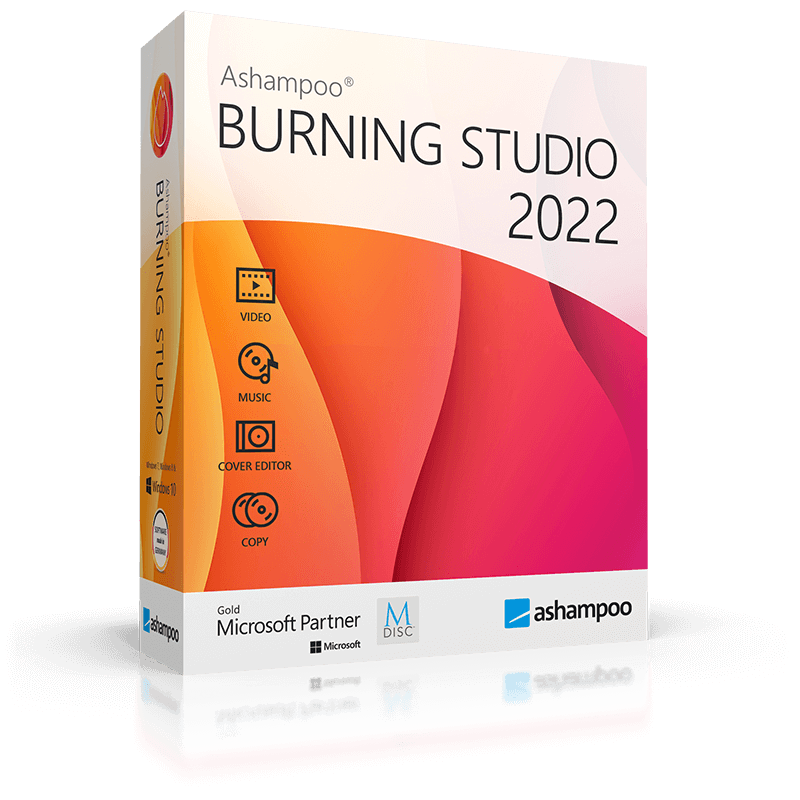
Ashampoo Burning Studio is a comprehensive utility designed for burning data, audio, and video to various optical media, including CD, DVD, and Blu-ray formats. The software supports standard blank discs as well as specialized high-capacity media like BDXL and M-Disc.
Beyond basic file burning, the suite includes a built-in disc ripper with automatic track name detection. Users can create custom audio discs with playlists and design matching covers or booklets. For video projects, the software enables the creation of movie discs featuring animated menus and slideshows. It also includes a finalization feature to ensure playback compatibility with older retail hardware players.
To manage large datasets, the application utilizes disc spanning, which automatically distributes files across multiple volumes when they exceed the capacity of a single disc. It supports common disc image formats such as ISO and CUE/BIN, offering integrated previews during the creation and browsing process.
Data security is handled through 1-click backup tools for internal files and external devices, including smartphones and tablets. The software also provides the following capabilities:
- Copy CDs, DVDs, and Blu-ray discs.
- Execute extensive backups with encryption and password support.
- Back up data across one or more optical discs to bypass size constraints.
- Design and print covers and booklets for any disc type.
- Create password-protected discs for sensitive information.
- Generate Audio CDs and MP3/WMA discs for various playback devices.
Top 5 Reasons To Download Ashampoo Burning Studio 2022
In a world increasingly dominated by the cloud and volatile digital storage, there is still something undeniably powerful about having your data in a physical, tangible format. Whether you are a creative professional, a dedicated archivist, or just someone who wants to ensure their family photos are safe for the next fifty years, you need a tool that handles optical media with precision and grace. That tool is Ashampoo Burning Studio, and today, I am going to tell you why this is the one giveaway you cannot afford to miss. This isn't just another utility; it is a comprehensive suite designed to solve every headache associated with disc media. Before we dive into the deep end of the technical specs and the sheer utility of this software, let’s look at the highlights.
- Unmatched Universal Media Compatibility: From standard CDs to 100GB BDXL discs and permanent M-Discs, this software handles every format under the sun.
- Intelligent Disc Spanning and Data Management: Never worry about a file being "too big" for a disc again; the software automatically splits data across multiple volumes.
- High-End Multimedia and Audio Ripping: Create professional movie discs with animated menus or rip audio CDs with automatic track detection and cover art.
- Military-Grade Security and Backups: Protect your sensitive data with high-level encryption and password support while backing up mobile devices with a single click.
- Comprehensive Physical Customization: Beyond just burning data, you can design and print professional-grade covers, booklets, and inlays to keep your physical library organized.
1. Unmatched Universal Media Compatibility
One of the biggest frustrations in the tech world is software that feels "dated" the moment a new hardware standard arrives. Ashampoo Burning Studio avoids this pitfall entirely by offering support for every relevant piece of optical media technology available today. When you download this giveaway, you aren't just getting a tool for burning a few songs onto a CD-R. You are getting a powerhouse capable of handling DVD, Blu-ray, and even the high-capacity BDXL discs that are favored by data hoarders and professional videographers.
But the real kicker for me, as a tech reviewer who values longevity, is the support for M-Disc. If you haven't heard of M-Disc, it is the gold standard for archival storage. Unlike traditional discs that use an organic dye layer that can degrade over a few years, M-Discs "etch" your data into a rock-like layer that is designed to last for up to 1,000 years. Ashampoo Burning Studio handles these specialized discs with ease. This means you can create a "digital time capsule" of your most precious memories—wedding videos, baby photos, or business ledgers—and know they will be readable by future generations. Having a software suite that supports this level of hardware versatility for free is an absolute steal.
Furthermore, the software doesn't just stop at "burning." It understands the nuances of different disc types. It can finalize discs to ensure they are playable on older retail hardware, which is a common pain point for people trying to make DVDs for family members who might still be using a player from 2005. It bridges the gap between cutting-edge tech and legacy hardware, ensuring your media is accessible to everyone, everywhere.
2. Intelligent Disc Spanning and Data Management
We have all been there: you have a 10GB folder of high-resolution vacation photos, but you only have 4.7GB DVDs. In the old days, you would have to manually sort those photos into two different folders, trying to do the math in your head to make sure each one fits. It was tedious, prone to error, and frankly, a waste of time. Ashampoo Burning Studio eliminates this friction with its Disc Spanning feature.
This is where the software really shows its intelligence. You simply tell the program which files you want to preserve, and it calculates the most efficient way to spread that data across multiple discs. It prompts you when it’s time to swap the blank media, and it handles the file structure so that when you need to retrieve your data, the process is seamless. It takes the guesswork out of large-scale data preservation. For a tech reviewer, this kind of "quality of life" feature is what separates a mediocre app from a must-have tool.
Moreover, the software excels at handling disc images. Whether you are working with ISO, CUE/BIN, or Ashampoo’s own formats, the integrated image preview is a lifesaver. You can actually browse the contents of a disc image before you ever commit it to physical media. This prevents the creation of "coasters"—those wasted discs that end up in the trash because you accidentally burned the wrong version of a file. By providing this level of insight into your data before the burning process starts, Ashampoo ensures a 100% success rate for your projects.
3. High-End Multimedia and Audio Ripping
Let's talk about the fun stuff: multimedia. Many of us have transitioned to streaming, but there is a distinct lack of "soul" in a digital file. Ashampoo Burning Studio brings back the craft of media creation. If you are a cinephile, you will love the ability to create movie discs complete with animated menus. You can take your home movies or your own creative edits and turn them into a professional-looking product that looks like it came straight from a Hollywood studio. The interface for creating these menus is incredibly intuitive, allowing you to choose themes, add background music, and customize buttons without needing a degree in graphic design.
For the music lovers, this software is an absolute powerhouse. The audio ripping feature is one of the most robust I’ve seen in a burning suite. When you pop in an old CD, the software doesn't just rip the tracks into a generic "Track 01" format. It uses auto-detection to pull the correct track names, artist info, and album art from the web, ensuring your digital library is perfectly tagged from the moment of creation. You can then take those files and create custom MP3 or WMA discs that can hold hundreds of songs, perfect for older car stereos or specialized audio players.
The software even allows you to turn audio files into custom audio discs that are formatted specifically for maximum compatibility. Whether you are looking to create a "best of" mix for a road trip or a high-fidelity backup of a rare album, the software maintains the highest audio quality throughout the process. It’s this attention to detail—the cross-fades, the equalization, and the metadata management—that makes Ashampoo a leader in the space.
4. Military-Grade Security and Backups
In an era of ransomware and data breaches, security isn't just a "nice to have"—it’s a requirement. Ashampoo Burning Studio takes your privacy seriously by offering password-protected and encrypted discs. If you are backing up sensitive financial documents, legal records, or private journals, you can wrap them in a layer of encryption that ensures only those with the key can access the content. This turns a simple DVD into a secure vault. For anyone who deals with sensitive information, this feature alone justifies the download.
Beyond the encryption, the backup utility is remarkably broad in its scope. Most burning software only cares about the files on your PC’s hard drive. Ashampoo understands that our lives are spread across multiple devices. The 1-click backup tool is a revelation for anyone who struggles to manage the storage on their smartphones or tablets. You can plug in your device, and the software will help you offload your photos and videos directly to a secure disc or an external hard drive. It simplifies the "mobile-to-physical" workflow in a way that feels modern and effortless.
The "set it and forget it" nature of the backup features is particularly impressive. You can create scheduled backups or use the software to maintain incremental updates to your archives. This ensures that your most important work is always mirrored in a secondary location. As the saying goes, "Data doesn't exist unless it exists in three places." Ashampoo Burning Studio makes it incredibly easy to ensure that the third place is a secure, physical disc that is immune to cloud outages or server failures.
5. Comprehensive Physical Customization
Finally, we have to talk about the "look and feel." A pile of unlabeled silver discs is a nightmare to navigate. Ashampoo Burning Studio includes a full-featured cover and booklet designer that is actually fun to use. It’s not just about slapping a title on a piece of paper; it’s about creating a physical artifact. You can import your own images, use the built-in templates, and create professional-grade inlays for jewel cases, slim cases, or even Blu-ray boxes.
The software takes into account the dimensions of different retail packaging, so you don't have to spend hours with a ruler trying to figure out if your printout will fit. It handles the alignment and the cutting marks for you. This is perfect for those who want to give media as a gift. Imagine giving someone a beautifully packaged disc of their favorite family videos, complete with a custom-designed cover that features their favorite photos. It turns a digital file into a meaningful, physical gift.
The aesthetic value of your collection matters. Whether you are organizing a professional archive or a personal hobby collection, the ability to print high-quality booklets and covers directly from the burning interface saves you from having to jump between three different programs to finish a single project. It’s a holistic approach to media management. You start with raw data, and you end with a polished, professional, and secure physical product. This is why Ashampoo Burning Studio remains the "proven solution" in an ever-changing tech landscape.
Final Thoughts from the Reviewer: Look, I test a lot of software, and most of it is "fine." But Ashampoo Burning Studio is one of those rare gems that actually exceeds expectations. It’s powerful enough for the power user who needs to burn encrypted BDXL discs, but it’s simple enough for a grandparent to use for their holiday slideshows. It is stable, it is fast, and most importantly, it is reliable. In the world of disc burning, reliability is the only metric that truly matters. You don't want to spend three hours on a project only for the software to crash at 99%. With Ashampoo, you get the peace of mind that comes with a "proven solution." Do yourself a favor and grab this giveaway while you can—your future self will thank you when you’re holding that perfectly burned, perfectly labeled disc in your hands.
Make no mistake, this is the definitive burning suite. It replaces half a dozen other utilities and wraps them into a single, beautiful interface. From the 1-click backups of your cell phone to the creation of high-definition Blu-ray movies, it is the Swiss Army knife of optical media. Don't let your data float away into the cloud where you don't own it—put it on a disc, lock it with a password, and keep it on your shelf forever. This giveaway is your ticket to total data sovereignty. Download it, use it, and see for yourself why it is the top choice for millions of users worldwide.

Reviews for Ashampoo Burning Studio 2022
Click Here to Read Reviews for Ashampoo Burning Studio 2022 >> Click Here to Submit Reviews for Ashampoo Burning Studio 2022 >>