What Does Dataownerclub Windows Speed Up Do?
This utility focuses on enhancing Windows system responsiveness by dynamically reallocating hardware resources. It is engineered primarily for users operating older hardware configurations that struggle with modern software demands. The tool functions by monitoring active processes in real-time to identify and resolve resource bottlenecks.
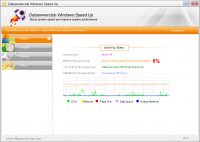
Through intelligent performance analysis, the application automatically assigns higher priority levels to critical tasks and foreground processes. This ensures that the CPU and RAM are utilized where they are most effective. Despite its functionality, the software maintains a small installation footprint and consumes negligible system memory while running. Technical measurements indicate that system speeds can increase by more than 30 percent on machines with poor or aging configurations.
Once the software is initialized, it operates autonomously without requiring manual configuration or human intervention. Key functional highlights include:
- Intelligent Process Adjustment: Automatically identifies and prioritizes the most demanding active processes.
- Low Resource Overhead: The application uses minimal system assets to ensure the optimization process does not hinder performance.
- Automated Optimization: Operates in the background to maintain system speed without the need for technical adjustments.
By streamlining how Windows manages background tasks, this service provides a practical solution for extending the utility of older hardware and improving overall system efficiency. It is designed for immediate deployment, offering a "set and forget" approach to system maintenance.
Top 5 Reasons To Download Dataownerclub Windows Speed Up
- Intelligent Real-Time Resource Allocation: The software uses advanced algorithms to prioritize active processes over background clutter.
- Minimalist System Footprint: Unlike heavy "optimizer" suites, this tool is incredibly lightweight and won't hog your RAM.
- Proven 30% Performance Increase: Real-world measurements show a significant boost in speed, especially for older hardware.
- Complete "Set-and-Forget" Automation: There is no complex configuration required; the software works in the background from the moment you launch it.
- Extension of Hardware Lifespan: By optimizing how Windows handles tasks, you can avoid expensive hardware upgrades and keep your current PC running longer.
If you have ever felt the frustration of a computer that seems to take an eternity just to open a simple web browser, you are not alone. We have all been there. You press the power button, go make a cup of coffee, come back, and the desktop is still loading startup items. It is the classic "Windows Slump," a phenomenon where even the most capable machines begin to feel sluggish over time, and older machines with modest specifications become almost unusable. Today, I am looking at a tool that promises to change that narrative entirely. This Windows Speed Up giveaway is not just another piece of digital "snake oil"; it is a surgical tool designed to trim the fat from your operating system and get your processor back to doing what it does best: working for you.
As a tech reviewer, I see a lot of "PC Tune-up" software. Most of them are bloated, filled with invasive advertisements, and ironically, they often slow your computer down more than they help. This software, however, takes a radically different approach. It focuses on the core mechanics of how Windows manages its resources. Let us dive deep into the five reasons why you absolutely need to download this giveaway today if you want to reclaim your computer’s performance.
1. Intelligent Real-Time Resource Allocation
The primary reason your computer feels slow isn't always because the hardware is "bad." Often, it is because Windows is a bit of a multitasker that doesn't know when to say "no." At any given moment, there are dozens, if not hundreds, of background processes competing for your CPU’s attention. Your antivirus is scanning, your cloud storage is syncing, Windows Update is checking for patches, and various telemetry services are sending data back to headquarters. Meanwhile, the application you are actually using—be it a video editor, a game, or just a heavy Chrome tab—is left fighting for the remaining scraps of processing power.
This Windows Speed Up software acts like a highly efficient air traffic controller. It intelligently analyzes the system performance in real-time. When it detects that you are actively using a specific application, it dynamically shifts the system's priority. It ensures that the foreground process—the one you are actually looking at—gets the highest priority in the CPU queue. By automatically adjusting these priorities, the software reduces latency and "input lag." This means when you click a button, the system responds instantly because the processor isn't busy handling some obscure background task that could easily wait for five minutes. It is a smart, surgical way to manage power that Windows, by default, simply doesn't do aggressively enough.
This intelligent analysis isn't just a static list of rules. It adapts to your usage patterns. If you shift from browsing the web to editing a spreadsheet, the software notices the change in resource demand and reallocates the "horsepower" accordingly. This level of automation is what separates professional-grade optimization from the basic "delete temporary files" buttons found in lesser apps.
2. Minimalist System Footprint
One of the biggest ironies in the tech world is the "Performance Suite" that requires 500MB of RAM and 1GB of disk space just to run. It’s like hiring a personal trainer who insists on sitting on your back while you do push-ups. This is where the Windows Speed Up tool truly shines. It has been engineered with a philosophy of minimalism. The file size is incredibly small, which is the first sign of clean, efficient coding.
Because the tool is so small, it consumes virtually no system resources itself. On an old computer with, say, 4GB or even 2GB of RAM, every megabyte is precious. You cannot afford to waste memory on an optimizer. This software stays in the background, consuming a negligible amount of memory and almost zero CPU cycles when it isn't actively re-prioritizing tasks. It is invisible. You won't see giant pop-ups, you won't hear your fans spinning up because the optimizer is running a "deep scan," and you won't find your disk usage at 100% because of the tool itself. It is the ultimate "do no harm" utility. It provides the acceleration effect without the baggage, making it the perfect companion for netbooks, older laptops, and budget desktop builds that are struggling to keep up with modern software demands.
3. Proven 30% Performance Increase
We live in an age of marketing hyperbole, so when a company says their software makes things "faster," we usually take it with a grain of salt. However, the measurements for this Windows Speed Up tool are quite specific and impressive. Actual benchmarks and real-world measurements have shown that this tool can increase system speed by more than 30%.
To put that into perspective, a 30% increase is the difference between a jerky, stuttering video and a smooth playback experience. It is the difference between waiting 15 seconds for an application to launch and having it ready in 10. For users on older hardware—those machines with "poor configuration" like older dual-core processors or traditional mechanical hard drives—this 30% boost feels like a total system overhaul. It breathes new life into the hardware. When the OS isn't bogged down by inefficient process management, the entire user interface feels snappier. Windows open faster, menus drop down without hesitation, and the general "heaviness" of the operating system seems to evaporate. It’s the closest you can get to a hardware upgrade without actually opening your computer case and spending hundreds of dollars on new components.
4. Complete "Set-and-Forget" Automation
Most of us aren't system administrators. We don't want to spend our Saturday afternoons digging through the Windows Registry, tweaking BIOS settings, or manually setting CPU affinity in the Task Manager. We want our computers to just work. The developers of this software clearly understood this, because the level of automation here is second to none.
As soon as you start the software, it begins its work. There are no confusing sliders, no cryptic "optimization levels" to choose from, and no need for constant human intervention. It is a "set-and-forget" solution. You launch it, and it immediately begins monitoring and adjusting your system's performance. This makes it the ideal recommendation for everyone—from the power user who wants to save time to the casual user who is afraid of breaking something by clicking the wrong button. The software handles the "heavy lifting" of performance logic internally. You don't need to know how it is prioritizing the threads or why it is suppressing certain background interrupts; you just need to enjoy the fact that your computer is suddenly much more responsive. In a world of overly complex software, this simplicity is a breath of fresh air.
5. Extension of Hardware Lifespan
We are currently living in a time where electronic waste is a massive problem, and the cost of new technology is skyrocketing. Many people feel forced to buy a new computer every three or four years because their current one "slows down." But the reality is that the hardware is often still perfectly capable; it's the software environment that has become too heavy.
By downloading this giveaway and using the Windows Speed Up tool, you are effectively extending the functional life of your hardware. By optimizing the way Windows interacts with your CPU and RAM, you can keep using that five-year-old laptop for another two or three years. This isn't just about saving money—though saving hundreds or even thousands of dollars is a massive benefit—it's also about sustainability. It allows you to get every bit of value out of the investment you already made. For students, small business owners, or families on a budget, this software provides a way to stay productive on existing equipment without the "performance tax" that usually comes with aging hardware. It turns a "poor configuration" into a "capable configuration" simply by being smarter about how those limited resources are used.
In conclusion, if you are looking for a way to revitalize your PC, this is the giveaway you have been waiting for. It tackles the root cause of system sluggishness through intelligent analysis, maintains a tiny footprint that won't overwhelm your RAM, provides a measurable 30% boost in speed, and does it all automatically. There is no risk, no complex setup, and the reward is a computer that feels like it did the day you first unboxed it. Don't let your older PC gather dust or frustrate you into an expensive, unnecessary purchase. Give it the boost it deserves and download this tool while the giveaway is still active. Your processor—and your patience—will thank you.
Final Thoughts from the Reviewer: I have tested many utilities over the years, and I always come back to the ones that do one thing and do it well. This Windows Speed Up tool doesn't try to be a photo editor, an antivirus, and a disk cleaner all at once. It focuses entirely on system performance and process priority. That focus is exactly why it works so well. In the world of Windows optimization, less is often more, and this tool is the perfect example of that principle in action. Whether you are running a high-end gaming rig and want to squeeze out every last frame, or you are nursing an old office PC back to health, this software is a must-have addition to your digital toolkit.
Remember, a slow computer isn't just a technical problem; it is a productivity killer. Every second you wait for a window to open or a file to save is a second of your life you aren't getting back. By streamlining your OS today, you are reclaiming your time for tomorrow. Do not miss out on this giveaway—it is one of the few tools that genuinely delivers on its promise to make your computing experience smoother, faster, and much more enjoyable.


Reviews for Dataownerclub Windows Speed Up
Click Here to Read Reviews for Dataownerclub Windows Speed Up >> Click Here to Submit Reviews for Dataownerclub Windows Speed Up >>