What Does Draftler Premium Do?
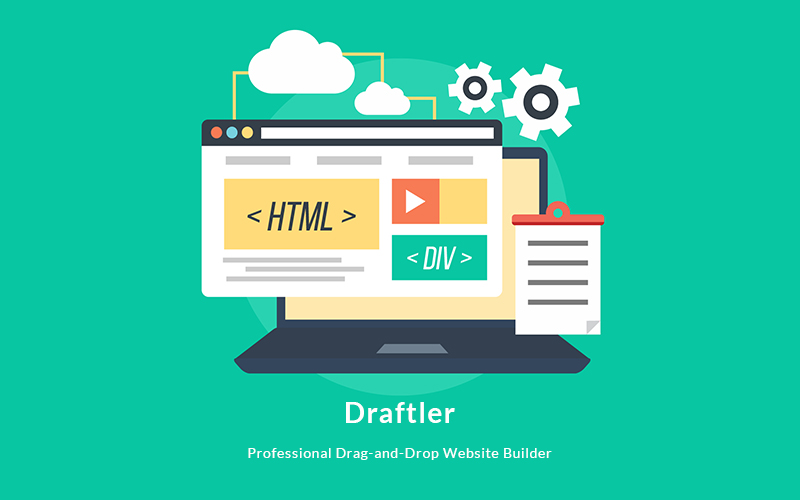
Draftler is a web development tool designed to streamline the creation of responsive, mobile-ready websites through a visual interface. By replacing traditional coding requirements with a drag-and-drop system, the platform allows users to assemble professional-grade pages in a fraction of the time typically required for manual development.
The software functions by utilizing a library of pre-built blocks that can be rearranged and customized to suit specific layout needs. Users can achieve "app-like" responsiveness across various devices without writing a single line of code. While the interface is built for ease of use, the platform also supports the integration of custom HTML, CSS, and Javascript for those who require deeper technical customization.
Key features provided by the service include:
- Full Drag-and-Drop Blocks: A modular system for rapid site assembly.
- Inline Text Editing: Direct manipulation of content within the editor.
- Responsive Design: Automatic optimization for desktop and mobile screens.
- Live Page Editing: Real-time visual updates as changes are applied to the workspace.
The primary utility of Draftler lies in its accessibility for non-developers while maintaining the technical flexibility needed for more complex projects. Whether building a simple landing page or a multi-section site, the tool focuses on efficiency and visual accuracy.
Top 5 Reasons To Download Draftler Premium
- Complete Freedom from Coding: Build professional, elegant websites without writing a single line of HTML or CSS.
- Blazing Fast Deployment: Utilize pre-built blocks to go from a blank canvas to a live page in mere seconds.
- Native Mobile Responsiveness: Every site created is automatically optimized for mobile devices with an "app-like" user experience.
- Seamless Live Page Editing: Experience true real-time design where every change is visible instantly, eliminating the need for constant browser refreshing.
- The Hybrid Advantage: While it is a "no-code" powerhouse, it offers full support for custom HTML, CSS, and Javascript for total creative control.
If you have been following the tech landscape for as long as I have, you know that the barrier to entry for creating a professional online presence used to be incredibly high. Just a decade ago, if you wanted a website that didn't look like a relic from the 1990s, you had two choices: spend months learning the intricacies of syntax and document object models, or spend thousands of dollars hiring a specialized developer. But the era of the "gatekept" web is officially over. Today, we are looking at a tool that represents the pinnacle of the "No-Code" revolution. That tool is Draftler, and quite frankly, if you are not jumping on this giveaway right now, you are leaving the most efficient tool for digital creation on the table.
As a tech reviewer, I have tested dozens of website builders. Some are too simple, offering no room for growth, while others are so bloated with features that you need a degree in computer science just to find the "save" button. Draftler hits that elusive "Goldilocks zone." It is powerful enough to handle modern, app-like web designs, yet intuitive enough that my grandmother could probably launch a landing page for her knitting hobby by lunchtime. Let’s dive deep into why this specific giveaway is the upgrade your digital toolkit desperately needs.
1. Complete Freedom from Coding
The first and most obvious reason to download Draftler is the total liberation it provides from the traditional coding workflow. For many creative professionals, entrepreneurs, and small business owners, code is a foreign language that acts as a wall between their vision and reality. When you are trying to launch a product or share an idea, you don't want to be troubleshooting a missing semicolon in your CSS file at 2:00 AM.
Draftler replaces the keyboard-heavy lifestyle of traditional development with a fluid, visual-first approach. By using a sophisticated drag-and-drop interface, the software handles all the heavy lifting in the background. When you move an image, Draftler calculates the positioning. When you change a font, the software updates the global styles. This isn't just about saving time; it is about cognitive load. When you aren't worried about the "how" of the technical implementation, you can focus entirely on the "what" of your design and content. This leads to better-looking websites because your creativity isn't being stifled by technical limitations.
Furthermore, the "No Coding Knowledge Needed" promise isn't just marketing fluff. Draftler has been engineered to be "human-readable" in its interface. The menus are logical, the controls are tactile, and the results are immediate. This is the ultimate democratizing tool for the internet. It levels the playing field, allowing a solo freelancer to produce work that looks just as polished as a site built by a high-priced agency.
2. Blazing Fast Deployment
In the modern digital economy, speed is the only currency that matters. If you have an idea for a business or a project today, you need to be able to test it today. Waiting three weeks for a developer to send you a mockup is no longer acceptable. This is where Draftler’s system of Full Drag & Drop Pre-Built Blocks becomes a literal life-saver.
Instead of starting with a terrifyingly blank white screen, Draftler provides you with a library of professionally designed components. Think of these as high-end digital LEGO bricks. Do you need a hero section with a call-to-action button? Drag it in. Need a three-column features list? Snap it into place. Want a contact form or a gallery? It’s all right there. Because these blocks are pre-built by professional designers, they already adhere to the principles of good typography, spacing, and visual hierarchy. You are essentially standing on the shoulders of design giants.
The prompt mentions that you can get your website page created in seconds, and while that might sound like hyperbole, in practice, it’s remarkably close to the truth. Once you familiarize yourself with the block library, assembling a high-converting landing page is faster than ordering a coffee. For agencies that need to produce rapid prototypes or for marketers who need to spin up multiple "squeeze pages" for different ad campaigns, the efficiency gain here is astronomical. You aren't just building a website; you are building a workflow that respects your time.
3. Native Mobile Responsiveness
We live in a mobile-first world. More than half of all web traffic worldwide now comes from mobile devices. Google has even shifted its indexing to prioritize the mobile version of a site over the desktop version. If your website looks "wonky" on an iPhone or an Android device, you might as well not have a website at all. Users will bounce within seconds, and your search engine rankings will plummet.
This is where Draftler truly shines as a modern tool. It doesn't just make "responsive" websites; it creates websites that feel app-like and mobile-ready from the ground up. In the old days, making a site responsive meant writing hundreds of lines of "Media Queries" to tell the browser how to behave on different screen sizes. It was a nightmare of trial and error.
With Draftler, responsiveness is baked into the DNA of every block. When you drag a component onto your canvas, it is already programmed to understand how to stack, shrink, and rearrange itself for a smartphone screen. You don't have to worry about text overlapping or images being cut off. The software ensures that the transition from a 27-inch desktop monitor to a 6-inch phone screen is seamless and elegant. In an age where user experience (UX) is the primary driver of conversions, having a site that feels like a native app is a massive competitive advantage. You are giving your visitors a premium experience regardless of how they choose to browse.
4. Seamless Live Page Editing
One of the biggest frustrations with traditional web development (and even some older CMS platforms) is the "Save and Refresh" cycle. You make a change in the back-end, you hit save, you switch tabs, you refresh the browser, and you wait to see if it looks right. If it doesn't, you repeat the process. This "context switching" is a productivity killer and breaks your creative "flow state."
Draftler solves this with Live Page Editing. What you see on your screen while you are building is exactly what your visitors will see when the site goes live. When you change the color of a button, it changes instantly. When you type in a new headline using the Easy Text Editing feature, the characters appear in the exact font and size they will be on the final site. It’s like painting on a canvas where the paint never has to dry.
This real-time feedback loop is essential for fine-tuning the "feel" of a website. It allows you to experiment with different layouts and color schemes on the fly. You can try a bold red background, realize it’s too aggressive, and switch to a soft blue in less than two seconds. This level of agility encourages better design because the "cost" of making a mistake is zero. You are free to play, iterate, and perfect your vision without any technical friction. For any designer, whether amateur or pro, this "What You See Is What You Get" (WYSIWYG) environment is the gold standard of modern software.
5. The Hybrid Advantage
Finally, we have to talk about the "secret sauce" that sets Draftler apart from the "kiddy" builders out there. While it is marketed as a no-code tool—and it excels at that—it also includes features for Custom HTML, CSS, and Javascript. This is what I call the "Hybrid Advantage."
Most drag-and-drop builders are "walled gardens." They give you a set of tools, and if you want to do something that isn't in their specific toolkit, you are out of luck. Draftler is different. It recognizes that as you grow, your needs might become more complex. Perhaps you want to integrate a specific third-party tracking script, a custom animation, or a unique interactive element that requires a bit of Javascript. Draftler doesn't lock you out.
This makes Draftler future-proof. You can start today with zero coding knowledge, using the pre-built blocks to get your business off the ground. But six months from now, if you decide you want to learn a little CSS to add a custom hover effect that no one else has, the platform is ready for you. It grows with you. This feature also makes it a viable tool for professional developers who want to use the drag-and-drop interface to build the "bones" of a site quickly, and then jump into the code to add those bespoke, high-end touches that clients love. It is the best of both worlds: the speed of a builder and the flexibility of a code editor.
The Final Verdict: Why This Giveaway Matters
In the world of tech, we often see tools that promise the world but deliver a cluttered, confusing experience. Draftler is the exception. It is a streamlined, purpose-built engine designed for one thing: getting your ideas onto the web in the most beautiful and efficient way possible. We've talked about the ease of use, the speed of the block system, the perfection of the mobile responsiveness, the magic of live editing, and the hidden power of the custom code injection. But when you wrap all of those features into a single package, what you really have is opportunity.
The internet is the most powerful communication tool in human history, but it only works if you can actually use it. By removing the technical hurdles of coding, Draftler is handing you the keys to the kingdom. Whether you are a student looking to build a digital portfolio, a creator launching a new brand, or a seasoned pro looking for a faster way to build landing pages for clients, this software is a "must-download."
The "app-like" feel that Draftler provides is particularly important in today's market. Modern users have very high expectations. They expect smooth transitions, fast load times, and intuitive layouts. If your site feels "clunky" or "old," you lose credibility instantly. Draftler’s focus on "Elegant Responsive Websites" ensures that your first impression is always a strong one. You aren't just building a page; you are building a brand identity.
Don't let this giveaway pass you by. In my years of reviewing software, I have seen many tools come and go, but the ones that survive are the ones that actually solve a problem for the user. Draftler solves the problem of "digital friction." It takes the complex, messy world of web development and turns it into a clean, visual, and even fun experience. If you have ever felt intimidated by the thought of building a website, or if you are simply tired of how long it takes to code things by hand, this is your sign to make the switch. Download it, dive into the block library, and see how fast you can bring your vision to life. Your future website—and your future visitors—will thank you.
In conclusion, the combination of professional-grade features and "seconds-to-build" speed makes Draftler a powerhouse. It bridges the gap between the professional developer and the creative visionary. In a landscape where your digital presence is your calling card, settle for nothing less than the elegance and ease that this tool provides. Get it now, and start building the web you've always imagined.

Reviews for Draftler Premium
Click Here to Read Reviews for Draftler Premium >> Click Here to Submit Reviews for Draftler Premium >>