What Does PC Startup Master Professional Do?
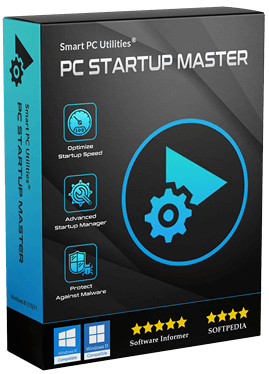
PC Startup Master is a system utility designed to optimize the Windows boot process by managing startup applications, services, and scheduled tasks. The software aims to decrease boot times and improve system security through a centralized interface suitable for both novice and advanced users.
A primary function of the tool is the Delayed Startup feature. Instead of allowing all enabled applications to launch simultaneously, users can set specific conditions or time offsets. This reduces performance overhead by staggering the resource demands placed on the CPU and memory during the initial login phase. Additionally, users can completely disable unnecessary components that run automatically to further streamline the sequence.
For security, the application includes Startup Guard. This module monitors system configurations and notifies users of any changes to startup entries. By detecting unauthorized modifications, the tool helps prevent malware from achieving persistence on the system. Users have the option to undo these changes immediately upon notification.
The software provides a unified dashboard for managing various system locations, including the Windows Registry and startup folders. Advanced options allow users to create, edit, and verify startup applications, services, and scheduled tasks. By consolidating these controls, PC Startup Master offers a comprehensive method for auditing and refining the system’s startup environment and reducing delays.
Top 5 Reasons To Download PC Startup Master Professional
- Drastically Faster Boot Times: Reclaim your time by stripping away the bloat that slows down your Windows launch.
- Intelligent Delayed Startup Sequencing: Reduce hardware strain and performance spikes by staggering when your essential apps open.
- Robust Security with Startup Guard: Proactively monitor and block unauthorized changes to your system’s startup configuration, keeping malware at bay.
- Centralized All-in-One Optimization Hub: Manage registry entries, services, and scheduled tasks from a single, intuitive interface.
- Granular Advanced Control and Verification: Gain professional-level power to create, edit, and verify every single process that dares to run on your PC.
The Need for Speed: Drastically Faster Boot Times
We have all been there. You press the power button on your laptop or desktop, sit down with your coffee, and wait. And wait. And then you wait some more. Even with modern Solid State Drives, Windows has a nasty habit of accumulating "digital cruft." Every time you install a new piece of software, it seems to think it is the most important program on your machine, quietly adding itself to your startup list. Before you know it, your PC is trying to launch twenty different updates, sync three different cloud drives, and open half a dozen communication tools all at the very same second.
This is where PC Startup Master steps in to save your sanity. The primary reason you need to jump on this giveaway is the sheer speed improvement you will experience. This software acts like a high-performance filter for your operating system. It allows you to peer under the hood and identify exactly what is dragging your boot time into the gutter. By disabling unnecessary components—be they startup programs, background Windows services, or hidden scheduled tasks—you effectively clear the runway for Windows to take off. The result isn't just a few seconds saved; it is a fundamental shift in how you interact with your computer. Instead of a sluggish, stuttering start, you get a machine that is ready to work the moment you reach your desktop.
What makes this particularly impressive is the accessibility of the interface. Often, system optimization tools are built by engineers, for engineers, leaving the average user staring at a wall of intimidating code and cryptic labels. PC Startup Master balances power with simplicity. Whether you are a novice who just wants a faster PC or an experienced power user looking to shave milliseconds off your boot time, the UI provides the clarity you need to make informed decisions without the fear of "breaking" your system.
In the world of tech, speed is the ultimate currency. Every minute spent waiting for a loading bar is a minute of lost productivity or interrupted relaxation. By utilizing the startup management tools in this giveaway, you are essentially giving your hardware a fresh lease on life. It is the closest thing to that "new computer smell" you can get without actually spending hundreds of dollars on a hardware upgrade.
Intelligent Delayed Startup Sequencing
Sometimes, you actually need a program to start automatically, but you do not need it to start right now. This is one of the most common pitfalls of Windows management. Most users think the choice is binary: either a program starts with Windows, or it does not. However, PC Startup Master introduces a brilliant middle ground with its Delayed Startup feature. This is a game-changer for anyone who uses heavy applications like Creative Cloud, gaming launchers, or complex development environments.
When you boot your PC, there is a massive initial surge in CPU and RAM usage. When ten different apps try to initialize their services simultaneously, they end up fighting over system resources. This "bottleneck" effect actually makes every single app take longer to load than it would if they were started one by one. PC Startup Master allows you to create a prioritized queue. You can tell your PC to load the core essentials immediately, wait thirty seconds for your communication tools, and then wait five minutes for those heavy background update checkers. This staggering of the workload ensures that your system remains responsive even while it is still "waking up."
This feature also allows for conditional starts. Imagine a scenario where you only want an app to start if your system resources are at a certain level. This level of intelligence prevents your PC from choking on its own processes. For a tech reviewer, this is the "secret sauce" of system optimization. It is not just about turning things off; it is about smart management. Using this delayed startup functionality feels like having a personal valet for your software, making sure everything is ready for you exactly when you need it, rather than all at once in a chaotic rush.
Furthermore, this reduces the "initial lag" we often feel after logging into Windows. You know that period where you can see your desktop icons, but if you try to click the Start menu, nothing happens for ten seconds? That is caused by the CPU being pegged at 100% by startup apps. By delaying the less critical programs, you eliminate that lag entirely. You get a functional, clickable desktop the moment you log in.
Robust Security with Startup Guard
While speed is the headline, security is the backbone of why you should download this giveaway. One of the most common tactics used by malware, spyware, and adware is "persistence." Once a malicious file gets onto your system, its first goal is to make sure it stays there, even if you reboot. It does this by writing itself into your startup folders or the Windows Registry. If you aren't looking for it, you will never know it is there, quietly running in the background every single time you turn on your PC.
PC Startup Master includes a specialized feature called Startup Guard, and it is worth the download for this alone. Startup Guard acts as a vigilant sentry for your boot sequence. It monitors the system startup configurations in real-time. If an installer, a website script, or a piece of malicious software tries to add itself to your startup list, Startup Guard flags it. It notifies you immediately that a change has been detected, putting the power back in your hands. You can choose to allow the change if it is a program you just installed, or you can instantly undo the change if it looks suspicious.
This proactive approach to security is far more effective than just running a scan after the fact. By preventing unauthorized programs from achieving persistence, you are cutting off the lifeblood of most modern cyber threats. It is an extra layer of defense that sits right at the most vulnerable point of your operating system. For anyone concerned about privacy and data integrity, having an automated system that watches the "gates" of your PC is an absolute necessity.
Moreover, Startup Guard is excellent for catching "bloatware" and "PUPs" (Potentially Unwanted Programs). We’ve all downloaded a free utility only to find that it bundled three other "offers" that now run in the background. Startup Guard catches these stowaways before they can dig their heels in. It keeps your system clean, lean, and most importantly, secure.
Centralized All-in-One Optimization Hub
One of the biggest frustrations with managing a Windows PC is that the information you need is scattered across a dozen different menus. To see startup apps, you go to Task Manager. To see services, you have to dig into the Management Console. To see scheduled tasks, you need the Task Scheduler. And if you want to look at the Registry, you have to risk your system’s stability by manually browsing the Registry Editor. It is a disjointed, confusing mess that discourages most users from even trying to optimize their machines.
PC Startup Master solves this by providing an "All-in-One" hub. It pulls data from every corner of the Windows ecosystem and presents it in a single, unified view. This includes the Windows Registry, system startup folders, system services, and scheduled tasks. Having this holistic view is eye-opening. You might find that a program you "disabled" in Task Manager is actually still running because it has a hidden service or a scheduled task that triggers it anyway. PC Startup Master reveals these hidden links, giving you the total control that Windows' built-in tools simply do not provide.
This centralized approach is particularly useful for troubleshooting. If your computer is acting up or behaving strangely, you don't have to hunt through five different menus to find the culprit. You open one app, look at the list, and see everything that is running. The ability to manage services and tasks alongside standard apps is a professional-grade feature that is usually reserved for expensive enterprise software. Getting this functionality in a streamlined package through this giveaway is a massive win for any user.
The "All-in-One" philosophy also means you spend less time clicking and more time optimizing. You can jump from disabling a useless startup app to stopping a redundant background service in seconds. It streamlines the entire maintenance process, making it something you can do in two minutes once a month rather than a dreaded afternoon-long chore. It’s about efficiency, both for your PC and for your time.
Granular Advanced Control and Verification
For the tech enthusiasts and the "tinkerers" out there, PC Startup Master offers a level of granular control that is genuinely impressive. It isn't just a simple "on/off" switch for your apps. The software provides a complete set of tools to create, edit, delete, and—most importantly—verify startup applications. This "verify" feature is a hidden gem. It checks the file paths of your startup entries to ensure they are still valid. Over time, as you uninstall software, your registry often gets littered with "orphan" entries—links to files that no longer exist. These can cause errors and slow down the boot process as Windows tries to find files that aren't there. PC Startup Master cleans these up with ease.
The ability to edit startup entries is also vital. Perhaps you want a program to start, but you want it to start with a specific command-line argument (like starting minimized or in a specific mode). Normally, you would have to be a registry wizard to make that happen. With PC Startup Master, it is as simple as clicking a button and typing your changes into a clear dialogue box. You can even create your own startup entries, giving you total command over your workflow. If you want a specific script to run every time you turn on your PC, you can set it up here in seconds.
This advanced toolset turns you from a passive user into a system administrator. You aren't just at the mercy of whatever your software decides to do; you are the one calling the shots. Control is the key word here. In an era where operating systems are becoming more "locked down" and automated, having a tool that gives you back the keys to your own machine is incredibly refreshing. It empowers you to build the exact computing environment you want.
Ultimately, PC Startup Master is more than just a utility; it is a comprehensive maintenance suite. It tackles speed, sequencing, security, organization, and deep-level customization. When you combine all five of these reasons, the conclusion is clear: this giveaway is an essential download for anyone who uses a Windows PC. Whether you are struggling with a ten-year-old desktop or you just unboxed a brand-new gaming rig, this software will make your experience faster, safer, and much more organized. Don't let your PC dictate how you spend your time; take control and see just how fast your computer can really be.
Final Verdict: If you value your time and your system’s health, this is a "must-have" addition to your digital toolkit. The combination of the Startup Guard's security and the precision of the Delayed Startup feature makes it a standout choice in a crowded market of optimization tools. Grab it while it's available as a giveaway—your PC will thank you.

Reviews for PC Startup Master Professional
Click Here to Read Reviews for PC Startup Master Professional >> Click Here to Submit Reviews for PC Startup Master Professional >>