What Does Text-R OCR Software Professional Edition Do?
Text-R is an optical character recognition (OCR) software package for Windows designed to convert non-editable image files and scanned PDFs into searchable, manipulatable documents. The tool specifically addresses the technical limitations of static digital files where text cannot be selected, copied, or modified, providing an automated alternative to manual transcription.
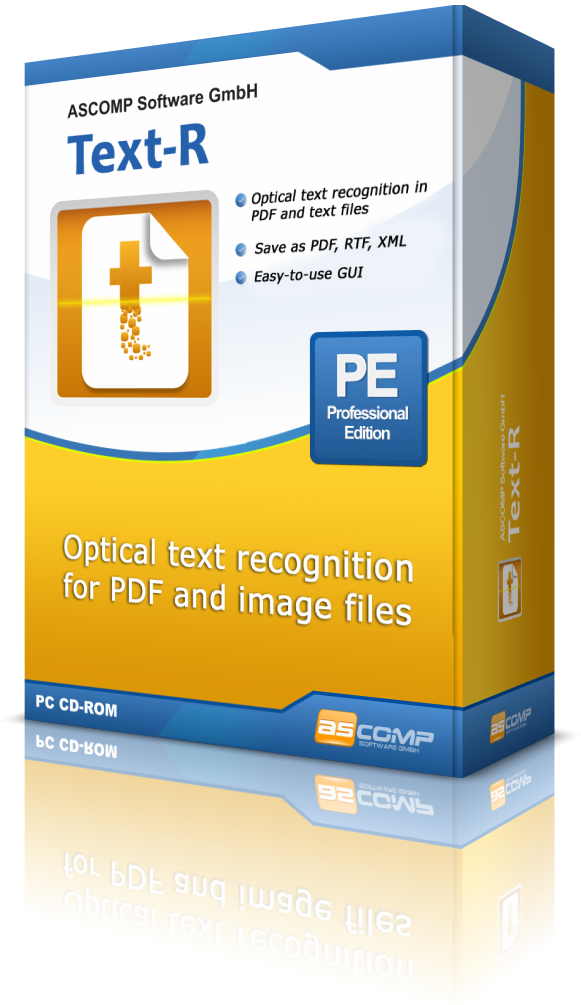
The application processes source files and generates editable outputs in either PDF or RTF formats. A core feature of the software is its ability to maintain the structural formatting of the original document, which minimizes the necessity for post-processing or layout adjustments in external word processors. Key capabilities include:
- Automated Text Detection: Recognition of characters within flattened image layers.
- Layout Preservation: Retention of original document styling and positioning.
- Error Correction: Use of built-in dictionaries and professional OCR filters to ensure character accuracy.
- Orientation Support: Automated detection and correction of skewed or rotated documents.
The interface is streamlined for accessibility, allowing non-technical users to perform conversions without extensive configuration. By utilizing professional-grade filtering, Text-R identifies text even in imperfect scans, outputting files that are immediately ready for use in office environments. This utility effectively bridges the gap between physical paper archives and digital editing workflows.
Top 5 Reasons To Download Text-R OCR Software Professional Edition
- Elimination of Manual Data Entry: Say goodbye to the soul-crushing task of retyping text from scanned documents and images.
- High-Precision Accuracy: Professional-grade OCR filters and integrated dictionaries ensure that your text recognition is nearly flawless.
- Preservation of Original Formatting: Keep your layout, fonts, and structures intact when converting to editable formats.
- User-Friendly Interface for Everyone: Designed specifically so that even a total beginner can achieve professional results in seconds.
- Advanced Image Correction: Automatically handles skewed, rotated, or poorly scanned documents that other software would fail to read.
If you have ever found yourself staring at a scanned PDF, desperately needing to copy a single paragraph but realizing the file is essentially just a giant photograph, you know the specific brand of frustration I am talking about. We live in a digital age, yet we are still constantly tethered to the "analog" nature of non-editable digital media. Whether it is a contract sent as a JPEG, an old manual scanned into a PDF, or a research paper that was digitized decades ago, the inability to interact with that text is a massive roadblock to productivity. This is where Text-R steps in, and quite frankly, it is the tool you didn't know you needed until the moment it saves your entire afternoon.
As a tech reviewer, I see hundreds of utilities that promise to "optimize your workflow," but few actually deliver on a fundamental level like a high-quality Optical Character Recognition (OCR) tool. Text-R is designed for Windows users who need a no-nonsense, highly effective way to turn static images into living, breathing documents. Let’s dive deep into why this specific giveaway is something you should jump on immediately.
1. The End of the "Manual Typing" Era
The primary reason anyone looks for an OCR solution is to save time. We have all been there: you receive a document, and you need the text inside it to update a report or create a presentation. If the document is locked or scanned, your only traditional option is to pull up a blank Word document on one side of your screen and the image on the other, then start typing. Not only is this tedious, but it is also prone to human error. One typo in a legal contract or a financial spreadsheet can have disastrous consequences.
Text-R acts as your digital secretary. It looks at the pixels on your screen and translates them into actual characters in a matter of seconds. The sheer volume of work you can accomplish when you stop typing and start converting is staggering. Imagine taking a fifty-page scanned handbook and having the entire thing converted into an editable Word document while you go grab a cup of coffee. That is the level of efficiency we are talking about here. By downloading this giveaway, you are essentially buying yourself hours of free time that would otherwise be spent in the drudgery of data entry.
2. Professional Accuracy Through Dictionaries and Filters
The biggest problem with free or low-quality OCR software is the "garbage in, garbage out" factor. If the scan is a little blurry or the font is slightly unusual, many programs will return a mess of special characters, symbols, and gibberish. You end up spending more time fixing the OCR errors than you would have spent just typing the document yourself. This is where Text-R separates itself from the pack.
The developers have packed this software with professional OCR filters. These filters work behind the scenes to clean up the "noise" in an image before the recognition process even begins. Furthermore, the inclusion of built-in dictionaries is a game-changer. The software doesn't just look at a shape and guess it’s an "e"; it cross-references the words it finds against a dictionary to ensure they make sense in context. This "contextual awareness" significantly boosts the accuracy rate, even when dealing with complex terminology. When you use Text-R, you aren't just getting a raw conversion; you are getting a refined, high-fidelity digital reproduction of your source material.
3. Formatting That Actually Stays Put
One of the most overlooked aspects of document conversion is the layout. It is one thing to get the text out of an image, but it is another thing entirely to keep the bold headings, the bulleted lists, and the specific alignment of the original document. Most basic OCR tools will simply dump all the recognized text into a single, unformatted "wall of text." This leaves the user with the massive task of re-formatting the entire document from scratch.
Text-R is engineered to be format-aware. When you save your results into a new editable PDF or an RTF (Rich Text Format) document for use in Microsoft Word, the software makes a concerted effort to keep the formatting as close to the original as possible. This means your headers stay as headers, your paragraphs remain separated, and the overall visual flow of the document is preserved. For business professionals who need to edit a contract or an invoice while maintaining the professional look of the original, this feature alone makes the software indispensable. In most cases, you can go from scan to final edit with zero post-processing required.
4. The "Layman" Factor: Simplicity by Design
In the world of tech, there is often a correlation between power and complexity. Usually, if a tool is powerful, it has a steep learning curve and a cluttered interface full of buttons you don't understand. Text-R breaks this trend by focusing on the "layman." The developers understood that the average person doesn't want to become an expert in image processing; they just want their text.
The interface is clean, intuitive, and remarkably straightforward. You open your file, you run the recognition, and you save your output. There is no need to navigate through endless sub-menus or tweak obscure settings to get a good result. This "plug-and-play" approach to OCR is refreshing. It makes the software accessible to everyone, from students who need to digitize library notes to seniors who want to save old family recipes that were previously only available on faded paper. When a tool is this easy to use, you find yourself using it more often, further increasing your overall productivity.
5. Handling the "Real World" Scans
Let’s be honest: not every scan is perfect. In a perfect world, every document would be placed perfectly straight on a high-end flatbed scanner. In the real world, we are often dealing with crooked scans, pages that were rotated 90 degrees by accident, or photos taken with a smartphone where the paper is slightly skewed. Most OCR engines choke on these "imperfect" files because they expect the text to be perfectly horizontal.
Text-R features advanced detection logic that can handle skewed texts and rotated documents. The software is smart enough to recognize the orientation of the text and "straighten" it digitally before performing the recognition. This is a massive lifesaver for anyone who works with high volumes of scanned mail or archived documents. You don't have to worry about re-scanning a document just because it was a few degrees off-center; Text-R compensates for those human errors automatically. This level of robustness ensures that the software is useful in real-world scenarios, not just in laboratory conditions.
Why You Should Act Now
The digital landscape is changing, and the ability to bridge the gap between static images and editable data is a superpower. Whether you are a student, a legal professional, a researcher, or just someone trying to organize their digital life, Text-R provides a level of utility that is hard to overstate. It’s about more than just "reading text"; it's about data liberation. It’s about taking information that is locked inside a picture and making it useful, searchable, and editable.
Think about the last time you had to manually type something. Think about the frustration of not being able to "Ctrl+F" to find a keyword in a scanned PDF manual. These are tiny frictions that add up over time, creating a "productivity debt" that we all pay. Text-R is the solution to that debt. It is a specialized, high-performance tool that does one thing—OCR—and it does it exceptionally well.
The professional filters ensure you aren't spending your time fixing "typos" made by the computer. The formatting preservation ensures your documents look professional without extra work. The skewed text detection ensures that even your worst scans are still usable. And the simple interface ensures that you don't need a degree in computer science to get the job done. This is the definition of a "must-have" utility for your Windows toolbox.
In conclusion, this giveaway represents a fantastic opportunity to upgrade your digital workflow. OCR technology has come a long way, and Text-R represents the modern peak of that evolution—balancing power, accuracy, and ease of use in a way that few other programs manage. Don't wait until you are faced with a 100-page non-editable document and a looming deadline. Download Text-R now, get it set up, and be ready for the next time the "analog world" tries to slow you down. You will thank yourself the very first time you click "Convert" and see your text appear, perfectly formatted and ready to edit, in a matter of seconds. This is a quintessential example of technology working for you, making your life easier and your work better.
Final Verdict: If you use a Windows PC and you ever deal with PDFs or images, this is a non-negotiable download. It is fast, accurate, and incredibly simple. Don't miss out on the chance to add this professional-grade tool to your arsenal.

Reviews for Text-R OCR Software Professional Edition
Click Here to Read Reviews for Text-R OCR Software Professional Edition >> Click Here to Submit Reviews for Text-R OCR Software Professional Edition >>