Original price was: $69.95.Current price is: $0.00. (100% off)
Sale has ended!
Get More Giveaways And Discounts Discuss This Offer >> Submit A Review >>

Overview

Top 5 Reasons To Download ThesesAssistDrawer

Before we dive deep into the transformative power of ThesesAssistDrawer (TAD), let's cut straight to the chase. Here are the top 5 reasons why you absolutely need to download this incredible giveaway right now, especially if you're an academic, a researcher, a student, or anyone who regularly wrangles complex documents in Microsoft Word or Kingsoft WPS:

  1. Unrivaled Automation for Perfect Layouts: Say goodbye to formatting headaches and hello to instant, professional document structures.
  2. Effortless Referencing and Citation Management: Master the art of citations, captions, and cross-references with unparalleled ease and accuracy.
  3. Precision Control Over Figures and Tables: Present your visual data flawlessly and consistently, without the usual Word wrestling match.
  4. Advanced Navigation and Document Control: Transform how you interact with and manage large, intricate documents, boosting your efficiency.
  5. Broad Compatibility and Seamless Integration: TAD works with your existing setup, ensuring wide accessibility and a smooth experience.

Alright, let's talk shop. In the often-stressful world of academia, research, and professional documentation, there's one universal truth: Microsoft Word (and its counterparts like WPS) can be both your greatest ally and your most frustrating adversary. We've all been there – staring at a meticulously crafted thesis, a groundbreaking scientific article, or a critical paper, only to have its pristine content marred by layout inconsistencies, broken cross-references, or stubbornly misaligned figures. Hours bleed into days as you battle page breaks, reformat captions, and manually adjust images, pulling precious time away from your actual research and writing.

But what if there was a secret weapon? An invisible assistant that integrated seamlessly into your workflow, taking on the most tedious, error-prone, and time-consuming formatting tasks with a single click? Enter ThesesAssistDrawer (TAD). This isn't just another add-in; it's a productivity powerhouse, a frustration-killer, and frankly, a game-changer for anyone serious about producing high-quality academic or technical documents. And right now, it’s being offered as a giveaway, making it an absolute no-brainer for your toolkit.

As a tech reviewer who lives and breathes efficiency, I’m constantly on the lookout for tools that genuinely elevate the user experience. TAD doesn’t just meet expectations; it shatters them. It transforms the daunting task of document layout and management into a streamlined, almost enjoyable process. Forget the horror stories of late-night formatting marathons; TAD is here to ensure your focus remains on your content, not the software.

Let's unpack why this giveaway isn't just a good deal, but an essential download for your professional arsenal.

Unrivaled Automation for Perfect Layouts

Have you ever spent an entire afternoon wrestling with Word's obscure layout settings, trying to achieve that perfect margin, that specific heading style, or seamlessly insert a landscape page without throwing off your entire document's numbering? If you have, you know the soul-crushing despair that accompanies the realization that one small change can cascade into hours of re-adjustment. This, my friends, is where TAD shines brighter than a freshly formatted bibliography.

TAD features a "one click to do" philosophy that truly delivers. Imagine needing to create a new paper, thesis, or science article. Instead of starting from a blank page and painstakingly configuring every single aspect – from page size and margins to header/footer styles and section breaks – TAD offers a feature for creating a thesis template. This isn't just a generic template; it's a pre-configured, academically-compliant foundation that instantly sets up your document with all the necessary structural elements. Think about the time saved, the consistency ensured, and the immediate professional sheen it gives to your work from the very first word. This alone is worth the download. You're not just getting a template; you're getting an instantly compliant, error-free starting point that typically takes experienced users hours to perfect.

But TAD goes further than just the initial setup. Consider the common academic challenge of integrating wide figures or tables that demand a landscape orientation within a portrait document. In native Word, this involves a series of delicate dance moves with section breaks, page setup options, and header/footer linking, often resulting in accidental numbering resets or misplaced elements. With TAD, you get a feature for inserting a landscape page with a single click. No fuss, no muss, no battling Word's hidden formatting dragons. It correctly handles the section breaks, ensures continuous page numbering, and respects your document's overall flow. This seemingly simple feature is a monumental time-saver and a huge stress reliever, allowing you to focus on the content of your visual, not the logistics of its placement.

The layout perfection extends to how you present your visual data. Academics frequently deal with multiple figures, sometimes in a grid, sometimes stacked, each requiring a separate caption, or perhaps a group of figures sharing a single overarching caption. Manually arranging these, ensuring consistent spacing, alignment, and correct captioning, is a notoriously finicky process. TAD addresses this directly with its ability for layouting multiple figures with separate captions or with a shared caption. This isn't just about throwing images onto a page; it’s about intelligent arrangement. TAD helps you automatically organize your visual content in a clean, professional, and consistent manner, saving you the headache of pixel-by-pixel adjustments. It understands the nuances of academic presentation, ensuring your figures don't just exist but are *presented* impeccably.

And for those moments when you realize your figures aren't quite uniform in size, or you need to standardize them for aesthetic or submission reasons, TAD offers the invaluable ability for adjusting multiple figures to the recorded height, width, or size. Imagine selecting a reference figure, "recording" its dimensions, and then applying those exact dimensions to dozens of other figures throughout your document with a single click. This feature alone can elevate the professional appearance of your work, ensuring visual harmony and compliance with journal or university guidelines that often demand uniformity. No more guessing, no more manual resizing; just perfect, consistent figures every time. TAD automates the often-overlooked details that make a significant difference in the perceived quality of your work, freeing you to pour your energy into the intellectual heavy lifting.

Effortless Referencing and Citation Management

If there’s one aspect of academic writing that strikes fear into the hearts of students and seasoned researchers alike, it’s the labyrinthine world of referencing, citation, and cross-referencing. The manual agony of keeping track of figure numbers, table numbers, equation numbers, headings, and bibliography entries can be a nightmare. A single deletion or addition can throw off your entire numbering scheme, leading to endless "Error! Reference source not found" messages and last-minute panic. TAD acts as your personal citation concierge, ensuring accuracy and consistency without breaking a sweat.

Let's start with the basics: captions. Every figure, table, or equation in an academic paper needs a clear, correctly numbered caption. TAD simplifies this with its feature for inserting captions for figures, tables or equations. This isn't just about adding text; it's about automatically generating sequential numbering that dynamically updates as you add, delete, or rearrange your visuals. This means no more manually renumbering Figure 3 through Figure 27 because you inserted a new Figure 4. TAD handles the heavy lifting, ensuring your captions are always accurate and consistently formatted, saving you countless hours of tedious manual correction.

But what good are captions if you can't easily refer to them within your text? This is where cross-referencing comes in, and it's notoriously tricky to manage manually. TAD offers a robust solution for inserting cross-references for caption number, heading number, reference number, etc. This is a monumental feature for academic integrity and reader navigability. Instead of typing "see Figure 3.1," which becomes incorrect the moment Figure 3.1 moves or is renumbered, TAD inserts dynamic links. If your figure moves to a new position or its number changes, the cross-reference in your text automatically updates. The same applies to referring to specific headings, bibliography entries, or even footnotes. This eliminates a massive source of errors in long documents, ensuring that your readers are always directed to the correct content and your paper maintains its internal consistency even through multiple revisions.

Beyond individual elements, TAD tackles the bibliography itself – the Everest of academic papers. The process of compiling, editing, and sorting references can be incredibly time-consuming, especially when dealing with different citation styles or numerous sources. TAD provides powerful tools for editing references and sorting references. While TAD might not replace a full-fledged citation manager for large-scale research projects, for quick editing and ensuring the final consistency and order of your bibliography, these features are invaluable. They allow you to quickly adjust entries, correct errors, and ensure your bibliography adheres to the required alphabetical or numerical order, saving you from the meticulous manual rearrangement that often precedes submission. This means less time formatting your reference list and more time double-checking your arguments.

Finally, for those supplementary comments or elaborations, TAD ensures consistency and ease with its feature for inserting a footnote. While Word has a native footnote function, integrating it seamlessly into an add-in that also manages all other referencing elements reinforces TAD's holistic approach. It’s about providing a unified, intuitive interface for all aspects of academic textual and reference formatting, ensuring that every element, from the largest figure to the smallest footnote, is perfectly placed and correctly linked. This comprehensive approach transforms citation management from a dreaded chore into a smooth, integrated part of your writing process, letting you focus on the substance of your scholarly contributions.

Precision Control Over Figures and Tables

Visual aids are critical components of scientific articles, theses, and research papers. They convey complex information efficiently, illustrate findings, and enhance reader comprehension. However, getting figures and tables to look *just right* in Word is often akin to herding cats. They jump around, refuse to align, and resizing them uniformly can feel like an impossible puzzle. TAD offers an arsenal of tools specifically designed to give you unparalleled command over your visual content, ensuring they complement your text perfectly.

We touched upon layouting multiple figures with separate captions or with a shared caption under layout automation, but its true power shines in the context of visual precision. It's not just about getting them on the page; it's about making them look professional. TAD helps you achieve consistent spacing between figures, uniform margins, and proper alignment within the document's flow. This removes the guesswork and the frantic dragging and dropping, replacing it with a structured, intelligent approach to visual presentation. Your readers won't be distracted by oddly placed or misaligned graphics; instead, they'll appreciate the clear, organized presentation of your data.

Furthermore, maintaining visual consistency across your document is paramount for a professional look. Imagine you have twenty figures, all varying slightly in size because they were imported from different sources or resized manually at different times. TAD's capability for adjusting multiple figures to the recorded height, width, or size is a lifesaver here. You can select an ideal figure, record its dimensions, and then apply those exact measurements to any other figure, or even all figures, in your document. This is revolutionary. No more tedious manual resizing, no more eyeball comparisons. Your figures will achieve a uniform, polished appearance that speaks volumes about your attention to detail and professionalism. This kind of automation is not just convenient; it's a fundamental improvement in document quality control.

Beyond individual adjustments, imagine needing to apply a specific formatting change to *all* your figures – perhaps adding a border, changing text wrap, or moving them all slightly to the left. In standard Word, this means clicking each figure individually, which is prohibitively time-consuming in a long document. TAD eliminates this frustration with its incredibly useful feature: selecting all figures in the document. With one click, every single figure is selected, allowing you to perform bulk operations efficiently. This is a huge productivity booster, enabling quick global changes that would otherwise be impractical, ensuring your visual elements are uniformly formatted and presented.

Tables, like figures, are crucial for presenting structured data. Academics often use specific table formats, such as the three-line table common in scientific journals (no vertical lines, only specific horizontal lines). Manually recreating these perfectly every time can be cumbersome. TAD simplifies this with its option for inserting a predefined three-line table. This not only saves time but also ensures consistency with common academic stylistic requirements. It’s a small detail, but these small, thoughtful features accumulate to create a truly seamless and efficient writing environment. And just like with figures, TAD understands the need for bulk management. Its feature for selecting all tables in the document provides the same invaluable capability for global adjustments, ensuring all your tabular data maintains a consistent, professional appearance across your entire document. TAD gives you the power to present your data flawlessly, turning your visual aids into true assets rather than formatting liabilities.

Advanced Navigation and Document Control

As academic and professional documents grow in size and complexity, navigating them efficiently becomes a significant challenge. You're constantly jumping between sections, revisiting figures, checking references, and making edits across hundreds of pages. Word's native navigation tools are functional but often fall short for truly large-scale projects. TAD steps in to provide a suite of advanced navigation and control features that transform how you interact with your magnum opus, saving you invaluable time and preventing you from losing your train of thought.

One of the most insidious time-wasters in long documents is simply losing your place or struggling to return to a specific point you were editing or researching. TAD introduces a brilliant solution: recording the document location. Imagine you're deep in the references section, cross-referencing a source, but you also need to remember to rephrase a paragraph in Chapter 2, and double-check a figure in Chapter 4. Instead of relying on mental notes or rudimentary bookmarks, TAD allows you to "record" these specific locations. This means you can jump to location A, make your edit, then instantly jump back to location B, and later recall location C. It's like having multiple intelligent cursors throughout your document, allowing you to fluidly move between critical sections without losing your context. This feature alone is a powerful antidote to context-switching fatigue, enabling a more focused and efficient editing process.

Building on this idea, TAD significantly enhances Word's native bookmarking system with enhanced bookmark management. While Word allows you to insert bookmarks, TAD likely elevates this by providing a more intuitive interface for viewing, organizing, and jumping to your bookmarks. This could involve visual cues, categorized lists, or quick access panels that make managing dozens (or hundreds) of bookmarks in a thesis a breeze. Think about marking sections for review, noting areas for expansion, or highlighting key data points. Enhanced bookmark management means you spend less time searching for where you left off and more time engaged with the content itself. It turns a rudimentary tool into a powerful organizational asset, giving you granular control over your document's key points.

Finally, for the true power users who need to perform highly specific operations or find intricate patterns within their text, TAD offers an enhanced wildcard search. Word's standard find-and-replace is useful, but its wildcard capabilities can be limited and challenging to master. TAD's enhanced version promises a more robust and user-friendly experience for performing advanced pattern matching. This isn't just about finding a word; it's about finding specific formatting errors (e.g., two spaces after a period), identifying specific types of content (e.g., all numbers within parentheses), or performing complex text manipulations that would otherwise require manual inspection or regular expressions in external tools. For editors, proofreaders, and meticulous writers, this feature is a golden ticket to ensuring the highest level of textual consistency and accuracy across enormous documents. It’s like having a super-powered magnifying glass and a surgical tool for your entire document, giving you the precision to clean up even the most obscure textual anomalies.

Broad Compatibility and Seamless Integration

In the world of software, an application's power is often limited by its compatibility. What good is a fantastic tool if it only works with the latest, most expensive version of software, or ties you into a specific ecosystem? One of TAD's most compelling advantages, and a significant reason why this giveaway is so universally valuable, is its broad compatibility and seamless integration into widely used office suites. This ensures that a vast audience can immediately benefit from its features without needing to upgrade their existing software or jump through hoops to make it work.

TAD explicitly states its compatibility: "The program is compatible with 2007 or newer version of Microsoft Word, and with 2016 or newer version of Kingsoft WPS." Let's break down why this is such a huge win. First, supporting Microsoft Word 2007 and newer versions means that an incredibly wide range of users can leverage TAD's capabilities. Word 2007, while older, is still in use by many institutions and individuals, particularly those who might not have access to the very latest software versions. This commitment to backward compatibility demonstrates a user-centric design philosophy, ensuring that the benefits of TAD are accessible to a broad spectrum of the academic and professional community, regardless of their software vintage. You don't need the bleeding edge to achieve cutting-edge document quality.

Secondly, the inclusion of Kingsoft WPS (2016 or newer) is a significant differentiator. WPS Office has gained considerable traction globally, particularly as a free or more affordable alternative to Microsoft Office, and is popular in specific regions. By ensuring compatibility with WPS, TAD significantly expands its reach, serving users who might prefer or be required to use WPS for their work. This multi-platform support (within the Windows environment for these office suites) means you're not locked into a single vendor's ecosystem. Whether your institution uses Word, or you personally prefer WPS, TAD integrates smoothly, providing the same powerful features without a steep learning curve for adapting to a new environment.

The term "add-in" is key here. TAD isn't a standalone program that forces you to export and import documents; it integrates directly into your existing Word or WPS interface. This means it feels like a natural extension of your chosen word processor, accessible from within the ribbon or menus you're already familiar with. The learning curve for using TAD is minimal because it enhances the tools you already use daily. This seamless integration ensures a smooth workflow, preventing the disruption that often comes with introducing new software into an established routine. You install it, and it's simply *there*, ready to assist you in your document creation and formatting tasks.

This broad compatibility and seamless integration translate directly into greater accessibility and a lower barrier to entry for users. You don't need to worry about system requirements beyond having a supported version of Word or WPS. This means less IT hassle, more immediate utility, and the peace of mind that comes from knowing this powerful tool will work with your current setup. For a giveaway, this level of thoughtful design and broad support is simply outstanding, making TAD an indispensable addition to virtually any academic or professional's software toolkit.

There you have it – five compelling reasons why ThesesAssistDrawer isn't just a useful tool, but a truly transformative one for anyone involved in academic writing, research, or complex document creation. From eliminating the soul-crushing drudgery of manual formatting and citation management to providing granular control over your visual content and enhancing document navigation, TAD is engineered to empower you. Its broad compatibility ensures that its power is within reach for a vast number of users, regardless of their specific Word or WPS version.

Stop battling your word processor. Stop wasting precious hours on tedious formatting. It's time to reclaim your focus, boost your productivity, and elevate the quality of your academic output. Given that this is a giveaway, there's absolutely no reason not to seize this opportunity. Download ThesesAssistDrawer today and experience the future of academic document creation. Your future self (and your sanity) will thank you.

Official Description

ThesesAssistDrawer, is a powerful MS Word addin that can help you configure the layout of papers, theses or science articles. This program is compatible with 2007 or newer version of Microsoft Word, and with 2016 or newer version of Kingsoft WPS.

ThesesAssistDrawer, shorted as TAD, is a powerful MS Word addin that can help you configure the layout of papers, theses or science articles.

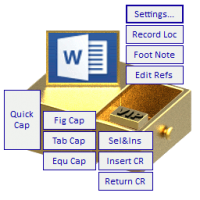
TAD features one click to do the following:

Creating a thesis template;
Inserting captions for figures, tables or equations;
Inserting cross-references for caption number, heading number, reference number, etc.;
Editing references;
Sorting references;
Inserting a footnote;
Recording the document location;
Inserting a landscape page;
Layouting multiple figures with separate captions or with a shared caption;
Adjusting multiple figures to the recorded height, width, or size;
Selecting all figures in the document;
Inserting a predefined three-line table;
Selecting all tables in the document;
Enhanced bookmark management;
Enhanced wildcard search.

The program is compatible with 2007 or newer version of Microsoft Word, and with 2016 or newer version of Kingsoft WPS.