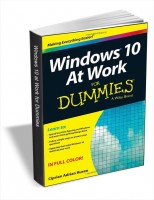
What Does Windows 10 at Work for Dummies Do?
This giveaway provides a digital guide designed to streamline the transition to Windows 10 within a professional environment. The manual focuses on reducing the learning curve associated with the operating system by breaking down common administrative and navigational tasks into modular, illustrated steps. It addresses essential functions ranging from initial desktop configuration to file management and application discovery.
The resource is structured to facilitate quick reference for users who prioritize workplace productivity over technical exploration. By following the provided instructions, individuals can implement specific settings intended to minimize downtime and optimize system performance during daily operations. The guide serves as a practical tool for mastering the Windows 10 interface without the need for extensive training.
According to the documentation, users will be able to:
- Reduce time spent navigating the OS to focus on core workplace responsibilities and task completion.
- Access step-by-step answers for common Windows 10 queries using simplified, illustrated instructions.
- Implement workflow tips specifically designed to increase overall speed and efficiency within the operating system.
This hands-on reference covers the fundamental tools required to manage a digital workspace, ensuring that critical applications and documents remain easily accessible. It acts as a direct resource for those moving from older versions of Windows who require a factual path to proficiency in a professional setting.
Top 5 Reasons To Download Windows 10 at Work for Dummies
- Instant Mastery of the Windows 10 Learning Curve
- Drastic Increases in Daily Workplace Productivity
- Visual, Step-by-Step Guidance for Every Technical Task
- Professional-Grade Desktop Customization and Organization
- Troubleshooting Independence That Saves Time and Stress
If you have ever felt like your computer is working against you rather than for you, you are certainly not alone. We have all been in that frustrating position where a simple task—something that should take thirty seconds—ends up eating twenty minutes of our morning because we cannot find the right setting or the specific file we need. In the fast-paced modern professional world, these minutes add up to hours of lost productivity every single week. That is exactly why I am telling you today that you need to stop what you are doing and grab this Windows 10 productivity guide immediately. This is not just another dry technical manual; it is a comprehensive roadmap designed specifically for the professional who wants to dominate their digital environment. In this review, I am going to break down the top five reasons why this giveaway is an essential download for anyone using Windows 10 at work.
1. Instant Mastery of the Windows 10 Learning Curve
The primary reason you need to download this guide is that it effectively deletes the learning curve associated with Windows 10. For many of us, the transition to Windows 10 from previous versions—or even just keeping up with the constant "feature updates" that Microsoft pushes out—can feel like a full-time job in itself. You do not have time to sit through hours of video tutorials or browse through endless forum threads to figure out how the latest update changed your workflow. This guide is built on the philosophy of spending less time figuring out Windows and more time getting things accomplished.
Think about the mental energy you waste when you are hunting for a feature. That is called "cognitive load," and it is the enemy of deep work. When you download this guide, you are essentially installing a professional-grade knowledge base into your repertoire. It breaks down the most common Windows tasks into easily digestible parts. You won't have to guess where the "Action Center" went or how to manage your notifications so they stop interrupting your meetings. By mastering the interface quickly, you free up your brain to focus on the actual work that gets you noticed and promoted. This guide takes the "headache" out of the operating system and puts the power back into your hands. It is the bridge between being a "user" and being a "power user."
2. Drastic Increases in Daily Workplace Productivity
The second reason this giveaway is a "must-have" is the sheer boost in speed it offers. The prompt mentions that you will apply tips that make Windows 10 speed up your work. This is where the guide really pays for itself in terms of time saved. Windows 10 is packed with hidden shortcuts, "power user" menus, and efficiency tools that the average worker never even realizes exist. Are you still manually resizing windows to fit them side-by-side? Are you clicking through five menus to find your most-used applications? If so, you are leaving productivity on the table.
This guide teaches you how to utilize the "at work" features of Windows 10 that are designed for high-output environments. We are talking about mastering Virtual Desktops so you can separate your email, your research, and your main projects into distinct workspaces. We are talking about the "Task View" feature that allows you to jump between projects with a single keystroke. When you implement the tips found in this guide, you start moving through your OS at the speed of thought. You become that person in the office who seems to get eight hours of work done in four, simply because you aren't fighting your tools. Speed is the currency of the modern office, and this guide gives you the keys to the vault.
3. Visual, Step-by-Step Guidance for Every Technical Task
We have all tried to read those technical manuals that look like they were written by robots for robots. They are full of jargon, lack context, and usually leave you more confused than when you started. That is why the third reason to download this giveaway is the illustrated, step-by-step instructions. Humans are visual learners. We need to see where the button is, what the icon looks like, and exactly where on the screen the menu is going to pop up.
This guide provides a hands-on, friendly approach. It doesn't just tell you "go to settings"; it shows you the icon, describes the path, and uses illustrations to ensure you are on the right track every step of the way. This is particularly crucial when you are dealing with the more complex aspects of Windows 10 at work, such as configuring network settings or managing file permissions. Having a visual reference means you can follow along in real-time without having to flip back and forth or wonder if you clicked the right "Advanced" tab. It simplifies the complex, making even the most daunting technical tasks feel like a simple "check-the-box" activity. This accessibility is what makes it perfect for everyone from the entry-level intern to the C-suite executive who just wants things to work.
4. Professional-Grade Desktop Customization and Organization
A cluttered desk leads to a cluttered mind, and the same is true for your digital desktop. The fourth reason you need this guide is its focus on setting up your desktop with your favorite apps and finding the files you need. Most people treat their Windows 10 desktop like a junk drawer—files scattered everywhere, a Start menu full of apps they never use, and a taskbar that is a mess of icons. This guide teaches you how to curate your digital workspace for maximum professional efficiency.
You will learn how to pin the right applications, how to use the "Quick Access" features in File Explorer to jump to your active project folders instantly, and how to customize the Start menu so that your most vital tools are always one click away. Imagine starting your workday and having everything you need exactly where you expect it to be. No more searching through the "Downloads" folder for that report you saved yesterday. No more scrolling through a list of 200 programs to find the one calculator app you need. This guide shows you how to build an environment that supports your workflow rather than distracting from it. It's about turning Windows 10 into a personalized cockpit where every control is within easy reach.
5. Troubleshooting Independence That Saves Time and Stress
Finally, the fifth reason to grab this giveaway is the gift of independence. There is nothing more frustrating than having your workflow grind to a halt because of a minor Windows glitch and then having to wait three hours for the IT department to get back to you. This guide empowers you to follow simple steps to answer your questions and solve common problems on your own. It is designed to take the headache out of working with Windows by providing the answers before the frustration sets in.
By downloading this, you are becoming your own first line of defense. You will learn the common "hang-ups" of Windows 10 and how to clear them without needing a computer science degree. Whether it is a printer that won't connect, a window that won't close, or a search bar that isn't finding your files, this guide gives you the step-by-step fix. This independence doesn't just save you time; it saves your reputation. You become the reliable team member who is always "up and running," the one who never misses a deadline because of "computer issues." In the eyes of your management and your peers, that level of technical self-sufficiency is incredibly valuable. You aren't just downloading a guide; you are downloading a professional insurance policy against downtime.
In conclusion, this Windows 10 at work guide is an absolute game-changer. It addresses the real-world frustrations that professionals face every day and provides actionable, easy-to-follow solutions. You get the mastery of the OS, the speed of an expert, the clarity of visual learning, the peace of an organized workspace, and the power of technical independence. This is the fast and easy way to stop struggling with your software and start succeeding in your career. Do not let this giveaway pass you by—your future, more productive self will thank you for it. Download it, read it, and transform the way you work today.
When we look at the broader landscape of office technology, we often focus on the big "shiny" things—the new hardware, the expensive SaaS subscriptions, the latest AI tools. But the reality is that the vast majority of our work still happens within the operating system. Windows 10 is the foundation of the modern office. If your foundation is shaky—if you are stumbling over the basic interface or getting lost in the file structure—everything else you do will be slower and more difficult. This guide ensures that your foundation is rock solid. It turns the operating system from a barrier into a gateway.
What I personally love about this specific resource is how it respects the user's time. We are all busy. We don't have time for fluff. The way this guide breaks down tasks into "digestible parts" is a testament to its design for the working professional. It understands that you might only have five minutes between meetings to figure out how to share a specific folder or how to adjust your display settings for a presentation. It gives you the answer you need, when you need it, without the unnecessary filler. It is practical, it is tactical, and it is exactly what you need to elevate your professional tech skills to the next level.
Make no mistake, Windows 10 is a powerful beast. It has features tucked away in corners that can automate your tasks, protect your data, and streamline your communication. But a tool is only as good as the person wielding it. Without this guide, you are likely using about 10% of what Windows 10 is actually capable of doing for you. Why settle for 10% when you can have 100%? Why struggle through "the headache" when you can have a "hands-on, friendly guide" showing you the path? This is your chance to stop being a passive user and start being a master of your domain. Download this giveaway, follow the simple steps, and watch as your "at work" experience transforms from a series of frustrations into a streamlined, high-speed success story.
The digital world moves fast, and the tools we use are constantly evolving. Don't get left behind trying to "figure it out" on your own. Take the shortcut. Use the illustrated steps. Apply the speed tips. Customize your desktop. And most importantly, get things done. This is the definitive guide for Windows 10 at work, and it is waiting for you to take advantage of it right now.


Reviews for Windows 10 at Work for Dummies
Click Here to Read Reviews for Windows 10 at Work for Dummies >> Click Here to Submit Reviews for Windows 10 at Work for Dummies >>