
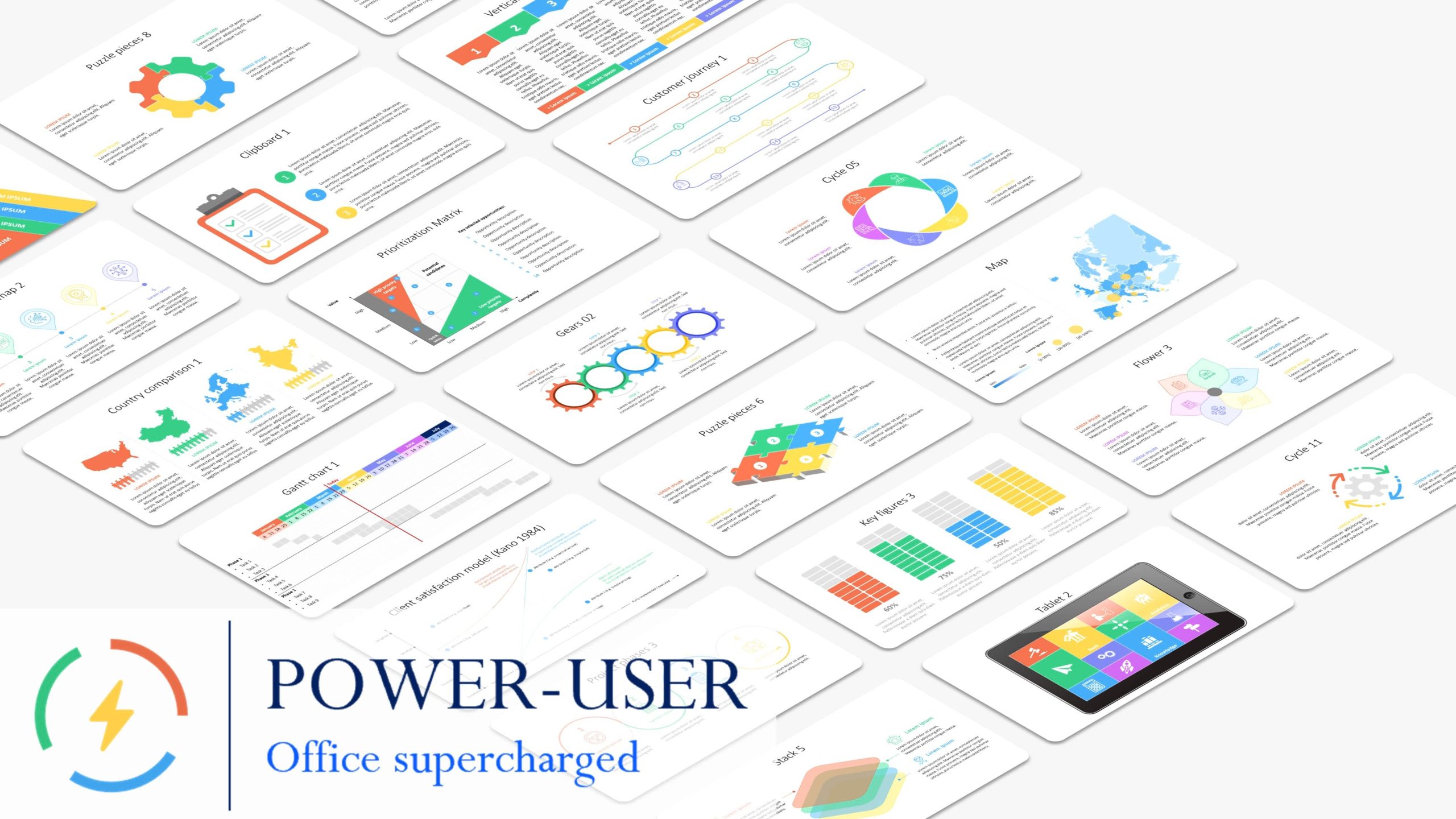
Power-user includes dozens of features to make you work 50% faster on PowerPoint, Excel & Word. Browse 700 templates, 7,000 icons, 1+ million pictures, 350 maps and more from the Library. Create advanced charts for data visualization. Create and update agenda pages automatically, clean your presentations and automate tedious formatting tasks in PowerPoint. Easily manipulate shapes with an intuitive ribbon optimized for heavy users. Unlock dozens of advanced Excel functions and macros.
Official Product Description
Overview
What Does Power-user Premium Do?
Power-user is a productivity add-in designed for Microsoft PowerPoint, Excel, and Word. The software aims to streamline professional workflows, claiming to increase operational speed by up to 50% through the automation of repetitive tasks and the provision of ready-made design assets.
The suite features an extensive integrated Library that grants users access to over 700 templates, 7,000 icons, and one million high-resolution images. Additionally, it includes 350 editable maps designed for geographic data visualization. Users can also utilize the tool to generate advanced charts, expanding the native visualization capabilities of the Office suite.
In PowerPoint, Power-user automates several tedious formatting processes. Key functionalities include:
- Agenda Management: Automatically create and synchronize agenda pages throughout a presentation.
- Presentation Cleaning: Tools to identify and fix formatting inconsistencies or remove hidden data.
- Shape Manipulation: An optimized ribbon interface allows for precise control and alignment of graphical elements.
- Excel Enhancements: The add-in unlocks dozens of advanced spreadsheet functions and macros to simplify complex data analysis.
By centralizing these tools within the standard Office interface, Power-user allows heavy users to maintain a faster pace while ensuring document consistency and professional formatting.
Top 5 Reasons To Download Power-user Premium
If you are looking to transform your workflow and reclaim hours of your workweek, here are the top five reasons why you need to download this Power-user giveaway today:
- Unprecedented Productivity Gains: Achieve a 50% increase in speed across PowerPoint, Excel, and Word by eliminating repetitive tasks and using a streamlined, professional ribbon.
- A Massive Creative Asset Library: Gain instant access to over 700 templates, 7,000 icons, 1 million high-quality pictures, and 350 editable maps directly within your Office applications.
- Advanced Data Visualization Tools: Create complex professional charts like Marimekko, Gantt, and Waterfall charts that go far beyond standard Office capabilities.
- Automated Presentation Management: Effortlessly generate and update agenda pages, clean up messy formatting, and automate the "busy work" of slide deck creation.
- Advanced Excel Functionality: Unlock a suite of powerful Excel macros and advanced functions that simplify data manipulation and complex calculations.
Let’s be honest for a second. We have all been there. It is 6:00 PM on a Thursday, and you are staring at a PowerPoint deck that needs to be "client-ready" by tomorrow morning. You are manually aligning text boxes, hunting for an icon of a "cloud server" that doesn't look like it was made in 1998, and trying to figure out why your Excel data looks like a cluttered mess when pasted into a slide. This is the "office grind" that eats away at our creativity and our sanity. But what if I told you there was a way to bypass all that friction? That is exactly what we are looking at today with the Power-user add-in.
As someone who spends a significant portion of my life inside the Microsoft Office ecosystem, I am always on the hunt for tools that actually deliver on the promise of "efficiency." Most add-ins are bloatware; they slow down your system and offer features you could have found in a right-click menu. Power-user is the exception to that rule. It is a comprehensive suite designed for heavy users—consultants, analysts, managers, and anyone who lives and breathes data and presentations. Let’s dive deep into why this specific giveaway is a total game-changer for your professional life.
1. Unprecedented Productivity Gains
The headline feature of Power-user is the promise that you will work 50% faster. Now, as a tech reviewer, I am naturally skeptical of "percentage" claims. However, after seeing the tool in action, it becomes clear where those savings come from. It is not about one "magic button" but rather the cumulative effect of a hundred small optimizations. Power-user replaces the standard, often clunky Office ribbon with an intuitive, highly optimized interface designed specifically for "power users."
Think about how many clicks it takes to perform a simple task like "aligning objects to the left and distributing them vertically." In standard PowerPoint, that is a series of menu navigations. In Power-user, these common actions are brought to the forefront. The software understands the logic of a designer and a data analyst. It reduces the "travel time" of your mouse across the screen. Over the course of a single presentation, those saved seconds add up to hours. When you download this giveaway, you aren't just getting software; you are buying back your evening. You are eliminating the friction between your ideas and the screen.
Furthermore, the tool is designed to work seamlessly across the "Big Three": PowerPoint, Excel, and Word. The consistency of the interface means you don't have to relearn your shortcuts when you switch from a spreadsheet to a report. It creates a unified environment where your tools are always where you expect them to be. For anyone who has ever felt "trapped" by the limitations of the default Microsoft UI, this productivity boost feels like finally taking the blinders off.
2. A Massive Creative Asset Library
We have all spent way too much time on stock photo websites or scouring Google Images for an icon that is actually transparent and high-resolution. It is a massive time sink. One of the most compelling reasons to grab this Power-user giveaway is the sheer volume of high-quality creative assets it embeds directly into your workflow. We are talking about 700 professionally designed templates, 7,000 vector icons, over a million high-definition pictures, and 350 editable maps.
The icons alone are worth the download. Because they are vector-based, you can resize them infinitely without losing quality, and more importantly, you can change their colors to match your brand guidelines with a single click. No more "close enough" icons; you get professional, consistent visuals across every slide. Then there are the maps. If you work in a global business, you know the pain of trying to find a map of a specific region or country that allows you to color-code individual provinces or states. Power-user provides these maps as editable shapes, making geographical data visualization incredibly simple.
The template library is equally impressive. Instead of starting with a "Blank Layout" and staring at a white screen, you can browse through 700 layouts categorized by purpose—strategy, marketing, finance, and more. These aren't just "pretty" slides; they are structured based on best practices in business communication. By using these templates, you ensure that your presentations look like they came from a top-tier consulting firm, even if you only had twenty minutes to put them together.
3. Advanced Data Visualization Tools
Standard charts in Excel and PowerPoint are fine for basic tasks, but they often fall short when you need to tell a complex story with data. If you want to create a Marimekko chart, a Gantt chart for project management, or a Waterfall chart for financial analysis, you usually have to jump through hoops or manually "hack" standard charts to make them work. Power-user solves this by introducing advanced charting capabilities that are as easy to use as a standard bar graph.
Data visualization is about more than just looking good; it is about clarity. A Gantt chart created through Power-user is dynamic, allowing you to visualize project timelines and milestones without needing specialized project management software. A Marimekko chart allows you to show two dimensions of data in a single view, which is a staple for strategic analysis. These tools allow you to communicate complex insights in a way that is immediately understandable to your audience.
Because these charts are integrated into the Power-user ecosystem, they are incredibly easy to update. If your data changes in Excel, your advanced charts in PowerPoint can be updated with minimal effort. This "linkage" is vital for professionals who have to present recurring reports. You build the visualization once, and then you let the software handle the heavy lifting of updates. It turns you from a "chart builder" into a "data storyteller."
4. Automated Presentation Management
Let's talk about the "janitorial" work of presentation design. You know what I mean: creating the agenda page, making sure the "Section 2" slide actually says "Section 2" everywhere, and ensuring that your font is consistent across 60 different slides. These tasks aren't difficult, but they are incredibly tedious and prone to human error. Power-user includes a suite of automation tools that handle this "presentation hygiene" for you.
The Agenda feature is a standout. It allows you to create a table of contents for your presentation, and then it automatically generates "divider" slides between sections. If you decide to move Section 4 to the front of the deck, you don't have to go back and manually update every page number and title. You simply hit "Update," and Power-user reconfigures the entire agenda and all dividers in seconds. It is a feature that feels like magic the first time you use it.
Then there is the Clean tool. We’ve all inherited "Frankenstein" decks—presentations made of slides copied and pasted from five different sources. The result is a mess of different fonts, misaligned logos, and inconsistent bullet points. The Clean tool scans your entire presentation and fixes these issues in one go. It can remove double spaces, align all titles, fix font inconsistencies, and delete empty placeholders. It ensures that your final product is polished and professional, removing the "homemade" look that can undermine your credibility.
5. Power-User Excel Enhancements
While much of the buzz around Power-user focuses on PowerPoint, its impact on Excel is equally profound. For many of us, Excel is the engine that drives our work, but the default functions can sometimes feel limiting. Power-user unlocks dozens of advanced Excel functions and macros that are designed to simplify the lives of heavy spreadsheet users. These are the kinds of tools that usually require you to be a VBA expert to build, but now they are available as simple, ready-to-use commands.
Whether you are merging cells based on complex logic, cleaning up massive datasets, or performing advanced lookups that go beyond the standard VLOOKUP or XLOOKUP, these tools provide a significant edge. The add-in provides macros that automate repetitive formatting and data-cleaning tasks, which are often the most time-consuming parts of data analysis. Imagine being able to reformat a massive, messy data export into a clean, pivot-ready table with just a few clicks.
Additionally, the intuitive ribbon mentioned earlier is specifically tailored for Excel users who need to manipulate data quickly. It puts the most powerful data tools front and center, reducing the need to hunt through the "Data" or "Formula" tabs for the specific tool you need. By streamlining the Excel interface and adding these advanced "under-the-hood" capabilities, Power-user transforms Excel from a standard spreadsheet tool into a high-performance data processing engine. If you want to impress your boss with your "Excel wizardry," this is the tool that will get you there.
The Verdict: Why You Need This Giveaway Now
In the world of professional software, we often see tools that promise the world but deliver very little. Power-user is the rare exception. It is a "force multiplier." It takes the skills you already have and amplifies them, allowing you to produce work that is faster, cleaner, and more visually compelling. Whether you are a student trying to ace a presentation, a consultant working on a high-stakes pitch, or a manager trying to make sense of quarterly data, this software provides the toolkit you need to succeed.
The "Power-user" name is not just marketing; it is a description of who you become once you start using it. You stop struggling with the software and start commanding it. You move from the frustration of manual formatting to the satisfaction of automated precision. You go from searching for "good enough" icons to having a million-asset library at your fingertips. And perhaps most importantly, you get your time back.
This giveaway is a rare opportunity to get your hands on a premium tool that is typically reserved for top-tier corporate environments. It is a chance to level the playing field and give yourself the same tools used by the world's most productive professionals. Don't let the "busy work" of Office hold you back any longer. Download this Power-user giveaway, explore the library, try out the automation tools, and see for yourself how much faster you can work. Once you experience the 50% speed boost and the ease of the professional library, you will wonder how you ever managed without it. Your workflow will never be the same.
Reviews for Power-user Premium
Click Here to Read Reviews for Power-user Premium >> Click Here to Submit Reviews for Power-user Premium >>