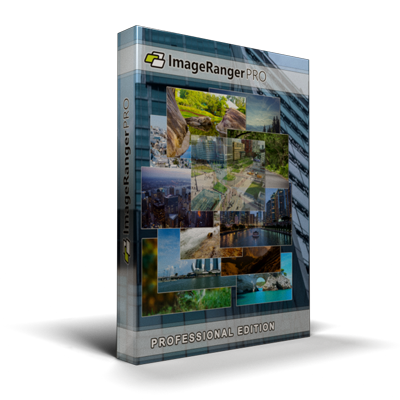
What Does ImageRanger Pro Edition Do?
ImageRanger is a desktop utility designed to manage large-scale photo libraries without the need for manual file organization. The software automates the categorization of images into distinct folders based on metadata such as capture date and GPS location. For users looking to optimize storage, the tool includes dedicated routines to identify duplicate files and isolate out-of-focus imagery.
The application features a centralized interface for batch processing. Users can simultaneously adjust brightness, contrast, and sharpness across multiple files. It also streamlines the application of keyword tags, ratings, and EXIF data management. Key functional highlights include:
- Face Detection: Sort collections by the number of people in a frame to quickly identify group portraits.
- Complex Filtering: Combine parameters like location, date, and specific image quality metrics to locate niche files within large archives.
- Batch Optimization: Automatically identify and enhance lower-quality images using preset diagnostic algorithms.
- Search Capabilities: Execute multi-variable searches, such as finding high-contrast portraits from specific geographic coordinates and dates.
By bypassing traditional copy-paste workflows, ImageRanger operates as a performance-oriented file browser and editor. It handles thousands of images simultaneously, providing advanced filtering tools for power users who require precision in their digital asset management.
Top 5 Reasons To Download ImageRanger Pro Edition
- Revolutionary Automated Organization: Stop the manual labor of dragging and dropping files; let the software sort your entire library by date and location automatically.
- High-Efficiency Batch Editing: Save hours of manual labor by adjusting brightness, contrast, and sharpness across hundreds of images simultaneously.
- Intelligent Face Detection and Sorting: Find the perfect group shot or a solo portrait by filtering your collection based on the number of faces in each frame.
- Hard Drive Optimization Tools: Reclaim massive amounts of storage space by identifying duplicate files and automatically locating out-of-focus, low-quality images.
- Professional-Grade Multi-Layered Search: Use a complex, logic-based search engine to find specific images based on EXIF data, keywords, ratings, and even visual contrast.
If you are anything like me, your digital life is currently a beautiful, chaotic mess. We live in an era where we capture every moment—the morning coffee, the sunset on vacation, the blurry birthday party shots, and everything in between. But here is the problem: our hard drives have become digital junk drawers. We have thousands of photos scattered across folders with names like DCIM_001 or New Folder (4), and finding that one specific memory feels like looking for a needle in a haystack. This is exactly why ImageRanger is the software you didn't know you needed, but won't be able to live without once you try it. As a tech reviewer who has seen hundreds of photo management tools, I can tell you that this isn't just another gallery app. This is a power tool for your digital legacy. Let’s dive deep into why this giveaway is an absolute must-download for anyone with a camera and a computer.
1. Revolutionary Automated Organization
Let’s talk about the nightmare of manual organization. We’ve all been there—sitting down on a Saturday morning with the intention of finally "cleaning up" the photo library. You start by creating a folder for the year, then folders for the months, and then you begin the tedious process of copy-pasting files. Within twenty minutes, you’re bored, frustrated, and you give up. ImageRanger ends this cycle of frustration immediately. The core strength of this software is its ability to handle the "heavy lifting" of organization without you having to lift a finger.
When you point ImageRanger at your messy directories, it doesn’t just show you what is there; it understands the metadata attached to every file. It uses the EXIF data—the hidden information tucked inside your photos that records when and where a shot was taken—to automatically sort your images into a logical hierarchy. Imagine opening a clean, crisp interface where your photos are already neatly filed by the specific date they were captured and the geographical location where you stood. It transforms a mountain of data into a structured library. This isn't just about aesthetics; it's about accessibility. When your photos are sorted by date and location automatically, you spend less time "managing" your life and more time actually enjoying your memories. For anyone who has ever lost a photo of a loved one in a sea of miscellaneous files, this feature alone makes the download worthwhile.
2. High-Efficiency Batch Editing
One of the biggest hurdles in photography is the "post-processing" bottleneck. You go to a wedding or take a hike and come back with 500 photos. You realize they are all slightly underexposed because it was a cloudy day. In standard photo editors, you would have to open each file individually, adjust the brightness, save it, and move to the next. It’s a soul-crushing process. ImageRanger introduces a sophisticated, yet remarkably user-friendly, batch editing interface that changes the game for amateur and pro photographers alike.
With its convenient user interface, you can select hundreds of images at once and apply adjustments to brightness, sharpness, and contrast across the entire selection. The software treats your time as a precious resource. But it goes beyond just basic sliders. The cropping tool is refined for speed, allowing you to frame your shots without the clunkiness found in generic Windows or Mac viewers. What I love most as a reviewer is how snappy the interface feels. Even when dealing with high-resolution files, the software remains responsive. You can view EXIF meta-information on the fly, ensuring you know exactly what settings were used for each shot while you perform your batch improvements. This is about professional-grade efficiency brought to the desktop of the everyday user.
3. Intelligent Face Detection and Sorting
Now, let's talk about a feature that feels like magic: the face detection engine. We have all had that moment where we are looking for a specific group photo. Maybe it’s a family reunion shot where all five siblings are present, or a team photo from a corporate event. Usually, this involves scrolling through thousands of thumbnails, squinting at the screen to see who is in which shot. ImageRanger solves this with an advanced sorting algorithm that can detect the number of faces in an image.
This is a killer feature for social butterflies and parents. You can literally tell the software, "Show me all photos that have exactly four people in them," or "Show me only group portraits." The ability to sort by the number of faces is a level of categorization that you usually only find in expensive, enterprise-level asset management software. By integrating this into ImageRanger, the developers have made it incredibly easy to find those specific human moments. Whether you are building a wedding album or trying to find a solo portrait for a profile picture, the face detection tool slices through the noise of landscape shots and architectural photos to give you exactly what you are looking for. It’s smart, it’s fast, and it’s incredibly satisfying to use.
4. Hard Drive Optimization Tools
If you’re a digital hoarder like me, your hard drive is likely screaming for mercy. Over the years, we accumulate duplicates—photos we’ve copied into different folders, versions we’ve emailed to ourselves, and multiple backups that have merged into one giant mess. These duplicates don’t just take up space; they clutter your search results and slow down your system. ImageRanger includes a powerful duplicate finder that scans your library to identify identical files, helping you purge the extras and reclaim your storage space.
But the "cleanup" features don't stop at duplicates. One of the most innovative aspects of this software is its ability to automatically locate out-of-focus or low-quality pictures. We all take "burst" shots or accidental photos of our feet. These "garbage" files often sit on our drives for years because we are too lazy to find and delete them. ImageRanger acts like a digital janitor. For advanced users, it can even find lower-quality pictures and improve them in a single batch process. This dual approach—removing the truly bad shots and automatically enhancing the "fixable" ones—is a powerful combination for anyone looking to optimize their digital collection. It’s not just about organizing; it’s about curation. ImageRanger helps you keep only the best, ensuring your photo collection is a gallery of highlights rather than a graveyard of blurry mistakes.
5. Professional-Grade Multi-Layered Search
The final reason you need to download ImageRanger today is its "Built-in Search Engine." Most photo apps have a search bar where you can type a date or a keyword. ImageRanger takes this to a whole new level by allowing you to combine multiple search options in any combination you can imagine. This is where the software truly reveals its "Power User" DNA. It’s not just searching; it’s querying your library.
Imagine this scenario: You want to find a photo from a trip to Italy three years ago. You know it was a portrait, you know it was taken in high-contrast light, and you know it was a high-quality shot you rated with five stars. In any other program, you’d be searching for hours. In ImageRanger, you simply set your filters: Location: Italy; Faces: 1; Contrast: High; Rating: 5 stars. Boom. The software scans your thousands of photos and presents you with the exact image in seconds. You can include or exclude images based on specific EXIF data, keywords, or even file metrics. This level of granularity is what separates a "toy" app from a "tool." It gives you total control over your data. You are no longer at the mercy of how a folder is named; you are the master of every pixel on your drive. For the person who wants to find that one specific photo from five years ago in under ten seconds, this search engine is the ultimate solution.
In conclusion, ImageRanger is more than just a photo viewer. It is a comprehensive management system that addresses every pain point of the modern digital photographer. From the frustration of disorganized folders to the technical challenge of batch editing and the "storage full" warnings on our computers, ImageRanger offers a sleek, efficient solution. It’s powerful enough for the professional who needs to manage a massive archive, yet intuitive enough for the casual user who just wants to see their holiday photos in one place. Do not miss out on this giveaway. Download ImageRanger, point it at your photo folder, and prepare to be amazed at how quickly your digital chaos turns into a perfectly curated gallery. Your memories deserve to be organized, and your time is too valuable to spend it on manual sorting. This is the upgrade your computer—and your sanity—has been waiting for.

Reviews for ImageRanger Pro Edition
Click Here to Read Reviews for ImageRanger Pro Edition >> Click Here to Submit Reviews for ImageRanger Pro Edition >>