What Does ShieldApps Webcam Blocker Do?
ShieldApps Webcam Blocker is a dedicated cyber-privacy tool engineered to prevent unauthorized access to a computer’s webcam and microphone. While physical solutions like adhesive tape are common, they do not address the underlying digital vulnerabilities that allow hackers or tracking companies to hijack peripheral devices. This software employs advanced privacy enhancement algorithms to secure these inputs at the system level.
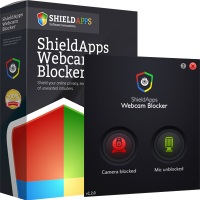
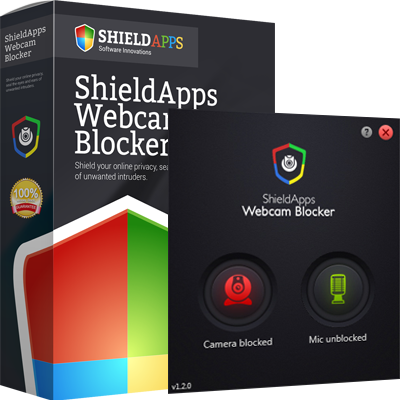
The application’s primary function is to provide a digital shield against external breaches and internal exploits. It features a simplified user interface that enables single-click protection, allowing users to toggle the operational status of their hardware instantly. By digitally blocking access, the software ensures that third-party entities cannot activate the camera or microphone without the user's explicit consent.
Key technical capabilities of the software include:
- Digital Blocking: Disables webcam and microphone access to neutralize hacking attempts from malicious third parties.
- Privacy Algorithms: Utilizes advanced logic to monitor and prevent unauthorized driver activation and data harvesting.
- Single-Click Interface: Provides a streamlined control panel for immediate and uncomplicated privacy management.
This utility acts as a technical gatekeeper, bridging the gap between standard hardware functionality and high-level security requirements for users concerned about persistent digital tracking and surveillance. It effectively neutralizes the threat of camfecting and unauthorized audio recording by ensuring that peripheral hardware remains unresponsive to unauthorized software requests.
Top 5 Reasons To Download ShieldApps Webcam Blocker
1. Digital Blocking vs. Physical Barriers: Moving beyond the "sticky tape" era with sophisticated hardware-level communication blocking.
2. Dual-Layer Protection for Audio and Video: Simultaneous shielding of both your webcam and your microphone to prevent eavesdropping.
3. Advanced Privacy Algorithms: Utilizing professional-grade security logic that outperforms standard operating system privacy settings.
4. Single-Click Simplicity: An ultra-streamlined interface designed for instant protection without the need for technical expertise.
5. Mitigation of Remote Access Trojans (RATs): Proactive defense against the most common tools used by hackers to hijack your hardware for "camfecting."
We have all seen the photos of tech billionaires and high-ranking security officials with a little piece of black electrical tape or a messy Post-it note stuck over their laptop cameras. It has become the universal symbol of digital paranoia. But as a tech reviewer who spends my life analyzing the cat-and-mouse game between security developers and hackers, I am here to tell you that the "tape method" is not just ugly—it is dangerously insufficient. In the modern era of cyber-espionage and intrusive tracking, you need a solution that addresses the digital architecture of your device, not just the glass lens. That is where ShieldApps Webcam Blocker comes into play. If you value your privacy, this is the one download you cannot afford to skip. Let’s dive deep into why this software is a mandatory addition to your digital toolkit.
1. Digital Blocking vs. Physical Barriers
The most common argument against webcam software is, "Why not just use tape?" Let’s debunk that right now. Physical covers are a "dumb" solution to a "smart" problem. First, there is the issue of residue and damage. Over time, the adhesive from tape or cheap plastic sliders can degrade the specialized coatings on your webcam lens, resulting in blurry video when you actually want to use it for a legitimate Zoom call. More importantly, physical covers provide a false sense of security. They do absolutely nothing to stop the underlying system breach.
When you use ShieldApps Webcam Blocker, you are implementing Digital Blocking. This software interacts with the drivers and the communication protocols that tell your computer how to use the hardware. While a piece of tape might stop a hacker from seeing your face, it doesn't stop them from knowing you are there. It doesn't stop them from seeing the light levels in your room or, more importantly, accessing the data stream that tells them when the camera is being engaged. ShieldApps shuts down the communication pathway itself. It tells the operating system that the device is unavailable, effectively "unplugging" the camera at the software level. This is a sophisticated, clean, and professional approach that keeps your hardware pristine while providing a level of security that a piece of paper simply cannot match.
Furthermore, physical covers are easily forgotten. You slide it open for a meeting, get distracted, and leave it open for the rest of the day. ShieldApps provides a persistent, software-managed state that ensures you are always protected unless you explicitly choose otherwise. It is the difference between locking your front door and just hanging a "Do Not Disturb" sign on the handle.
2. Dual-Layer Protection for Audio and Video
This is perhaps the most critical reason to download this software: The microphone is often a bigger target than the camera. Think about your daily life. While a hacker might get a boring visual of the top of your head or your ceiling, the audio from your microphone captures everything. It captures private business negotiations, medical conversations, credit card numbers spoken over the phone, and intimate moments with your family. Most people who put tape over their cameras completely forget that their microphone is still "hot" and wide open for exploitation.
ShieldApps Webcam Blocker understands that privacy is a two-way street involving both sight and sound. This software doesn't just block the lens; it provides a comprehensive shield for your microphone as well. This is a feature that physical covers physically cannot provide. By using advanced privacy enhancement algorithms, the software intercepts attempts by third-party applications to "listen in." In the world of "camfecting" (the act of hijacking a webcam), hackers almost always prioritize the audio stream because it consumes less bandwidth and provides much more actionable information. By downloading this software, you are closing the "audio loophole" that 90% of computer users leave wide open. You aren't just invisible; you are silent to the digital world.
3. Advanced Privacy Algorithms
You might be thinking, "Doesn't my operating system already have privacy settings?" Yes, Windows and macOS have basic toggle switches, but they are notoriously easy for sophisticated malware to bypass. Standard OS settings are often just "permission requests." A malicious program with administrative privileges—which is exactly what most Remote Access Trojans (RATs) seek—can simply flip those switches back to "on" without you ever knowing.
ShieldApps Webcam Blocker utilizes advanced privacy enhancement algorithms that act as a dedicated sentinel for your hardware. Instead of relying on the basic, often-vulnerable permissions of the OS, this software creates a dedicated layer of protection. It monitors the system for unauthorized requests to the webcam or microphone drivers. If a tracking company’s script or a piece of malicious code tries to ping your camera to see if you are active, the ShieldApps algorithms identify and neutralize that attempt instantly.
These algorithms are designed to be "smarter" than the average spy program. They look for the behavioral patterns of hacking attempts. While standard software might just see a "request to use camera," ShieldApps evaluates that request against its security protocols. It provides a level of sophisticated shielding that is typically reserved for enterprise-level security environments, but it packages it in a way that is accessible to the everyday user. This is about having a high-tech bodyguard sitting between your hardware and the rest of the internet.
4. Single-Click Simplicity
As a reviewer, I see a lot of powerful security software that is, frankly, a nightmare to use. If a program requires a 50-page manual and twenty different configuration steps, most users will eventually turn it off or misconfigure it, leaving themselves vulnerable. The beauty of ShieldApps Webcam Blocker lies in its single-click protection philosophy. The interface is clean, intuitive, and devoid of the "techno-babble" that usually clutters privacy tools.
When you download this giveaway, you are getting a tool that respects your time. Once installed, protecting your privacy is as simple as clicking a button. This "set it and forget it" or "one-click" approach is vital for ensuring long-term security. You can easily toggle your protection on when you are finished with work and toggle it off when you need to jump on a video call. There is no digging through the Windows Registry, no navigating through complex "Device Manager" menus, and no need to be a computer scientist.
This simplicity also makes it the perfect recommendation for friends or family members who may not be tech-savvy. We all have that relative who is worried about their privacy but doesn't know how to protect themselves. This software provides them with a "digital curtain" that they can pull shut with absolute confidence. It is a practical, user-friendly solution that doesn't sacrifice power for ease of use.
5. Mitigation of Remote Access Trojans (RATs)
To truly understand why you need this software, you need to understand the threat of Remote Access Trojans, or RATs. These are some of the most invasive forms of malware in existence. Once a RAT infects a computer, it gives the attacker total control over the machine—often without the user ever realizing something is wrong. One of the primary functions of a modern RAT is to turn on the webcam and microphone to spy on the victim. This isn't just theory; it is a common practice used for blackmail, corporate espionage, and creepy voyeurism.
Traditional antivirus software is great, but it isn't perfect. Zero-day exploits and sophisticated obfuscation techniques can allow a RAT to slip past your firewall and antivirus. ShieldApps Webcam Blocker serves as your last line of defense. Even if a piece of malware manages to get onto your system, it still has to deal with the ShieldApps block. If the malware tries to activate the camera, it hits the digital wall created by the blocker. It is a "fail-safe" mechanism.
In the security world, we talk about "defense in depth." This means you don't just rely on one lock; you have a gate, a front door, and a safe. ShieldApps is the "safe" for your visual and auditory privacy. It specializes in one thing—protecting your camera and mic—and it does it with a level of focus that general-purpose antivirus programs cannot match. By downloading this, you are effectively neutralizing the most "profitable" and damaging part of a RAT infection.
Conclusion: The Ultimate Peace of Mind
In an age where our laptops and computers are essentially windows into our private lives, we have to be proactive. The threats are no longer just "theoretical." We live in a world where tracking companies, malicious third parties, and hackers are constantly looking for ways to exploit our hardware for their own gain. The "sticky tape" method is a relic of the past—a low-tech band-aid for a high-tech wound.
ShieldApps Webcam Blocker offers a sophisticated, elegant, and incredibly powerful alternative. It provides total digital isolation, dual-layer protection for your audio and video, and a user interface that anyone can master in seconds. Whether you are a professional working with sensitive information, a student who wants to ensure their dorm room remains private, or just someone who is tired of the feeling of being "watched," this software is the solution.
By taking advantage of this giveaway, you are investing in your own peace of mind. You can close your laptop at the end of the day knowing that your "digital curtain" is drawn tight. You can have private conversations in your home office without worrying if a hidden piece of malware is recording every word. You can stop being the person with the messy tape on their high-end laptop and start being the person with the professional security setup. Don't wait for a breach to happen before you take your privacy seriously. Download this blocker, click that button, and take back control of your hardware today. Your privacy is worth more than a piece of tape—give it the digital protection it deserves.

Reviews for ShieldApps Webcam Blocker
Click Here to Read Reviews for ShieldApps Webcam Blocker >> Click Here to Submit Reviews for ShieldApps Webcam Blocker >>