What Does MiniTool ShadowMaker Pro Do?
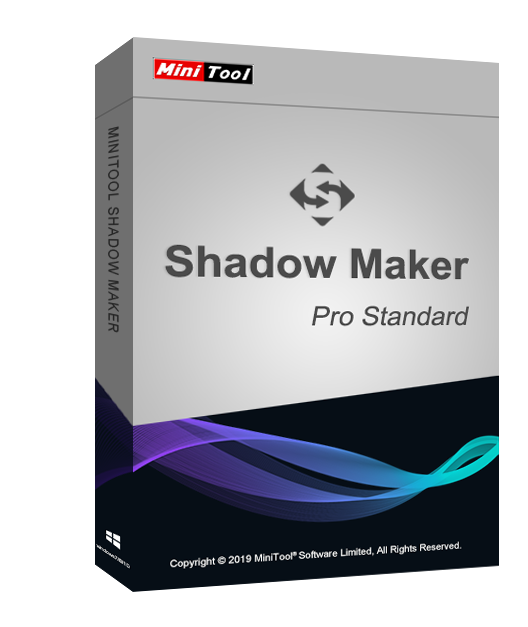
MiniTool ShadowMaker is a specialized data protection utility designed for Windows systems. It provides a suite of backup and disaster recovery tools aimed at preventing data loss resulting from hardware failure or system instability. Users can create image backups of the Windows operating system, specific files, entire folders, or individual partitions.
The software supports multiple backup schemes to manage storage space efficiently. Beyond simple file duplication, the application facilitates disk cloning, allowing for the migration of data to a new drive or the creation of bootable rescue media. In the event of a system crash or drive malfunction, the restoration feature allows users to revert their environment to a previous functional state.
The interface is designed to handle large-scale data sets, including entire hard drives, ensuring that both personal documentation and system configurations remain retrievable. Primary capabilities include:
- System Imaging: Quick restoration of the OS to a working state.
- File Synchronization: Updating files in different locations to ensure data consistency.
- Disk and Partition Backup: Comprehensive imaging of physical storage units.
- Disaster Recovery: Using WinPE-based media to restore systems that fail to boot.
By maintaining a current copy of critical data, MiniTool ShadowMaker functions as a safeguard against data corruption, virus attacks, and hardware failure. It serves as an all-in-one solution for both routine maintenance and emergency recovery operations.
Top 5 Reasons To Download MiniTool ShadowMaker Pro
- Complete System and Disk Imaging for Total Protection: It allows you to create a perfect snapshot of your operating system, applications, and settings, ensuring you can return to a functional state in minutes after a crash.
- Advanced Disaster Recovery and WinPE Bootable Media: Even if your computer refuses to boot, the built-in bootable media builder allows you to restore your system using a recovery environment.
- Automated and Efficient Backup Scheduling: With options for incremental and differential backups, you can save disk space and time by only backing up data that has changed since the last session.
- Seamless File Synchronization: Beyond just backups, it offers robust file syncing capabilities to keep your important documents updated across multiple locations without manual intervention.
- Universal Restore and Disk Cloning: Whether you are upgrading to a larger SSD or moving your system to an entirely different computer with different hardware, the cloning and universal restore tools make the transition painless.
Let’s be honest for a moment: we all live our lives digitally. Our photos, our work projects, our financial records, and even our entertainment libraries are all stored on physical hardware that is, unfortunately, destined to fail at some point. It’s not a matter of if your hard drive will crash or if a Windows update will go sideways—it is a matter of when. As a tech reviewer, I have seen far too many people lose years of memories and thousands of hours of work because they thought "it won't happen to me." This is exactly why you need a professional-grade solution like MiniTool ShadowMaker in your arsenal.
When we talk about backup software, many people think of simply dragging and dropping a few folders onto a USB stick. While that is better than nothing, it is far from a professional solution. A professional backup strategy involves imaging, versioning, and disaster recovery planning. This software doesn't just copy files; it protects your entire digital existence. Let’s dive deep into the five primary reasons why this specific giveaway is the one download you cannot afford to skip today.
1. Complete System and Disk Imaging for Total Protection
The first and most compelling reason to grab this software is its ability to perform system imaging. Most casual users don’t understand the difference between a "file backup" and a "system image." A file backup saves your documents. A system image saves everything. This includes your Windows installation, your drivers, your registry settings, your bookmarks, and every single program you have spent hours installing and configuring.
Imagine your primary hard drive suddenly starts making a clicking sound and dies. If you only backed up your "Documents" folder, you are still facing a nightmare. You have to find a new drive, reinstall Windows, wait through hours of updates, hunt down your software license keys, and reconfigure your desktop exactly how you like it. It can take a whole weekend to get back to where you were. With the imaging technology found in MiniTool ShadowMaker, you simply restore the image to a new drive. In less than an hour, your computer looks and behaves exactly as it did the moment before the failure. It is the closest thing we have to a "time machine" for your PC.
Furthermore, this software allows you to back up specific partitions or even the entire disk. This is vital for power users who keep their OS on one partition and their heavy media files or games on another. The flexibility to choose exactly what gets imaged means you can tailor your protection strategy to your specific storage capacity.
2. Advanced Disaster Recovery and WinPE Bootable Media
The true test of any backup software isn't how it looks when things are going well; it’s how it performs when everything has gone wrong. If your Windows OS becomes corrupted—perhaps due to a nasty virus or a failed system update—you might find yourself staring at a "Blue Screen of Death" or a "No Bootable Device Found" error. In this scenario, traditional backup software that runs inside Windows is useless because you can't even get into Windows to run it.
This is where the WinPE Bootable Media Builder comes into play. When you download this giveaway, one of the first things you should do is use this feature to create a recovery USB or CD. This tool creates a "mini" version of an operating system that can boot independently of your hard drive. If your system fails, you plug in your recovery media, boot from it, and use the MiniTool interface to "push" your backup image back onto your drive.
This "Bare Metal Recovery" capability is what separates professional tools from amateur apps. It gives you the confidence to experiment with your system, knowing that no matter how badly things break, you have a physical key to get back into your house. It removes the panic from hardware failure and replaces it with a structured, easy-to-follow recovery process.
3. Automated and Efficient Backup Scheduling
We are all busy, and manually starting a backup is often the last thing on our minds at the end of a long day. A backup plan is only effective if it actually happens, and that is why automation is the third pillar of this software’s excellence. This tool allows you to set sophisticated schedules—daily, weekly, monthly, or even based on specific events like logging in or logging out.
However, many people worry that backing up every day will quickly fill up their external hard drives. This software solves that problem using Incremental and Differential backup schemes. Instead of creating a massive, brand-new copy of your entire system every day, the software analyzes what has changed. An incremental backup only saves the data that has been modified since the last backup, while a differential backup saves the changes made since the last full backup.
This technical wizardry saves an immense amount of disk space and significantly reduces the time it takes for a backup to complete. You can have the software run at 3:00 AM while you sleep, and it will quietly and efficiently update your protection without you ever seeing a progress bar. It is "set it and forget it" security at its finest.
4. Seamless File Synchronization
While imaging is great for recovery, sometimes you just want your current working files to be in two places at once. This is where the File Sync feature shines. Many of us use cloud services for this, but those services come with monthly fees and privacy concerns. MiniTool ShadowMaker allows you to set up your own local synchronization. You can sync a folder on your laptop to a folder on your desktop or a Network Attached Storage (NAS) device.
This is particularly useful for students or creative professionals. If you are working on a thesis or a video project, you want those files updated in real-time on your backup drive. The sync feature ensures that the version on your backup drive is an exact mirror of your working directory. If you accidentally delete a file on your primary drive, the synced version is there waiting for you. This dual-layered approach—combining system imaging for the "big picture" and file syncing for "day-to-day" files—provides a comprehensive safety net that very few other applications can match.
Moreover, the synchronization process is incredibly fast. It doesn't bog down your system resources, meaning you can keep working while the software ensures your data is safe in the background. In an era where data privacy is increasingly under threat, keeping your synced data on your own hardware rather than a corporate server is a massive win for security-conscious users.
5. Universal Restore and Disk Cloning
The final reason this download is a must-have involves the inevitable moment when you decide to upgrade your hardware. Let’s say you bought a new, lightning-fast NVMe SSD to replace your aging SATA drive. Normally, this would mean a tedious reinstallation of everything. However, the Disk Cloning feature allows you to create an exact bit-for-bit copy of your old drive onto the new one. You just clone the drive, swap the hardware, and your computer boots up faster than ever with all your files and programs exactly where you left them.
But what if you bought an entirely new computer? This is where Universal Restore becomes a life-saver. Usually, you cannot move a Windows installation from one computer to another because the hardware drivers (like the motherboard chipset or CPU instructions) are different, leading to a system crash. Universal Restore solves this by stripping out the hardware-specific drivers from the backup and allowing Windows to "adapt" to the new hardware during the first boot. It is an incredibly powerful feature that used to be reserved only for high-end enterprise IT departments.
By downloading this giveaway, you aren't just getting a tool to fix current problems; you are getting a toolkit for your future upgrades. It makes the transition between devices seamless and removes the "new PC anxiety" that comes with trying to migrate your digital life.
Final Thoughts: Why You Need to Act Now
As a tech reviewer, I see hundreds of apps a year. Most are "nice to have," but backup software is a "must-have." We live in an age of ransomware, hardware volatility, and increasingly complex software updates that can occasionally brick a system. Having a professional-grade solution like MiniTool ShadowMaker is like having an insurance policy that actually pays out the moment you need it.
The interface is clean, modern, and accessible. You don't need to be an IT professional to navigate the menus or set up your first backup. The software guides you through the process, making sure you select the right source and destination drives. It takes the complexity out of data protection while keeping all the powerful "under the hood" features that professionals demand.
Think about the files on your computer right now. Think about the photos of your family, the projects you've worked on for months, and the time it would take to rebuild your system from scratch. Is that worth a few minutes of your time to download and set up a professional backup solution? The answer is an easy yes. This giveaway is a rare opportunity to get a top-tier utility that provides genuine peace of mind.
Don’t wait for the clicking sound of a dying drive or the blue screen of a corrupted OS to realize you needed this. Proactive protection is the only protection that works. Grab this giveaway, create your first system image, and build your bootable media today. You will thank yourself the next time your computer decides to throw a tantrum. This is, without a doubt, a tool that belongs on every single PC in your home.
In conclusion, MiniTool ShadowMaker is more than just a backup utility; it is a comprehensive disaster recovery suite. It bridges the gap between simple file copying and high-end enterprise recovery. With its imaging capabilities, bootable media, automated scheduling, file syncing, and hardware-independent restoration, it covers every possible failure scenario. This is a "must-download" for anyone who values their data and their time. Stay protected, stay backed up, and enjoy the peace of mind that comes with knowing your data is always safe.

Reviews for MiniTool ShadowMaker Pro
Click Here to Read Reviews for MiniTool ShadowMaker Pro >> Click Here to Submit Reviews for MiniTool ShadowMaker Pro >>