What Does NEAT Projects Do?
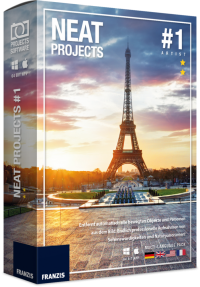
NEAT projects is a specialized image-processing tool designed to eliminate moving distractions from photographs. Developed for travelers and architectural photographers, the software automates the removal of pedestrians, vehicles, and animals that often obstruct landmarks in popular locations. Unlike traditional manual editing, which requires precise masking and brushing, this utility uses an algorithmic approach to clear the field of view.
To achieve a clean shot, the software analyzes a series of images taken in succession. By comparing multiple frames, it identifies stationary elements and discards moving objects. The workflow is designed for efficiency and functions without the necessity of a tripod. A single click initiates the process, rendering crowded plazas, museum interiors, and busy streets entirely empty.
Key applications for the software include:
- Architectural Photography: Capturing unobstructed views of buildings and churches in dense urban environments.
- Museum Documentation: Removing visitors to provide a clear perspective of artwork and exhibits.
- Street Photography: Clearing traffic and cars from cityscapes to emphasize the underlying structure.
- Portraiture: Cleaning up backgrounds in heavily populated public spaces to focus on the subject.
The software provides a technical solution for transforming standard travel snapshots into professional-grade compositions by ensuring the primary motif remains the sole focus of the image.
Top 5 Reasons To Download NEAT Projects
- Effortless Automated Object Removal: Say goodbye to tedious manual masking, brushing, and cloning; the software does the heavy lifting for you.
- The "Empty City" Effect: Transform crowded tourist hotspots into serene, vacant landmarks as if you had the whole city to yourself.
- Professional Architectural Precision: Achieve clean, unobstructed lines in your architectural and street photography without waiting hours for traffic to clear.
- No Tripod, No Problem: The advanced alignment algorithms allow you to capture stunning, motion-free sequences even when shooting handheld.
- Professional Results for Everyone: You don’t need to be a Photoshop expert to generate high-end, gallery-quality images with just a few clicks.
We have all been there. You have saved up for months, maybe even years, to visit the destination of your dreams. You are standing in front of the Eiffel Tower, the Colosseum, or the Statue of Liberty. You pull out your camera, frame the perfect shot, and wait. And wait. And wait. But the crowd never thins. There is always someone in a neon jacket walking through your frame, a tour group blocking the base of the monument, or a stray bus obscuring the architecture. In the past, you had two choices: spend six hours in Photoshop meticulously cloning out pedestrians, or simply settle for a cluttered, amateur-looking photo. But what if I told you there was a third option? A "magic trick" that could wipe away the chaos of the modern world with a single click? That is exactly what NEAT projects offers, and why this giveaway is a mandatory download for anyone with a camera.
1. Effortless Automated Object Removal
The primary reason you need to download NEAT projects right now is the sheer technical wizardry it applies to your workflow. In the traditional world of photo editing, removing a single person from a busy background is a chore. If you have fifty people in your shot, it becomes an impossible task for anyone who isn't a professional retoucher with a week of free time. This software changes the paradigm entirely. It utilizes a sophisticated "stacking" algorithm that compares multiple images of the same scene.
How does it work? It is deceptively simple. You take a sequence of photos—let’s say five to ten shots—of the same subject over a short period. While the monument or building stays still, the people, cars, and animals are constantly moving. NEAT projects analyzes every single pixel across all your shots. It identifies which pixels are "static" (the building) and which are "dynamic" (the tourists). It then magically discards the dynamic pixels and fills the gaps with the static ones from other frames in the sequence. The result is a perfectly clean image where the moving objects have simply vanished. No masks, no brushes, and no frustration. It is the kind of automation that makes you feel like you’re living in the future.
For the hobbyist, this means you can focus on composition and lighting rather than worrying about the person standing in your way. For the professional, it means hours of saved billable time. The software handles the complex math of "temporal filtering," allowing you to achieve a look that was once reserved for those with the most expensive equipment and the most advanced software suites. By downloading this giveaway, you are essentially adding a high-level digital assistant to your photography toolkit.
2. The "Empty City" Effect
There is a specific aesthetic in photography that is incredibly difficult to achieve: the "ghost town" look. We see it in high-end travel magazines and cinematic sequences—famous plazas in Rome or London that look completely deserted, highlighting the majesty of the architecture without the distraction of a thousand selfie sticks. Usually, achieving this requires getting up at 4:00 AM to beat the crowds or obtaining special permits to close down a street. NEAT projects gives you the "Empty City" effect without the early wake-up call.
Imagine being at the Trevi Fountain at noon. It is packed. With this software, you don’t need to wait for a miracle. By taking a burst of photos, you can turn that chaotic scene into a tranquil, vacant masterpiece. This isn't just about removing a few people; it's about reclaiming the space. You can turn busy parks, crowded museums, and bustling churches into private viewings. It allows you to document "Nature at its finest" even when that nature is currently being trampled by a tour group. This software allows you to tell a story of solitude and beauty in a world that is increasingly crowded.
Furthermore, this isn't limited to just people. Think about street photography. A beautiful historic street is often marred by modern cars parked along the curb or delivery trucks blocking the view. If those vehicles move even slightly during your sequence, NEAT projects can help clear the road. You can finally get that "Street-Photography with an absence of cars" look that makes your portfolio stand out from the millions of cluttered snapshots uploaded to social media every day. It’s about more than just cleaning a photo; it’s about creating a specific, professional mood that is otherwise impossible to capture.
3. Professional Architectural Precision
Architecture is all about lines, light, and geometry. When you are trying to capture the soaring arches of a Gothic cathedral or the sleek glass of a modern skyscraper, the last thing you want is a blur of movement at the bottom of the frame. NEAT projects is "Perfectly suited Software for editing Portraits and Group photos taken in densely crowded areas," but its true power shines in architectural documentation. It allows for "professional-grade architectural photographs" by ensuring that the subject remains the absolute focal point.
Many photographers try to solve the "crowd problem" by using neutral density (ND) filters to create long exposures. While this can blur people away, it often leaves "ghosts"—faint, wispy trails of people who stayed still for too long. It also requires a tripod and a lot of math regarding exposure times. NEAT projects is a much more surgical tool. Because it uses multiple discrete frames, it doesn't just blur the movement; it deletes it. You get sharp, crisp details in every corner of the image because the software isn't trying to average out the light—it's choosing the best, most unobstructed pixels from your sequence.
This is particularly vital for indoor photography. Think about museums or churches where "capturing multitudes of visitors" is almost a guarantee. These locations often forbid the use of tripods or long exposure equipment. Because NEAT projects works with standard exposures taken in a sequence, you can walk into a museum, snap a series of handheld shots of a work of art, and later produce a photo that looks like you were the only person in the building. It provides a "clear view of all works of art" and architectural details that would otherwise be lost in the shuffle of a busy day.
4. No Tripod, No Problem
One of the biggest barriers to entry for advanced photo stacking is the requirement for a perfectly still camera. Traditionally, if your frames didn't line up to the exact pixel, the software would produce a blurry mess. This meant carrying a heavy tripod everywhere you went—a nightmare for travelers and casual hikers. However, one of the most compelling reasons to download NEAT projects is its incredibly robust image alignment engine. The developers understood that "image editing can be so endlessly easy" only if the preparation is easy, too.
The software features high-precision alignment algorithms that can compensate for the natural sway of your hands. As long as you keep your subject generally in the frame across your shots, the software will shift, rotate, and scale each image to ensure they are perfectly registered before it begins the object removal process. This is a game-changer. It means you can be walking through London, Paris, or Rome, see a "motif on the fly," and capture a professional-level sequence without ever reaching for a tripod bag.
This "no tripod required" philosophy extends the utility of the software to every aspect of your life. Whether you are at a family gathering and want to remove a waiter walking through a group portrait, or you are at a scenic overlook trying to capture a clear view of a mountain range despite other hikers, you can do it all handheld. This mobility ensures that you actually use the software rather than letting it sit in your digital drawer because you didn't feel like carrying extra gear. It turns your smartphone or DSLR into a much more powerful tool than it was the day you bought it.
5. Professional Results for Everyone
Finally, we have to talk about the user experience. Tech reviewers often see software that is powerful but requires a PhD to operate. NEAT projects is the rare exception that offers "one-of-a-kind" results with an incredibly shallow learning curve. The interface is designed to be intuitive, catering to both the pro who wants to tweak every setting and the beginner who just wants the "magic" to happen. The software identifies itself as a tool where "you dont need any mask, brushes, just a simple click."
In a world where we are bombarded with complex AI tools and confusing subscription models, having a dedicated, easy-to-use piece of software that does one thing perfectly is refreshing. The "Standard" version provided in this giveaway is a powerhouse. It handles the heavy lifting of image processing so you can enjoy the creative side of photography. You don't have to worry about layers, blending modes, or opacity levels. You simply load your images, let the software analyze the movement, and watch as the crowds disappear before your eyes.
Because this is a giveaway, the value proposition is infinite. You are getting a tool that solves one of the most persistent problems in photography—unwanted moving objects—for absolutely nothing. It is a "one-of-a-kind travel photo" generator that fits right into your existing workflow. Whether you want to "turn plazas and parks empty" or simply want a "clear view of your motif," this software delivers. It transforms your photographs into "real eye-catchers" that will leave your friends and followers wondering how you managed to get such a clean shot in such a busy world.
Conclusion: Why You Need to Act Now
The digital age has made photography more accessible, but it has also made the world more crowded. Every famous landmark is now a backdrop for thousands of people every single day. NEAT projects is the ultimate antidote to this modern problem. It gives you the power to see through the noise, to find the stillness in the middle of a crowd, and to capture the world as it was meant to be seen. It turns your computer into a digital time machine, allowing you to "remove anyone who walked into your image" after the fact.
From the documentation of nature to the capturing of professional-grade architectural shots, the applications are endless. You can use it for street photography, museum visits, interior church shots, and even group portraits in crowded areas. It is versatile, powerful, and, most importantly, incredibly simple to use. Don't let the crowds ruin your memories. Download this giveaway, embrace the "magic trick" of NEAT projects, and start creating the unobstructed, pristine images you have always dreamed of. This is one download that belongs in every photographer's arsenal, ensuring that your next trip to London, Paris, or Rome results in photos that are truly legendary.
Remember, image editing doesn't have to be a chore. With the right tools, it can be "endlessly easy." Take the leap, download the software, and see for yourself how easy it is to make the world disappear, leaving only your perfect motif behind.


Reviews for NEAT Projects
Click Here to Read Reviews for NEAT Projects >> Click Here to Submit Reviews for NEAT Projects >>