What Does HDR Projects 6 Do?
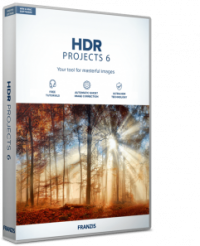
HDR projects 6 is a specialized photo editing utility designed to automate the creation of high dynamic range imagery. The software processes both single-exposure shots and traditional exposure bracketing sequences in RAW or JPG formats. It focuses on achieving balanced exposure across various lighting conditions, aiming to minimize the time spent on manual adjustments during post-production.
The application features several core capabilities intended to streamline the photography workflow:
- Five creative image styles: These presets allow for quick processing to achieve specific visual aesthetics without extensive manual input.
- Automated exposure balancing: The software identifies optimal values to produce images with high sharpness and clarity.
- Noise suppression: Integrated algorithms work to define HDR images while significantly reducing digital noise.
- Format flexibility: It supports a wide range of source files, including raw data directly from camera sensors.
By utilizing this tool, photographers can generate images with enhanced detail in both shadows and highlights. The software is engineered to handle technical tasks like alignment and ghosting reduction, allowing the user to produce professional-grade results without operating complex controllers. This makes it a functional solution for both technical correction and creative enhancement of digital photographs.
Top 5 Reasons To Download HDR Projects 6
- Effortless Professional Exposure: Achieve perfectly balanced lighting in every shot without touching a single manual controller.
- Ultimate Source Flexibility: Seamlessly process everything from professional RAW bracketing sequences to single, everyday JPG images.
- Pristine Image Quality: Advanced noise reduction algorithms ensure your HDR photos are clean, sharp, and free from digital artifacts.
- Instant Creative Inspiration: Utilize five distinct, built-in creative styles to get professional-grade results in seconds.
- Massive Time and Cost Savings: Eliminate the need for expensive lighting rigs and hours of tedious manual post-processing.
Introduction: The Quest for the Perfect Shot
If you have ever spent an afternoon chasing the "golden hour" only to come home, load your photos onto your computer, and realize that the sky is a washed-out white or the foreground is a murky black, you know the frustration of limited dynamic range. Our eyes are incredible biological machines capable of seeing detail in bright highlights and deep shadows simultaneously. Unfortunately, even the most expensive modern cameras often struggle to replicate that experience. This is where High Dynamic Range (HDR) photography comes in, and specifically, why HDR projects 6 is the tool you have been waiting for.
As a tech reviewer who has seen hundreds of photo editors come and go, I can tell you that most software falls into one of two categories: it is either too simple to produce professional results, or it is so complex that you need a PhD in color theory just to brighten a shadow. HDR projects 6 manages to break that cycle. It is designed for the photographer who wants the technical best out of their images without spending their entire weekend tethered to a mouse. This giveaway isn't just a free piece of software; it is an invitation to upgrade your entire portfolio. Let’s dive deep into the five core reasons why you need to hit that download button right now.
1. Effortless Professional Exposure
The primary reason anyone looks into HDR software is to fix exposure issues. We’ve all been there: you’re shooting a stunning landscape where the sun is setting behind a mountain. If you expose for the sun, the mountain becomes a silhouette. If you expose for the mountain, the sky becomes a blinding white void. HDR projects 6 solves this by intelligently merging the best parts of your image data.
What sets this software apart is its "hands-off" philosophy. The marketing says it "practically does all the work itself," and for once, that isn't just hyperbole. The software uses sophisticated algorithms to analyze the luminosity of your image and apply corrections that look natural. Unlike older HDR tools that often produced "crunchy," radioactive-looking photos, HDR projects 6 focuses on realistic, perfectly exposed images. You get the detail in the clouds and the texture in the shadowed grass, all without having to fiddle with sliders for twenty minutes. For a photographer, this means you can focus more on composition and "the moment" and less on the technical anxiety of whether your sensor can handle the contrast.
This automation is a game-changer for beginners, but even for pros, it’s a massive relief. Having a tool that reliably gets the exposure right on the first pass allows you to spend your creative energy on the finer details of the edit. It’s like having a professional lighting assistant living inside your hard drive.
2. Ultimate Source Flexibility: RAW, JPG, and Bracketing
Many people assume that to do "real" HDR, you must shoot three, five, or seven different exposures of the same scene using a tripod. While HDR projects 6 excels at processing these traditional "bracketed" sequences, its real power lies in its versatility. It doesn't care if you are a professional with a bag full of glass or a hobbyist with a smartphone.
The software works wonders with individual images. If you have a single RAW file, HDR projects 6 can extract an incredible amount of latent information from that one file to create a "pseudo-HDR" that looks significantly better than a standard edit. Even if you only have JPGs—perhaps from an older camera or a quick snapshot—the software uses its internal engine to reconstruct details and balance the light. This means your entire library of "almost great" photos from the last decade can suddenly be given a new lease on life.
Furthermore, the support for RAW files is robust. It recognizes the specific data structures of different camera sensors, ensuring that when it pulls detail out of a shadow, it is doing so with the highest possible fidelity. Being able to jump between a single-shot JPG and a professional 7-shot RAW bracket in the same workspace makes this one of the most flexible tools in a modern tech stack.
3. Pristine Image Quality: Noise Reduction and Sharpness
One of the "dirty secrets" of HDR photography is that it often introduces a lot of digital noise. When you brighten shadows, you're essentially turning up the volume on the electronic interference of your camera's sensor. This usually results in grainy, "noisy" images that look terrible when printed or viewed on a large 4K monitor. HDR projects 6 tackles this head-on with its advanced noise reduction technology.
The software identifies the difference between actual image detail and digital noise. It applies a smoothing effect to the grain while simultaneously enhancing the edges of your subjects. The result is what the developers call "optimum image quality." You get defined HDR images that look clean and professional, even if they were shot in low-light conditions.
Then there is the sharpness. We have all seen images that look "soft" or slightly out of focus. This software includes sharpening algorithms that work in tandem with the HDR process to bring out textures you didn't even know were there. Whether it’s the fine lines on a weathered face, the jagged edges of a cliffside, or the intricate metallic details of a car engine, the clarity provided here is, quite frankly, like nothing I've seen in standard editors. It gives your photos a "pop" that makes them look three-dimensional.
4. Instant Creative Inspiration with 5 Image Styles
Sometimes the hardest part of photo editing isn't the technical work—it's deciding what "look" you want. You have a great photo, but should it be a moody, high-contrast black and white? Or a vibrant, saturated landscape? Or perhaps a soft, naturalistic portrait? HDR projects 6 includes five creative image styles that serve as a springboard for your creativity.
These aren't just cheap filters like the ones you find on social media apps. These are complex presets that adjust dozens of internal parameters to achieve a specific aesthetic. They allow for "quick success," which is tech-speak for "getting a great result in one click." For the user who is in a rush to post to a portfolio or share with a client, these styles are a lifesaver.
What I love about this feature is that it encourages experimentation. You can cycle through the five styles to see how your image reacts to different light and color treatments. Often, you’ll find a style that takes the photo in a direction you hadn’t even considered. It’s like having a creative director sitting next to you, suggesting different artistic visions for your work. Once you find a style you like, you can leave it as is, or use it as a foundation for further (though likely unnecessary) tweaking.
5. Massive Time and Cost Savings
Let's talk about the practical side of being a creator: time and money. In the old days (and by "old days," I mean about five years ago), getting perfectly exposed images in difficult lighting required an arsenal of gear. You needed external flashes, softboxes, reflectors, and expensive graduated neutral density filters for your lenses. You also needed a "set" that was meticulously lit. This costs thousands of dollars and takes hours to set up.
HDR projects 6 allows you to "reduce costs on set." By knowing that you have the power to balance exposure and recover details in post-production, you can travel lighter. You don't need to haul 50 pounds of lighting equipment to the top of a mountain or into a cramped interior space. You can shoot with available light, knowing that the software will bridge the gap. For travel photographers, hikers, or anyone who just doesn't want to carry a suitcase of gear, this is a massive advantage.
Then there is the time factor. Manual HDR blending in traditional photo editors is a chore. It involves layers, masking, brushing, and constant back-and-forth adjustments. HDR projects 6 automates that entire workflow. What used to take an hour can now be done in the time it takes to sip your coffee. In the world of tech and content creation, time is the only resource you can't buy more of. A tool that gives you back hours of your life while delivering a superior product is, in my opinion, the most valuable tool you can own.
The Technical Edge: Why This Specific Version Matters
You might be wondering why you should download this specific giveaway instead of just using the "Auto-HDR" feature on your phone. The answer lies in the engine. Most smartphone HDR is "destructive"—it makes permanent changes to a compressed file, often losing detail and creating a "flat" look. HDR projects 6 uses a non-destructive workflow that respects the integrity of your original pixels.
The "projects" series of software has long been respected in the industry for its German engineering and precision. It doesn't just "brighten the image"; it re-maps the tones to ensure that the transition from shadow to highlight is smooth and professional. This prevents the "halos" that you often see around trees or buildings in lower-quality HDR attempts. When you use this software, you are using a tool designed by color scientists who understand exactly how digital sensors record light.
Final Verdict: Why You Should Download It Now
As a reviewer, I am often skeptical of software that claims to do "all the work for you." Usually, that means the software is taking away your control. But HDR projects 6 feels different. It feels like it is handling the tedious work, leaving you with the creative work. It handles the math, the alignment, the ghosting removal (for when things move in your shots), and the noise reduction. You get to keep the fun part: seeing your vision come to life in vivid, sharp detail.
We live in a visual world. Whether you are trying to grow a social media following, sell real estate, capture family memories, or break into professional photography, the quality of your images is your calling card. Using a tool like this gives you a competitive edge. It allows you to produce images that simply look "better" than the standard fare, without requiring you to go back to school to learn complex editing suites.
This is a giveaway you don't want to pass up. It is a rare opportunity to add a high-end, specialized tool to your kit for free. It’s powerful enough for the professional but accessible enough for the person who just got their first camera yesterday. Download it, run a few of your "failed" dark photos through it, and prepare to be amazed at what was hiding in your files all along. Your photos have more potential than you realize—HDR projects 6 is just the key to unlocking it.
In summary, you are getting a world-class HDR engine that handles RAW and JPG files, five incredible creative styles to speed up your workflow, and the ability to create images with a sharpness and clarity that will make people ask, "What camera did you use?" The answer won't be about the camera; it will be about the software. Don't let this opportunity slip by. Grab the download, start experimenting, and take your photography to the next level today.


Reviews for HDR Projects 6
Click Here to Read Reviews for HDR Projects 6 >> Click Here to Submit Reviews for HDR Projects 6 >>