What Does CryptoBuster Anti-Ransomware Do?
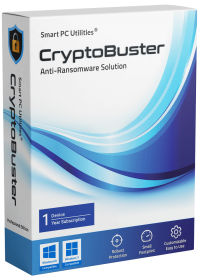
CryptoBuster is a lightweight anti-ransomware utility designed to serve as a final line of defense for local data. Functioning as a specialized security layer, the software works alongside existing antivirus products to detect and neutralize encryption-based threats that might bypass standard signature-based scanners.
The core of the application relies on honeypots—decoy files placed in strategic system locations to bait malicious software. When ransomware attempts to encrypt these decoys, CryptoBuster triggers an immediate response. Users can manually define honeypot names and locations or allow the software to automatically deploy hundreds of bait files using various extensions and custom naming conventions.
Beyond honeypots, CryptoBuster features active file system monitoring to identify suspicious behaviors. This includes tracking the creation of known ransomware extensions and monitoring for potentially dangerous file types, such as scripts or batch files often used in attack preparations. The software provides several key management features:
- Modular Configuration: Users can toggle specific protection modules and define how the software reacts to detected threats.
- Automated Mitigation: The tool can be set to perform automatic actions in response to security events or configured to monitor and report only.
- Security History: A dedicated log records all detected issues and performed actions, allowing for detailed auditing of system events.
By focusing on behavioral detection and decoy strategies, CryptoBuster aims to secure sensitive data against evolving ransomware strains with minimal impact on system performance.
Top 5 Reasons To Download CryptoBuster Anti-Ransomware
- Proactive Honeypot Technology: A proven, low-false-positive method to trap ransomware before it reaches your actual data.
- Intelligent File System Monitoring: Real-time detection of suspicious file creations, scripts, and unknown extensions.
- Zero-Conflict Compatibility: A lightweight solution designed to work seamlessly alongside your existing antivirus or security suite.
- Total User Customization: Full control over protection modules, automated responses, and manual honeypot placement.
- Comprehensive Security History: Detailed logging that provides transparency and helps users fine-tune their defensive posture.
In the modern digital landscape, the threat of ransomware has evolved from a niche concern into a global epidemic. We have all heard the horror stories: a single click on a seemingly innocent email attachment leads to a total lockout of personal photos, financial documents, and years of hard work. While traditional antivirus programs do a decent job of filtering known threats, the reality is that cybercriminals are constantly shifting their tactics. They are developing "zero-day" strains that can slip past even the most expensive security suites. This is exactly why I am so excited to talk about CryptoBuster. It is not just another antivirus; it is a specialized, surgical strike against the specific mechanics of ransomware. If you value your data, this is the giveaway you cannot afford to miss. Let’s dive deep into the five reasons why this software belongs on your machine right now.
1. Proactive Honeypot Technology
The first and perhaps most clever feature of CryptoBuster is its use of honeypots. If you are not familiar with the term, think of a honeypot as a digital "tripwire" or a decoy. Ransomware operates by scanning your hard drive and encrypting files one by one, usually starting alphabetically or by looking for high-value folders like "Documents" or "Desktop." CryptoBuster takes advantage of this predictable behavior by scattering "bait" files throughout your system. These are the honeypots.
What makes this so effective is the logic behind it. These honeypots are designed to be "tasty" targets for ransomware. They are placed in strategic locations where a malicious script is likely to start its dirty work. The moment a ransomware process touches one of these decoy files, CryptoBuster identifies the intrusion instantly. Because no legitimate user or standard software should be modifying these hidden decoys, the chance of a false positive is incredibly low. It is a "gotcha" moment for the malware, stopping it in its tracks before it ever gets near your real family photos or tax returns.
The level of control you get here is unparalleled. For the power users out there, you can manually create these honeypots, customizing their names and locations to suit your specific directory structure. If you prefer a "set it and forget it" approach, the software can automatically deploy hundreds of these traps across your system. It uses custom names and file types that are specifically engineered to attract ransomware. It is essentially turning your hard drive into a minefield for hackers, and you are the one holding the map.
2. Intelligent File System Monitoring
While honeypots are a fantastic "last line of defense," CryptoBuster does not stop there. It also features an intelligent file system monitor that acts as a proactive sentry. This module does not just look for "known" viruses; it watches for malicious behavior. Ransomware often follows a specific pattern of preparation before the encryption even begins. It might drop batch files, run scripts, or start creating files with bizarre, non-standard extensions like .locked, .crypted, or .kraken.
CryptoBuster is designed to spot these red flags in real-time. You can configure the software to watch for the creation of files that use known ransomware extensions. More importantly, you can set it to flag unknown file types. This is a bold, aggressive technique that is incredibly effective against new ransomware strains that change their extension names to bypass standard filters. By monitoring the creation of batch files and scripts—tools that are the bread and butter of a cyberattack—the software can often stop a disaster before it even starts. It is like having a security guard who does not just look for known criminals, but also watches for anyone carrying a crowbar and a mask.
This intelligent monitoring provides a layer of situational awareness that standard antivirus software often lacks. Instead of waiting for a virus definition update from a server, CryptoBuster looks at the action being taken on your PC. If an unknown process suddenly starts churning out thousands of encrypted files, CryptoBuster steps in and cuts the power to that process immediately.
3. Zero-Conflict Compatibility and Small Footprint
One of the biggest complaints I hear as a tech reviewer is that security software makes computers feel sluggish. We have all experienced that "bloatware" feel where an antivirus suite takes up 20% of your RAM and makes your boot-up time feel like an eternity. Furthermore, many security products do not play well with others; installing two different antivirus programs often leads to system crashes and "blue screens of death" as they fight for control over the kernel.
CryptoBuster was built with a completely different philosophy. It is designed to be a lightweight addition to your existing security ecosystem. It has a remarkably small system footprint, meaning it sits quietly in the background without hogging your CPU or memory. You won't even know it is there until it is needed. This makes it an ideal choice for gamers who need every frame per second, or professionals who cannot afford any lag during their workday.
Most importantly, it is engineered to work side-by-side with your current security products. Whether you are using Windows Defender, a premium third-party suite, or a corporate-level firewall, CryptoBuster acts as a complementary layer. It doesn't try to replace your primary antivirus; it fills the specific gaps that those broad tools often leave open. It is the specialist in the room. This "defense-in-depth" strategy is exactly what cybersecurity experts recommend: multiple layers of different types of protection working together to ensure that if one fails, the next one is there to catch the threat.
4. Total User Customization
There is nothing more frustrating than "black box" software—programs that make decisions for you without explaining why or letting you change the rules. CryptoBuster shatters this trend by being one of the most configurable anti-ransomware tools on the market. The developers understood that every user’s needs are different. A developer might need to run certain scripts that a casual user never would, and CryptoBuster allows for that nuance.
Inside the settings, you have full control over every protection module. You can choose which parts of the engine to enable and which to disable. Even more impressive is the ability to configure automatic actions. You can set the software to automatically terminate any process it deems malicious, or, if you prefer to stay in the driver's seat, you can set it to "Monitor and Report" only. In this mode, the software will alert you to suspicious activity but wait for your permission before taking action. This prevents any accidental interruption of legitimate work.
This level of transparency extends to how the honeypots are handled as well. You aren't just stuck with what the software gives you. You can tailor the defense to your specific file structure. If you have a particularly sensitive folder, you can surround it with manual honeypots. This customization turns the software from a simple utility into a professional-grade tool that can be molded to fit your specific workflow and risk tolerance.
5. Comprehensive Security History and Logging
Knowledge is power, especially when it comes to security. If something happens on your computer, you want to know exactly what it was, when it happened, and what the software did about it. CryptoBuster includes a robust "Security History" feature that is a goldmine for anyone who wants to understand their system's safety better.
Every issue detected, every blocked script, and every triggered honeypot is logged in detail. For the average user, this provides peace of mind; you can look at the log and see that the software is actively working to protect you. For the more experienced or "pro" users, this history is essential for fine-tuning. By reviewing the logs, you can see if a certain legitimate program is behaving in a way that triggers a warning, allowing you to whitelist it and optimize your system's performance.
This historical data also helps in the event of an actual attempted attack. If a piece of ransomware tries to enter your system, the logs will show you the path it took and which files it tried to target. This information is vital for post-attack recovery and for ensuring that the original vulnerability is patched. It transforms your defense from a "silent wall" into an "intelligent radar system." When you combine this level of reporting with the other four reasons mentioned above, it becomes clear that CryptoBuster is more than just a giveaway—it is an essential upgrade for any modern PC.
In conclusion, we have reached a point where relying on a single antivirus program is simply not enough. The stakes are too high, and the attackers are too clever. Your data—your memories, your work, and your privacy—deserves a dedicated bodyguard. CryptoBuster provides that second line of defense, offering specialized honeypot traps, intelligent behavior monitoring, and a lightweight design that won't slow you down. It is user-friendly enough for a beginner but deep enough for a pro. Do not wait until you see a ransom note on your screen to take action. Download this giveaway, install it, and give your machine the "last line of defense" it truly needs. You'll sleep much better knowing your data is behind a wall that ransomware simply cannot scale.


Reviews for CryptoBuster Anti-Ransomware
Click Here to Read Reviews for CryptoBuster Anti-Ransomware >> Click Here to Submit Reviews for CryptoBuster Anti-Ransomware >>