What Does Tenorshare PDNob Image Translator [with AI] Do?
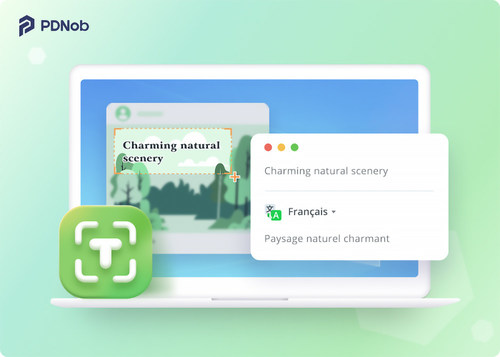
Tenorshare PDNob Image Translator is a specialized utility designed to extract and translate text from visual media. The software utilizes AI-powered Optical Character Recognition (OCR) to identify text within screenshots, photos, scanned documents, and handwritten notes. It supports text recognition for 16 major languages and offers translation into more than 100 target languages.
For high-volume tasks, the application features a batch mode capable of processing up to 50 images in a single operation. It supports files up to 100MB and is compatible with common formats such as JPG, PNG, GIF, and BMP. This makes the tool effective for translating large batches of documents, web banners, or social media content efficiently.
Security is a primary focus, as the software performs all translation tasks locally on the user’s device. This architecture ensures that sensitive data is not uploaded to third-party servers. The interface is designed for speed, allowing users to capture and translate text using simple selection tools or customizable hotkeys. By combining local processing with advanced OCR, the tool provides a secure and streamlined method for breaking language barriers in digital imagery.
Top 5 Reasons To Download Tenorshare PDNob Image Translator [with AI]
Before we dive into the deep technical specifications and the day-to-day workflow improvements that this tool offers, let’s look at the "big picture." If you are looking for a reason to add Tenorshare PDNob Image Translator to your digital toolkit, here are the top five reasons why this software is a absolute game-changer for anyone dealing with digital content in 2024.
- Advanced AI-Powered OCR Accuracy: It uses cutting-edge artificial intelligence to recognize text in 16 major languages and translate them into over 100 languages with incredible precision.
- Local Processing for Total Privacy: Unlike web-based tools that require you to upload your sensitive images to a server, this software performs all translations locally on your device, ensuring your data never leaves your hands.
- High-Volume Batch Translation: You can process more than 50 images simultaneously, supporting file sizes up to 100MB, which makes it an industrial-strength solution for students and professionals alike.
- Unrivaled Format Versatility: Whether it is a locked PDF, a handwritten note, a social media banner, or a frame from a manga comic, the software handles almost any visual medium you throw at it.
- Seamless User Experience: With a clean, intuitive interface designed for efficiency, there is no steep learning curve, making high-level translation accessible to everyone regardless of their technical background.
In the modern digital landscape, we are constantly bombarded with information. However, a significant portion of that information is "trapped" within images. Whether it is an infographic, a screenshot of a foreign social media post, a scanned document, or even a piece of text inside a video, that data is traditionally non-searchable and non-selectable. This is the exact pain point that Tenorshare PDNob Image Translator aims to solve, and it does so with a level of sophistication that few other tools can match. Let’s explore these reasons in depth to understand why you need to download this giveaway today.
1. Advanced AI-Powered OCR Accuracy
The core of any translation tool is its ability to "read" the source material. If the Optical Character Recognition (OCR) is flawed, the translation will be nonsensical. This is where Tenorshare PDNob Image Translator truly shines. By leveraging advanced AI-powered OCR technology, the software doesn't just look at shapes; it understands the context of characters across 16 major recognition languages. This includes complex scripts like Chinese, Japanese, and Korean, which are notoriously difficult for standard OCR engines to parse.
Once the text is accurately captured, the software offers translation into over 100 languages. This isn't just a simple dictionary swap. The AI works to maintain the nuances of the original text, ensuring that the final result is readable and contextually accurate. For anyone who has ever tried to manually type out text from a foreign-language image just to put it into a translator, you know how soul-crushing that process is. This tool turns a ten-minute chore into a two-second click. It’s not just about convenience; it’s about the accuracy that only a dedicated AI engine can provide.
Furthermore, the "recognition" aspect extends beyond just standard fonts. We’ve all encountered stylized text in banners or advertisements that traditional software fails to read. Tenorshare PDNob Image Translator is designed to cut through the visual "noise" of banners and graphics, extracting the relevant text with a success rate that puts browser-based extensions to shame. This makes it an indispensable tool for researchers, travelers, and global business professionals who need to decode information on the fly.
2. Local Processing for Total Privacy
In an era where data breaches are common and "free" online tools often monetize your personal information, privacy has become a luxury. Most online image translators require you to upload your files to their cloud servers. This means your private documents, sensitive business screenshots, or personal photos are sitting on a third-party server, vulnerable to leaks or unauthorized access. Tenorshare PDNob Image Translator takes a radically different and much-needed approach: local processing.
When you use this software, the OCR and the translation logic happen right on your computer. Your images stay on your hard drive. This is a massive "win" for corporate users who handle proprietary information or legal documents that cannot, under any circumstances, be uploaded to a public cloud. If you are translating a scanned contract or a private message, you want the peace of mind knowing that your data isn't being used to train a public AI model or being stored in a database halfway across the world.
By keeping the workflow local, the software also eliminates the reliance on a high-speed internet connection for the heavy lifting of image analysis. While a connection is used for the translation database, the actual "reading" of your file is handled by your machine’s resources. This focus on security and data sovereignty is a breath of fresh air in the tech world and is perhaps the strongest reason for privacy-conscious users to jump on this download immediately.
3. High-Volume Batch Translation
Efficiency is the currency of the digital age. Most translation tools are "one-and-done"—you upload a file, wait, download the result, and repeat. This is fine for a single image, but what if you have a 50-page PDF of a technical manual? Or 100 screenshots from a foreign language forum that you need to analyze for a research project? Doing these one by one is an exercise in futility.
Tenorshare PDNob Image Translator solves this with its robust batch processing feature. It can handle more than 50 images at once. You can simply drag and drop a whole folder of images into the interface and let the software work its magic. This "set it and forget it" workflow is a massive time-saver. Moreover, the software supports files up to 100MB, which is significantly higher than most competitors. This means you don't have to spend time compressing your high-resolution scans or resizing your photos before you can translate them.
The support for various formats—JPG, JPEG, PNG, GIF, BMP, and more—means you don’t have to worry about file conversions. Whether you are dealing with a standard screenshot or a large, uncompressed BMP file from a professional scanner, the software treats them all with the same level of speed and precision. For power users who deal with high volumes of data, this feature alone justifies the installation. It transforms the software from a simple utility into a professional-grade productivity powerhouse.
4. Unrivaled Format Versatility
One of the most impressive aspects of Tenorshare PDNob Image Translator is that it doesn't care what "kind" of image you have. It is built to handle the most difficult edge cases in the world of digital text. Let’s talk about handwriting. Most OCR tools fail miserably when faced with anything that isn't a standard Arial or Times New Roman font. However, this software is specifically optimized to recognize handwritten notes. This makes it a perfect companion for students who want to digitize their lecture notes or researchers working with historical documents.
Then there is the world of comics and manga. These present a unique challenge because the text is often vertical, stylized, and placed over complex backgrounds. Fans of international media will find this tool to be a revelation. You can take a screenshot of a digital comic and get an instant translation without the text being obscured by the art. It’s like having a universal translator for your favorite global media.
Additionally, the software works wonders on "locked" files. We’ve all been there: you download a PDF or view a webpage where right-clicking and copying text is disabled. Instead of getting frustrated, you can simply use the screenshot-to-translate feature. It bypasses the restrictions of the file format by looking at the visual pixels rather than the underlying code. This makes it a "skeleton key" for information, allowing you to extract and translate text from social media posts, encrypted PDFs, and even video subtitles that aren't available in your native language.
5. Seamless User Experience
The best technology is the kind that gets out of your way and lets you do your work. Tenorshare PDNob Image Translator features an incredibly clean and intuitive interface. There are no cluttered menus, no confusing jargon, and no unnecessary bloat. It is designed so that a first-time user can open the app and perform their first translation within seconds. The "clean" design isn't just about aesthetics; it’s about reducing the cognitive load on the user.
The workflow is streamlined: Capture, Recognize, Translate. You can use hotkeys to take a screenshot of any area on your screen, and the software immediately pops up with the recognized text and its translation. This integration into your existing desktop workflow is seamless. You don't have to toggle back and forth between multiple windows or deal with clunky "upload" buttons. It feels like a native part of your operating system.
Furthermore, the software is lightweight. It doesn't hog your system resources, meaning you can leave it running in the background while you work on other tasks. When you encounter a language barrier, it’s there to help; when you don’t, it stays out of sight. This user-centric philosophy makes it a pleasure to use, and it’s why this giveaway is such a valuable opportunity. You are getting a premium tool that respects your time and your intelligence.
Final Thoughts: Why You Should Act Now
The digital world is becoming more globalized every day. We are no longer limited to the content produced in our own countries. We have access to the entire world's knowledge, but that knowledge is often hidden behind language barriers and image formats. Tenorshare PDNob Image Translator is the bridge that allows you to cross those barriers with ease. It combines the power of AI, the security of local processing, and the efficiency of batch tools into one elegant package.
Imagine being able to read any document, understand any social media post, and digitize any handwritten note with just a few clicks. This isn't just about translation; it's about empowerment. It’s about having the tools to navigate a multilingual world without feeling lost or restricted. Whether you are a student, a professional, or just someone who loves exploring international content, this software is an essential addition to your computer.
The combination of high-speed performance and high-accuracy results makes this a standout in the field of OCR utilities. Many tools offer either speed or accuracy; PDNob offers both. And when you factor in the privacy benefits of local processing, it becomes clear that this is a superior choice to any online alternative. You aren't just downloading a translator; you are downloading a more efficient way to interact with the digital world.
Opportunities to get a high-quality, professional tool like this for free are rare. Don't let the language barrier hold you back any longer. With Tenorshare PDNob Image Translator, the world's information is truly at your fingertips, ready to be read, understood, and utilized. Download this giveaway now and experience the freedom of a truly borderless digital experience. You will wonder how you ever managed to get by without it.
In conclusion, if you value your time, your privacy, and your ability to access information, there is no reason to hesitate. The "Top 5 Reasons" we’ve discussed—AI accuracy, privacy, batch processing, versatility, and ease of use—are just the tip of the iceberg. Once you start using PDNob Image Translator, you will find dozens of small ways it improves your daily digital life. From translating menus in travel photos to extracting data from work reports, its utility is endless. Make the smart move for your digital workflow and secure this download today.

Reviews for Tenorshare PDNob Image Translator [with AI]
Click Here to Read Reviews for Tenorshare PDNob Image Translator [with AI] >> Click Here to Submit Reviews for Tenorshare PDNob Image Translator [with AI] >>