What Does KeyCtrl Professional Do?
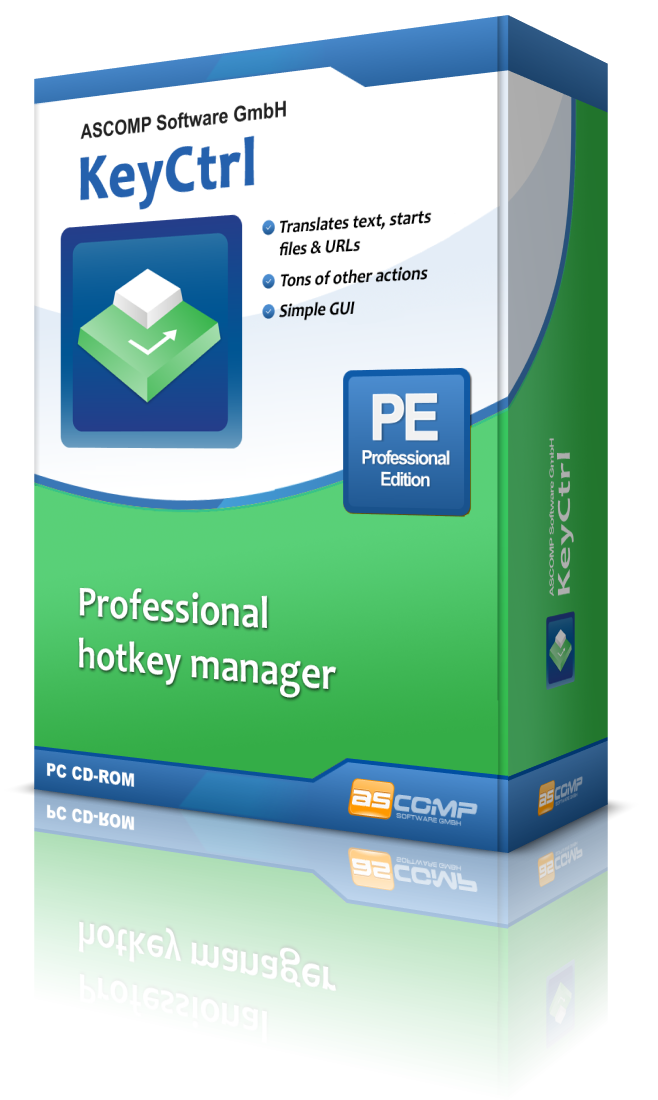
While standard Windows shortcuts like Ctrl+C and Ctrl+V facilitate basic data management, many specialized workflows involve repetitive manual actions that lack native shortcuts. KeyCtrl is a productivity utility that allows users to define custom hotkeys to automate these daily tasks across the operating system.
The software provides several core automation capabilities, including:
- Automatic insertion of frequently used text blocks into word processors and email clients.
- Immediate translation of active website content.
- Triggering screen captures and managing screenshots.
- Opening specific directories within Windows Explorer through dedicated key combinations.
KeyCtrl incorporates professional configuration options, such as contextual activation. Users can set hotkeys to remain dormant unless a specific window title is visible or a predefined background process is running. This prevents shortcut conflicts across different applications. By mapping complex actions to single keystrokes, the software aims to minimize the time spent on interface navigation and redundant data entry.
The utility is designed to integrate into existing workflows, providing a central interface for shortcut management. Whether for simple text expansion or process-specific automation, the software offers a functional approach to enhancing desktop efficiency through custom keyboard commands.
Top 5 Reasons To Download KeyCtrl Professional
- Seamless Text Expansion and Auto-Insertion: Eliminate the redundancy of typing the same phrases, emails, and code snippets over and over again.
- Intelligent Context-Specific Hotkey Management: Create "smart" shortcuts that only activate when specific programs or windows are active, preventing accidental triggers.
- Instant Access to System Functions and File Navigation: Stop digging through layers of folders; jump to your most-used directories or translate web content with a single keystroke.
- Significant Reduction in Repetitive Strain and Workflow Friction: Keep your hands on the keyboard and your mind in the flow state by minimizing unnecessary mouse movements.
- Professional-Grade Customization with a Minimalist Learning Curve: Access powerful automation features usually reserved for programmers through a clean, intuitive interface designed for everyone.
Introduction: Why Your Keyboard Is Underutilized
If you are anything like the average modern professional, you spend a significant portion of your day interacting with a computer. We have been conditioned to accept certain inefficiencies as part of the "job." We click through menus, we manually type out our email addresses for the thousandth time, and we navigate deep into the file system to find that one folder we use every single day. We think we are being productive because our fingers are moving, but in reality, we are wasting precious mental energy on "junk" tasks.
Think about the power of Ctrl+C and Ctrl+V. These two shortcuts are arguably the most important innovations in the history of the modern user interface. They save us hours every week. But why stop there? Why should copy and paste be the only superpowers at our fingertips? This is where KeyCtrl enters the frame. It is not just another utility; it is a fundamental upgrade to how you interact with your OS. As a tech reviewer who has tested hundreds of productivity "hacks," I can tell you that nothing beats the raw efficiency of well-defined hotkeys. KeyCtrl allows you to take control of your workflow in a way that feels like magic.
In this article, I am going to break down exactly why you need to grab this giveaway and how KeyCtrl will transform your daily routine from a series of clicks into a streamlined, automated experience. If you value your time, read on.
1. Seamless Text Expansion and Auto-Insertion
Let’s talk about the "repetitive typing" tax. Whether you are a customer support agent, a developer, a lawyer, or a student, you likely have phrases that you type dozens of times a day. Maybe it’s a standard email greeting, a complex legal disclaimer, a block of boilerplate code, or even just your home address. Every time you type these manually, you are not only wasting time but also increasing the margin for error. A typo in a bank account number or a shipping address can cause major headaches.
KeyCtrl solves this by turning your keyboard into a high-speed text injector. You can define a simple hotkey that instantly expands into a full paragraph of text. Imagine hitting Alt+G and having a perfectly formatted "Professional Greeting" appear in your email client instantly. Or perhaps you use Ctrl+Alt+S to drop in your full signature and social media links. The software handles the heavy lifting, ensuring that the text is inserted accurately and instantly into Word, Outlook, or any other text field.
The beauty here is the sheer volume of time saved. If you save 30 seconds of typing twenty times a day, you’ve just gained back ten minutes of your life daily. Over a year, that is nearly 60 hours of pure productivity recovered. That is the power of text expansion, and KeyCtrl makes it easier to implement than almost any other tool on the market.
2. Intelligent Context-Specific Hotkey Management
One of the biggest complaints users have with traditional hotkey software is "shortcut collision." You set a hotkey to do something in your web browser, but then you open a video editing suite or a game, and that same hotkey interferes with the program’s native commands. It’s frustrating, and it often leads people to stop using hotkeys altogether.
KeyCtrl offers a sophisticated solution that I rarely see in entry-level automation tools: Contextual Awareness. This means you can define hotkeys that are only active under specific conditions. For example, you can set a specific key combination to only trigger when a certain window title is visible or when a specific background process is running. This is a game-changer for power users.
Think about the possibilities. You could have Alt+D open a specific database tool when you are working in your IDE, but have that same Alt+D perform a Google search when you are in Chrome. This level of "conditional logic" ensures that your keyboard remains a precise tool rather than a chaotic mess of conflicting commands. It allows you to build a personalized "command center" that adapts to whatever task you are currently performing. It’s professional-grade automation made accessible.
3. Instant Access to System Functions and File Navigation
How much time do you spend "traveling" through your computer? I’m talking about clicking This PC, then C: Drive, then Users, then Documents, then Projects... it’s exhausting. Even with "Quick Access" pins, navigating the Windows Explorer can be a drag on your momentum. KeyCtrl allows you to map these paths directly to your keyboard. With one custom shortcut, you can snap directly to your most important project folder, no clicking required.
But it goes beyond just folder navigation. KeyCtrl integrates essential utility functions that usually require separate apps or multi-step processes. One of the most impressive features is the ability to trigger content translation directly via a hotkey. In our globalized world, we often come across snippets of text in foreign languages. Instead of copying the text, opening a browser, navigating to a translation site, and pasting it, you can define a KeyCtrl shortcut to handle the logic for you.
Additionally, the software simplifies screen capturing. While Windows has its own built-in tools, they can be clunky. Integrating screenshot triggers into your personalized hotkey map means you can capture, save, and move on in a fraction of a second. By consolidating these disparate system functions into a single, cohesive hotkey manager, KeyCtrl acts as a "glue" that holds your digital workspace together.
4. Significant Reduction in Repetitive Strain and Workflow Friction
We often talk about productivity in terms of "getting more done," but we rarely talk about the physical and mental cost of how we get things done. Using a mouse is, by nature, slower and more physically taxing than using a keyboard. Every time you move your hand from the home row to the mouse, you are breaking your "flow state." You have to visually find the cursor, move it to a specific UI element, and click. This is known as "workflow friction."
By downloading KeyCtrl, you are essentially committing to a "keyboard-first" philosophy. The less you have to reach for your mouse, the more you can stay focused on the creative or analytical task at hand. This is why professional coders and editors obsess over shortcuts; they know that every micro-second saved contributes to a better output and less mental fatigue at the end of the day.
Furthermore, reducing mouse usage can help mitigate repetitive strain injuries (RSI). Clicking and dragging are high-intensity movements for the small muscles in your hand. Using your stronger fingers to tap keys is much more ergonomic over long periods. KeyCtrl isn't just a tool for your computer; it's a tool for your long-term health and focus. When you automate your daily tasks, you aren't just working faster—you are working smarter and more comfortably.
5. Professional-Grade Customization with a Minimalist Learning Curve
There are other automation tools out there, but many of them require you to practically learn a programming language just to set up a simple macro. For the average user, that is a dealbreaker. You shouldn't need a computer science degree to automate your email signature. KeyCtrl strikes the perfect balance between power and usability.
The interface is designed to be intuitive. You define a trigger, you define an action, and you save it. It is that simple. However, don't let the ease of use fool you into thinking it's a "basic" app. As mentioned earlier, the inclusion of process-specific triggers and advanced window handling means it can grow with you. As you become more comfortable with basic shortcuts, you can start building more complex chains of automation.
Why is this a reason to download this giveaway? Because it is rare to find a piece of software that respects the user's time during the setup phase as much as it does during the usage phase. You can have your first five hotkeys set up in under three minutes. It is a "set it and forget it" utility that runs quietly in the background, making your life easier without demanding constant attention or updates. It provides the professional options you want without the headaches you don't.
The "Pro" Mindset: Why Tech Reviewers Love This
In the tech world, we often talk about "frictionless" experiences. We want our phones to unlock instantly, our websites to load in milliseconds, and our apps to anticipate our needs. Yet, many of us still use our keyboards as if it’s 1995. We use the keys to type letters, but we don't use them to control the environment. KeyCtrl is the bridge between the old way of computing and a modern, automated workflow.
When I look at a tool like this, I don't just see a "hotkey manager." I see a way to customize the operating system to fit the user, rather than forcing the user to fit the operating system. Windows is a general-purpose tool designed for millions of people. KeyCtrl allows you to take that general-purpose tool and sharpen it into a specialized instrument tailored specifically for your job and your habits.
Imagine a workday where you never have to search for a file, never have to re-type a standard response, and never have to navigate a cluttered "Start" menu. You simply press a combination of keys, and the computer obeys. It’s an empowering feeling that changes your relationship with your PC. You stop being a passive user and start being a "power user."
Final Thoughts: Don't Miss This Giveaway
If you have read this far, you clearly care about efficiency. You understand that time is the only resource we can't buy more of. KeyCtrl is a rare opportunity to "buy" back that time through the power of automation. Whether you use it for simple text snippets or for complex, context-aware system commands, the return on investment is immediate.
Let’s recap what you’re getting:
- A way to end the drudgery of repetitive typing.
- A smarter keyboard that knows which app you are using.
- A fast-pass to your most important files and folders.
- A more ergonomic and focused way to work.
- A powerful tool that doesn't require a manual to understand.
In the world of software, there are "nice-to-haves" and there are "must-haves." For anyone who spends more than two hours a day on a computer, a dedicated hotkey manager like KeyCtrl is a must-have. It is the kind of tool that, once you start using it, you will wonder how you ever managed without it. It's like moving from a manual transmission to an automatic—or better yet, to a self-driving car. You are still in control, but the effort required to get from point A to point B is dramatically reduced.
Download KeyCtrl today. Stop clicking, start automating, and watch your productivity soar. This is one giveaway that will pay dividends every single time you sit down at your desk. Your keyboard is capable of so much more than you think—give it the brain it deserves with KeyCtrl.
Remember, the most successful people aren't necessarily those who work the hardest; they are the ones who have the best tools to make the work look easy. Make your work easy. Define your own shortcuts. Take control.

Reviews for KeyCtrl Professional
Click Here to Read Reviews for KeyCtrl Professional >> Click Here to Submit Reviews for KeyCtrl Professional >>