What Does FileRestorePlus Do?
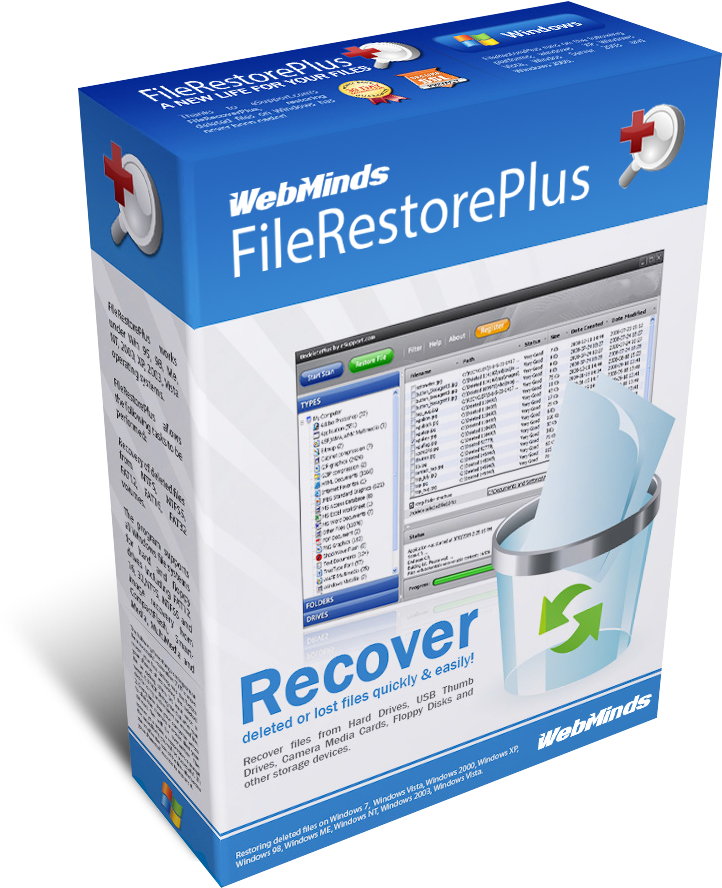
FileRestorePlus is a data recovery utility designed to retrieve files lost through accidental deletion, system crashes, or hard drive formatting. The software supports a broad range of storage media, including internal hard drives, SSDs, USB flash drives, and SD cards. It is compatible with standard Windows file systems, specifically FAT16, FAT32, and NTFS, and supports various hardware interfaces such as IDE, ATA, and SCSI.
The application includes several specialized scanning modes to address specific recovery scenarios:
- Deep Scan: A comprehensive scanning mode intended to locate and undelete files that may have been partially overwritten.
- Photo SmartScan: An advanced recovery engine optimized specifically for identifying and restoring deleted image files quickly.
- Folder Restoration: The utility can reconstruct deleted folder structures, even in instances where the Windows operating system has been reinstalled on the drive.
By providing a streamlined interface for complex data retrieval tasks, FileRestorePlus serves as a technical safeguard for users needing to recover data from local or removable storage. Its ability to process various disk formats ensures compatibility with both legacy hardware and modern storage solutions, providing a factual path to data restoration when standard file history searches fail.
Top 5 Reasons To Download FileRestorePlus
- Comprehensive Device Compatibility: Recover lost data from almost any storage medium, including hard drives, SSDs, USB sticks, and SD cards.
- Advanced Deep Scan Technology: Go beyond surface-level recovery to retrieve files that have been partially overwritten or lost in complex system crashes.
- Dedicated Photo SmartScan: Specialized algorithms designed specifically to locate and restore deleted image files with incredible speed and accuracy.
- Unrivaled Resilience: The ability to restore entire folders and directory structures even after a full Windows reinstallation or a drive format.
- Universal File System Support: Seamless operation across all major Windows file systems, including FAT16, FAT32, and NTFS, ensuring no file is left behind.
1. Comprehensive Device Compatibility
In the modern digital landscape, our data is scattered across a dizzying array of devices. You might have your primary work documents on a desktop SSD, your family vacation photos on a high-speed SD card inside a DSLR, and your essential backups on a portable USB thumb drive. The primary reason you need to jump on this FileRestorePlus giveaway is its sheer versatility. This isn't just a tool for your internal hard drive; it is a universal recovery powerhouse that treats every storage medium with the same level of forensic-grade scrutiny.
Many recovery tools on the market are specialized to the point of being limited. Some work well with traditional spinning platters (HDDs) but struggle with the wear-leveling logic of modern Solid State Drives (SSDs). Others are designed for mobile storage but fail when faced with the complex partition tables of a desktop workstation. FileRestorePlus bridges that gap. It supports IDE, ATA, and SCSI hard drives, which means even if you are trying to rescue data from an older legacy machine, this software has the drivers and the logic to communicate with that hardware. For the modern user, its seamless integration with USB drives and SD cards is a lifesaver. We have all experienced that moment of dread when a camera says "Card Error" or a thumb drive asks to be formatted before use. With this tool in your arsenal, those errors are no longer the end of the road; they are simply a minor speed bump.
The ability to interface with such a wide range of hardware is a testament to the engineering behind the app. When you download this giveaway, you aren't just getting an "undelete" button; you are getting a sophisticated interface that speaks the language of your hardware. Whether it is a tiny MicroSD card from your smartphone or a massive multi-terabyte internal drive, the software approaches the recovery process with the same robust methodology, ensuring that your hardware's physical interface is never a barrier to getting your data back.
2. Advanced Deep Scan Technology
Standard file deletion is a bit of a lie. When you "delete" a file in Windows, the operating system doesn't actually go in and scrub the data off the physical disk. Instead, it simply marks the space as "available" and removes the file's entry from the index. However, the moment you start using your computer again, the OS begins writing new data over those "available" sectors. This is where most basic recovery tools fail—they can only find files that are still perfectly indexed. FileRestorePlus features a Deep Scan mode that is a total game-changer for anyone who didn't realize they lost data until days or weeks later.
The Deep Scan technology is designed to hunt for the "signatures" of files rather than relying on the file system's map. It scours the raw sectors of your drive, looking for specific headers and footers that indicate the start and end of a file. This is particularly crucial for files that have been partially overwritten. While a standard scan might see a corrupted sector and give up, the Deep Scan logic in FileRestorePlus attempts to piece together the remaining fragments. It is like a digital archaeologist, carefully brushing away the "dirt" of new data to reveal the treasures buried underneath.
As a reviewer, I cannot stress enough how important this feature is. Most data loss isn't discovered the second it happens. Usually, you realize a file is gone only when you actually need it, which might be after several system reboots or hours of web browsing. Without a powerful Deep Scan feature, your chances of recovery drop significantly with every passing minute. By downloading this software now, you are securing a tool that can perform the "heavy lifting" of data forensics, giving you a much higher success rate in scenarios where other apps would simply return an empty list of results.
3. Dedicated Photo SmartScan
For most of us, the most devastating files to lose aren't spreadsheets or word documents—they are photos. Documents can often be recreated with enough work, but a photo of a child’s first steps or a once-in-a-lifetime vacation is irreplaceable. FileRestorePlus recognizes this emotional weight and includes a dedicated Photo SmartScan mode. This isn't just a filter that shows you only image files; it is a specialized recovery engine optimized specifically for the structures of digital imagery.
The Photo SmartScan is designed to be incredibly fast and efficient. Image files, especially high-resolution JPEGs or RAW files from professional cameras, have very specific data patterns. The SmartScan algorithm focuses exclusively on these patterns, bypassing the noise of system files and temporary internet data. This means you aren't waiting for hours while the software checks every single sector for every possible file type. Instead, you get a streamlined, high-speed search that brings your memories back in minutes. It eliminates the frustrating searches through thousands of irrelevant system icons or thumbnail caches that usually plague the recovery process.
Furthermore, this mode is exceptionally good at handling the fragmentation that often happens on SD cards used in cameras. Digital cameras write data in a way that can lead to "holes" in the file sequence. The Photo SmartScan is tuned to recognize these gaps and bridge them, ensuring that the photo you recover isn't just a corrupted half-image, but a full, usable file. If you are a photographer, a hobbyist, or just someone with a decade’s worth of family memories on their PC, this feature alone makes the giveaway worth the download. It provides a level of specialized care for your images that general-purpose recovery tools simply cannot match.
4. Unrivaled Resilience: Formatting and Reinstalls
One of the most impressive claims of FileRestorePlus, and one that I have seen save users from total despair, is its ability to restore a deleted folder even after reinstalling Windows or formatting a drive. To the average user, a format feels like a "scorched earth" event. It feels like the drive has been wiped clean and returned to its factory state. However, FileRestorePlus is built to look past the high-level formatting and find the underlying data structures that the format didn't actually touch.
Formatting a drive usually recreates the file system (like NTFS or FAT32) but leaves the bulk of the data sectors intact. Similarly, reinstalling Windows overwrites a portion of the drive with the new OS, but often leaves the user's old data folders untouched in the "unallocated" space or within the old partition's boundaries. FileRestorePlus uses its advanced logic to identify these "ghost" partitions. It can reconstruct the directory tree—the folder structure—so you don't just get a giant pile of 10,000 unorganized files. You get your "Documents" folder back, your "Work" folder back, and your "Taxes 2023" folder back, exactly where they used to be.
This level of resilience is what separates professional-grade software from basic utilities. It gives you a backup plan for the worst-case scenarios. Imagine a system crash so severe that you are forced to wipe the drive and start over. Most people would assume everything not backed up to the cloud is gone forever. But with FileRestorePlus, you can finish your Windows installation, install the recovery app, and then go hunting for your "lost" life. It turns a digital catastrophe into a manageable inconvenience. Having this tool ready to go before such an event occurs is the ultimate form of digital "peace of mind."
5. Universal File System and Hardware Support
The technical backbone of FileRestorePlus is its wide-reaching support for Windows file systems. Whether you are dealing with an old external drive formatted in FAT16 or FAT32 or a modern high-capacity internal drive using NTFS, this software handles them all with native-level proficiency. This is more important than it sounds. Different file systems handle "deletion" in different ways. For example, FAT32 (often found on USB sticks) is notorious for losing the first character of a filename when a file is deleted. FileRestorePlus is designed to account for these quirks, intelligently rebuilding the file information regardless of the underlying system.
The support for SSDs is another critical highlight. SSDs use a technology called TRIM, which tells the drive to actively wipe deleted data to maintain high write speeds. This makes recovery on SSDs notoriously difficult compared to old HDDs. However, FileRestorePlus utilizes advanced algorithms that work in tandem with the way Windows handles these drives, attempting to intercept and recover data before the drive's internal housekeeping makes it impossible. This forward-thinking compatibility ensures that as you upgrade your hardware from old spinning disks to lightning-fast NVMe SSDs, your recovery tool remains just as effective.
Finally, we have to talk about the ease of use. A tool can have all the technical features in the world, but if it requires a computer science degree to operate, it’s useless in an emergency. FileRestorePlus manages to pack all this "under-the-hood" power into an interface that is genuinely the easiest to use in its class. It guides you through the process, making the complex task of data forensic recovery as simple as a few clicks. You don't have to worry about bitrates, sectors, or hex values; the software does the heavy lifting, presenting you with a clear list of what can be saved. In a high-stress situation where you have just lost important data, that simplicity is worth its weight in gold.
In conclusion, this FileRestorePlus giveaway is an essential download for anyone who values their digital life. We live in an era where our most precious memories and our most important professional work are stored on fragile hardware that can fail or be wiped in an instant. This software acts as your safety net. It is the insurance policy you hope you never have to use, but will be infinitely grateful for when you do. Don't wait until you're staring at an empty folder or a "Drive Not Found" error. Download it now, get it set up, and rest easy knowing that your data is never truly gone as long as you have the right tool to bring it back.

Reviews for FileRestorePlus
Click Here to Read Reviews for FileRestorePlus >> Click Here to Submit Reviews for FileRestorePlus >>