What Does Excel Splitter PRO Do?
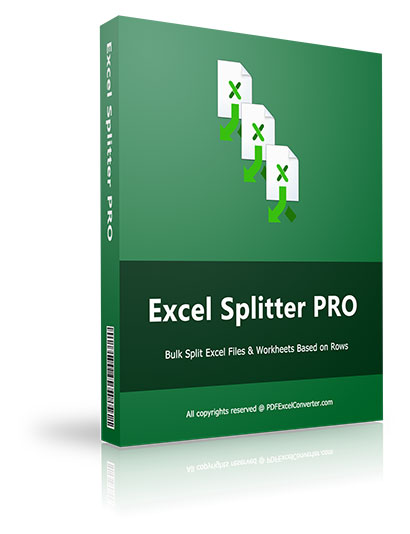
Excel Splitter is a dedicated Windows application designed for high-volume data management tasks involving large spreadsheets. This utility addresses the manual labor often associated with segmenting massive datasets by automating the division of workbooks into smaller, manageable components.
The software provides two primary operational modes. Users can extract each individual worksheet from a workbook into its own standalone file or divide a single worksheet into multiple files based on a specified row count. A significant technical advantage of this tool is its standalone architecture; it operates without requiring a local installation of Microsoft Office or Excel. This independence ensures the tool remains lightweight and functions without consuming the system resources typically required by the full productivity suite.
For organizational efficiency, the application supports bulk processing and offers configurable output settings. Users can choose to aggregate all generated files into a single directory or instruct the software to create distinct sub-folders for each split output. By eliminating the need to manually open and manipulate files within a spreadsheet environment, the tool reduces the potential for human error while accelerating the distribution of data across departments or reporting pipelines.
Top 5 Reasons To Download Excel Splitter PRO
- Total Independence from Microsoft Office: You do not need to have Excel or any version of Office installed on your machine to split files.
- High-Octane Batch Processing: Process dozens or hundreds of workbooks simultaneously, saving hours of manual labor.
- Granular Splitting Control: Choose exactly how to divide your data, whether by individual worksheets or by a specific number of rows.
- Automated File Organization: Automatically generate structured folders for your output or keep everything in one place with a single click.
- Lightweight and Ultra-Fast Performance: A dedicated Windows tool that operates with surgical precision without hogging your system resources.
If you have ever spent your Monday morning staring at a spreadsheet with fifty thousand rows, wondering how you are going to divide it up for twenty different department heads, then you know the unique brand of frustration that comes with data management. We have all been there. You start by opening the master file, copying a chunk of data, opening a new workbook, pasting it, saving it with a new name, and then repeating that process until your eyes cross. It is tedious, it is prone to human error, and frankly, it is a waste of your professional expertise. This is exactly why Excel Splitter is the one tool you need to download immediately during this giveaway. It is not just another utility; it is a dedicated workflow enhancer designed to solve one specific problem with absolute perfection.
As a tech reviewer, I see hundreds of apps that try to do everything at once, often failing to do anything well. Excel Splitter takes the opposite approach. It is a specialized, surgical instrument for your data. In this article, I am going to dive deep into the five primary reasons why this software belongs in your toolkit. We are going to look at why its standalone nature is a game-changer, how it handles massive workloads, and why the flexibility it offers is far superior to anything you can do within the native Excel interface. Let’s break down why this giveaway is a must-have for anyone who works with data.
1. Total Independence from Microsoft Office
The most impressive feature of Excel Splitter—and the one that usually shocks users the most—is that it functions entirely without Microsoft Office or Microsoft Excel. In the tech world, we call this a standalone application, and its importance cannot be overstated. Typically, if you want to manipulate a .xlsx or .xls file, your computer needs to have the heavy, resource-hungry Microsoft Office suite installed to "understand" the file format. This creates a dependency that can be problematic for several reasons.
First, think about system resources. Microsoft Excel is a massive piece of software. When you open it to split a large file, it eats up a significant amount of RAM and CPU power just to load the interface. Excel Splitter, by contrast, is a lightweight Windows program. It bypasses the need for the Excel GUI (Graphical User Interface) entirely. It reads the raw data of the file and processes it directly. This means you can run this tool on an older laptop, a budget workstation, or a server that doesn't have Office licenses, and it will work perfectly. It is fast, efficient, and unencumbered by the bloat of the traditional Office ecosystem.
Furthermore, this independence means you are protected from versioning conflicts. We have all experienced that moment where an older .xls file won't open correctly in a newer version of Excel, or a macro-heavy workbook causes the entire program to crash. Because Excel Splitter is designed specifically to handle the structural logic of these files independently, it offers a level of stability that you simply don't get when you are trying to force Excel to do high-volume repetitive tasks. Whether you are using the latest Windows 11 machine or an older Windows 10 setup, this tool just works.
2. High-Octane Batch Processing
In the world of data, time is the most valuable currency. If you have one file to split, you might be tempted to do it manually. But what happens when you have fifty files? Or a hundred? This is where Excel Splitter proves its worth as a professional-grade tool. Its bulk processing capabilities are designed for high-stakes environments where efficiency is mandatory.
Imagine you are a project manager and you receive a weekly dump of data containing sales figures for every region in the country, but each region is stored in a separate workbook. Now, imagine you need to split each of those regional workbooks into even smaller files based on individual sales representatives. If you were to do this manually, you would spend your entire afternoon clicking "Save As." With Excel Spliter, you simply drag and drop your collection of workbooks into the interface, set your parameters, and hit the start button. The software then takes over, processing the entire queue in the background while you grab a cup of coffee.
This batch processing is not just about speed; it is about consistency. When a human splits 100 files, they are likely to make a mistake on the 67th file—maybe a naming error or a missed row. The software doesn't get tired. It applies the exact same logic to every single file in the queue, ensuring that your data integrity remains 100% intact. For anyone dealing with "Big Data" on a localized level, this feature alone makes the download worthwhile.
3. Granular Splitting Control
Not every data project requires the same type of split. Sometimes you need to break a workbook apart based on its internal structure (worksheets), and other times you need to break it apart based on the volume of data (rows). Excel Splitter provides the flexibility to do both with ease, making it a versatile tool for various industries.
The "Split by Worksheet" function is a godsend for accountants and HR professionals. Often, a single Excel workbook will contain multiple tabs—perhaps one for each month of the year or one for each department. If you need to send these out individually, you usually have to right-click each tab, select "Move or Copy," and move it to a new book. It is a nightmare. Excel Splitter automates this entirely. It can take a 12-tab workbook and instantly turn it into 12 individual files, each named after the original worksheet. It turns a ten-minute chore into a two-second automated task.
The "Split by Rows" function is even more powerful for those dealing with massive datasets. Suppose you have a mailing list with 100,000 entries, but your email software only allows you to upload 5,000 at a time. You can tell Excel Splitter to divide the worksheet every 5,000 rows. The program will then calculate the math and churn out 20 perfectly sized files. You can even choose to include the header row in every single new file so that your data remains labeled and organized. This level of granular control is exactly what professional users need to stay productive.
4. Automated File Organization
One of the most overlooked aspects of data management is what happens after the processing is done. If you split a large workbook into 100 smaller files, you suddenly have 100 files cluttering up your workspace. If you don't have a plan for where they go, you've just traded one problem for another. Excel Splitter addresses this with its intelligent output management system.
The software allows you to choose exactly how your new files are stored. You can opt to have the program create a new, dedicated folder for every splitting task. This keeps your original files safe and your new files neatly categorized. Alternatively, if you are performing a quick operation and want everything in one spot, you can tell the program to put all split files into a single directory without creating subfolders. This might seem like a small detail, but for anyone who has ever "lost" a file in a sea of similarly-named documents, it is an essential feature.
Furthermore, the naming conventions used by Excel Splitter are logical and easy to follow. You won't end up with "Document1," "Document2," and "Copy of Document3." Instead, the tool maintains a relationship with the source file name, ensuring that you always know exactly where a piece of data came from. This organizational logic is essential for maintaining an audit trail, which is a requirement in many financial and legal sectors. When you download this giveaway, you aren't just getting a splitter; you're getting a digital filing assistant.
5. Lightweight and Ultra-Fast Performance
We live in an era of "software bloat." It seems like every time you download a simple tool, it wants to install background services, update checkers, and various telemetry tools that slow your computer down. Excel Splitter is a refreshing departure from this trend. It is a dedicated Windows program that focuses on doing one thing better than anyone else.
Because it is a native Windows application, it utilizes the operating system's resources with incredible efficiency. It doesn't need to load a virtual machine or a complex browser-based environment. When you click "Split," the program communicates directly with your processor to handle the data stream. This results in processing speeds that are significantly higher than what you would see if you tried to run a script or a macro inside Excel itself. Time is money, and every second you save waiting for a progress bar to finish is a second you can spend on more important tasks.
The user interface is also a breath of fresh air. It is clean, intuitive, and devoid of unnecessary distractions. You don't need a 200-page manual to figure out how to use it. You open the app, add your files, pick your settings, and go. In a world where tech can often feel overly complicated, the simplicity and raw power of Excel Splitter make it a standout choice for professionals and casual users alike. It is a "set it and forget it" tool that yields immediate, tangible results.
Conclusion: Why You Should Act Now
The value of a tool like Excel Splitter becomes apparent the very first time you use it. We often don't realize how much time we waste on manual data entry and file management until we find a tool that automates those tasks. Suddenly, the "impossible" task of dividing a million-row CSV or a complex multi-sheet workbook becomes a task that takes less than a minute. This software is about empowerment; it gives you the power to handle data on your own terms, without being tethered to expensive office suites or slow, manual processes.
As a reviewer, I am always looking for software that provides a clear solution to a common problem. Excel Splitter hits the mark perfectly. It is stable, it is fast, and it is incredibly easy to use. Whether you are a data analyst, a small business owner, a student, or a corporate administrator, the ability to quickly and accurately split Excel files is a skill—and a tool—that will serve you well for years to come.
Don't wait until you are buried under a mountain of spreadsheets to look for a solution. Take advantage of this giveaway and add Excel Splitter to your arsenal today. You will thank yourself the next time a massive data project lands on your desk and you are able to finish it in a fraction of the time your colleagues would take. This is more than just a download; it is an investment in your own productivity and peace of mind. Get it, install it, and watch your workflow transform.
In summary, Excel Splitter offers a unique combination of independence, speed, precision, organization, and efficiency. It is a specialized tool that respects your time and your system resources. If your work involves even a moderate amount of Excel usage, this is a download that you simply cannot afford to miss. It turns the daunting task of manual file splitting into an automated, error-free process, allowing you to focus on what really matters: analyzing and using your data, rather than just moving it around.
Make sure you secure your copy of Excel Splitter during this giveaway period. Once you experience the ease of bulk splitting without the baggage of Microsoft Office, you will never want to go back to the old way of doing things. It is time to work smarter, not harder.

Reviews for Excel Splitter PRO
Click Here to Read Reviews for Excel Splitter PRO >> Click Here to Submit Reviews for Excel Splitter PRO >>