What Does Kingshiper Screen Mirroring Do?
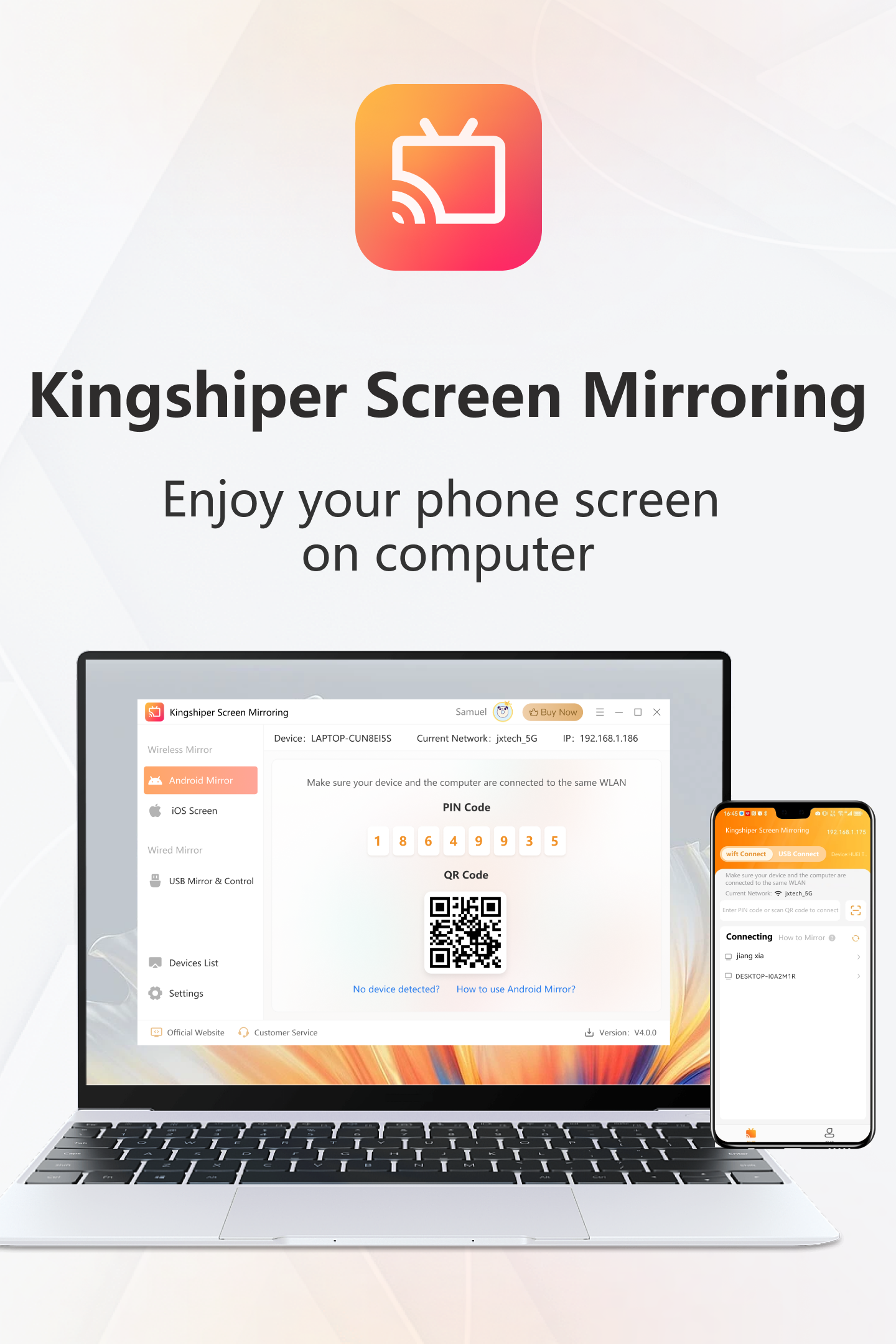
Kingshiper Screen Mirroring is a cross-platform utility designed to bridge the gap between mobile devices and desktop environments. It supports iOS and Android hardware, allowing users to cast screens onto a PC with up to 2K resolution for high-definition output. The software enables simultaneous mirroring for multiple devices, facilitating efficient task management and content sharing across different operating systems.
Connectivity options vary by platform. Apple devices utilize wireless AirPlay protocols, while Android devices can connect via WiFi or a physical USB cable. For Android users, the application provides the ability to control the mobile device directly from a Windows computer, enabling the operation of mobile apps and games on a larger monitor with minimal latency.
The service includes a suite of integrated productivity and capture features. Users can record screen activity and audio in several formats, including MP4, AVI, GIF, WMV, and FLV. It also facilitates high-quality screenshots in PNG, JPG, and BMP formats. Additional tools include a full-screen display mode and a whiteboard editor for annotations, making it a functional choice for professional presentations, gaming, and media consumption.
Top 5 Reasons To Download Kingshiper Screen Mirroring
Before we dive into the nitty-gritty details of why this software is a must-have for your digital arsenal, let’s look at the highlights. Here are the top five reasons why Kingshiper Screen Mirroring stands out in a crowded market of utility apps:
- Breathtaking 2K High-Definition Visuals: Experience your mobile content on a grand scale with zero-delay mirroring and crystal-clear resolution.
- Full Control of Android via PC: Turn your computer into a mobile powerhouse by controlling your Android device with a mouse and keyboard.
- Simultaneous Multi-Device Mirroring: Boost your productivity by casting multiple screens at once—perfect for work, gaming, or content creation.
- Versatile Connectivity Options: Choose between the freedom of wireless WiFi mirroring or the rock-solid stability of a USB connection.
- Professional-Grade Content Creation Tools: Capture every moment with built-in screen recording, high-quality screenshots, and interactive whiteboard editing.
If you have ever felt limited by the small screen of your smartphone, you are not alone. Whether you are a gamer trying to land that perfect headshot, a professional presenting a mobile app demo, or a movie buff wanting to share a cinematic experience with friends, the "small screen struggle" is real. That is where Kingshiper Screen Mirroring comes in. This isn’t just another screen-sharing tool; it is a comprehensive bridge between your mobile world and your desktop environment. Let’s break down exactly why you need to download this giveaway today.
1. Breathtaking 2K High-Definition Visuals
The first thing any tech enthusiast looks for in a mirroring app is quality. There is nothing more frustrating than casting a beautiful 4K video from your phone only to have it appear pixelated and laggy on your monitor. Kingshiper Screen Mirroring solves this problem by supporting up to 2K resolution. This ensures that the fidelity of your phone's display is preserved when it hits the big screen.
When we talk about high-definition mirroring, we aren't just talking about resolution; we are talking about the refresh rate and the absence of lag. For movie lovers, this means you can cast your favorite streaming services or personal video libraries from your iPhone or Android device to your PC monitor without those annoying stutters that ruin the immersion. For photographers, it means being able to review high-resolution photos on a large, color-accurate monitor to see details that are impossible to spot on a five-inch screen.
The "no-delay" aspect is particularly impressive. Many mirroring solutions suffer from a "ghosting" effect where the action on the phone happens seconds before it appears on the computer. Kingshiper has optimized its transmission protocols to ensure that the synchronization is nearly instantaneous. This makes it an ideal choice for live-streaming mobile content, where every millisecond counts. When you download this giveaway, you are essentially upgrading your computer into a premium secondary display for every mobile device you own.
2. Full Control of Android via PC
This is the feature that truly separates the professionals from the amateurs. While many apps allow you to see your screen, Kingshiper Screen Mirroring allows you to control it. By enabling the control feature for Android devices, you can use your computer's mouse and keyboard to navigate your phone as if it were a native application on your Windows PC.
Think about the implications for mobile gaming. Mobile titles like Call of Duty Mobile, PUBG, or Genshin Impact are visually stunning but can be difficult to control using touchscreens, which often obscure half the action with your thumbs. With Kingshiper, you can play these games on your large monitor and use your mouse for precision aiming. It gives you a competitive edge that is simply unattainable on a handheld device. It turns your mobile gaming library into a desktop gaming experience.
Beyond gaming, this feature is a massive win for efficiency. Have you ever found it tedious to reply to long messages on WhatsApp or Telegram using a tiny mobile keyboard? With this software, you can simply type your replies on your full-sized mechanical keyboard. You can manage your mobile files, organize your apps, and scroll through social media feeds with the comfort of a mouse. It bridges the gap between your mobile and desktop ecosystems, allowing you to stay focused on one screen rather than constantly switching back and forth between your phone and your computer.
3. Simultaneous Multi-Device Mirroring
We live in a multi-device world. Many of us carry an iPhone for personal use and an Android for work, or perhaps we have a tablet and a phone that we use for different tasks. Kingshiper Screen Mirroring is one of the few applications that acknowledges this reality by allowing you to mirror multiple devices simultaneously.
For the modern professional, this is a game-changer. Imagine you are a mobile app developer. You can cast an iOS version of your app and an Android version of your app onto your PC screen at the exact same time. This allows for side-by-side comparison of UI/UX elements, performance testing, and bug tracking without having to look at two different physical devices. It streamlines the workflow in a way that saves hours of time over a work week.
For content creators and streamers, the multi-device feature offers incredible flexibility. You could have your main gameplay on one mirrored screen and your social media feed or chat on another, all captured within your streaming software. Even for general entertainment, you could be monitoring a live sports game on one "window" while browsing your photo gallery or a secondary stream on another. The ability to manage multiple mobile streams from a single interface boosts your productivity and keeps your workspace organized. This isn't just a utility; it's a command center for your digital life.
4. Versatile Connectivity Options
One of the biggest hurdles in screen mirroring is the connection method. Sometimes you want the convenience of being wire-free, and other times you need the absolute stability of a physical connection. Kingshiper offers the best of both worlds. For Apple users, the software leverages the native AirPlay technology, allowing for seamless wireless casting. For Android users, you have the choice between WiFi or a USB cable connection.
The WiFi connection is perfect for casual use—sharing a quick video with the family or showing off some vacation photos. It allows you to move around the room with your phone while the content stays pinned to the computer screen. It’s liberation from the desk. However, we all know that WiFi can sometimes be unpredictable depending on your router's performance or local interference.
That is why the USB connection option is so vital. When you need the lowest possible latency—such as during a high-stakes gaming session or a professional presentation—plugging in via USB ensures a rock-solid, high-bandwidth connection. It eliminates the risk of signal drops and provides the smoothest possible frame rates. By offering both options, Kingshiper ensures that no matter your environment or your specific needs, you will always be able to get your screen mirrored quickly and reliably. This flexibility makes it a versatile tool for any situation, whether you're in a boardroom, a bedroom, or a coffee shop.
5. Professional-Grade Content Creation Tools
While the core of the app is mirroring, the extra features included in Kingshiper Screen Mirroring are what make it a comprehensive suite for creators. It doesn't just show your screen; it gives you the tools to document and manipulate what you see. The built-in screen recorder is a standout feature, allowing you to capture both screen video and audio in a variety of formats including MP4, AVI, GIF, WMV, and FLV.
The ability to record directly to GIF is particularly useful for social media managers and developers who need to create quick, looping tutorials or highlight clips. You can capture special moments from games, record a "how-to" for a complex app, or archive a video call with ease. Because the recording happens on the PC, you don't have to worry about your phone running out of storage space or the processor overheating while trying to record and run an app simultaneously.
Furthermore, the software includes a screenshot tool that supports PNG, JPG, and BMP formats, ensuring you can grab high-quality stills whenever you need them. But perhaps the most "pro" feature is the whiteboard editing tool. During a presentation or a tutorial, you can use the whiteboard feature to draw, highlight, and annotate directly on the mirrored screen. This turns a simple screen share into an interactive teaching tool. Whether you are a teacher explaining a concept, a business leader pointing out data trends, or a YouTuber creating educational content, these features provide a level of professionalism that basic mirroring apps simply cannot match.
In conclusion, Kingshiper Screen Mirroring is much more than a simple bridge between devices. It is a powerful, high-definition, multi-functional tool designed for the modern user who demands quality and flexibility. From the 2K resolution and the ability to control Android devices to the productivity-boosting multi-screen support and professional recording tools, it covers every possible use case. If you are looking for a way to maximize the potential of your mobile devices and integrate them seamlessly into your PC workflow, this is the giveaway you have been waiting for. Do not miss the chance to download this software and experience the future of device integration today. It is fast, it is powerful, and most importantly, it is exactly what your tech setup is missing.
The versatility of Kingshiper Screen Mirroring makes it an essential download for anyone who values their time and visual experience. Whether you are using an iPhone, an Android, or a tablet, this software ensures that your content is always presented in the best possible light. Download it now and see the difference for yourself!

Reviews for Kingshiper Screen Mirroring
Click Here to Read Reviews for Kingshiper Screen Mirroring >> Click Here to Submit Reviews for Kingshiper Screen Mirroring >>