What Does Ashampoo Backup Pro 26 Do?
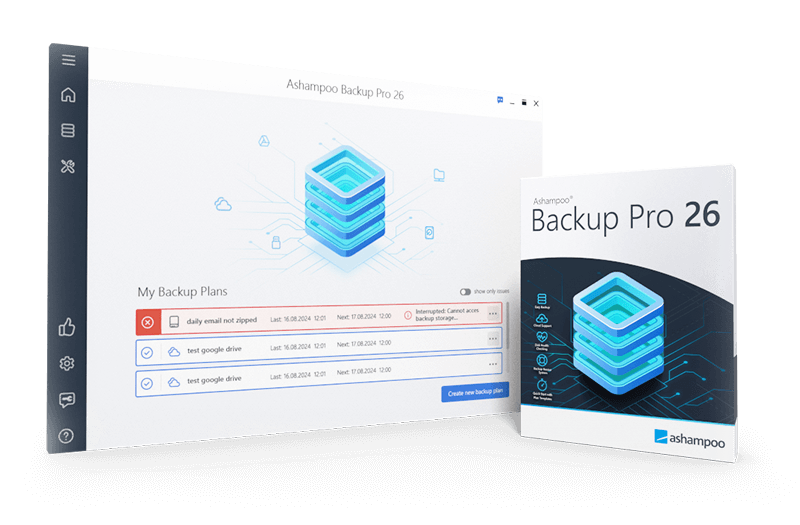
Ashampoo Backup Pro 26 is a specialized Windows utility designed for creating automated backups of files, folders, and entire operating systems. This version introduces Easy Backup, a streamlined two-step configuration process, alongside real-time monitoring that captures data changes immediately as they occur.
The software operates in the background with minimal system impact, utilizing compression standards and strong encryption to secure data. Users can store archives on local hardware or across various cloud providers. A primary feature is the integrated rescue system, which enables users to boot a non-functional PC via a USB drive or DVD to restore the operating system and lost partitions.
Technical enhancements and features in version 26 include:
- Bitlocker support for compatibility with encrypted drives.
- Real-time backups that track folder changes instantly.
- Hard disk checkups to monitor drive health and prevent data loss.
- A Backup Viewer for direct access to files via Windows Explorer.
- Plug-and-play functionality for automatic backups upon device connection.
The program includes self-monitoring protocols to ensure backup consistency. Through updated navigation and a redesigned main menu, users can manage, rename, and verify backups to maintain system integrity against hardware failure, Windows errors, or malware attacks.
Top 5 Reasons To Download Ashampoo Backup Pro 26
Before we dive into the nitty-gritty details of why this software is a must-have for your digital arsenal, let’s look at the highlights. Here are the top five reasons you should download Ashampoo Backup Pro 26 right now:
- Unmatched Ease of Use: The new "Easy Backup" feature allows you to secure your data in just two simple steps, making professional-grade protection accessible to everyone.
- Real-Time "Set and Forget" Protection: With automated real-time backups and Plug & Play functionality, your data is saved the moment it changes without you lifting a finger.
- Comprehensive System Recovery: A state-of-the-art rescue system ensures that even if your Windows OS fails completely, you can boot from a USB or DVD and restore everything.
- Zero System Lag: The software is designed to run seamlessly in the background, utilizing minimal resources so you can keep gaming, working, or streaming without interruption.
- Future-Proof Security and Cloud Integration: From Bitlocker support to state-of-the-art encryption and versatile cloud storage options, your data remains private and accessible from anywhere.
In the world of personal computing, there are two types of people: those who have lost data and those who are about to. We live our lives digitally; our family photos, professional documents, financial records, and even our entire operating system configurations are stored on hardware that—to be perfectly honest—will eventually fail. Whether it is a sudden hardware malfunction, a malicious ransomware attack, or a simple accidental deletion, the threat to your data is real and constant. This is why a robust backup solution isn't just a luxury; it is a fundamental necessity.
Today, I am looking at Ashampoo Backup Pro 26. This isn't just another incremental update; it is a complete refinement of what a backup utility should be. It strikes that rare balance between deep, technical power and a user interface that doesn’t require a computer science degree to navigate. If you have been looking for an excuse to finally take your data security seriously, this giveaway is the perfect opportunity. Let’s break down exactly why this software deserves a spot on your hard drive.
1. Unmatched Ease of Use: Professional Power Without the Complexity
One of the biggest hurdles that stops users from regularly backing up their data is the perceived complexity of the software. Many "pro" tools are buried under layers of technical jargon, confusing partitions, and intimidating configuration screens. Ashampoo Backup Pro 26 flips this script entirely with its brand-new Easy Backup feature. This is, in my opinion, the single best reason to download this version.
With Easy Backup, the developers have condensed the entire process of protecting your files into just two steps. You don’t have to worry about choosing compression algorithms or setting complex schedules if you don’t want to. The software provides user-friendly templates that handle the heavy lifting for you. Whether you want to back up your entire system drive or just your "Documents" folder, the guided process makes it foolproof.
Furthermore, the redesigned main menu and the updated backup overview provide a level of clarity that was missing in previous generations of backup tools. You can see the status of your backups at a glance. If a backup was successful, you’ll know. If a drive is reaching capacity, the software warns you. You can even rename your backup plans after they’ve been created, allowing your backup strategy to evolve as your file structure does. This level of user-centric design ensures that you actually use the software, rather than letting it sit idle because it was too much of a chore to set up.
2. Real-Time "Set and Forget" Protection
The problem with traditional backup schedules (like "every Friday at 5 PM") is that a lot can happen between those intervals. If you work on an important presentation on Monday and your hard drive crashes on Thursday, that "Friday backup" is useless. Ashampoo Backup Pro 26 solves this with Real-Time Backups.
This feature monitors your folders constantly. The moment you save a change to a file or add a new document to a monitored directory, the software detects the change and updates your backup instantly. This ensures that you never lose more than a few seconds of work. It is the ultimate safety net for freelancers, students, and professionals who cannot afford to lose even a single day’s progress.
Complementing this is the Plug & Play backup functionality. For those who prefer to keep their backups on external hard drives, this is a game-changer. You can configure the software to recognize a specific external drive. The moment you plug that drive into your USB port, Ashampoo Backup Pro 26 recognizes it and automatically triggers the backup plan. You don't have to open the program or click "Start." Just plug it in, wait for the notification that it's done, and unplug it. It removes the "human error" element of forgetting to run your backups.
3. Comprehensive System Recovery: Your Shield Against Disaster
Data loss isn't always about a single file being deleted; sometimes, it’s the entire operating system that goes down. We’ve all seen it: the "Blue Screen of Death" that won't go away, or a Windows update that goes sideways and leaves your PC unbootable. In these nightmare scenarios, standard file-recovery software won't help you because you can't even get into Windows to run it.
This is where the state-of-the-art rescue system in Ashampoo Backup Pro 26 becomes your best friend. The software allows you to create a bootable rescue medium on a USB stick or a DVD. If your computer refuses to start, you simply plug in your rescue USB, boot from it, and use the integrated recovery interface to restore your entire operating system, including all your programs, settings, and files, back to a previous healthy state.
This version also includes full Bitlocker support. Many modern laptops come with Bitlocker encryption enabled by default. Most backup programs struggle to interact with encrypted drives, but Ashampoo Backup Pro 26 handles them natively. It can unlock your encrypted partitions and restore data into them, ensuring that your security measures don't become an obstacle during a recovery crisis. It’s a level of "all-round protection" that gives you true peace of mind.
4. Zero System Lag: Optimized Performance
A common complaint about antivirus and backup software is that they "slow down the computer." There is nothing more frustrating than trying to render a video or play a high-end game only to have your system stutter because a backup started in the background. Ashampoo has clearly put a massive amount of engineering effort into the performance and stability of version 26.
The software uses an intelligent background process that monitors system resource usage. If you start a resource-intensive task, the backup engine automatically throttles its own CPU and disk usage to ensure your primary tasks remain smooth. This "no strain" approach means you will likely forget the software is even running—which is exactly what you want from a backup utility.
Additionally, the software utilizes four different compression standards. This allows you to choose between backing up quickly or saving maximum disk space. Even with heavy encryption (which usually takes a toll on the processor), the engine is so well-optimized that it remains lightning-fast. They’ve also included hard disk checkups. The software can monitor the "health" (SMART data) of your drives. If it detects that your hard drive is physically failing, it will warn you before the crash happens, giving you time to move your data to a new drive. It’s proactive rather than just reactive.
5. Future-Proof Security and Cloud Flexibility
In 2024 and beyond, a local backup on an external drive is only half of the story. To be truly safe (from things like fire, theft, or floods), you need an off-site backup. Ashampoo Backup Pro 26 is built with future-proof cloud support that is arguably the most versatile in the industry. It doesn't lock you into a proprietary cloud service. Instead, it offers native, high-speed connections to all the major players: Dropbox, Google Drive, OneDrive, and many others.
What makes this impressive is how it handles the data. You can choose to upload individual files, specific folders, or entire encrypted disk partitions to the cloud. Because the software uses strong 256-bit AES encryption, you don’t have to worry about the cloud provider (or anyone else) peeking at your private data. Your files are encrypted before they leave your computer, and only you have the key.
Finally, the Backup Viewer feature is a massive convenience win. Sometimes you don't need to restore an entire 500GB backup; you just need that one Word document you accidentally deleted an hour ago. With the Backup Viewer, you can open your backup archives directly in Windows Explorer as if they were just another folder on your computer. You can browse through them, find the file you need, and simply drag and drop it back onto your desktop. It’s fast, intuitive, and saves you the hassle of a full restoration process.
Conclusion: Why You Should Click Download Now
Technology is supposed to make our lives easier, but it often brings new anxieties—the biggest of which is the fear of losing our digital lives. Ashampoo Backup Pro 26 is the antidote to that anxiety. It is a rare piece of software that manages to be incredibly powerful and professional while remaining accessible to the "average" user who just wants their photos and files to be safe.
With the new Easy Backup system, the improved performance that won't slow down your PC, and the "set it and forget it" real-time automation, there is no longer an excuse for not having a backup. The inclusion of a robust rescue system and hard drive health monitoring means you are protected against both software glitches and physical hardware failures.
As a tech reviewer, I see hundreds of utilities every year. Many are "nice to have," but very few are "must-haves." Ashampoo Backup Pro 26 falls firmly into the latter category. Whether you are a hardcore gamer, a remote professional, or someone who just wants to make sure their family memories are preserved for the next generation, this software provides the tools you need.
This giveaway is a golden opportunity to secure a premium, top-tier backup solution at no cost. Don't wait for your hard drive to start making that clicking sound, and don't wait for a Windows update to fail. Take control of your data today, set up your automated protection, and enjoy the peace of mind that comes with knowing your digital world is safe. Download it now—your future self will thank you.

Reviews for Ashampoo Backup Pro 26
Click Here to Read Reviews for Ashampoo Backup Pro 26 >> Click Here to Submit Reviews for Ashampoo Backup Pro 26 >>