What Does ClipFrame Do?
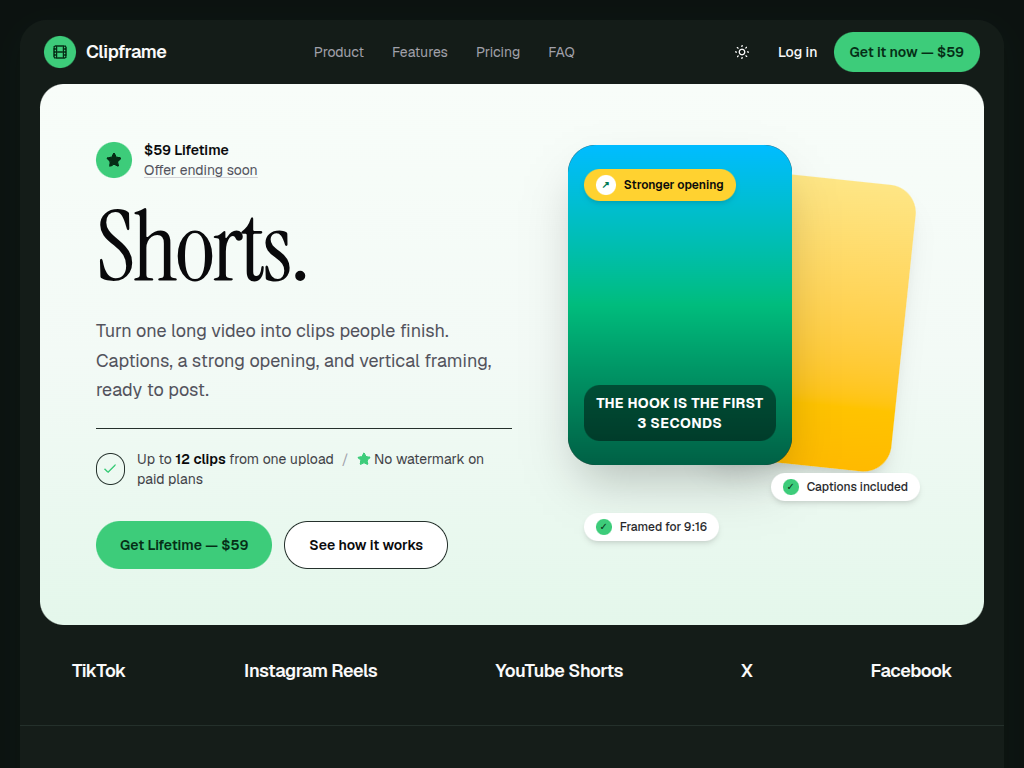
ClipFrame is an AI-driven video repurposing application designed to automate the conversion of long-form video content into short-form clips. Geared toward digital creators and marketers, the software streamlines the technical workflow required to produce vertical content for platforms such as TikTok, YouTube Shorts, and Instagram Reels.
This giveaway provides users with 120 AI processing minutes per month. The software utilizes an AI-powered detection engine to analyze raw footage and automatically identify high-engagement segments. Once these moments are isolated, the tool applies a Smart Reframe feature, which transitions the original widescreen footage into a 9:16 vertical format while keeping the primary subject in focus.
Key technical capabilities included in this package are:
- AI-Powered Clip Detection: Automatically locates highlights within long-form recordings such as podcasts, webinars, and tutorials.
- Automatic Captions: Generates synchronized text overlays to improve accessibility and viewer engagement.
- Unlimited Local Editing: Users can refine selected clips and adjust timing with no restrictions on local exports.
- Watermark-Free Output: Exports are produced without branding, allowing for professional distribution across social channels.
By automating the captioning and reframing processes, ClipFrame functions as a productivity tool for maintaining consistent social media output. It effectively reduces the manual labor typically associated with traditional video editing, allowing for the rapid transformation of existing video assets into multiple shorter formats.
Top 5 Reasons To Download ClipFrame
If you have been trying to keep up with the relentless demand for short-form video without burning yourself out, today's giveaway is one you cannot afford to skip. ClipFrame is an AI-powered video repurposing tool built to turn your existing long-form recordings into polished, shareable vertical clips for TikTok, YouTube Shorts, and Instagram Reels. Having tested plenty of editing utilities over the years, here are my top five reasons to grab ClipFrame right now:
- Intelligent AI-Powered Clip Detection: Automatically pinpoints the most engaging, shareable moments in lengthy recordings without manual scrubbing.
- Smart Reframe for Effortless 9:16 Vertical Video: Converts widescreen footage into vertical format while keeping your main subject locked in focus.
- Built-In Automatic Captions: Generates readable captions to boost viewer retention and accessibility across mute-friendly social feeds.
- Unlimited Local Editing and Exports: Gives you complete freedom to fine-tune timing, customize clips, and export as many videos as you need on your own machine.
- Zero Watermarks Plus 120 AI Minutes Every Month: Delivers clean, professional exports alongside a generous monthly allowance of AI processing power.
Let us talk honestly about the reality of modern content creation. Whether you are a YouTuber, a podcaster, a digital marketer, an educator, or a small business owner, you already know the unspoken rule of online growth today: if you are not posting short-form video, you are leaving massive reach on the table. TikTok, YouTube Shorts, and Instagram Reels have completely reshaped how audiences discover new voices. Yet knowing you need short clips and actually finding the time to produce them are two wildly different things.
If you sit down with a one-hour webinar, a two-hour podcast interview, or a forty-minute product tutorial, slicing that footage into ten punchy vertical clips usually eats up an entire afternoon. You have to rewatch everything, mark timestamps, crop every frame manually, type out subtitles, and render each file one by one. That exact bottleneck is why ClipFrame caught my attention as a standout giveaway. Instead of forcing you to rebuild your editing workflow from scratch, it uses smart automation for the heavy lifting while still giving you hands-on creative control. Let us break down each of the five reasons this software deserves a permanent spot in your toolkit.
1. Intelligent AI-Powered Clip Detection Saves Hours of Manual Scrubbing
Ask any creator what the most exhausting part of video repurposing is, and they will rarely say color grading or audio mixing. They will tell you it is hunting for the gold. When you finish recording a sprawling interview, presentation, or livestream, you know there are brilliant sixty-second takeaways buried inside. Finding them manually means scrubbing through timelines at double speed, second-guessing which quotes hit hardest, and losing precious creative energy before you even make your first cut.
ClipFrame tackles this problem head-on with its AI-powered clip detection. Rather than leaving you to stare at an intimidating timeline, the software analyzes your long-form video content automatically and surfaces the moments most likely to resonate with viewers. It looks for interesting, engaging, and potentially shareable segments—the sharp insights, compelling stories, and clear explanations that perform well on fast-paced social feeds.
What makes this genuinely useful in day-to-day testing is how well it adapts across different formats. Podcasters can drop in a full-length episode and quickly pull out multiple standalone talking points to promote the show. Educators can transform dense lectures or tutorials into bite-sized micro-lessons. Marketers and businesses can take a single recorded webinar or presentation and walk away with a full week of social media assets.
From a reviewer's perspective, this single feature changes the math on consistency. When the hardest part of clipping—deciding where to cut—is handled automatically, repurposing stops feeling like a chore you put off until next month. You get straight to shaping and publishing content that actually grows your audience.
2. Smart Reframe Converts Widescreen Footage into Vertical Video Effortlessly
Even after you uncover a great sixty-second moment, traditional video editors immediately throw another headache in your path: aspect ratios. Most long-form content—YouTube videos, interviews, webinars, and slide presentations—is shot in horizontal 16:9 widescreen. TikTok, Instagram Reels, and YouTube Shorts, on the other hand, live in a tall 9:16 vertical world. Simply dropping a widescreen video into a vertical frame with giant black bars above and below looks amateurish, and viewers will swipe past it in half a second.
Normally, fixing this requires tedious manual cropping and keyframing. If a speaker leans to the left, gestures excitedly, or shifts position, a static crop cuts half their face out of the frame. Fixing that manually means dropping keyframes every few seconds to chase the subject across the screen. ClipFrame eliminates that entire hassle with Smart Reframe.
Smart Reframe automatically adapts your horizontal footage into crisp 9:16 vertical formatting while actively keeping the main subject in focus. Instead of blindly chopping off the sides of your video, the software tracks the focal point so your speaker stays properly framed throughout the clip. Whether it is a solo talking-head tutorial or a lively podcast conversation, the resulting framing looks intentional and native to mobile screens.
For creators who do not want to spend their evenings babysitting pan-and-scan keyframes, Smart Reframe is an absolute lifesaver. It bridges the gap between horizontal recording setups and vertical mobile feeds without forcing you to film everything twice.
3. Built-In Automatic Captions Drive Higher Engagement and Accessibility
Scroll through any short-form platform today and pay attention to how you actually watch videos. Chances are, a huge percentage of the time you are watching on mute—commuting on a noisy train, waiting in line, or browsing late at night. Viewer habits prove time and again that captions are no longer an optional bonus; they are essential for stopping the scroll and holding attention past the first three seconds.
Despite how vital captions are, adding them manually is painfully slow. Transcribing dialogue word by word, timing every phrase, and fixing typos can easily double the time it takes to finish a single clip. ClipFrame builds automatic captions directly into your workflow so you never have to treat subtitles as an afterthought or juggle separate transcription apps.
By generating captions alongside your clip creation, your videos instantly become easier to follow and far more accessible. Viewers who are deaf or hard of hearing, people watching in quiet or loud environments, and non-native speakers all benefit from clear on-screen text. Even viewers with their volume turned all the way up tend to stay hooked longer when spoken words are reinforced visually.
Having automatic captions baked right into the same tool that detects your clips and reframes your video is a massive workflow upgrade. Instead of exporting a video from one program, uploading it to a captioning service, and downloading it again, everything happens cleanly inside ClipFrame.
4. Unlimited Local Editing and Exports Put You Back in Control
Here is something I always look out for when reviewing AI software, and it is often where promising tools fall flat: what happens when the AI gets you ninety percent of the way there, and you want to tweak that final ten percent? Plenty of automated platforms lock you into rigid templates or put stingy caps on how many times you can export your work, turning minor adjustments into an expensive frustration.
That is why one of the standout perks of this ClipFrame giveaway is unlimited local editing and exports. ClipFrame does not force you to blindly accept whatever the algorithm selects. Once the AI identifies promising moments and prepares your clips, you can step into the editor to refine your selections, adjust the exact timing, and customize your content before saving the final file.
Suppose the AI grabs a brilliant insight from your podcast, but you want two extra seconds of context at the beginning or want to tighten a pause at the end for punchier pacing. With ClipFrame's clip editing tools, you have full hands-on authority to polish those details. Because local editing and exports are unlimited, you never have to worry about wasting an export allowance just because you spotted a minor timing adjustment after watching the preview.
This balance between AI speed and manual precision is exactly what serious creators need. Automation gets you past the blank timeline in minutes, while unlimited local editing ensures your pacing, voice, and quality standards are never compromised.
5. Zero Watermarks and 120 Monthly AI Processing Minutes Deliver Real Value
Let us be honest: most free software giveaways come with a glaring catch. You spend an hour perfecting a video, hit export, and discover a massive company logo stamped across the bottom corner of your hard work. If you are a business promoting a product, a YouTuber building authority, or a marketer running campaigns, a watermarked video looks unprofessional and undermines viewer trust immediately.
ClipFrame clears that hurdle completely by offering no watermark on your exports. Every short clip you produce looks clean, sharp, and completely yours. Whether you are uploading a polished teaser to Instagram Reels or scheduling educational snippets for YouTube Shorts, your audience stays focused on your message—not someone else's branding.
Sweetening the deal even further is the inclusion of 120 AI processing minutes per month. Stop and do the math on what two full hours of monthly AI video analysis actually gives you. If you record a thirty-minute podcast or tutorial once a week, you can run every single episode through ClipFrame's AI engine every month without hitting a wall. Each session can yield multiple short-form clips, easily fueling a consistent posting schedule across TikTok, Shorts, and Reels from content you were already producing anyway.
Getting clean, watermark-free exports paired with a recurring 120-minute monthly AI allowance in a giveaway is remarkably generous. It turns ClipFrame from a one-off novelty into a dependable monthly production engine you can build a real content strategy around.
Who Should Download ClipFrame Today?
While ClipFrame is straightforward enough for complete beginners, its real superpower is how smoothly it slots into existing creative workflows. If you fall into any of the following groups, downloading this giveaway is an easy recommendation:
- YouTubers and Podcasters: Turn lengthy episodes and deep-dive videos into discovery-friendly shorts that drive new viewers back to your main channel.
- Marketers and Businesses: Stretch the lifespan of webinars, product tutorials, and presentations across every major vertical video feed without hiring extra editors.
- Educators and Coaches: Slice lessons, workshops, and training sessions into digestible micro-clips that students and followers can watch anywhere.
- Busy Content Creators: Maintain an active presence on TikTok, YouTube Shorts, and Instagram Reels without sacrificing your evenings and weekends to timeline scrubbing.
At the end of the day, the biggest obstacle in short-form video is rarely a lack of good ideas—it is the sheer friction of turning raw, long-form footage into polished vertical posts week after week. ClipFrame removes that friction with smart AI clip detection, reliable automatic captions, effortless 9:16 Smart Reframing, unlimited local editing and exports, and clean, watermark-free results. Add in 120 AI processing minutes every month, and you have one of the most practical creator giveaways available right now. Do yourself and your content calendar a favor: download ClipFrame while this giveaway is live and start putting your long-form library to work.

Reviews for ClipFrame
Click Here to Read Reviews for ClipFrame >> Click Here to Submit Reviews for ClipFrame >>