What Does TogetherShare Data Recovery Professional Do?
TogetherShare Data Recovery Professional is a comprehensive utility designed for Windows users to retrieve lost files across multiple storage scenarios. The software supports standard file systems including FAT12, FAT16, FAT32, and NTFS/NTFS5, while also extending compatibility to dynamic disks and Linux-based EXT2/3 systems. It is engineered to handle data loss resulting from accidental deletion, partition damage, disk formatting, virus infections, and system crashes.
The application can identify and restore over 1,000 file formats, encompassing photos, videos, music, documents, and compressed archives. Beyond internal hard drives, the software scans a variety of external media, such as USB flash drives, digital cameras, mobile phones, and portable media players. It specifically addresses complex tasks like recovering encrypted or compressed files within NTFS environments and restoring data after a full Windows reinstallation or partition failure.
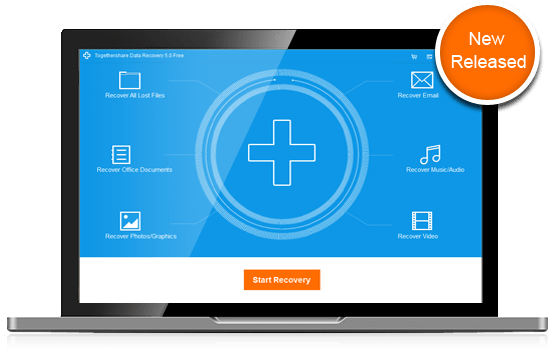
For ease of use, the interface provides a three-step recovery workflow and a dedicated Wizard Mode for beginners. Users can utilize a preview function to inspect the quality and content of files before initiating the recovery process. This tool aims to provide a reliable solution for partition loss and unknown data failure causes without requiring prior technical experience in data forensics. By following brief on-screen instructions, users can locate and check lost data before finalizing the restoration.
Top 5 Reasons To Download TogetherShare Data Recovery Professional
- Universal File and System Compatibility: Support for over 1,000 file formats and complex file systems like EXT2/3 and Dynamic Disks.
- Hardware Versatility: The ability to recover data from almost any storage medium, including USBs, digital cameras, and mobile phones.
- Advanced Recovery for Extreme Scenarios: Specialized tools for unformatting drives and restoring lost or damaged partitions.
- Effortless User Experience: A streamlined three-step recovery process and a "Wizard Mode" designed specifically for beginners.
- Pre-Recovery Peace of Mind: A robust preview function that allows users to verify the quality and integrity of files before committing to the recovery.
We have all been there. That heart-stopping moment when you realize a folder full of irreplaceable family photos has vanished, or the crucial work presentation you spent weeks perfecting is suddenly inaccessible because of a drive error. Data loss is not just a technical glitch; it is a digital catastrophe that can feel incredibly personal and overwhelming. In my years of reviewing software, I have seen countless "solutions" that promise the world but deliver very little when the pressure is on. However, every once in a while, a tool comes along that actually lives up to the hype. That is exactly why you need to pay attention to TogetherShare Data Recovery Professional.
This is not just another basic undelete utility. We are talking about an advanced, complete, and reliable data recovery powerhouse designed to handle the toughest data loss disasters. Whether you are dealing with a simple accidental deletion or a complex partition failure on a Linux-formatted drive, this software is built to bridge the gap between "lost forever" and "safely recovered." In this article, I am going to break down the top five reasons why you absolutely need to download this giveaway and keep this tool in your digital arsenal. Let’s dive into why TogetherShare is the gold standard for data protection.
1. Universal File and System Compatibility
The biggest frustration with most entry-level recovery tools is their limited scope. Most can handle a standard Windows NTFS drive, but the moment you throw something complex at them, they buckle. One of the primary reasons TogetherShare Data Recovery Professional stands head and shoulders above the competition is its staggering breadth of compatibility. It supports over 1,000 different file formats. Think about that for a second. Whether you are looking for standard JPEGs and Word documents or more obscure professional video formats, music files, emails, or even compressed .zip and .rar archives, this software has the signatures on file to recognize and extract them.
But the compatibility story does not end with file types. The real "professional" edge comes from its support for diverse file systems and disk structures. Most average users might not know what a "Dynamic Disk" is until they try to recover data from one and realize their basic software cannot even see the drive. TogetherShare handles dynamic disks with ease. Furthermore, it offers support for EXT2 and EXT3 file systems. This is a game-changer for users who work in multi-OS environments or use Linux-based network-attached storage (NAS) devices. Usually, recovering Linux data under a Windows environment is a nightmare, but TogetherShare makes it seamless.
By supporting everything from the old-school FAT12, FAT16, and FAT32 to the modern NTFS and NTFS5, this software ensures that no matter how old or new your storage media is, you have a fighting chance. It even recovers compressed or encrypted files within NTFS, which is often a major hurdle for lesser recovery programs. When you download this giveaway, you are getting a universal key that can unlock data from almost any digital container.
2. Hardware Versatility Beyond the Internal Drive
In our modern, mobile-first world, our data is scattered across a dozen different devices. It isn't just sitting on our laptop's C: drive anymore. It is on the SD card in your DSLR camera, the USB thumb drive you use for school, the external hard drive that backs up your media collection, and even your old-school MP3 players or iPods. A recovery tool is only as good as the hardware it can communicate with, and TogetherShare is remarkably "hardware-agnostic."
When you use TogetherShare Data Recovery Professional, you aren't limited to just your computer’s internal hard drive. The software is engineered to interface perfectly with any mass storage device. Have you ever accidentally formatted the memory card in your digital camera before moving the photos to your PC? TogetherShare can reach into that card and pull those images back. Did your external Western Digital or Seagate drive suddenly become "inaccessible" or "RAW"? This software is designed to bypass those logical errors and read the sectors directly.
It even extends its reach to mobile phones (when connected as mass storage) and specialized devices like MP3/MP4 players. This versatility is vital because data loss often happens "in the field"—at a wedding while taking photos, at a coffee shop while using a USB drive, or while traveling with a portable media player. Having one single piece of software that can act as a recovery hub for every gadget in your drawer is an incredible value proposition. This giveaway transforms your PC into a professional data recovery station capable of reviving almost any piece of external hardware.
3. Advanced Recovery for Extreme Scenarios
Most people think data recovery is just about "undeleting" a file from the Recycle Bin. While TogetherShare does that perfectly, its true strength lies in how it handles catastrophic data loss. We are talking about the "scary" stuff: accidental formatting of an entire drive, lost partitions, virus infections that wipe file tables, or software crashes that leave your file system in tatters. This is where the Professional designation in the name really earns its keep.
Take "Format Recovery" for example. When you format a drive, the operating system tells the computer that the space is now empty and ready for new data, but the old data is often still there, just hidden. TogetherShare uses advanced algorithms to perform an "Unformat" operation, reconstructed the lost file paths and bringing back the entire directory structure. It is like putting a shredded document back together. It also excels at Partition Recovery. If you’ve ever gone into Disk Management and seen a "partition lost" error or "unallocated space" where your data used to be, you know the panic that sets in. TogetherShare can scan the underlying structure of the disk to find these lost partitions and restore the data within them as if the damage never happened.
Furthermore, it is designed to be effective even after a Windows reinstallation. Many people believe that once they reinstall their OS, all the old data is gone forever. While some data may be overwritten, TogetherShare can often find the remnants of the previous installation’s files in the sectors that haven't been touched yet. Whether it was an unexpected shutdown that corrupted the file system or a malicious virus that tried to wipe your digital life, this software provides a comprehensive safety net for the most dire situations.
4. Effortless User Experience: The 1-2-3 Recovery
One of the biggest barriers to data recovery is the technical complexity. Many professional-grade tools are designed for IT experts and feature confusing command-line interfaces or hundreds of cryptic settings. TogetherShare breaks this mold by offering professional-grade power behind a remarkably simple interface. The philosophy here is "Recovery for Everyone," and they achieve this through their "1-2-3" workflow.
The process is incredibly intuitive:
- Step 1: Select. You launch the program and select the drive or device where the data was lost.
- Step 2: Scan. You click the scan button and let the software’s engine do the heavy lifting of searching for fragments of lost files.
- Step 3: Recover. You browse the results, select what you want, and save them to a safe location.
It is literally that easy. For those who are even more hesitant about navigating the software, TogetherShare includes a
Wizard Mode. This mode is a lifesaver for beginners. Instead of asking you to choose scan types or file systems, it asks you two simple questions: what type of files are you looking for, and where did you lose them? By answering these, the software automatically configures the best recovery path for your specific situation. This removes the "fear factor" from data recovery. You don’t need to be a computer scientist to get your photos back; you just need to be able to follow brief, clear instructions on a friendly interface.
5. Precision and Safety through File Previewing
There is nothing worse than spending hours running a deep scan, seeing a list of file names, and then "recovering" them only to find out they are corrupted or were the wrong files entirely. TogetherShare solves this problem with its highly effective Preview function. This feature is a massive time-saver and a vital tool for ensuring the "quality" of the recovery before you even click the final button.
The preview function allows you to see your photos, read your documents, and even check the integrity of videos and audio files within the software’s interface. This means you can distinguish between a file that is 100% intact and one that might have been partially overwritten. It allows for surgical precision. Instead of recovering 500GB of "garbage" data just to find one 5MB PDF, you can search, find, preview, and recover only the specific file you need. This not only saves disk space on your recovery drive but also ensures that the recovery process is 100% safe.
Speaking of safety, TogetherShare Data Recovery Professional is designed to be "read-only" on the source drive. This is a critical technical detail. Some poorly made recovery tools actually write data to the drive they are scanning, which can accidentally overwrite the very files you are trying to save. TogetherShare is built to be non-destructive. It reads the data, stores the information in your computer's RAM, and only "writes" data when you choose a separate destination drive for the recovered files. This ensures that even if a file isn't recoverable on the first try, you haven't made the situation worse by using the software.
The Bottom Line for Tech Enthusiasts:
In the world of software, we often talk about "must-haves." Usually, those are apps we use every day, like a browser or a media player. But a data recovery tool is a "must-have" for a different reason. It is like a fire extinguisher; you don't want to use it every day, but when you need it, you need it to work perfectly, and you need it immediately. Waiting until after a disaster to find and purchase recovery software is a recipe for stress and potential failure, as every minute a drive is active increases the risk of data being overwritten.
By downloading this giveaway of TogetherShare Data Recovery Professional, you are essentially buying insurance for your digital life. You are getting a tool that handles the most obscure file systems, the most diverse hardware, and the most catastrophic loss scenarios, all while remaining simple enough for a novice to use. It is a rare combination of power, versatility, and accessibility. Whether you are a pro looking for EXT2/3 support or a parent trying to save deleted videos of a child’s first steps, this software is the solution. Don't wait for the disaster to strike—be prepared and grab this professional-grade utility while it’s available. Your future self will thank you the next time a "Delete" key press goes horribly wrong.
The peace of mind that comes with knowing you have a professional-grade recovery tool sitting on your desktop is worth its weight in gold. With its ability to handle over 1,000 file formats, its support for dynamic disks and Linux file systems, and its incredibly user-friendly Wizard Mode, TogetherShare Data Recovery Professional is a top-tier choice for anyone who values their data. It simplifies the complex, secures the fragile, and restores the lost with just a few clicks. This is the ultimate "just in case" software, and today, it's yours for the taking. Make sure you don't miss out on this essential download.


Reviews for TogetherShare Data Recovery Professional
Click Here to Read Reviews for TogetherShare Data Recovery Professional >> Click Here to Submit Reviews for TogetherShare Data Recovery Professional >>