What Does Image Cartoonizer Premium Do?
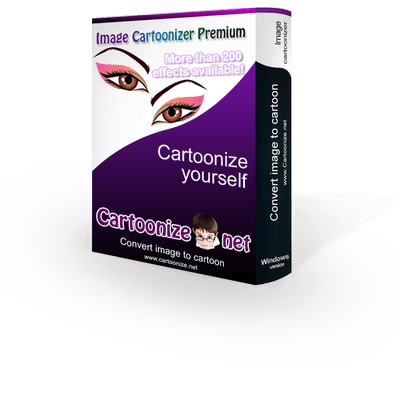
Image Cartoonizer Premium is a desktop utility for Windows designed to convert digital photographs into cartoon-style graphics. The software provides an automated environment for image processing and supports both 32-bit and 64-bit system architectures. It allows for the conversion of large-resolution photos to ensure the final output maintains high visual quality during the transformation process.
The application includes a library of more than 250 effects, including cartoon filters, color adjustments, and Instagram-style presets. Beyond basic conversion, users can access face morphing tools and a built-in editor for adding various graphical assets to their images. A dedicated crop function is also available to remove unwanted parts of a photo before or after the cartoon effect is applied.
As a standalone program, Image Cartoonizer Premium functions offline without requiring an active internet connection or secondary software dependencies. The workflow includes options to print converted images directly from the interface or share them to Facebook through integrated tools. The software exports all finished projects without watermarks, ensuring a clean final product. By focusing on processing speed and high-quality results, the tool offers a streamlined method for transforming personal photos into stylized illustrations on the desktop.
Top 5 Reasons To Download Image Cartoonizer Premium
- A Massive Library of Over 250 Premium Effects: From classic hand-drawn cartoon styles to modern Instagram-inspired filters and face-morphing tools, the creative possibilities are virtually endless.
- Pro-Level Quality Without the Watermarks: Unlike most free tools that ruin your art with ugly logos, this premium version gives you clean, high-resolution exports suitable for professional use or printing.
- Complete Offline Independence: You don't need an active internet connection or a browser to create; this is a standalone Windows desktop powerhouse that respects your privacy and works anywhere.
- High-Resolution Processing for Large Photos: The software is optimized to handle large image files, ensuring that your converted cartoons remain crisp, clear, and detailed even when viewed on big screens.
- All-in-One Editing and Personalization: With built-in cropping, "goodies" like stickers, and face-morphing tech, it is a full-service creative suite rather than just a simple filter application.
Why Image Cartoonizer Premium is the Creative Tool You Need Right Now
In the modern digital landscape, we are constantly bombarded with visual content. Whether you are scrolling through your social media feed, looking at professional presentations, or browsing a blog, the images that truly stand out are the ones that offer something unique. We have all seen the standard high-definition smartphone photos; they are crisp, they are clear, but they are often boring. If you want to grab someone’s attention, you need to transform the ordinary into the extraordinary. This is exactly where Image Cartoonizer Premium comes into play. As a tech reviewer who has seen a thousand "filter apps" come and go, I can tell you that this giveaway is a different beast entirely. It isn’t just an app; it is a desktop-grade creative engine designed to turn your photography into digital art with the click of a button.
The beauty of this software lies in its simplicity and its power. You don’t need to be a graphic designer or a master of complex software like Photoshop to achieve professional results. The interface is built for the user who wants high-end output without the high-end learning curve. But don't let the ease of use fool you—under the hood, there is some serious processing power that handles everything from color depth to edge detection. Let’s dive deep into the five primary reasons why you need to stop what you are doing and download this software immediately.
Reason 1: A Massive Library of Over 250 Premium Effects
The biggest problem with most photo-to-cartoon converters is variety. Most free apps give you two or three styles—maybe a "pencil sketch" and a "basic comic" look—and then they try to charge you a subscription for the rest. Image Cartoonizer Premium flips the script by providing over 250 distinct effects right out of the box. This isn't just about quantity; it’s about the diversity of the aesthetic styles available at your fingertips.
When you open the effects panel, you are greeted with a treasure trove of artistic directions. You have the standard cartoon effects that provide that classic, bold-outline look we all love. Then you have color effects that can shift the mood of your photo from a sunny day to a noir detective scene in seconds. But it goes even further. For those who love the modern "aesthetic" look, the software includes Instagram-style filters that optimize lighting and tone for social media perfection. Perhaps the most impressive feature within this library is the face morphing capability. This allows you to go beyond just changing the texture of the photo; you can actually alter the character of the image, adding a level of fun and personality that a standard filter simply cannot replicate.
Imagine being able to take a single photo of your pet or a friend and generating twenty different artistic interpretations of it in under five minutes. You could have a watercolor version, a pop-art version inspired by Roy Lichtenstein, a gritty comic book version, and a soft pastel version. This level of variety ensures that your content never feels repetitive or stale. Whether you are creating a profile picture, a birthday card, or a unique avatar for a gaming forum, having 250+ options means you will always find the "perfect" look for the occasion.
Reason 2: Pro-Level Quality Without the Watermarks
We have all been there: you spend ten minutes tweaking a photo on a "free" website or app, you finally get it looking perfect, and then you hit the export button. Suddenly, a giant, semi-transparent watermark appears right across the middle of your face, or the software tells you that you have to pay $9.99 to download the high-resolution version. It is frustrating, and it feels like a bait-and-switch. This is one of the strongest arguments for downloading the Image Cartoonizer Premium giveaway.
Because this is the Premium version, you are getting the full, unadulterated experience. When you convert a photo, the result is yours and yours alone. There are no distracting logos, no "Made with Image Cartoonizer" stamps, and no quality degradation. This makes the software viable for more than just casual fun. If you are a small business owner looking to create a stylized team page, or a teacher looking to create engaging materials for a classroom, you need clean images. The absence of watermarks means you can use these images in professional presentations, on official websites, or in printed marketing materials without looking like an amateur.
Furthermore, the software doesn't just "filter" the image; it rebuilds it. This means the lines are clean, the colors are saturated, and the final product looks like it was created by a digital artist rather than a computer algorithm. This commitment to quality is what separates "toy" apps from "tool" apps. By downloading this giveaway, you are securing a tool that treats your creativity with the respect it deserves.
Reason 3: Complete Offline Independence
In an era where every single piece of software seems to require a login, a cloud subscription, and a constant high-speed internet connection, Image Cartoonizer Premium is a breath of fresh air. This is a standalone Windows desktop application. Why does that matter? It matters for three very important reasons: privacy, performance, and accessibility.
First, let’s talk about privacy. When you use web-based "AI" cartoonizers, you are often uploading your personal photos to a remote server. You don't always know where those photos are being stored, who has access to them, or if they are being used to train machine learning models. With a standalone desktop app, your photos never leave your computer. The conversion happens locally on your hard drive and in your RAM. For anyone concerned about digital privacy, this is a massive advantage.
Second, there is the matter of performance. Web apps are limited by your browser’s memory and your internet speed. If you have a slow connection or if the website's server is busy, converting a single photo can take forever. Image Cartoonizer Premium utilizes your computer’s 32-bit or 64-bit architecture to process images quickly. It is optimized for the Windows environment, ensuring that the conversion is snappy and the interface remains responsive even when you are working with multiple effects.
Finally, there is accessibility. You might be on a plane, in a remote cabin, or simply dealing with a localized internet outage. With this software, your creative flow isn't tethered to a router. You can sit in a park with your laptop and cartoonize your entire photo library without needing a single bar of Wi-Fi. It is reliable software that works whenever and wherever you do.
Reason 4: High-Resolution Processing for Large Photos
One of the technical hurdles that many simple photo apps fail to clear is the handling of high-resolution files. Most mobile apps will downscale your 20-megapixel DSLR photo into a tiny, grainy square so that their processors can handle the filter. If you try to print that tiny image, it looks like a blurry mess. Image Cartoonizer Premium is specifically designed to handle large photos to ensure the best possible result.
When you convert a large photo, the software preserves the fine details. If you have a high-resolution portrait, the cartoonization process can more accurately define the lines of the eyes, the texture of the hair, and the contours of the face. This is essential for anyone who wants to do something more with their art than just post it to a story that disappears in 24 hours. Because the software supports large file sizes, the output is high-quality enough for printing.
Think about the gift-giving possibilities. You can take a high-res photo of a friend’s wedding, cartoonize it using a beautiful "oil painting" or "modern comic" effect, and then print it out on a high-quality canvas. Because the software handles large files so well, the printed version will look like a custom commission from a professional artist. The software even includes a built-in print function, making it incredibly easy to move from the digital workspace to a physical product. Whether you are creating posters, greeting cards, or framed art, the high-res support is the feature that makes it all possible.
Reason 5: All-in-One Editing and Personalization
Many apps are "one-trick ponies"—they do one thing and then force you to open another program to do the rest. Image Cartoonizer Premium understands that the cartoonization is just one part of the creative process. This is why it includes a suite of editing tools and "goodies" that allow you to finish your project within the same window. No other standalone program is needed.
The crop function is a perfect example of this practical design. Often, the best part of a photo is buried in the background. Instead of having to open a separate editor to trim the edges, you can do it right inside Cartoonizer Premium. This allows you to focus the viewer’s attention on the subject before you apply your effects. But the real fun starts with the "Goodies." The software allows you to add various objects and stickers to your images. Want to add a funny hat, a pair of oversized glasses, or a comic-style speech bubble to your cartoon? You can do it right there. It turns the process of photo editing into a digital playground.
Additionally, the software simplifies the distribution of your work. Once you have cropped your photo, applied one of the 250+ effects, and added your personalized "goodies," you can share it directly to Facebook. This integrated workflow is a huge time-saver. It removes the friction between "creating" and "sharing." From the moment you import your raw photo to the moment your friends are hitting the "like" button on your new cartoon avatar, the entire process is seamless, intuitive, and, most importantly, fun.
Conclusion: Don't Miss Out on This Creative Powerhouse
As a tech reviewer, I see a lot of software that claims to be "essential," but Image Cartoonizer Premium actually delivers on the promise. It takes a complex task—artistic digital conversion—and makes it accessible to everyone. It respects your time by being fast, it respects your work by offering high-resolution and watermark-free exports, and it respects your creativity by giving you a staggering number of effects and tools to play with.
We live in a visual world where our digital identity is often the first impression we make on others. Using a tool like this allows you to craft an identity that is vibrant, artistic, and memorable. Whether you are looking to spice up your social media presence, create unique gifts for your family, or just spend a rainy afternoon transforming your vacation photos into a comic book, this software is the perfect companion.
The best part? This is a giveaway. You are getting premium, desktop-grade software that supports both 32 and 64-bit systems, works offline, and requires no additional plugins. It is a complete package. In the world of tech, we often say "there is no such thing as a free lunch," but every once in a while, a giveaway comes along that truly offers incredible value. This is one of those times. Download Image Cartoonizer Premium today, unlock those 250+ effects, and start seeing your world through a much more colorful, artistic lens. You won't regret it.

Reviews for Image Cartoonizer Premium
Click Here to Read Reviews for Image Cartoonizer Premium >> Click Here to Submit Reviews for Image Cartoonizer Premium >>