What Does Ashampoo Slideshow Studio 2017 Do?
Ashampoo Slideshow Studio 2017 is a multimedia tool designed to convert static images into video presentations. The software centers around an intuitive user interface that allows users to assemble photos, music, and various visual effects into structured movies without requiring extensive video editing experience.
Users can apply a wide range of transitions, including Fade, Swirl, and Curtains, alongside fully-animated opening and closing credits. The application includes a customizable Ken Burns effect for automated panning and zooming. Additional design elements include various occasion-related themes, logos, and subtitles to add individual flair to projects.
The program supports the integration of background music and individual sound effects. Users can add and manipulate objects such as text, tables, and shapes, or auto-insert file metadata like filenames and dates as text overlays. Duration settings for both slides and embedded objects are fully adjustable to match the pace of the audio.
Finished projects are exported as WMV files. The software supports multiple output resolutions, ranging from mobile-optimized formats to Full HD. The workflow is designed to produce high-resolution results in a short timeframe through a logically structured timeline and self-explanatory navigation.
Top 5 Reasons To Download Ashampoo Slideshow Studio 2017
Before we dive into the nitty-gritty details of why this software is an absolute game-changer for your digital library, let’s look at the core reasons why you need to grab this giveaway immediately. If you have ever felt that your photos are just sitting there, gathering "digital dust" on your hard drive, these five points will show you exactly how to bring them back to life.
- Professional Results Without the Learning Curve: An incredibly intuitive, well-structured user interface that allows anyone—from tech novices to seasoned pros—to create stunning movies in minutes.
- Cinematic Movement and Visual Flair: A massive library of nineteen distinct transitions and the iconic Ken Burns effect that transform static images into dynamic, moving stories.
- Full Creative Customization: Extensive themes, logos, and fully-animated opening and closing credits that give your projects a "big studio" production feel.
- Total Audio Immersion: The ability to layer background music with individual sound effects and adjustable durations to create a truly emotional experience.
- High-Definition Versatility: Export your finished masterpieces in Full HD resolution, ensuring your memories look crisp on everything from a smartphone to a giant living room television.
Now, let’s get into the heart of why Ashampoo Slideshow Studio 2017 is the tool you didn’t know you were missing, and why this giveaway is the best thing to happen to your photo collection this year.
1. Professional Results Without the Learning Curve
We have all been there. You download a "professional" video editing suite or a slideshow maker, and the moment you open it, you are greeted by a confusing mess of timelines, cryptic icons, and a steep learning curve that requires a hundred-page manual just to import a single photo. Most people give up before they even start. That is exactly where Ashampoo Slideshow Studio 2017 shines. It is designed with a "logic-first" philosophy.
The user interface is remarkably clean and well-structured. It doesn’t bury its best features under layers of menus. Instead, it guides you through the process of creation. You don’t need to be a video editor or a graphic designer to get "remarkable results." The software is built for the person who wants to tell a story quickly but doesn't want to sacrifice quality. From the moment you launch the app, you feel in control. The timeline is self-explanatory, allowing you to drag, drop, and rearrange your photos with ease.
For many users, the barrier to entry for creative software is time. We are all busy. We don't have hours to spend "fiddling" with settings. This software respects your time. Because the UI is so intuitive, you can go from a folder full of raw images to a finished, high-definition movie in the time it takes to drink a cup of coffee. It bridges the gap between "easy to use" and "powerful results" in a way that very few applications manage to achieve.
In a world where we are constantly bombarded by complex apps, there is something deeply refreshing about a tool that just works. It’s about the democratization of creativity. Whether you are a grandparent wanting to share photos of the grandkids or a student putting together a project, this software removes the technical hurdles and lets your creativity take center stage. That is why the intuitive UI is my number one reason to download this giveaway—it actually lets you use the software you downloaded without a headache.
2. Cinematic Movement and Visual Flair
Let’s be honest: the slideshows of yesterday were boring. We all remember the "click-clack" of old projectors or the basic, jarring "slide-to-the-left" transitions of early digital tools. If you want to keep an audience engaged today, you need movement. You need cinematic energy. Ashampoo Slideshow Studio 2017 delivers this in spades, primarily through two key features: its massive transition library and the customizable Ken Burns effect.
Transitions are the "glue" that holds your movie together. This software comes packed with nineteen different styles, including Blocks, Bubble, Butterfly, Circular, Clock, Diamond, Fade, Fall, Melting, Sand, Slide Over, Squares, Star, Sweep, Swirl, Flip, Wheel, White Out, and Curtains. This isn’t just about variety; it’s about matching the mood of your photos. Using a "Melting" transition for a summer beach trip or "Curtains" for a theatrical birthday surprise adds a layer of intentionality that makes your video feel like a real movie rather than a sequence of files.
But the real secret weapon here is the Ken Burns effect. If you aren’t familiar with the term, it refers to the slow panning and zooming across a still image. It is what documentary filmmakers use to make old photos feel alive. In this software, the Ken Burns effect is fully customizable. You can control exactly where the camera starts and where it ends. This allows you to highlight specific faces in a group photo or draw the viewer's eye to a beautiful sunset in the background. By adding this subtle movement, you transform a static 2D image into a 3D experience. It prevents "viewer fatigue" and keeps your audience glued to the screen, wondering what will happen next. When you combine these transitions with auto-panning and zooming, you aren't just showing photos; you are directing a film.
3. Full Creative Customization
One of the biggest complaints people have with free or basic slideshow tools is that they look "cookie-cutter." Everything looks the same, and there is no way to add a personal touch. Ashampoo Slideshow Studio 2017 solves this by offering an incredible depth of customization through themes, logos, and overlays. This is where you can truly make the project your own.
The software includes various occasion-related themes. Are you making a video for a wedding? There’s a theme for that. A birthday? A holiday? A professional business recap? There are themes and logos ready to go. These themes provide a consistent visual language for your project, ensuring that your fonts, colors, and backgrounds all match perfectly. Furthermore, the software allows you to add fully-animated opening and closing credits. This might seem like a small detail, but it makes a massive psychological difference to the viewer. When a video starts with a professional title card and ends with scrolling credits, it feels like a complete work of art.
Beyond the big-picture themes, you have granular control over "Objects." You can add, edit, rotate, and mirror text, tables, images, and shape overlays. Want to add a caption to explain where a photo was taken? Easy. Want to add a "Property of" watermark or a company logo? Simple. There is even a brilliant feature that allows you to auto-insert file data, such as the filename, size, or the date the photo was taken, as text objects. This is a lifesaver for genealogical projects or travel logs where you might forget exactly when a specific photo was captured. You can adjust the fade and display durations for every single object, giving you the kind of control usually reserved for high-end video production suites.
4. Total Audio Immersion
Any filmmaker will tell you that sound is fifty percent of the movie-going experience. You can have the most beautiful visuals in the world, but if the audio is silent or poorly handled, the emotional impact is lost. Ashampoo Slideshow Studio 2017 understands this perfectly and provides a robust audio suite that is surprisingly easy to use.
First, you have the ability to apply background music. You can choose a track that fits the vibe of your photos—whether it’s an upbeat pop song for a party or a sweeping orchestral piece for a vacation montage. The software allows you to sync the music to your slides, ensuring that the beat drops right when the transition happens. This synchronization is what separates amateur videos from professional content.
But it doesn't stop at background music. The software also includes various individual sound effects. You can add the sound of a camera shutter, a "whoosh" for a fast transition, or ambient sounds to match your images. These layers of sound create a "soundscape" that draws the viewer in. If you are showing photos of a rainy day, adding a subtle rain sound effect in the background can evoke a powerful emotional response. You also have total control over the adjustable fade and display durations for these audio elements. You can have the music fade out slowly as the closing credits roll, or have it swell during a particularly beautiful sequence of photos. By giving you this level of control over the "ears" of your audience, the software ensures that your slideshow isn't just seen—it's felt.
5. High-Definition Versatility
The final reason you absolutely must download this giveaway is the quality of the output. There is nothing worse than spending time creating a beautiful project only to have it look blurry and pixelated when you try to show it to someone. Ashampoo Slideshow Studio 2017 ensures that your hard work is preserved in the best possible light.
The software allows you to create Full HD videos. In today's world of high-resolution displays, 1080p is the standard for quality. Whether you are playing your video on a modern laptop, a tablet, or a 65-inch 4K television, the Full HD export ensures that your photos remain sharp and the transitions remain smooth. You aren't limited to just one format, either. You can export your projects as WMV videos in various resolutions, ranging from small file sizes optimized for cell phones and social media sharing to high-bitrate files for home cinema systems.
This versatility is crucial. We live in a multi-device world. You might want to email a small version of your slideshow to a friend, upload a medium version to a video-sharing site, and keep a high-definition version on a thumb drive to play at a family gathering. This software gives you the flexibility to do all three without needing any external conversion tools. It’s an all-in-one solution that takes you from the initial "import" phase all the way to a finished, professional-grade file that is ready for the world to see. When you consider that you are getting this level of output quality for free through this giveaway, it becomes an absolute "no-brainer."
Conclusion: Why You Shouldn't Wait
In conclusion, Ashampoo Slideshow Studio 2017 is more than just a simple utility; it is a storytelling engine. It takes the hundreds (or thousands) of photos that are currently "trapped" on your devices and gives them a purpose. It turns "yesterday's slideshows"—which were often a chore to sit through—into "today's movies," which are a joy to experience.
The highlights speak for themselves: an intuitive UI that saves you time, cinematic transitions that add excitement, deep customization that adds personality, immersive audio that adds emotion, and HD output that adds professional polish. Usually, software that offers this specific combination of features comes with a hefty price tag or a subscription model that drains your wallet every month. This giveaway is your chance to own a powerful creative tool without the financial burden.
Think about the upcoming events in your life—birthdays, holidays, graduations, or even just the everyday moments that deserve to be remembered. Do you want those memories to stay hidden in a folder on your computer, or do you want to turn them into something you can be proud of? Do you want to send a boring link to a photo gallery, or do you want to send a link to a stunning, music-filled movie that you "directed" yourself? The choice is obvious. Download this giveaway now, explore the features, play with the transitions, and start turning your digital memories into cinematic masterpieces. Your photos deserve to be seen, and with Ashampoo Slideshow Studio 2017, they finally will be.

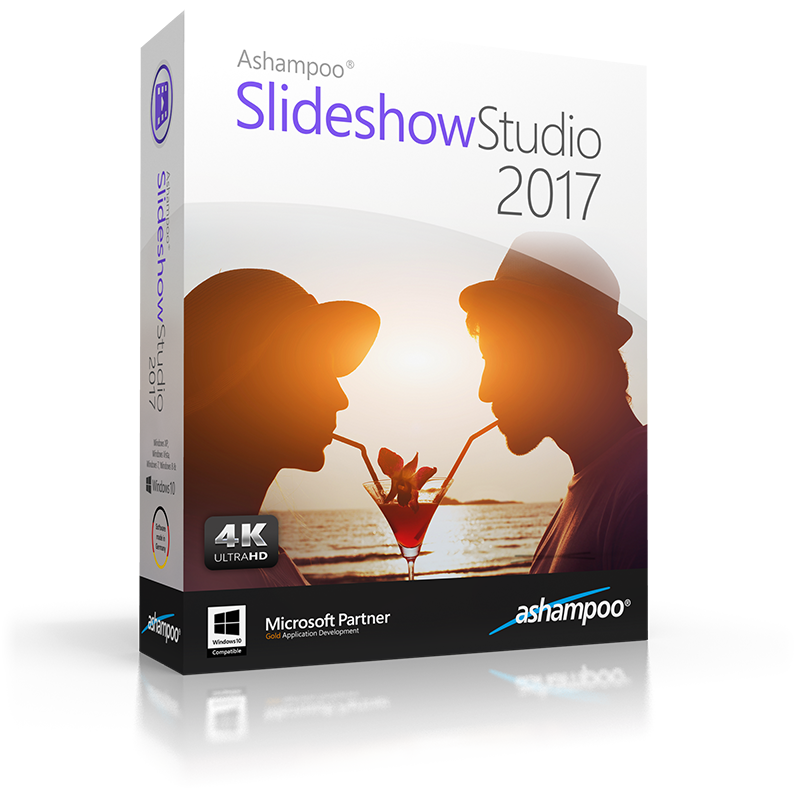
Reviews for Ashampoo Slideshow Studio 2017
Click Here to Read Reviews for Ashampoo Slideshow Studio 2017 >> Click Here to Submit Reviews for Ashampoo Slideshow Studio 2017 >>