What Does Reimage PC Repair Do?
Reimage PC Repair is an online utility designed to restore Windows operating systems to peak performance. The software functions by scanning a computer for system-level errors and replacing damaged or missing components with fresh, essential files sourced from a continuously updated online database.
Users can address several critical system issues with this tool, including:
- Windows Errors and BSoD: Resolves fatal system errors and "Blue Screen of Death" crashes that cause non-recoverable system failures.
- Damaged DLLs: Replaces corrupted Dynamic Link Libraries often overwritten or damaged during software installation and removal.
- Virus Damage: Repairs the lingering side effects and system instability left behind after malware has been isolated or removed by an antivirus program.
- OS Recovery: Restores compromised registry values and system settings to their default Microsoft configurations without affecting user data.
The repair process begins with an in-depth analysis of the PC's hardware profile and software integrity. Beyond core operating system repairs, the tool identifies duplicate files to free up storage space and defragments the hard drive to improve data access speeds. While the service focuses on the Windows OS, it does not repair third-party applications like Microsoft Office or provide real-time antivirus protection. It is intended as a complementary solution to maintain system stability and efficiency.
Top 5 Reasons To Download Reimage PC Repair
Before we dive into the nitty-gritty of how this software works, let me give you the quick rundown of why you absolutely need this tool in your digital arsenal. If you have been struggling with a sluggish computer or constant crashes, here are the top five reasons to download Reimage PC Repair today:
- Automatic System File Restoration: It replaces corrupted or missing Windows files with fresh, healthy versions from a massive, continuously updated online database.
- Comprehensive Virus Damage Repair: It goes beyond simple virus removal by fixing the systemic damage left behind after the malware is gone.
- Stability Enhancement: It targets the root causes of the Blue Screen of Death (BSoD) and frequent system freezes to ensure your PC stays up and running.
- Hardware Health Monitoring: It provides a detailed analysis of your CPU, RAM, and Hard Drive to alert you to potential hardware failures before they happen.
- Performance Optimization: It clears out registry bloat, identifies duplicate files, and streamlines your operating system for peak efficiency.
As a tech reviewer, I see hundreds of "optimization" tools cross my desk every year. Most of them are little more than glorified delete buttons that clear your browser history and call it a "repair." But every once in a while, a tool comes along that actually understands the underlying architecture of the Windows operating system. That is exactly what we are looking at today. Reimage PC Repair isn't just another cleaner; it is a full-scale restoration suite designed to bring a dying PC back to life. Let’s break down these reasons in detail so you can see why this is a must-have download.
1. Automatic System File Restoration
The core of any Windows operating system is its library of system files. These files are the DNA of your computer. When they get corrupted—whether through a bad update, a software conflict, or an accidental deletion—the entire system begins to wobble. Normally, the "solution" for a corrupted OS is a complete reinstallation of Windows. This is a nightmare scenario for most users. It involves backing up all your data, finding your license keys, and spending an entire weekend setting everything back up from scratch.
Reimage changes the game by using an online database of over 25 million healthy Microsoft files. When the tool scans your system, it doesn't just tell you that a file is broken; it identifies the exact version of the file you need and replaces the corrupted one with a fresh, clean version from their servers. This is like having a team of Microsoft engineers manually replacing the worn-out parts of your engine while you continue to drive the car. It is an essential feature for anyone who wants to avoid the "nuclear option" of a full system wipe.
Think about the common "DLL not found" errors that plague so many users. Usually, you would have to go hunting through shady websites to find a replacement DLL, risking even more malware in the process. With this giveaway, that process is entirely automated and safe. The software ensures that your Windows components are exactly as they were intended to be by the original developers.
2. Comprehensive Virus Damage Repair
We have all been there: your antivirus alerts you that it has found and "quarantined" a threat. You feel a sense of relief, thinking the danger is over. But then you notice that your PC is still acting strangely. Maybe the search bar doesn't work right, or your folders take five seconds to open. This is because viruses are like digital burglars; they don't just steal things, they trash the house on their way out. They modify registry entries, disable security settings, and hook themselves into system processes.
Most antivirus programs are great at removing the virus, but they are terrible at repairing the damage the virus left behind. This is where Reimage shines. It acts as the "cleanup crew" that comes in after the "police" (your antivirus) have left. It scans for the specific changes made by malware and reverts them to their default, healthy state. This is a critical distinction that many users overlook. If you don't fix the damage left by a virus, your computer remains vulnerable and unstable. By using this tool, you are ensuring that the "scars" left by malware are fully healed, restoring your security and system integrity to 100%.
Furthermore, because the repair process uses a fresh database of files, it can actually replace system components that might have been surreptitiously modified by rootkits. It’s a level of thoroughness that you simply don’t get with standard security software. It is the perfect companion to your existing antivirus.
3. Stability Enhancement: Fixing BSoD and Freezes
There is nothing more frustrating than the "Blue Screen of Death" (BSoD). It usually happens at the worst possible time—right before you hit save on a major project or in the middle of a high-stakes gaming session. These crashes are the computer's way of saying, "I've encountered a problem I can't handle, and I'm shutting down to prevent damage." Most users react to this by simply rebooting and hoping it doesn't happen again. But a BSoD is a symptom of an underlying illness.
This software deep-dives into the stop codes and system logs that cause these crashes. Whether it’s a damaged DLL, a registry conflict, or a corrupted system service, the tool identifies the culprit. By replacing the faulty components, it stabilizes the operating environment. The same applies to system freezes. When your computer "hangs" and becomes unresponsive, it’s usually because a process has entered an infinite loop or can't access a necessary file. Reimage clears these bottlenecks, allowing for a smooth, fluid user experience.
By downloading this tool, you are effectively buying yourself peace of mind. You won't have to live in fear of the next crash. Instead of treating the symptoms by constantly rebooting, you are treating the cause. For anyone who uses their PC for professional work or creative projects, this stability is worth its weight in gold.
4. Hardware Health Monitoring and Reporting
While Reimage is primarily a software repair tool, it includes a sophisticated hardware analysis suite that is often overlooked. Your software can only run as well as the hardware it sits on. If your hard drive is failing or your CPU is overheating, no amount of software optimization will fix the problem. The beauty of this tool is that it gives you a "look under the hood."
During the initial scan, the software compiles a hardware profile. It checks your Random Access Memory (RAM) for errors, monitors your Central Processing Unit (CPU) temperature and load, and examines the health of your Hard Drive (HD). If the scan detects that your hardware is the bottleneck, it will let you know. This is incredibly useful because it prevents you from wasting time trying to fix software when you actually have a physical component failing.
For example, if you are experiencing frequent freezes, the scan might reveal that your hard drive has bad sectors. This allows you to back up your data and replace the drive before you lose everything. It’s an early warning system that every PC owner needs. In an age where we rely on our computers for almost everything, knowing the physical health of your machine is just as important as knowing the state of your files. This comprehensive reporting makes the giveaway an invaluable diagnostic tool.
5. Performance Optimization and Junk Removal
Over time, every Windows PC starts to feel "heavy." This isn't just your imagination. It's caused by a phenomenon called "software rot." Every time you install and uninstall a program, it leaves behind bits of code, empty registry keys, and temporary files. Additionally, many users unknowingly create duplicate files when moving data around, which eats up valuable Solid State Drive (SSD) or Hard Drive space.
Reimage streamlines this mess. It looks for duplicate files that are wasting storage and helps you reclaim that space. It also optimizes the Windows Registry. The registry is a massive database that Windows uses to remember settings for everything on your computer. When it gets bloated with thousands of unnecessary entries, it takes longer for your computer to find the information it needs, leading to a sluggish feel. By cleaning and compacting the registry, the software makes the entire OS feel snappier and more responsive.
Another major performance drain is file fragmentation. Even though modern SSDs handle this better than old mechanical drives, having data scattered across the drive still forces the system to work harder. The optimization features in this tool ensure that your data is organized efficiently. When you combine this with the removal of malware-induced "bloat," the result is a computer that feels like it did the day you took it out of the box. It restores that "peak performance" feeling that we all miss after a year or two of heavy use.
Final Thoughts: Why You Should Act Now
We often take our computers for granted until they stop working. We ignore the little errors, the slightly slower boot times, and the occasional weird pop-up. But these are all warning signs. Dealing with PC repair can be a "stinging" experience—it’s expensive, time-consuming, and stressful. This giveaway is designed to take that sting out of the process.
The Scan-Activate-Repair workflow is designed for everyone. You don't need to be a computer scientist to use this. You don't need to know what a DLL is or how the registry works. The software does the heavy lifting for you. It analyzes the system, reports its findings in plain English, and fixes the issues with a few clicks. It is the ultimate "set it and forget it" solution for PC maintenance.
In my years of reviewing tech, I've found that the best tools are the ones that save you time. Reimage saves you the time of troubleshooting, the time of reinstalling Windows, and the time wasted waiting for a slow computer to catch up with your typing. It is a comprehensive, all-in-one solution that covers everything from security damage to hardware health.
Don't wait until your computer won't turn on at all. Download this tool, run the free scan, and see exactly what is going on under the surface of your operating system. Whether you are dealing with a specific error or you just want to ensure your machine is running as fast as possible, this is the solution you’ve been looking for. It’s safe, it’s effective, and it’s arguably the most powerful PC restoration tool available on the market today. Give your PC the "fresh start" it deserves without the hassle of a manual rebuild. Your computer—and your sanity—will thank you.
Remember, a healthy PC is a fast PC. Keep your system files fresh, your registry clean, and your hardware monitored. With Reimage, you're not just fixing errors; you're reviving your computer's life.

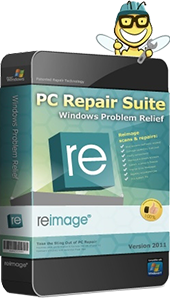
Reviews for Reimage PC Repair
Click Here to Read Reviews for Reimage PC Repair >> Click Here to Submit Reviews for Reimage PC Repair >>