What Does Answers Pro Do?
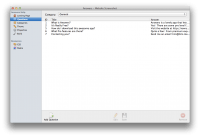
Answers is a documentation utility designed to streamline the assembly of help books and FAQ pages. Instead of manual formatting, the application utilizes a content-centric workflow, allowing users to focus on writing while the software handles structural organization. Once the text is finalized, users apply one of several integrated themes to generate a professional support interface.
The core functionality of the software lies in its automated management system. Answers tracks internal links, page hierarchies, and associated files, reducing the maintenance overhead typically associated with complex documentation. This ensures that navigation remains consistent across the entire help document without manual intervention from the creator. The build process automates the compilation of these disparate elements into a functional, cohesive output.
For developers and site administrators requiring specific web integrations, the service includes a variety of visual templates alongside a minimalist blank option. This blank theme is specifically designed to generate standard anchor-tag-based FAQs, which can be integrated directly into existing website code. By handling the backend file structure and internal linking, the tool provides a centralized environment for creating and maintaining support resources without requiring extensive manual coding.
Top 5 Reasons To Download Answers Pro
If you have ever spent an entire weekend wrestling with HTML anchors, broken internal links, or the nightmare of formatting a PDF help manual, you know that documentation is often the most grueling part of software development or service management. We have all been there: the product is finished, the features are polished, but the "Help" section looks like something from the late nineties. This is exactly why Answers is the tool you need to download immediately. It turns a chore into a streamlined, creative process.
- A Content-First Philosophy: Focus entirely on your writing while the software handles the structural heavy lifting.
- Automated Architecture Management: No more broken links or missing files; the app maintains the integrity of your document automatically.
- Professional Visual Themes: Instantly transform plain text into a high-end, sleek Help Book or FAQ using bundled designer templates.
- Versatile Export Options: From modern standalone help files to classic anchor-tag FAQs for your existing website, it covers every use case.
- Unrivaled Speed to Deployment: Go from a blank page to a published, professional-grade help resource in just a few minutes.
1. A Content-First Philosophy
In the world of tech documentation, the biggest hurdle is usually the "blank page syndrome" compounded by "formatting fatigue." Most tools force you to think about how a page looks before you even know what the page says. Answers flips this script entirely. By utilizing a content-based approach, the software allows you to stay in the flow of writing. You aren't worrying about margins, font sizes, or CSS classes while you are trying to explain a complex feature to your users. You simply create your text, and the software organizes it.
This is a game-changer for developers and project managers. When you are in the zone, the last thing you want to do is stop and figure out why a bullet point isn't aligning correctly. With Answers, the interface is designed to keep your focus on the clarity of the information. Because the system is built around the content itself, the resulting Help Book feels cohesive. It reads better because it was written without the distraction of technical layout hurdles. If you want your users to actually understand your product, you need to provide clear instructions, and this app is the best way to ensure your writing remains the top priority.
Furthermore, the content-based approach means that your data is structured logically from the start. Instead of a messy folder of disparate documents, you are building a centralized knowledge base. This makes it incredibly easy to iterate. If a feature changes, you find the text, update it, and the rest of the document adapts. It is a smarter, more modern way to handle technical writing that respects the author's time and mental energy.
2. Automated Architecture Management
Ask any web developer what they hate most about manual FAQs, and they will tell you: maintenance. Managing a help system manually is a recipe for disaster. Every time you add a new page or change a section title, you run the risk of breaking "back to top" links, sidebars, and navigation menus. It is a tedious, manual process that drains productivity. Answers takes care of the hard part by maintaining all those links, pages, and files for you behind the scenes.
This automated management is the "secret sauce" that makes this giveaway so valuable. When you enter your content and hit "build," the software generates the underlying architecture required to make a functional, navigable document. It manages the relationships between different articles and ensure that your table of contents stays synchronized with your actual pages. This eliminates the "404 Not Found" errors that plague amateur help documents and frustrate users.
Think about the peace of mind this provides. You can restructure your entire Help Book—moving Chapter 5 to Chapter 1, for instance—and the software will automatically re-index everything. You don't have to go through and manually update every "Next Page" link. For anyone who has ever managed a documentation project with more than ten pages, this feature alone justifies the download. It transforms a fragile collection of files into a robust, professional system that stays functional regardless of how many edits you make.
3. Professional Visual Themes
Let’s be honest: users judge a product by its documentation. If your help site looks outdated, users will assume your software is outdated too. You could have the most revolutionary app in the world, but if your FAQ looks like a text file from 1995, you lose credibility. Answers solves this by bundling several sleek, modern themes that stylize your help files instantly.
These aren't just basic templates; they are professional designs that would normally require a front-end developer hours to code from scratch. With a few clicks, you can choose a theme that matches your brand’s aesthetic. Whether you want something minimalist and white, a dark mode look, or a tech-heavy sidebar layout, the themes provided are polished and responsive. This allows small teams and solo developers to produce documentation that looks like it came from a massive corporation with a dedicated design department.
The beauty of this system is that the design is decoupled from the content. You can write your entire manual and then "audition" different looks. Don't like the first theme? Switch to another one and watch your entire document reformat itself instantly. This level of aesthetic flexibility ensures that your documentation is not just functional, but also a pleasure to look at. It enhances the user experience, making it more likely that your customers will actually read the help files and solve their own problems, which in turn reduces your support tickets.
4. Versatile Export Options
One of the most impressive aspects of Answers is how it handles different types of web environments. It doesn't force you into a one-size-fits-all solution. While many users will want to create a standalone, beautiful Help Book, others might just need a simple, effective FAQ to paste into their existing website. The inclusion of a blank theme is a brilliant move for power users.
This blank theme allows you to build a "classic-style" FAQ using anchor tags. This is the gold standard for many quick-start guides and simple product pages. You get the benefit of the software’s organization and link-management tools, but the output is clean HTML that you can drop directly into your CMS or static site. It saves you the headache of manually coding id and href tags for every single question and answer. You write, the software links, and you paste.
This versatility makes Answers an essential tool for a wide variety of projects. Whether you are building a comprehensive manual for a desktop application, a knowledge base for a SaaS platform, or a simple troubleshooting guide for a physical product, the software adapts to your needs. It bridges the gap between complex help-authoring tools and simple text editors, providing exactly the right amount of power for modern web publishing.
5. Unrivaled Speed to Deployment
In the tech world, time is the most precious commodity. Every hour you spend fiddling with the CSS of an FAQ page is an hour you aren't spending on product development, marketing, or customer outreach. The ultimate reason to download Answers is the sheer amount of time it saves. It is quite literally designed to take you from zero to "finished" in a matter of minutes.
The workflow is remarkably efficient: Enter content, build, and go! Because the software handles the layout, the linking, and the file structure, the traditional bottlenecks of documentation are removed. There is no steep learning curve and no need to read a "help book for the help book software." The interface is intuitive, and the results are immediate. This speed is especially crucial during the final stages of a product launch when things are hectic and deadlines are looming.
Imagine being able to generate a complete, themed, and fully linked Help Book on the morning of your launch. That is the kind of agility this software provides. It turns what used to be a multi-day project into a quick task you can knock out before lunch. By lowering the barrier to entry for creating high-quality documentation, Answers ensures that your users get the support they need without you having to sacrifice your schedule. It is efficient, effective, and quite frankly, a must-have tool for anyone who takes their user support seriously.
Final Thoughts for the Savvy User
If you have read this far, you clearly understand the value of good documentation. You know that a well-organized FAQ can be the difference between a frustrated user who leaves a one-star review and a happy customer who recommends your service to their friends. You also know that creating that documentation is usually a nightmare. Answers is the solution that bridges that gap. It removes the technical friction, provides the professional polish, and gives you back your time.
As a reviewer, I see a lot of "productivity" apps that actually end up adding more work to your plate because they are too complex or poorly designed. Answers is the opposite. It is a lean, focused tool that does one thing—creating help documents—exceptionally well. It doesn't bloat your workflow; it streamlines it. The fact that you can get this tool as part of this giveaway is an opportunity you shouldn't pass up.
Whether you are a solo developer, a small business owner, or someone who just wants to organize information in a way that looks great, this is the app for you. Don't waste another minute manually coding anchor tags or struggling with page layouts. Download Answers today, select a sleek theme, and show your users that you care about their experience as much as you care about your product. It is time to make the "hard part" of documentation the easiest part of your day.
The software is ready when you are. Just enter your content, build, and go. Your professional FAQ is only a few minutes away.


Reviews for Answers Pro
Click Here to Read Reviews for Answers Pro >> Click Here to Submit Reviews for Answers Pro >>