What Does SlimPublisher Do?
SlimPublisher is a desktop publishing application designed to simplify the creation of professional marketing materials. The software enables users to produce business cards, letterheads, flyers, and labels through a layer-based editor that supports both custom projects and pre-designed templates tailored for various industries.
Key technical features include support for 47 varieties of Avery and PrintWorks paper sizes, ensuring compatibility with standard office hardware. The toolkit provides flexible text controls, 15 vector-based shapes, and integrated image filters for adjustments like contrast, gamma, and sepia. Specialized utilities allow for the insertion of Google Maps data directly into designs, as well as the generation of standard barcodes—including Code 39, UPC-A, and EAN formats—for inventory and retail applications.
For modern branding, the software includes a customizable QR code generator. Users can modify these codes with logos, custom colors, and specific opacities to maintain brand identity. Final outputs can be exported in seven graphics formats—including PNG, TIFF, and JPEG—with adjustable resolutions ranging from 96 DPI for digital use to 350 DPI for high-quality print. The editor also manages technical details like full bleed, trim marks, and two-sided document layouts through an integrated page manager.
Top 5 Reasons To Download SlimPublisher
- Professional-Grade Matching Templates for Instant Branding: SlimPublisher offers a cohesive suite of templates that ensure your business cards, letterheads, and flyers all share a unified, professional aesthetic without the need for a graphic designer.
- Revolutionary Artistic QR Codes and Barcode Support: Stand out from the competition by generating customized, artistic QR codes that incorporate logos and colors, alongside fully functional barcodes for inventory and retail needs.
- Seamless Integration with Commercial Printing Standards: With support for up to 350 DPI high-resolution output and full bleed/trim settings, your designs will look just as good coming from a professional print shop as they do on your screen.
- Universal Paper Support for DIY Professionalism: The software includes built-in templates for 47 varieties of Avery and PrintWorks paper, making it incredibly easy to print professional-quality labels and cards on your home or office printer.
- Intuitive Design Tools with High-End Precision: You get the power of a layered project editor, vector shapes, and Google Maps integration within a user interface that is simple enough for a novice to master in minutes.
In the fast-paced world of digital marketing and physical branding, the barrier to entry has often been either the high cost of professional design services or the steep learning curve of complex desktop publishing software. We have all been there: you need a quick set of business cards for a last-minute networking event, or you need to whip up a flyer for a local promotion, but the thought of wrestling with expensive, subscription-based design suites is enough to cause a headache. This is exactly why SlimPublisher is such a breath of fresh air for the tech-savvy professional and the small business owner alike. It bridges the gap between amateur attempts and high-end agency results. If you are looking for a reason to jump on this giveaway, let’s dive deep into why this software deserves a permanent spot on your hard drive.
1. Professional-Grade Matching Templates for Instant Branding
The first and perhaps most compelling reason to download SlimPublisher is its focus on consistent branding. For any business, consistency is king. If your business card looks like it was designed in the 90s but your flyer looks modern, you are sending a mixed message to your customers. SlimPublisher solves this by providing ready-made matching template collections. These aren't just random designs; they are curated sets that include matching business cards, letterheads, flyers, and postcards tailored for different industries and geographical regions.
The "Matching" aspect is the real hero here. When you select a theme, you aren't just getting a one-off document. You are getting a full identity kit. You can edit your information once and apply that aesthetic across all your marketing collateral. For a novice, this is a lifesaver. You don't have to worry about whether your fonts clash or if your colors are slightly off between different documents. The software handles the aesthetic heavy lifting, allowing you to focus on the content of your message. It is professional desktop publishing made easy and intuitive, ensuring that even someone with zero design background can produce an "everlasting impression."
Furthermore, these templates are flexible. While they provide a solid foundation, they are not rigid. You can swap out elements, change background colors, and adjust layouts to fit your specific needs. It is the perfect balance between "done-for-you" convenience and creative freedom. In a world where time is money, being able to simply edit your info and hit print is a massive competitive advantage.
2. Revolutionary Artistic QR Codes and Barcode Support
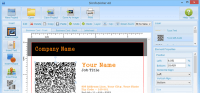
In today's tech-driven landscape, the QR code has seen a massive resurgence. However, the standard black-and-white pixelated squares can be quite an eyesore on a beautifully designed business card or flyer. SlimPublisher takes this technology to the next level with its Artistic QR Code generator. This feature allows you to modify standard QR codes for aesthetic purposes. You can change the color, adjust the opacity, and most importantly, insert images like your company logo or specific shapes directly into the code.
This isn't just about looking "cool." It’s about brand recognition. When a customer sees a QR code that features your logo, they are much more likely to trust it and scan it. These codes can store contact information, URLs, or plain text, making your physical media an interactive gateway to your digital presence. Imagine a flyer where the QR code isn't a blemish on the design but a central, artistic element of the artwork. That is the kind of detail that makes people stop and take notice.
Beyond the marketing flash of QR codes, SlimPublisher also includes robust support for industrial-standard barcodes, including Code 39, UPC-A, EAN-13, and EAN-8. This makes the software an invaluable tool for small retail businesses or warehouse operations. You can quickly create inventory labels, name badges, or product tags without needing a separate, expensive barcode generator. Having both marketing-centric QR tools and utility-centric barcode tools in one package makes SlimPublisher a versatile powerhouse for any business environment.
3. Seamless Integration with Commercial Printing Standards
One of the most common frustrations with entry-level design software is the "what you see is NOT what you get" syndrome. You design something beautiful on your screen, but when you send it to a professional printer, it comes back blurry, off-center, or with white borders where there should be color. SlimPublisher eliminates these professional pitfalls by offering comprehensive print quality control.
The software allows you to choose your resolution based on your needs. If you are just creating something for a website or an email blast, you can opt for 96 DPI to keep the file size small. However, when it’s time to go to the press, you can kick it up to 350 DPI. This high-resolution output ensures that your text is crisp and your images are sharp, meeting the rigorous standards of commercial print shops. Furthermore, the support for "Full Bleed" and "Trim" marks is a game-changer. Professional printing requires the design to extend slightly beyond the final cut line (the bleed) to ensure that no white edges appear if the paper shifts slightly during cutting. SlimPublisher handles these technical details automatically, giving you a file that any print shop will be happy to work with.
Additionally, the flexibility in export formats is impressive. You can save your designs in seven different graphics formats, including PNG, BMP, JPEG, and even high-end formats like TIFF and EXIF. This means you aren't locked into a proprietary file type. You own your designs and can use them anywhere, whether you are printing them in-house or sending them to a high-volume fulfillment center.
4. Universal Paper Support for DIY Professionalism
Not every project requires a thousand copies from a commercial printer. Sometimes, you just need ten business cards for a lunch meeting or a dozen labels for a new product line. This is where SlimPublisher’s support for Avery and PrintWorks paper sizes becomes an absolute lifesaver. Printing on pre-cut paper at home is notoriously difficult; if your alignment is off by even a millimeter, the entire sheet is ruined. SlimPublisher takes the guesswork out of the equation by providing built-in support for 47 varieties of business card papers and 8 different label sizes.
By selecting the specific paper product you have in your printer, the software automatically aligns your design to fit the pre-cut shapes perfectly. This "DIY Professionalism" saves a significant amount of money and time. You no longer have to wait for shipping or pay for a minimum order quantity from a print shop. You can print exactly what you need, when you need it, with the confidence that it will be perfectly centered every time.
This feature also extends to postcards, which is perfect for low-volume direct mailings. If you want to send a "Thank You" note to your top ten clients, you can design it, align it to a postcard template, and print it in your home office in minutes. The convenience factor here cannot be overstated. It empowers the user to take control of their physical marketing without the usual logistical nightmares associated with home printing.
5. Intuitive Design Tools with High-End Precision
Finally, we have to talk about the user experience. Many "easy" design programs are too simple, lacking the tools needed for real precision. Conversely, "professional" programs are often so complex that they require a college degree to navigate. SlimPublisher finds the "Goldilocks zone" with its Project Editor and Element Properties tools. It uses a layered system, much like high-end photo editing software, allowing you to move objects up and down, align them with pixel-perfect accuracy, and resize them without losing quality.
The software includes a suite of flexible text tools and easy-to-use image tools. You can drop a text frame anywhere, rotate it, change fonts, and adjust colors with a few clicks. For images, you can apply filters like sepia, mono, or negative, and adjust brightness, contrast, and gamma directly within the app. You don't need to hop back and forth between a photo editor and your publishing software; SlimPublisher does it all. The inclusion of 15 vector-based shapes and a built-in Google Maps integration adds even more utility. Need to show customers exactly where your storefront is? Just use the "Insert Map" tool to pull in a professional map with a location marker directly onto your flyer or business card.
The Page Manager tool is another highlight, providing a bird's-eye view of your entire project. Whether you are working on a single-sided card or a complex two-sided document, you can manage your pages, delete what you don't need, and preview everything with a single click. This level of control, combined with the safety net of "undo" and "redo" functions, encourages experimentation. You can try out different layouts and styles without the fear of breaking your design. It is a professional-grade workspace that feels like a playground, making the design process enjoyable rather than a chore.
In conclusion, SlimPublisher is a rare piece of software that respects both your time and your professional reputation. By downloading this giveaway, you are equipping yourself with a tool that handles the technical complexities of desktop publishing while leaving the creative control in your hands. From the artistic flair of custom QR codes to the practical utility of Avery paper support, it is a comprehensive solution for anyone who wants to make an everlasting impression. Don't miss the chance to add this versatile, affordable, and powerful design assistant to your toolkit. It is precisely the kind of software that makes you wonder how you ever managed without it.


Reviews for SlimPublisher
Click Here to Read Reviews for SlimPublisher >> Click Here to Submit Reviews for SlimPublisher >>