What Does BLACK & WHITE Projects 5 Do?
BLACK & WHITE Projects is a specialized photo editing suite designed for monochrome conversion and optimization. Available for both Windows and macOS, the software functions as a standalone application or as a professional plug-in for Adobe Photoshop and Lightroom. This versatility allows users to integrate the tool directly into existing photographic workflows.
The software features a spectral sensitivity engine, which enables users to manipulate individual gray values for specific converted colors. This level of granular control is supplemented by 115 handcrafted presets and algorithms designed for precise color filter emulation. For photographers seeking an analogue aesthetic, the tool includes high-resolution film emulations modeled after classic stocks from manufacturers such as Ilford, Kodak, Rollei, and Fuji.
Functional highlights of the application include:
- Sensitive selective photo editing with intelligent outline recognition.
- A dedicated development studio with 115 professional presets.
- Advanced spectral sensitivity for specific tonal adjustments.
- Full integration with Adobe Lightroom for seamless image transfers.
By focusing on the technical essentials of black-and-white photography, the suite provides a comprehensive environment for refining tonal values. The inclusion of professional development tools and 100% analogue finishes allows for high-precision creative control over the final image output. Whether used for individual shots or exposure series, the software automates the import and export process to maintain gallery organization.
Top 5 Reasons To Download BLACK & WHITE Projects 5
- The Revolutionary Spectral Sensitivity Engine: Total control over every grey value and tone for professional-grade conversions.
- 115 Handcrafted Professional Presets: A massive library of creative starting points to instantly transform your images.
- Authentic Analogue Film Emulations: High-resolution finishes that replicate classic film stocks like Kodak, Ilford, and Fuji.
- Intelligent Selective Editing: Advanced outline recognition that makes precise local adjustments faster and easier than ever.
- Seamless Workflow Integration: Full compatibility as a standalone app or a dedicated plug-in for Adobe Photoshop and Lightroom.
If you have ever spent hours fiddling with saturation sliders or trying to get that perfect, moody contrast in a digital photograph, you know that black and white photography is far more than just "removing color." It is an art form that relies on light, shadow, texture, and tone. To truly master it, you need tools that understand the physics of light. That is exactly where BLACK & WHITE Projects comes into play. As a reviewer who has tested countless editing suites, I can tell you that this software isn't just another filter pack; it is a dedicated development studio designed to bring the soul back into your monochrome photography. Today, I am going to break down why this specific giveaway is a mandatory download for anyone serious about their visual craft.
1. The Revolutionary Spectral Sensitivity Engine
Let’s start with the "brain" of the operation. Most entry-level photo editors treat black and white conversion as a simple mathematical average of RGB values. This often results in "flat" images where different colors of the same brightness look identical when turned into grey. BLACK & WHITE Projects changes the game with its brand-new Spectral Sensitivity Engine. This technology allows you to dive into the molecular level of your image's color data.
Imagine you have a photo of a bright red rose against a deep green leaf. In a standard conversion, they might both turn into a similar shade of middle-grey, causing the flower to disappear into the background. With the Spectral Sensitivity Engine, you have the power to specifically adjust how that red is interpreted versus how that green is interpreted. You can darken the greens to a deep, velvety charcoal while brightening the reds to a brilliant, glowing silver. This level of control over grey values for each converted color is what separates a snapshot from a masterpiece. It gives you the power to direct the viewer’s eye exactly where you want it, creating a sense of depth and three-dimensionality that is usually reserved for master darkroom printers.
In practice, this means your skies can become as dramatic as a storm cloud or as ethereal as a dream, all by manipulating the blue and cyan channels within the monochrome spectrum. For the tech-savvy photographer, this engine is the ultimate sandbox for tonal experimentation.
2. 115 Handcrafted Professional Presets
We live in a fast-paced world, and sometimes you need results now. However, you don't want to sacrifice quality for speed. This software bridges that gap perfectly by offering 115 handcrafted presets. These are not your standard "one-size-fits-all" mobile filters. Each preset has been meticulously designed by professional photographers and imaging experts to highlight specific photographic styles.
Whether you are working on street photography that requires high contrast and heavy grain, or a delicate bridal portrait that needs soft, glowing skin tones, there is a preset in this library for you. The beauty of these presets lies in their transparency. They reveal the hidden possibilities within your image's raw information. Often, I’ll find myself clicking through the library and discovering a look I hadn’t even considered—perhaps a "Lith" print style or a vintage 1920s sepia—that completely changes the narrative of the photo.
These presets serve as the perfect starting point. You can apply a preset to get 90% of the way there, and then use the fine-tuning tools to add your personal touch. It’s like having a professional lab technician standing over your shoulder, offering 115 different ways to interpret your negative. For those who are new to monochrome, these presets are an incredible educational tool to see how different balances of contrast and brightness affect a final composition.
3. Authentic Analogue Film Emulations
There is a specific "vibe" to film that digital sensors often struggle to replicate. Digital noise is ugly, but film grain is beautiful. Digital transitions can be harsh, but film roll-off is smooth. BLACK & WHITE Projects understands this nostalgia and technical requirement, providing 100% analogue finishes with high-resolution film emulations.
For the purists out there, this software includes emulations of the absolute classics. We are talking about the legends: Ilford, Kodak, Rollei, and Fuji. If you want the gritty, cinematic look of Kodak Tri-X 400 or the silky, fine-grained perfection of Ilford Delta 100, you can achieve it with a single click. These aren't just overlays; the software adapts the grain structure and the tonal response curve of these specific film stocks to your digital file.
The result is a photo that looks like it was developed in a chemical darkroom rather than rendered on a computer chip. This "analogue finish" adds a layer of soul and history to your work. In a world where everyone is posting hyper-sharpened, ultra-saturated digital images, the timeless look of a classic film emulation makes your work stand out. It gives your portfolio a sense of weight and permanence.
4. Intelligent Selective Editing and Outline Recognition
One of the biggest headaches in photo editing is masking. Trying to select a complex object—like a person’s hair or the branches of a tree—to apply a specific effect can take forever. BLACK & WHITE Projects solves this with its sensitive selective photo editing tool, which features intelligent outline recognition.
This is a massive productivity boost. You can tell the software you want to brighten just the subject’s face or darken just the sky, and the intelligent algorithms will detect the edges of those objects for you. It’s incredibly intuitive. If you want to apply a specific texture to a brick wall in the background without affecting the person standing in front of it, the outline recognition makes that a breeze.
This allows for "localized" storytelling. You can guide the light within your frame with surgical precision. Maybe you want the foreground to be sharp and high-contrast while the background fades into a soft, low-contrast mist. Traditionally, this would require complex layers and hours of masking in Photoshop. Here, it is built into the workflow, allowing you to stay in the creative "flow state" rather than getting bogged down in technical minutiae.
5. Seamless Workflow Integration
A tool is only useful if it fits into your existing routine. The developers of BLACK & WHITE Projects knew this, which is why they designed the software to be incredibly flexible. It works on both Mac and Windows, so no matter what platform you prefer, you are covered. But the real kicker is how it integrates with your current software suite.
You can use it as a standalone application if you want a dedicated environment solely for your monochrome work. However, if you are already a power user of Adobe® Photoshop® or Lightroom®, it functions as a genuine plug-in. This Lightroom integration is particularly impressive. You can simply select a photo or a series of exposures in your Lightroom library and transfer them directly to the software.
Once you have worked your magic and optimized the shot, the software automatically imports the result back into Lightroom. It even adds the edited version next to the original image in your gallery. This "round-trip" workflow saves a massive amount of time. You don't have to worry about exporting, importing, or losing track of where your files are saved. It’s clean, it’s professional, and it lets you focus on what really matters: your art.
Why This Giveaway is a Must-Have
Let’s talk about the elephant in the room: Why should you download this right now? Usually, software of this caliber, with these kinds of sophisticated spectral engines and licensed film emulations, comes with a hefty price tag. Professional-grade photography tools are an investment. Getting the chance to add BLACK & WHITE Projects to your toolkit through a giveaway is an opportunity that any enthusiast or professional should jump on.
We are currently in a "Monochrome Renaissance." Look at the most popular photography platforms today, and you will see a resurgence of black and white imagery. Why? Because black and white strips away the distraction of color and forces the viewer to look at the emotion of the scene. It highlights the wrinkles on a grandfather's face, the architecture of a city skyscraper, and the delicate patterns of nature in a way that color simply cannot.
By downloading this software, you aren't just getting a new toy; you are getting a dedicated darkroom for the digital age. You are getting the ability to take a "good" photo and turn it into an "iconic" one. The combination of the 115 presets and the Spectral Sensitivity Engine means you have virtually infinite possibilities. You could take the same photo and edit it 100 different ways, and each one would tell a slightly different story.
The Technical Edge: Even if you already have a general-purpose editor, they rarely offer the specific "Black & White development studio" environment found here. This software is specialized. Much like a woodworker has a specific tool for fine carving, a photographer needs a specific tool for monochrome. The algorithms used here are optimized specifically for the nuances of grey-scale conversion, ensuring you don't get the "banding" or "pixelation" that often occurs when you push a general editor to its limits.
The Creative Edge: Photography is often about finding your "voice." Using the film emulations like Ilford or Kodak allows you to tap into a legacy of visual storytelling. It gives your work a "look" that feels consistent and professional. When you find that specific combination of grain, spectral sensitivity, and contrast that works for you, it becomes your signature style.
Final Thoughts for the Aspiring Monochrome Artist
If you are still on the fence, consider this: the best way to improve your photography is to experiment. This software provides the safest and most expansive environment for that experimentation. Because it works so seamlessly with Lightroom and Photoshop, there is zero risk to your original files. You can push the boundaries, try out the wildest presets, and see what happens when you crank the spectral sensitivity of the yellow channel to the max.
In my years of reviewing tech, I’ve seen many apps that claim to "do it all." BLACK & WHITE Projects doesn't claim to do everything—it claims to be the best at one thing: making stunning black and white images. By focusing its entire feature set on the monochrome experience, it achieves a level of polish and utility that "all-in-one" editors simply cannot match.
The intelligent outline recognition alone is worth the download time, as it will save you hours of tedious work over the course of a single year. Combine that with the professional-grade presets and the historical accuracy of the film emulations, and you have a powerhouse of a program that fits right in your pocket (or rather, your hard drive).
Don’t let your photos stay "flat" and digital. Give them the depth, the grit, and the soul they deserve. Download BLACK & WHITE Projects today while the giveaway is active, and start making your creative mark. Your portfolio—and your viewers—will thank you. This is one tool that truly lives up to the hype, providing a professional-level studio experience for photographers of all skill levels. It's time to see the world in black and white, and with this software, that world has never looked better.
Whether you are a seasoned pro or a hobbyist just starting out, this software is designed to grow with you. From the one-click ease of presets to the deep-dive technicality of the spectral engine, it is the perfect companion for your photographic journey. Download it, install it, and go create something beautiful.

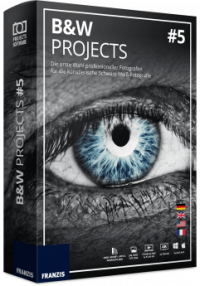

Reviews for BLACK & WHITE Projects 5
Click Here to Read Reviews for BLACK & WHITE Projects 5 >> Click Here to Submit Reviews for BLACK & WHITE Projects 5 >>