What Does Stealth Screen Recorder Do?
Stealth Screen Recorder is a lightweight utility engineered for continuous, background-level desktop activity capture. Operating without a visible user interface during active sessions, the software allows for 24/7 recording with minimal impact on system resources. This tool is designed to provide high-quality visual documentation while maintaining a low profile on the host machine, ensuring that recording remains undisrupted and discreet.
The application offers several functional applications for professional and technical environments:
- Compliance and Auditing: Maintain a constant visual log of on-screen activity to meet regulatory requirements or internal security standards.
- Technical Support: Document bug reproduction steps and remote assistance sessions without distracting the end-user with recording overlays.
- Workflow Documentation: Create comprehensive records of complex software processes, training modules, or long-term research sessions.
- Software Testing: Capture extended QA cycles to identify intermittent system failures or UI glitches that occur over long periods.
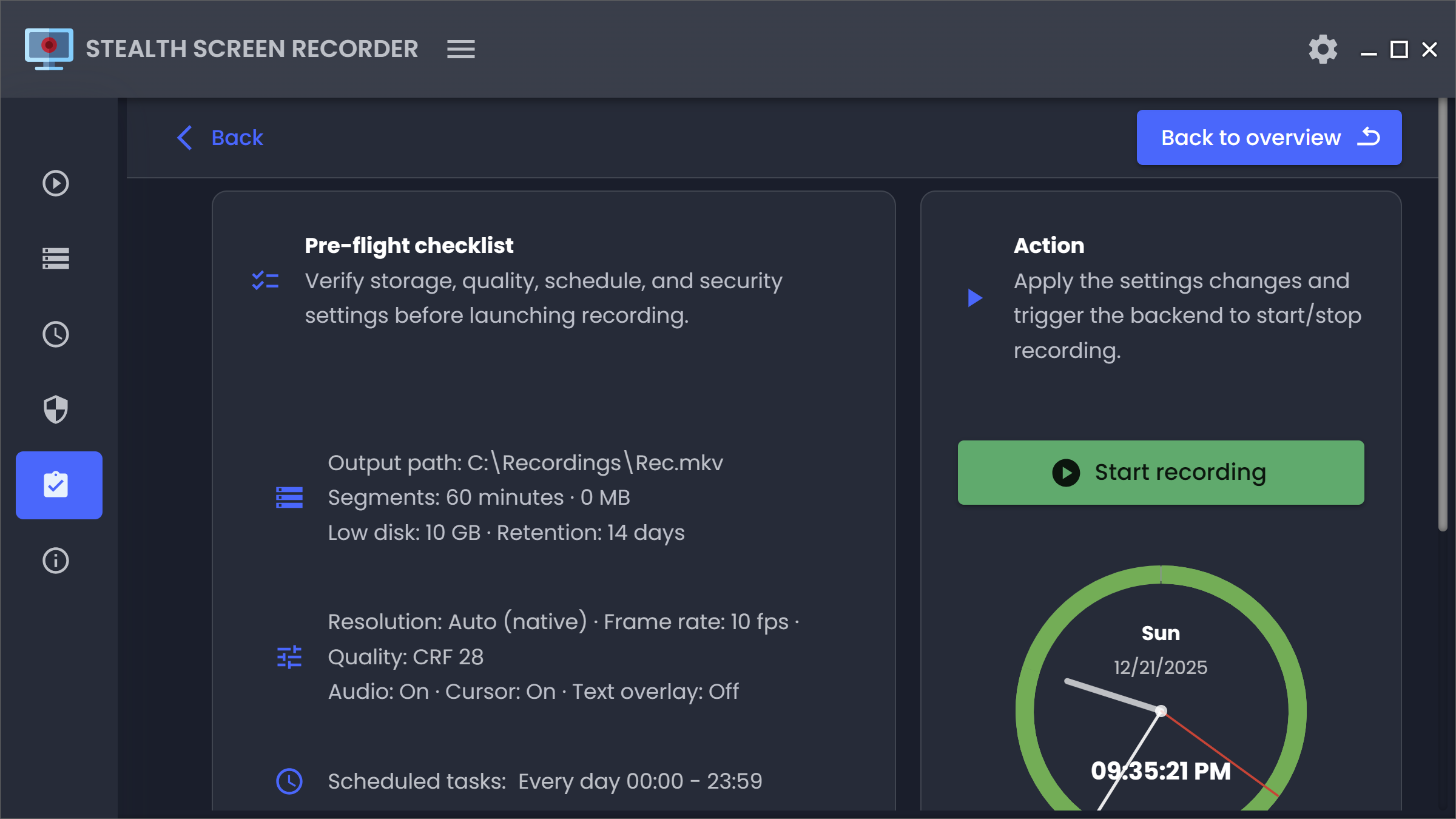
The software includes configurable output settings and efficient encoding algorithms to ensure that long-term recordings remain manageable in terms of storage capacity. Users can adjust capture parameters to balance video clarity with file size. By removing on-screen indicators, the tool ensures that the recording process does not interfere with the primary tasks of the operator, providing a seamless and stable record of all screen-based interactions.
Top 5 Reasons To Download Stealth Screen Recorder
- True Stealth Operation for Zero Distraction: The software runs entirely in the background without intrusive UI or pop-ups, allowing you to maintain absolute focus on your work while it captures every detail.
- Continuous 24/7 Recording Capability: Designed for reliability, it can record for days on end without crashing or slowing down your system, providing a perfect "black box" record of your digital activity.
- Minimal System Footprint: Unlike bloated video editing suites, this tool is incredibly lightweight, ensuring that your CPU and RAM are reserved for your actual tasks, even during high-definition capture.
- Optimized File Compression and Management: It uses advanced encoding to deliver crystal-clear visual records while keeping file sizes small enough to store weeks of footage without exhausting your hard drive.
- Versatile Professional Utility: From documenting rare software bugs and ensuring compliance to creating seamless tutorials and monitoring remote support sessions, it adapts to every high-stakes professional environment.
If you have ever spent hours trying to recreate a software bug that only happens "once in a blue moon," or if you have ever wished you could go back in time to see exactly how a complex workflow was executed, you know that standard screen recording software often falls short. Most tools are bulky, they distract you with flashing red dots or floating toolbars, and they tend to crash the moment you try to record for more than an hour. That is where the Stealth Screen Recorder comes in, and why this specific giveaway is something you cannot afford to miss. As a tech reviewer, I see hundreds of apps, but few offer this level of "set-and-forget" reliability. Let’s dive deep into why this software is a mandatory addition to your digital toolkit.
1. True Stealth Operation for Zero Distraction
The primary reason you want to grab this giveaway is the "Stealth" aspect of the software. We live in an era of constant notifications and digital clutter. When you are trying to record a tutorial, document a workflow, or conduct research, the last thing you need is a recording interface taking up screen real estate or a blinking icon in your taskbar reminding you that every move is being watched. This software is built with a privacy-focused and discreet philosophy.
When we talk about "hidden" recording in a professional context, we are talking about the elimination of distractions. For developers, researchers, and creative professionals, "flow state" is everything. The Stealth Screen Recorder allows you to enter that flow state without the psychological pressure of a visible recording timer. It operates silently in the background. This is particularly useful in environments like remote support or software testing where the presence of a recording UI might interfere with the very elements you are trying to capture. By downloading this giveaway, you are essentially getting a silent partner that watches your back without ever getting in your way.
Furthermore, the discreet nature of the app ensures that your captured footage is clean. There are no accidental captures of the recording software’s own menus or settings. It captures the raw, unfiltered desktop experience exactly as you see it. For those producing training materials or documentation for compliance, this means less time spent editing out the "tools" and more time focusing on the content. It’s a level of polish that traditional recorders simply don't offer.
2. Continuous 24/7 Recording Capability
Most screen recording apps are designed for short bursts—a five-minute clip for social media or a ten-minute demo. But what happens when you need to document an entire workday? What if you are running a long-term stress test on a piece of software and need to see exactly when it fails at 3:00 AM? This is where the 24/7 continuous recording feature becomes a game-changer. This software isn't just a "recorder"; it's a chronicler of your digital life.
The stability required to run a recorder for twenty-four hours straight, seven days a week, is immense. Most apps would suffer from memory leaks, eventually dragging your entire operating system to a crawl. However, the Stealth Screen Recorder is engineered for long sessions and background operation. It is built on a stable architecture that prioritizes uptime. This makes it an invaluable tool for IT professionals and system administrators who need a visual log of server activity or workstation usage for security and auditing purposes.
Imagine the peace of mind that comes with knowing that every action taken on a machine is being documented. If a system error occurs, you don't have to guess what lead up to it. You simply scrub back through the continuous footage. By securing this giveaway, you are gaining a powerful forensic tool that provides an objective truth of what happened on your screen, no matter how long the session lasts. This is professional-grade reliability that you usually have to pay a premium for.
3. Minimal System Footprint
A common complaint with high-quality video capture is that it "kills" the computer’s performance. If you are a gamer, a video editor, or a software developer running heavy IDEs, you cannot afford to have a recorder sucking up 30% of your CPU. One of the most impressive features of this software is its lightweight design. It manages to deliver high-quality capture with minimal performance impact.
The developers have clearly spent a lot of time optimizing the backend to ensure that the encoding process is as efficient as possible. It leverages modern hardware acceleration without hogging the bus. This means you can record high-frame-rate desktop activity while simultaneously compiling code, rendering 3D models, or running complex simulations. You won't feel the "lag" that usually accompanies screen capture. This makes it the ideal choice for software testing and bug reproduction, where you need the system to behave exactly as it would under normal conditions.
For users with older hardware or laptops that tend to overheat, this lightweight nature is a godsend. It allows for professional-grade recording on machines that would otherwise struggle with heavier alternatives. When you download this giveaway, you’re not just getting software; you’re getting an efficiency boost that respects your hardware's limits while maximizing its output.
4. Optimized File Compression and Management
High-quality video usually equals massive file sizes. If you’re recording 24/7, you could easily fill up a terabyte drive in a matter of days if the software isn't smart. This tool addresses that exact pain point with efficient encoding and configurable output settings. It is designed to keep file sizes manageable while preserving clarity.
The software uses intelligent compression algorithms that understand the difference between a static desktop and a high-motion video. If you are just typing in a document, the software optimizes the bitrate to save space. If you start a high-motion sequence, it adjusts to ensure every frame is crisp. This "smart" recording means you get the best of both worlds: visuals that are clear enough to read tiny text in a terminal window, and file sizes that won't trigger a "Disk Full" warning every few hours.
Furthermore, the flexible recording controls allow you to fine-tune the balance between quality and size. You can adjust resolutions, frame rates, and bitrates to suit your specific needs. Whether you need a low-res "proof of work" log or a 4K "tutorial-ready" masterpiece, this software gives you the knobs and dials to make it happen. This level of control over your storage is essential for anyone who intends to use the software for compliance documentation or research where months of data might need to be archived.
5. Versatile Professional Utility
The final reason to jump on this giveaway is simply the sheer number of problems this one tool solves. It is a "Swiss Army Knife" for the modern digital worker. In professional environments where uninterrupted focus is required, this tool becomes an essential part of the workflow. Let's look at a few scenarios where it shines:
- Software Testing & Bug Repro: Developers can leave the recorder running in the background. When a bug finally appears, they have a frame-by-frame record of the exact steps that caused it. No more "I can't reproduce this" tickets.
- Remote Support & Training: IT professionals can record their support sessions to create a knowledge base. New employees can watch these recordings to learn how to handle specific technical issues, creating a library of training materials without any extra effort.
- Compliance & Accountability: In industries where every action must be documented for legal or regulatory reasons, having a continuous, hidden record is the ultimate insurance policy. It provides an accurate visual record that is difficult to dispute.
- Workflow Documentation: If you are an expert at a complex task, you can record yourself doing it just once. That recording can then be used to create tutorials or SOPs (Standard Operating Procedures) for your team, effectively cloning your expertise.
The simple workflow and stable recording make it accessible to everyone, regardless of their technical level. You don't need a degree in video engineering to get professional results. The software is designed to be "invisible" both in its operation and its complexity. It just works, and in the world of tech, "it just works" is the highest praise you can give.
Why You Should Download It Now
Opportunities to get high-quality, specialized tools like the Stealth Screen Recorder for free don't come around often. Most "free" screen recorders are either limited by watermarks, restricted to short recording times, or packed with adware that slows down your computer. This giveaway offers a privacy-focused, professional-grade solution that is built for the rigors of a real work environment.
In conclusion, if you value your time, your system's performance, and the integrity of your digital records, this software is a must-download. It solves the "distraction" problem with its stealth mode, the "reliability" problem with its 24/7 capability, and the "storage" problem with its smart encoding. It is a tool designed for the way we work today—remotely, intensely, and with a need for absolute precision. Don't wait until you've lost a day's worth of work to a system crash or a missed bug reproduction; download this giveaway today and start building your own digital archive with total confidence.
The Stealth Screen Recorder is more than just an app; it is a silent witness to your productivity, ensuring that no important moment on your screen is ever lost to time again. Whether you are a researcher, a developer, or a dedicated professional, this is the tool that will finally let you record everything while feeling like you are recording nothing at all.

Reviews for Stealth Screen Recorder
Click Here to Read Reviews for Stealth Screen Recorder >> Click Here to Submit Reviews for Stealth Screen Recorder >>