What Does 6 Important Benefits of Upgrading to Windows 10 Do?
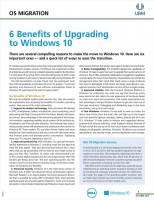
This digital guide provides a technical overview of the transition from legacy operating systems to Windows 10. As older software environments reach their end-of-life status, they cease to receive critical security patches, leaving hardware vulnerable to modern exploits. This resource addresses these risks while highlighting the functional improvements provided by a contemporary operating system.
The guide focuses on six primary areas of improvement, including:
- Enhanced security protocols and built-in threat protection.
- Improved system performance and hardware resource management.
- Compatibility with modern software ecosystems and cloud services.
- Refined user interface elements designed for streamlined navigation.
In addition to these justifications for upgrading, the giveaway includes a practical checklist designed to simplify the deployment process. These steps cover data preservation and settings migration, aiming to reduce technical friction during the transition period. By following this framework, users can move away from unsupported software and establish a more stable, secure computing environment. The information provided serves as a roadmap for individuals and organizations currently operating on outdated infrastructure that lacks current manufacturer support.
Top 5 Reasons To Download 6 Important Benefits of Upgrading to Windows 10
1. Immediate Access to Critical Security Protocols: Learn how to shield your data by moving away from vulnerable, end-of-life operating systems.
2. Performance Optimization Secrets: Discover how a modern OS layout can significantly boost your hardware's efficiency and speed.
3. A Blueprint for a Stress-Free Transition: This guide provides a curated list of ways to ease the migration process, ensuring you don't lose files or sanity.
4. Future-Proofing Your Professional Environment: Understand the long-term benefits of staying current with software updates and modern application compatibility.
5. Professional Insights at No Cost: Gain the knowledge of industry experts without having to pay for a premium consultation or tech support.
If you are still clinging to an older operating system, you are essentially driving a classic car in a world of high-speed electric lanes. It might feel familiar, and it might have a certain nostalgic charm, but you are missing out on the safety, speed, and reliability that modern technology provides. As a tech reviewer, I see people hesitant to upgrade every single day. They fear the "new," they fear the learning curve, and most of all, they fear that the transition will be a technical nightmare. This is exactly why you need to download this specific giveaway. This guide isn't just a manual; it is a strategic map designed to take you from the outdated past into a more secure and efficient digital future. Here is a deep dive into why this download is a non-negotiable for anyone still sitting on the fence.
1. Unmatched Security in an Increasingly Dangerous Digital Landscape
The first and most pressing reason to download this guide and make the move to Windows 10 is security. In the tech world, "old" doesn't just mean "slow"—it means "vulnerable." When a software developer moves on to a new operating system, they eventually stop patching the old ones. This creates a playground for hackers and malicious actors. They look for these outdated systems because they know the "doors" are effectively left unlocked. If you are running an older system, you are operating without the latest shields against ransomware, phishing, and zero-day exploits.
This giveaway breaks down exactly how a modern operating system like Windows 10 utilizes advanced security features that older versions simply cannot support. We are talking about things like Secure Boot, which ensures that only trusted software starts up when you turn on your machine, and Windows Hello, which brings biometric security to the masses. The guide explains the "why" behind these features, convincing you that the move isn't just about aesthetics—it is about protecting your identity, your banking information, and your personal memories. By downloading this guide, you are educating yourself on the frontline defenses required in the 2020s. You wouldn't leave your front door wide open in a storm; don't leave your digital life exposed by ignoring the security benefits outlined in this resource.
Furthermore, the guide emphasizes the risks of "End of Life" (EOL) software. When Microsoft or any other developer declares a system EOL, the security updates stop. Period. This guide will help you understand the timeline of support so you can make an informed decision before the next major vulnerability strikes. Knowledge is the best firewall, and this download provides that knowledge in a concise, readable format.
2. Reclaiming Your Productivity with Modern Features
We have all experienced the frustration of a "laggy" computer. Often, we blame the hardware, but the culprit is frequently the software environment. Older operating systems were not designed to handle the way we use computers today. We multitask more, we stream more, and we use more cloud-integrated applications than ever before. Windows 10 was built with these habits in mind, and this giveaway highlights the specific benefits that will make your daily workflow feel like a breeze.
One of the core reasons to download this guide is to learn about the performance leaps you can expect. From faster boot times to better memory management, the guide explains how the move to a modern OS can make your current hardware feel brand new. It covers features like the Action Center, which consolidates your notifications so you aren't hunting through different apps to see what you missed. It also touches on Snap Assist, a feature that sounds simple but is a game-changer for anyone who needs to look at multiple documents simultaneously.
As a reviewer, I often find that users don't even know what they are missing until it is shown to them. This guide acts as that "aha!" moment. It details how the integration of the Microsoft Store and better driver support means you spend less time troubleshooting and more time actually being productive. If your computer feels like a chore to use, the insights in this download will show you that it doesn't have to be that way. It reframes the operating system not just as a platform, but as a tool designed to enhance your efficiency.
3. The "Ease the Transition" Roadmap
The number one reason people avoid upgrading is the fear of the "mess." They worry about losing their desktop shortcuts, their browser bookmarks, and their precious family photos. They worry that their favorite old printer won't work or that a specific piece of software will break. This is where the giveaway truly shines and why it is a must-download. It doesn't just tell you to move; it tells you how to move with a list of ways to ease the transition.
The guide provides a tactical approach to migration. It addresses the "quick list" of steps you can take to ensure your data is backed up and your settings are ready for the shift. This isn't just generic advice you find on a random forum; it is a structured, professional look at the migration path. By following the tips in this guide, you can eliminate the anxiety associated with "The Big Move." It covers pre-migration checks—like verifying hardware compatibility—and post-migration tips to get your workspace back to looking exactly how you like it, but with the added benefits of the new OS.
I cannot stress enough how valuable a "transition ease" list is. For most users, the technical hurdles are the biggest barrier to entry. This guide lowers that barrier. It turns a daunting weekend project into a series of manageable, bite-sized tasks. Whether you are a tech-savvy power user or someone who just wants their computer to "just work," the migration strategies included here are worth the download alone. You get the benefit of someone else's experience, avoiding the common pitfalls that trap most people during an upgrade.
4. Future-Proofing for the Modern Software Ecosystem
Software development is a fast-moving train, and if you stay on the old platform, the train is going to leave you behind. More and more developers are dropping support for older versions of Windows. This means that eventually, your favorite web browser will stop updating. Your tax software won't install. Your new camera's editing software will throw an error message. Downloading this guide helps you understand the ecosystem benefits of making the move now rather than being forced to do it later in an emergency.
In this article's featured guide, you will learn about the compelling reasons why staying current is a form of digital insurance. When you use a modern OS, you gain access to the latest APIs and frameworks that developers use to create fast, beautiful apps. This means you get the best versions of the tools you use for work and play. The guide explains how Windows 10 serves as a bridge between your local machine and the cloud, allowing for seamless synchronization across devices—something older systems struggle to do reliably.
Staying modern also means better hardware compatibility. If you plan on buying a new monitor, a new mouse, or a new external drive, those devices are designed and tested for modern operating systems. By reading this guide and following its advice, you are ensuring that your setup remains compatible with the technology of tomorrow. You are essentially "future-proofing" your digital life, ensuring that you won't be hit with a "System Not Supported" error message when you least expect it. This download gives you the foresight to stay ahead of the curve.
5. High-Value, Professional Knowledge for Free
Finally, we have to talk about the value proposition. In the world of tech consulting, a guide like this—one that outlines strategic benefits and provides a migration roadmap—is something companies pay thousands of dollars for. This giveaway provides that same level of professional insight to you at absolutely no cost. It is a distilled version of expert knowledge, designed to be consumed quickly but implemented effectively.
Why spend hours scouring the internet for fragmented advice when you can have a consolidated, authoritative guide right on your hard drive? The guide is structured to be "noteworthy," focusing on the 6 most impactful benefits. It cuts through the marketing fluff and gets straight to the heart of what matters for the end-user. As a reviewer, I appreciate when a resource respects the reader's time. This guide doesn't waste words; it provides "compelling reasons" and "quick lists" that are actionable.
Downloading this giveaway is a low-risk, high-reward move. You aren't committing to the upgrade the second you click download; you are committing to learning. You are giving yourself the opportunity to weigh the pros and cons based on expert evidence. Most people stay on old systems because of inertia—they just keep doing what they've always done. This guide provides the momentum needed to break that inertia. It arms you with the "why" and the "how," making you a more informed and confident computer user. In a world where tech information is often gated or overly complex, this free, clear, and concise guide is a breath of fresh air.
Final Thoughts: Why You Should Click Now
The digital world is evolving at a breakneck pace. The operating system you use is the foundation of everything you do online, from communicating with loved ones to managing your career. Using an outdated foundation is a gamble that simply isn't worth taking. The security risks are too high, the performance loss is too great, and the eventual obsolescence is inevitable.
This giveaway, which details 6 compelling reasons to make the move to Windows 10 and provides a list to ease that transition, is the perfect starting point. It addresses the fears of the hesitant user while providing the technical justification that power users demand. It is rare to find a resource that is both a "convincer" and a "how-to" manual, but this guide manages to be both. It isn't just about an operating system; it's about your relationship with your technology. Do you want that relationship to be one of frustration and vulnerability, or one of speed and security?
Don't wait until a security breach or a system crash forces your hand. Download the guide today, read through the six major benefits, and look at that quick list of transition tips. You will find that the "mountain" of upgrading is actually just a small hill, and the view from the top—with a faster, safer, and more modern computer—is well worth the climb. This is one giveaway that provides immediate, tangible value to your digital life. Take the first step toward a better computing experience and grab this guide while it's available. Your computer (and your future self) will thank you.


Reviews for 6 Important Benefits of Upgrading to Windows 10
Click Here to Read Reviews for 6 Important Benefits of Upgrading to Windows 10 >> Click Here to Submit Reviews for 6 Important Benefits of Upgrading to Windows 10 >>