What Does ANALOG Video #1 Professional Do?
ANALOG Video #1 professional is a specialized post-processing tool designed to transform modern digital footage into classic cinematic styles. The software bypasses the need for complex, manual layer editing by providing a streamlined workflow focused on retro aesthetics and analog textures.
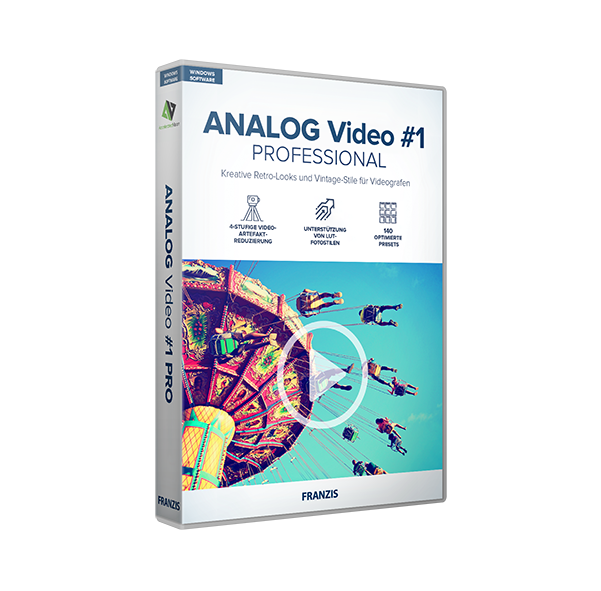
The application includes 140 presets across 12 categories, allowing for immediate aesthetic adjustments. For users requiring deeper customization, an expert mode offers 117 professional image filters and a specialized grain module. This module enables the addition of authentic film characteristics, such as dust, spots, and exposure errors. Furthermore, the software features 112 photo film emulations to recreate the specific looks of iconic celluloid stocks.
On the technical side, the software includes several high-end utilities for precise control:
- RAW development module: Used for correcting perspective distortions and straightening horizons.
- Real-time color module: A 10-layer system for granular color grading.
- Artifact reduction: A 4-level tool to minimize digital noise and compression artifacts.
- Broad format support: Compatibility with MPEG4 (H.264/H.265), WMV, AVI, and MOV files.
The tool also supports LUT photo styles and uncompressed AVI export, making it a comprehensive utility for creators who require a vintage look with professional-grade control over their final output. By combining automated presets with manual adjustment layers, it serves both quick turnaround projects and detailed color-grading tasks.
Top 5 Reasons To Download ANALOG Video #1 Professional
If you have ever spent hours staring at a digital timeline, tweaking color wheels and sliding saturation bars only to find that your footage still looks "too digital" and sterile, you are not alone. In the modern age of ultra-high-definition 4K sensors, our videos have become incredibly sharp, but they have often lost their soul in the process. There is a reason why top-tier cinematographers still spend thousands of dollars to shoot on real film or invest in expensive post-production houses to emulate the look of 1970s celluloid. But what if you could get that authentic, nostalgic aesthetic without the steep learning curve or the massive price tag? Enter ANALOG Video #1 professional. This software is a game-changer for anyone looking to inject character, warmth, and history into their digital footage. Below are the top five reasons why you need to download this giveaway right now.
- Instant Access to 140 Professional Analog Presets: Achieve cinematic perfection in seconds with 12 distinct categories of hand-optimized looks.
- Authentic Film Grain and Texture Control: Move beyond simple filters with a dedicated grain module that replicates dust, spots, and exposure errors for true realism.
- A Comprehensive RAW Development Module: Professional-grade tools to correct perspective, straighten horizons, and prep your footage before the creative grading begins.
- Sophisticated 10-Layer Real-Time Color Module: Experience the power of deep color grading with a layered approach that supports LUTs and provides real-time feedback.
- High-End Format Support and Workflow Efficiency: Effortlessly process MPEG4, AVI, and MOV files with professional artifact reduction and uncompressed export options.
1. Instant Access to 140 Professional Analog Presets
In the fast-paced world of content creation, time is the most valuable currency we have. Whether you are a YouTuber, a social media influencer, or an aspiring indie filmmaker, you don't always have six hours to spend on a thirty-second clip. This is where ANALOG Video #1 professional truly shines. It provides 140 hand-optimized analog presets that are divided into 12 intuitive categories. These aren't just your standard "sepia" or "black and white" filters that you might find on a free mobile app. These are professional-grade emulations designed to mimic specific eras, film stocks, and chemical processes.
The beauty of these presets lies in their variety. If you want the washed-out, sun-drenched look of an 8mm home movie from the 1960s, there is a preset for that. If you are looking for the moody, high-contrast grit of a 1940s film noir, you can achieve it with a single click. By using these presets, you eliminate the need for time-consuming video editing in complex layers and tracks. The software does the heavy lifting for you, allowing you to cycle through different "looks" until you find the one that perfectly matches the emotional tone of your project.
Furthermore, for those who want to go beyond the basics, the software features an Expert Mode. This mode grants you access to 117 professional image filters. This means that while the presets give you a fantastic starting point, you are never locked into a "one-size-fits-all" look. You can take a preset and then fine-tune it, adjusting the intensity, the color balance, and the lighting to create something entirely unique to your brand. It is the perfect balance between "one-click" simplicity and "deep-dive" creative control.
2. Authentic Film Grain and Texture Control
One of the biggest giveaways of "fake" vintage footage is the grain. Many basic editing programs simply overlay a static noise pattern on top of the video, which looks unnatural and distracting. ANALOG Video #1 professional takes a completely different approach with its dedicated grain module. This module is designed to replicate the organic feel of physical film, where the grain is a result of the silver halide crystals in the film emulsion reacting to light.
In this software, the grain module is pro-exclusive and highly sophisticated. It allows you to add unique textures that feel like they are "in" the footage rather than just "on" it. You can adjust the size, density, and randomness of the grain to simulate different film speeds. But it doesn't stop at grain. To truly sell the "analog" lie, you need the imperfections that come with physical film handling. This software allows you to introduce dust, spots, and even exposure errors. These subtle flaws are what convince the viewer's brain that they are watching something shot decades ago.
Additionally, the software includes 112 distinct photo film emulations. These emulations go beyond just color; they replicate the specific way famous celluloid brands handled light and shadow. When you combine these film emulations with the grain module and the texture overlays, you aren't just applying a filter—you are performing a digital "transplant" of the film's DNA onto your digital file. This is the difference between a video that looks like it has a filter and a video that looks like a timeless cinematic masterpiece.
3. A Comprehensive RAW Development Module
Most "vintage-style" apps assume that your footage is already perfect before you apply the effect. As any real videographer knows, that is rarely the case. Perhaps your camera was slightly tilted, or the lens you used created some distracting perspective distortion. ANALOG Video #1 professional addresses these issues head-on with its extensive RAW development module. This is a feature usually reserved for high-end photography and video suites, but here it is integrated directly into the analog workflow.
The RAW module allows you to fix fundamental issues with your footage before you even start the creative grading process. You can correct perspective distortions, which is essential if you are shooting architecture or interiors where lines need to be perfectly vertical. You can also straighten horizons—a lifesaver for handheld footage shot on the fly. By cleaning up the "geometry" of your shot first, you ensure that the analog effects you apply later look intentional and professional rather than like a cover-up for a poor shot.
Moreover, the RAW module gives you the ability to manage the technical aspects of the image, such as white balance and exposure, at a deeper level. Because the software handles RAW data effectively, you can pull details out of the shadows or recover highlights that might otherwise be lost. This provides a clean, high-quality "canvas" upon which you can then paint your nostalgic analog textures. It ensures that even though you are going for a "retro" look, the quality of the underlying video remains top-tier.
4. Sophisticated 10-Layer Real-Time Color Module
Color grading is often where amateur videos are separated from professional productions. Usually, to get a complex color grade, you have to stack multiple effects in a non-linear editor, which can quickly bog down your computer's performance. ANALOG Video #1 professional solves this with its 10-layer real-time color module. This is an incredibly powerful tool that allows you to build your look layer by layer, seeing the results instantly without waiting for long render times.
Each of the ten layers can be used to add a different dimension to your color grade. You might use one layer for basic contrast, another for a specific color cast in the shadows, and another to highlight skin tones. Because it is real-time, you can toggle layers on and off to see exactly how each adjustment is contributing to the final look. This non-destructive workflow encourages experimentation. You can push the colors to their limits, knowing that you can always pull back or adjust a specific layer without affecting the rest of your work.
Furthermore, the software supports LUT (Look-Up Table) photo styles. For those who aren't familiar, LUTs are essentially mathematical formulas that map colors from one space to another. They are the industry standard for professional color grading. By allowing you to import and use LUTs within its layered system, this software bridges the gap between consumer-friendly presets and high-end color science. Whether you want to use the built-in professional looks or import your own custom LUTs, the real-time color module provides the flexibility and power you need to achieve a specific "cinematic" feel.
5. High-End Format Support and Workflow Efficiency
A piece of software is only as good as its ability to fit into your existing workflow. One of the most frustrating things about some niche editing tools is their limited file support. ANALOG Video #1 professional bypasses this headache by offering broad compatibility with the formats that matter. It can load MPEG4 (H.264/H.265), WMV, AVI, and MOV files. This means that whether you are shooting on a professional mirrorless camera, a smartphone, or an action cam, this software will handle your footage with ease.
The export options are equally impressive. You can save your finished masterpiece in high-quality MPEG4 for easy sharing on social media or YouTube, or you can export as uncompressed AVI if you plan on taking the footage into another editor for further work. This flexibility is key for professionals who need to maintain the highest possible image quality throughout the production pipeline. The software also includes a 4-level video artifact reduction tool. This is vital when working with compressed digital footage, as it helps smooth out blocky areas and digital "noise" that can sometimes be exaggerated when you apply heavy color grades or grain.
Finally, the user interface is designed to maximize efficiency. It streamlines the process of converting modern, "clean" digital movies into nostalgic memories. You don't have to deal with the "spaghetti" of complex video tracks or nested sequences. The goal of this software is to give you professional-grade results "in no time." It even includes handy features like video mirroring, which can be used for creative framing or to fix shots where the subject is facing the "wrong" way for the edit. Every part of the tool is built to help you get from a raw file to a finished, beautiful, analog-looking video as quickly as possible.
Conclusion: Why You Should Download This Now
In a world where digital perfection is the default, the imperfect is what stands out. The grainy, warm, and textured looks provided by ANALOG Video #1 professional give your videos a sense of history and tangibility that digital sensors simply cannot capture on their own. This software is more than just a collection of filters; it is a comprehensive suite for anyone who cares about the aesthetic "soul" of their work. From the 140 presets that offer instant inspiration to the grain and RAW modules that provide technical precision, it is a complete package.
The fact that this is currently available as a giveaway makes it an absolute must-download. Usually, tools with this level of depth—real-time 10-layer color grading, LUT support, and professional film emulations—come with a significant price tag or a monthly subscription. Having the chance to add this to your creative toolkit for free is an opportunity that no content creator should pass up. Whether you want to make your travel vlogs look like vintage postcards, give your indie film a 16mm aesthetic, or simply make your family memories feel more timeless, this software is the ultimate tool for the job. Don't wait—download it now and start transforming your digital footage into cinematic art.

Reviews for ANALOG Video #1 Professional
Click Here to Read Reviews for ANALOG Video #1 Professional >> Click Here to Submit Reviews for ANALOG Video #1 Professional >>