What Does Ashampoo Backup 2025 Do?
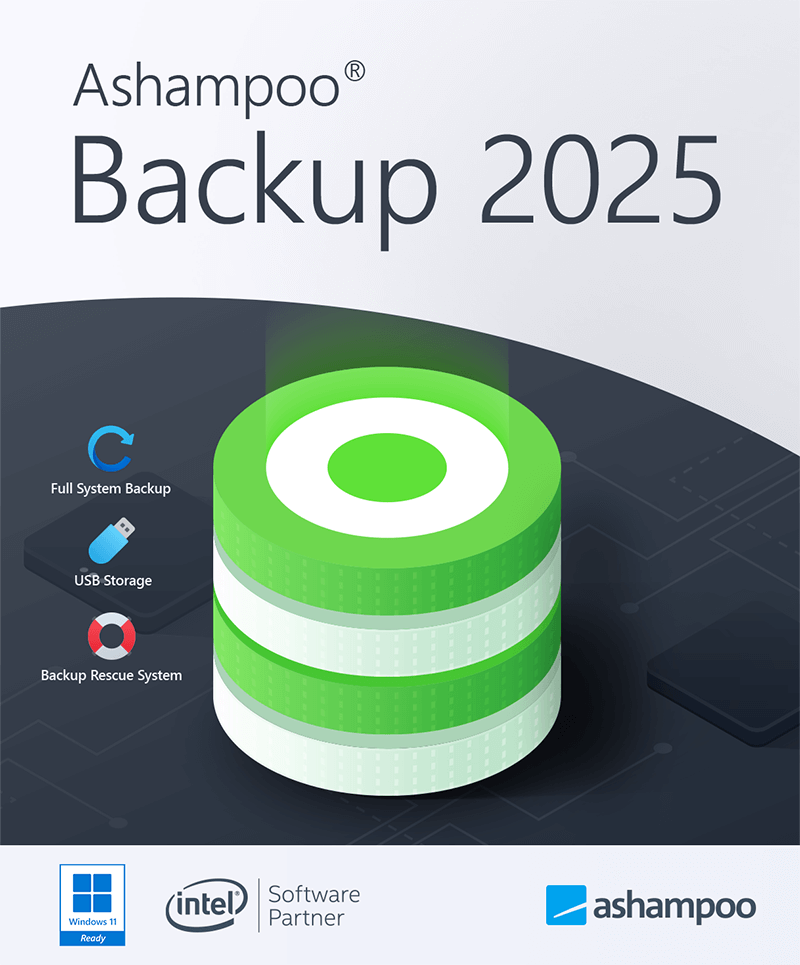
Ashampoo Backup 2025 is a utility designed for backing up and restoring entire disk partitions, including bootable Windows installations. The software automates the process through incremental updates, ensuring that backup archives remain current without requiring frequent manual intervention. By employing strong compression and permanent file verification, the application maintains small file sizes while ensuring data integrity.
The program features a built-in rescue system that allows for recovery even when the host operating system becomes corrupt or is affected by ransomware. Users can initiate file recovery directly within the software interface or via external bootable media, such as a flash drive or optical disc. This external rescue environment functions independently of the primary operating system, facilitating restoration in cases of total system failure.
Designed with a focus on essential functionality, the user interface aims for a minimal learning curve and is accessible to users of all technical levels. The software operates with low system resource requirements, allowing background tasks to run without impacting overall computer performance. The 2025 edition includes several stability and security enhancements to improve compatibility with modern hardware. Key features include:
- Partition-level backups for boot disks and data drives.
- Incremental auto-updates for continuous data protection.
- Rescue system support for bootable recovery media.
- File verification to prevent archive corruption.
- Resource-efficient background operation.
Top 5 Reasons To Download Ashampoo Backup 2025
- Complete System Rescue Capabilities: The ability to restore your system even when Windows won't boot or has been compromised by ransomware.
- Automated Incremental Updates: A set-and-forget system that keeps your backups current without slowing down your PC.
- Effortless User Interface: A streamlined, intuitive design that eliminates the learning curve associated with traditional backup software.
- Total Partition and Boot Disk Imaging: The power to back up entire drives, ensuring your OS, settings, and programs are safe, not just individual files.
- Resource-Light Efficiency and Verification: High-performance compression and background operation that stays out of your way while ensuring data integrity.
If you have been active in the tech world for more than a week, you know the sinking feeling that comes with a hardware failure, a blue screen of death, or the sudden realization that a malicious piece of software has encrypted your most precious files. We live in an era where our entire lives—our work, our family photos, our financial records, and our creative projects—are stored on magnetic platters and flash memory chips that can, and eventually will, fail. Most users know they should be backing up their data, but they don't. Why? Because most backup software is either too expensive, too complicated, or too resource-heavy. Today, those excuses disappear. Ashampoo Backup 2025 is the solution we have been waiting for, and getting your hands on this giveaway is the smartest move you can make for your digital security this year.
As a tech reviewer, I see hundreds of utilities every year. Many of them are "bloatware"—software that tries to do too many things and ends up doing none of them well. Ashampoo Backup 2025 is the exact opposite. It is a precision tool designed for a specific, vital task: keeping your data safe and making it recoverable. It doesn’t matter if you are a power user with a multi-terabyte workstation or someone who just wants to make sure their tax returns and holiday photos don't vanish into the ether. This software is built for you. Let’s dive deep into the five reasons why this is a "must-download" giveaway.
1. Complete System Rescue Capabilities
The biggest fear any computer user has is the total system collapse. We aren’t just talking about deleting a folder by accident; we are talking about the moment you press the power button and see a black screen with a "No Boot Device Found" error, or worse, a ransom note from a hacker. In these scenarios, standard file-recovery software is useless because you can’t even get into the operating system to run it. This is where Ashampoo Backup 2025 separates itself from the pack.
The built-in rescue feature is, quite literally, a lifesaver. It allows you to create a rescue medium—such as a bootable USB flash drive or a DVD—that contains its own mini-operating system. If your Windows installation becomes so corrupt that it won't start, or if it has been locked down by ransomware, you simply plug in your rescue drive, boot from it, and restore your entire system from your last backup. You aren't just restoring files; you are restoring your entire computer to exactly how it was before the disaster struck. This "nuclear option" provides a level of peace of mind that you simply cannot get from cloud storage services or basic file-syncing apps. It is the ultimate insurance policy for your digital life.
2. Automated Incremental Updates
The most common reason backups fail is human error. We tell ourselves we will "do it on Sunday," and then Sunday comes and goes, and we forget. Or, we start a backup and then cancel it because it’s taking too long and we want to play a game or watch a movie. Ashampoo Backup 2025 solves this by utilizing a sophisticated incremental auto-update system. This is a game-changer for anyone who wants high-level security without the manual labor.
Instead of copying every single file every time you run a backup—which is slow and wastes disk space—the software performs an initial full backup and thereafter only records the changes made since the last session. This means the updates are incredibly fast and use very little processing power. The "auto-update" nature of the software means it works in the background. You don't have to remember to click "start." The software monitors your system and ensures that your backup files are always up-to-date. This ensures that if your drive fails at 3:00 PM on a Tuesday, you haven't just lost a week's worth of work; you’ve likely only lost a few minutes, if anything at all.
3. Effortless User Interface
One of the biggest hurdles in the world of data security is the "complexity barrier." Many professional-grade backup tools look like they were designed for server administrators in a basement, with endless menus, cryptic terminology, and intimidating configuration screens. Ashampoo has always been known for its user-centric design, and Backup 2025 is the pinnacle of that philosophy. The interface is clean, modern, and, most importantly, intuitive.
When you open the program, you aren't met with a wall of text. Instead, you are guided through the process with clear options and simple logic. It is designed so that even someone with zero technical knowledge can set up a robust backup plan in just a few clicks. This "no learning curve" approach is vital because it encourages people to actually use the software. A tool is only effective if you use it, and by making the experience pleasant and straightforward, Ashampoo ensures that you won't be intimidated by the process of protecting your data. It is "pro-sumer" power wrapped in a beginner-friendly package.
4. Total Partition and Boot Disk Imaging
Many people mistake "file syncing" for "backing up." If you are just copying your "Documents" folder to a thumb drive, you are leaving yourself vulnerable. What happens to your installed programs? What happens to your Windows registry, your customized settings, your browser bookmarks, and your saved passwords? If your hard drive dies, you would have to spend hours, or even days, reinstalling Windows, hunting down drivers, and reconfiguring your software.
Ashampoo Backup 2025 handles entire partitions. This means it creates an "image" of your entire drive, including the bootable Windows installation itself. If your SSD fails, you don't just get your documents back; you get your computer back. You can restore the entire image to a new drive, and when you turn it on, it will be exactly as you left it—all your icons in the right place, all your programs installed, and all your settings preserved. This holistic approach to data protection is the difference between a minor inconvenience and a catastrophic loss of productivity.
5. Resource-Light Efficiency and Verification
There is nothing worse than software that hogs your CPU and makes your computer crawl while it's "protecting" you. Many legacy backup programs are notorious for being resource-intensive, often causing system lag during the backup process. Ashampoo Backup 2025 has been engineered to be exceptionally light on resources. It is designed to work silently in the background, using only the spare cycles your processor isn't currently using. You can continue to work, browse, or even render video while the backup process hums along unnoticed.
Furthermore, the software doesn't just "copy and hope." It features permanent file verification. This is a crucial technical step where the software constantly checks the integrity of the backup files to ensure they haven't been corrupted during the writing process. There is nothing worse than thinking you are backed up, only to find out the backup file is unreadable when you actually need it. Ashampoo’s verification system prevents this nightmare. Combine this with strong compression algorithms that keep your backup files small and manageable, and you have a piece of software that is as efficient as it is reliable. It maximizes your storage space while minimizing its impact on your system performance.
The Final Verdict: Why You Need This Now
We often treat backups like a trip to the dentist—something we know is good for us but something we want to put off as long as possible. But in the digital age, a "cavity" is a hard drive crash that costs you ten years of family memories. Ashampoo Backup 2025 removes all the friction from the process. It is fast, it is incredibly easy to use, and it is powerful enough to save your system from the most dire circumstances, including ransomware attacks and operating system corruption.
In this latest 2025 version, the developers have gone even further, introducing various fixes and tweaks that enhance security, stability, and compatibility with the latest hardware and Windows updates. It is a modern solution for modern problems. The fact that this is currently available as a giveaway makes it an absolute "no-brainer." You are getting professional-grade disk imaging and a fail-safe rescue system for free. There is no catch, just the opportunity to finally secure your digital world with a tool that won't get in your way.
Don't wait for the clicking sound of a dying hard drive or the blue screen that won't go away. Take control of your data today. Download Ashampoo Backup 2025, create your rescue media, set your automated schedule, and then go back to enjoying your computer, knowing that no matter what happens, you are protected. This is the kind of software that you hope you never need to use, but you will be infinitely grateful you have it when the time comes. It is the gold standard for easy, reliable, and efficient system backups.
In conclusion, the combination of full-disk imaging, a standalone rescue system, and the "set-and-forget" automation makes Ashampoo Backup 2025 a standout product in its category. Whether you are a student, a professional, or a casual user, the risks of data loss are too high to ignore. By choosing this software, you are opting for a streamlined experience that prioritizes your data's safety without demanding your constant attention. It is the ultimate "peace of mind" tool, and it is ready for you to download right now. Make the smart choice and protect your digital future before the unexpected happens.

Reviews for Ashampoo Backup 2025
Click Here to Read Reviews for Ashampoo Backup 2025 >> Click Here to Submit Reviews for Ashampoo Backup 2025 >>