What Does Ashampoo Backup Pro 17 Do?
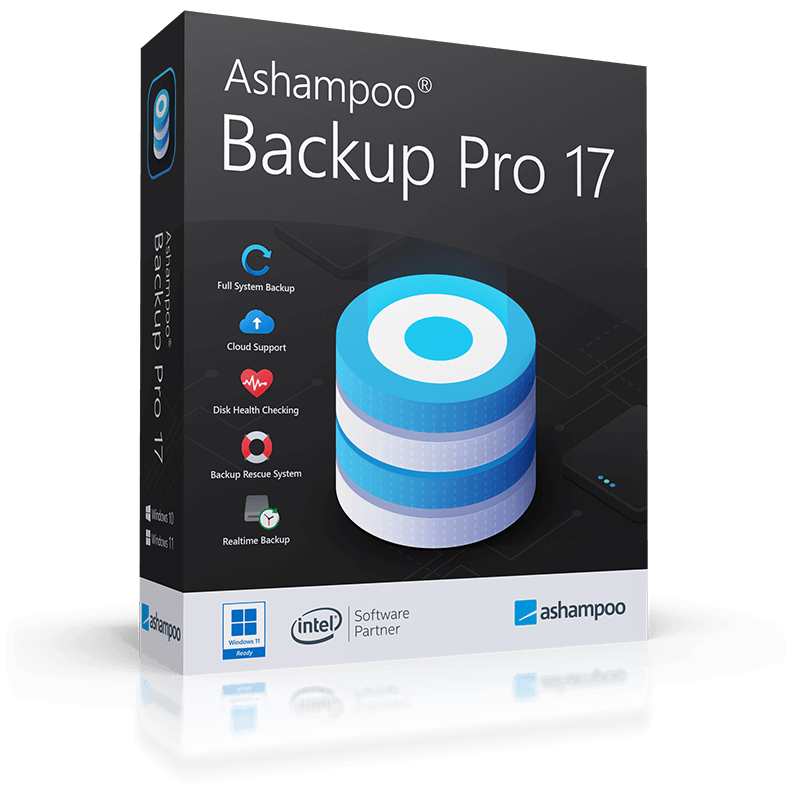
Ashampoo® Backup Pro 17 is a Windows-based utility designed for comprehensive data security and system recovery. The software facilitates the backup of individual files, disk partitions, and entire bootable operating systems. It operates automatically in the background, monitoring system resource usage to ensure that backup tasks do not interfere with active PC performance.
Users can secure their data using four selectable compression methods and strong encryption. Storage options are flexible, supporting traditional local drives and major cloud storage providers. In the event of a system crash or malware infection, data can be restored through the application interface or Windows Explorer. For total system failures, the program includes a rescue system bootable from external media, such as a USB flash drive or DVD, which has been updated to support the current Windows versions.
Key technical features in version 17 include:
- Real-time backup: This feature automatically detects and saves changes in monitored folders as soon as they occur.
- Bitlocker support: Users can now unlock and utilize Bitlocker-encrypted drives as storage destinations.
- Disk health monitoring: The software tracks drive status and alerts users of potential hardware failures to prevent data loss.
- Data verification: Every backup operation is validated to ensure data consistency and reliability.
This version also features improved connectivity with major cloud services, ensuring more reliable off-site storage synchronization for both individual files and entire drive images.
Top 5 Reasons To Download Ashampoo Backup Pro 17
Before we dive into the deep end of why this software is a mandatory addition to your digital toolkit, here are the top five reasons why you need to grab Ashampoo® Backup Pro 17 right now:
- Seamless Real-Time Protection: The new version tracks changes to your files as they happen, ensuring you never lose a single byte of progress.
- Zero-Interruption Background Processing: It monitors your system resources and only works when your PC has power to spare, so you never experience slowdowns.
- Life-Saving Rescue System: Even if your Windows operating system refuses to boot, the built-in rescue media allows you to restore everything from a USB or DVD.
- Maximum Security and Encryption: Your data is protected by heavy-duty encryption and the software even supports Bitlocker-locked drives.
- Complete Cloud and Hardware Versatility: Whether you prefer local hard drives or major cloud providers, this tool integrates perfectly with almost every storage medium available.
Now, let’s get into the nitty-gritty of why these features make Ashampoo® Backup Pro 17 the ultimate peace-of-mind solution for your PC.
The Silent Guardian: Real-Time Protection That Never Sleeps
We have all been there. You are working on an important document, a complex spreadsheet, or a high-resolution photo edit, and suddenly the power flickers, or a software bug causes a crash. In many cases, the "auto-save" features of individual apps are not enough. This is where the real-time backup functionality of Ashampoo® Backup Pro 17 becomes an absolute game-changer. Unlike traditional backup software that waits for a scheduled time—say, midnight on a Tuesday—this version monitors your most important folders in real-time. As soon as a file is created or modified, the software registers that change and secures it. It is like having a digital shadow that records every footprint you leave in the digital world.
From a tech reviewer's perspective, this is the "holy grail" of data preservation. Most users are disciplined enough to set up a weekly backup, but a week is a lifetime in the digital age. Think about how much data you generate in seven days: emails, downloaded receipts, updated passwords, and project progress. By moving to a real-time model, Ashampoo ensures that the gap between your live data and your backup data is essentially zero. This feature alone makes the giveaway worth the download because it shifts the software from being a "reactive" tool to a "proactive" shield.
Furthermore, this real-time monitoring is incredibly smart. It does not just blindly copy everything; it tracks specific changes within monitored folders. This level of granularity means your system is not wasting resources moving static files around, but rather focusing on the dynamic data that matters most. It is precise, efficient, and quite frankly, the standard that all backup software should strive for.
Intelligent Resource Management: Power Without the Pain
One of the biggest reasons users avoid backup software is the dreaded "system lag." We have all experienced that moment when our PC suddenly starts chugging, the fan kicks into high gear, and simple tasks take seconds to respond. Often, the culprit is a heavy-duty backup process hogging the CPU and disk I/O. Ashampoo® Backup Pro 17 solves this problem with an intelligent background strategy that is nothing short of brilliant. The software acts like a polite guest in your system’s house; it monitors the system load and only performs its heavy lifting when it senses that you have plenty of resources to spare.
If you start a resource-intensive game or begin rendering a video, the backup process will automatically pause or scale back its activity. You will never have to manually "stop" a backup because you need to get work done. This makes the software perfect for both high-end workstations and older laptops that might struggle with multitasking. The goal of a good utility is to be invisible until you need it, and Ashampoo has mastered this invisibility. It works quietly in the tray, keeping your data safe while you go about your day as if it weren’t even there.
Moreover, the efficiency of the four selectable compression methods ensures that the actual data transfer takes as little time as possible. By shrinking the archives before they are moved, the software reduces the strain on your hard drive and your internet connection. It is a sophisticated dance of resource management that ensures your PC remains snappy and responsive, no matter how large the backup task might be.
The Ultimate Safety Net: The Bootable Rescue System
Imagine the worst-case scenario: You turn on your computer, and instead of the familiar Windows logo, you get a blue screen, a black screen, or a terrifying "No Bootable Device Found" error. At this point, even the best file-level backup software is useless because you cannot even open the operating system to access the restore button. This is why the Ashampoo® Backup Pro 17 Rescue System is the most critical feature of this entire package. It allows you to create a bootable USB drive or DVD that exists entirely outside of your Windows environment.
If your system suffers a total failure—whether due to hardware issues, a corrupted update, or a nasty malware infection—you simply plug in your rescue media and boot from it. The rescue system is based on the current Windows version, ensuring maximum compatibility with modern hardware. Once you are in this "emergency mode," you can access your backup archives and restore your entire system, including the operating system, your settings, your drivers, and all your files, back to a functional state. It is like having a time machine for your hardware.
In my years of reviewing tech, I have seen many people lose everything because they only backed up their "Photos" or "Documents" folders. They forgot that the operating system itself is a complex web of configurations that takes hours or days to rebuild from scratch. With the disk imaging capabilities of Ashampoo, you aren't just saving files; you are saving your entire setup. When the "worst" happens, you don't have to panic. You just reach for your USB drive, and within a short time, you are back exactly where you were before the crash. That kind of security is priceless, yet this giveaway provides it for free.
Advanced Security: Protecting Your Data from Prying Eyes
A backup is a copy of your life, and that means it contains sensitive information. From personal tax returns to private family photos and stored browser passwords, your backup archive is a goldmine for anyone with malicious intent. Ashampoo® Backup Pro 17 understands this, which is why it offers strong encryption to keep your archives locked away from prying eyes. You can secure your backups with high-level encryption, ensuring that even if your external hard drive were stolen, your data would remain unreadable to everyone but you.
What sets this software apart from "entry-level" tools is its deep integration with Windows security features. Version 17 can now unlock and use drives protected by Bitlocker. This is a massive win for professional users or anyone who takes security seriously. Usually, Bitlocker can be a hurdle for backup software, requiring manual intervention or causing errors. Ashampoo handles it seamlessly, allowing you to use your most secure drives as storage locations without compromising on the encryption that protects them. This creates a layered security approach that is hard to beat.
Additionally, the software includes a constant verification system. There is nothing worse than a "successful" backup that turns out to be corrupted when you actually try to use it. Ashampoo® Backup Pro 17 verifies every single block of data it writes. It even monitors the health of your drives (S.M.A.R.T. data). If it detects that your hard drive is starting to show signs of mechanical failure, it will notify you immediately. This gives you the chance to replace the drive before it dies, turning what would have been a catastrophe into a simple, planned maintenance task. This proactive health monitoring is something you usually only find in expensive enterprise-level software.
Total Flexibility: Your Data, Your Storage, Your Choice
One of the most frustrating things about some backup solutions is how they try to lock you into their ecosystem. They might force you to use their proprietary cloud storage or limit which drives you can use. Ashampoo® Backup Pro 17 takes the opposite approach by offering total storage freedom. You can back up to local internal hard drives, external USB drives, network-attached storage (NAS), or even optical media like DVDs and Blu-rays. But the real star of the show in version 17 is the vastly improved cloud connectivity.
The software supports all the major players, including Dropbox, Google Drive, OneDrive, and many others. What makes the version 17 update special is that the developers have refined the way the software talks to these services. The connection is more stable, the upload speeds are optimized, and the setup is easier than ever. This means you can easily implement the "3-2-1 backup rule" (three copies of your data, on two different media, with one copy offsite). By backing up your critical files to a local drive for speed and to the cloud for disaster recovery, you are virtually immune to data loss.
The user interface is another area where this flexibility shines. Whether you are a "power user" who wants to tweak every single compression setting and scheduling rule, or a novice who just wants to click "Start" and let the program handle the rest, the software accommodates you. The menus are clean, the wizards are helpful, and the logic is intuitive. You have total control over what gets backed up—from an individual file that you accidentally deleted to an entire 2-terabyte partition. Having this level of versatility in a single, lightweight application is why Ashampoo remains a leader in the utility space.
Conclusion: Why You Should Not Wait
Data loss isn't a matter of "if," it's a matter of "when." Hard drives have a 100% failure rate over a long enough timeline. Windows updates can occasionally go sideways. Ransomware is a constant threat lurking in the shadows of the internet. Against these odds, hope is not a strategy. You need a reliable, automated, and powerful tool to protect your digital life, and Ashampoo® Backup Pro 17 is that tool.
This software isn't just a basic utility; it is a comprehensive insurance policy for your computer. It combines the ease of use that beginners need with the technical depth that advanced users crave. With its real-time monitoring, intelligent use of system resources, and that literal life-saving rescue system, it stands head and shoulders above the built-in tools found in Windows. The fact that it now handles Bitlocker drives and offers improved cloud support only sweetens the deal.
Download this giveaway today. Do not wait until you hear the ominous "click-click-click" of a dying hard drive or see the "Your files have been encrypted" message from a virus. Take five minutes to install Ashampoo® Backup Pro 17, set up your first backup plan, and then enjoy the incredible feeling of knowing that no matter what happens, your data is safe, secure, and ready to be restored at a moment's notice. This is one download you will never regret.

Reviews for Ashampoo Backup Pro 17
Click Here to Read Reviews for Ashampoo Backup Pro 17 >> Click Here to Submit Reviews for Ashampoo Backup Pro 17 >>